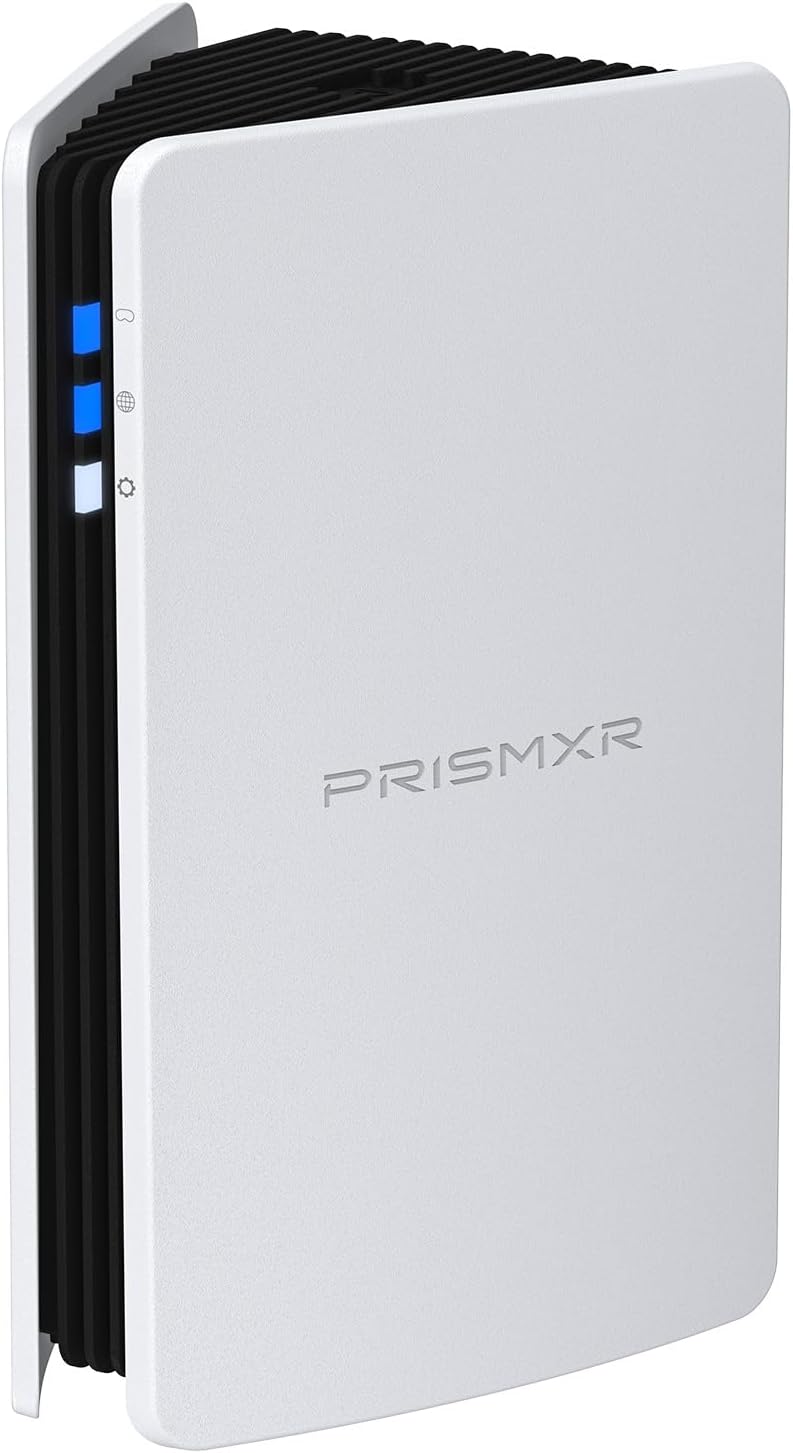
🎮 Cut the cord, not the thrill — stream VR like a pro with Puppis S1!
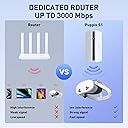
The PRISMXR Puppis S1 is a dedicated AX3000 Wi-Fi 6 router engineered for wireless PC-VR streaming, delivering ultra-fast 3000 Mbps speeds and stable connections via advanced beamforming and a 1.3GHz dual-core chipset. Compatible with Meta Quest 3S/3/2, Pico 4, and major VR streaming software, it features an effortless Bluetooth EaseLink setup and the PrismXR Desktop app for optimized performance, making it the ultimate cable-replacement solution for immersive, lag-free VR gaming.


| ASIN | B0CFDL5Y7F |
| Best Sellers Rank | #1,444 in Video Games ( See Top 100 in Video Games ) #22 in Standalone Virtual Reality Accessories |
| Customer Reviews | 4.2 4.2 out of 5 stars (1,161) |
| Date First Available | September 11, 2023 |
| Item Weight | 1.12 pounds |
| Item model number | Puppis S1 |
| Manufacturer | PRISMXR PTE LTD |
| Package Dimensions | 6.69 x 4.72 x 3.54 inches |
E**T
An Excellent, Easy-to-Use Device for VR Gaming
An Excellent, Easy-to-Use Device for VR Gaming (with one major change) I was initially disappointed by a change in its core design, but my opinion on the S1 Lite changed once I actually started using it, and the performance and ease of use quickly won me over. Pros: Simple Setup & Outstanding Performance The setup for the S1 Lite was an absolute breeze. As soon as I clicked "Start" in the new PrismXR Desktop app, my PC was on the network, and all the essential checks (connection, internet, firmware) had a green checkmark. Once I was up and running, the gameplay was incredibly smooth. I tested it with Half-Life: Alyx using Virtual Desktop, and the game worked marvelously with no issues whatsoever. Even with Alien Incursion (using Steam Link), the performance was solid. I can also confirm that the signal is strong enough to be reached from other sections of my home. The Major Change: Ethernet vs. USB-C This is the one point of frustration for me. The previous S1 model could connect directly to a laptop via USB-C, which offered a lot of flexibility, and I only needed to use one cable. The S1 Lite, however, requires a physical Ethernet port to connect to your PC or laptop and the power cable outlet. You can connect the S1 Lite to your router using another Ethernet cable to get an internet connection or use the router's Wi-Fi. This isn't a deal-breaker, as I was able to use a USB-C hub with an Ethernet port to get it to work with my gaming laptop, but it's something to be aware of if you're a laptop user on the go. The S1 Lite is an excellent device. The gameplay is fantastic, and the setup is so easy. At about half the price of the original S1 ($40 vs. $80), the S1 Lite is an incredible value and the best entry point for anyone getting into VR gaming. While the shift from USB-C to Ethernet is a letdown for me personally, the device's performance makes it a worthwhile investment. I had a few issues with my Steam Deck, but I'm confident that it's a software issue on the Steam side that can be resolved with updates, not a fault of the S1 Lite.
B**E
A must have for anyone interested in wireless pcvr
I’ll start by saying that I used this with a pico 4 ultra and already tried wireless pcvr. My current router for wifi isn’t bad, I even set up a mesh near my pc to see if that would help. While performance was decent, I’d still get the occasional stutter only present from the network and it would slow down the more people were home. Decided to just go for it and boy am I impressed. Any of those previously mentioned stutters? Gone, it’s just as stable as using a physical link cable. And I swear it’s more responsive. Super easy to setup, just plug in the two usb cables, download the program, and connect your headset to the designated WiFi it send out. Really, it’s the main reason I went for it, because the lite version and a regular router seem to require an Ethernet cable from the home router. You can set it up by using your phone, but I found the app pretty unresponsive and awful. The program on pc is all I’d recommend you use and it’s pretty useful. Oh, and fun thing I found out about it, you technically don’t need to be connected to any wifi for it to work with a headset. I know it should work, it’s a glorified router after all, but I was expecting it to use the home wifi to send signals, so color me surprised when it worked. Would be a great choice for anyone with poor connectivity.
T**T
Easy to set up, and improves overall Quest VR Airlink performance.
Set up was not as hard as I thought it would be. Set it up with a simple password and made sure it was close to my play space, and I was off to the races. Quest 3 found it and connected immediately. With a quick test it was absolutely seamless. I no longer need a direct link connection anymore, and with a dedicated frequency, I don't have to worry about my home's wi-fi interfering with the connection. I actually feel like my PC runs VR better with it, now that a dedicated router is streaming to my headset, and not pulling from my PC's motherboard. I found that because of this, VR simply ran better on my PC due to freeing up resources by going full wireless. This thing is no joke, and for the price, it's well worth it. I hope it can continue to do so through multiple hours of play, but testing so far has been awesome.
N**H
Phone app is gone, but still works with PC desktop app so far. Works well with my Quest 3
-This is older, but still seems to work. Using for my Quest 3 headset, and it's working well so far, allowing me to run games without judder issues from PC (Tested games like Beat Saber that need fast movement). -It took a bit to get it fully working, and it kept disconnecting from the PC, but rebooting the PC fixed it for me, and it' shad a good connection so far. -One thing to note, the phone app is gone. Searching the Google play store, it tells you the prismxr app does not work for newer Android, and so you can't even download it. Fortunately, the PC desktop app does work. However, this makes me feel this likely has no real support, since the Android app isn't being maintained. But it's fairly cheap, so hoping it lasts until the Steam Frame is out.
S**M
This device is genius. A dedicated and clear connection with your HMD, no interference whatsoever. All you need is 2 free USB ports, or in my case I used a (separate) usb-c connection. Power and ethernet to the Prismxr via usb. 10-20 minutes and few trial and errors in setting up later you have your wireless pcvr set-up ready. Works better than my 5ghz AP I set-up solely for my Q3. And it was cheaper than buying a new router for this purpose too. Money well spent.
S**.
Excellent produit pour ne plus avoir à utiliser de Câble sur PC. La qualité est au rendez-vous avec un résultat équivalent à du filaire ( meta Quest 3 en résolution max) 😄. Seul petit défaut la configuration n’est pas hyper évidente et le manuel d’utilisation est à revoir. Très satisfait de mon achat, je recommande 😉.
A**L
Nunca pensé que wireless PCVR podría ser tan fluido y a tal grado de calidad, no le pide nada a un cable. Literal lo conectas y en 5 min estas listo para elevar tu experiencia en VR
S**M
So schwer ist die Einrichtung jetzt auch nicht. Anleitung liegt bei und ist eigentlich in 5- 10min gemacht. Es gibt nicht viel was ma da einstellen muss. Funktioniert super, sehr schnelle Verbindung. Man sollte darauf achten, um das bestmögliche rauszuholen, dass der puppies im selben Raum steht in dem man auch spielt. Nur dann hat man die volle Leistung. Steht er z.b im Nebenzimmer, kann sich die Leistung auch schnell mal halbieren. Klare Empfehlung von mir!
P**E
Fonctionne parfaitement. Plus de long câble pour utiliser le casque Meta Quest 3. Facilement installé
Trustpilot
3 days ago
1 week ago