Desertcart purchases this item on your behalf and handles shipping, customs, and support to Japan.
🚀 Upgrade your rig, unlock instant power and storage freedom!
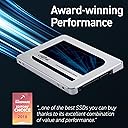
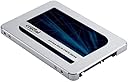
The Crucial MX500 2TB Internal SSD combines Micron’s advanced 3D NAND technology with SATA 6Gb/s interface to deliver up to 560MB/s read and 510MB/s write speeds. Featuring AES 256-bit encryption and power loss immunity, it ensures your data stays secure and intact. Its 2.5-inch form factor fits seamlessly into laptops, desktops, and gaming consoles, making it a versatile upgrade for professionals and gamers alike. With dynamic write acceleration and a 5-year warranty, the MX500 offers a reliable, high-performance storage solution that transforms any system into a speed powerhouse.


| ASIN | B003J5JB12 |
| Best Sellers Rank | 11,547 in Computers & Accessories ( See Top 100 in Computers & Accessories ) 77 in Internal Solid State Drives |
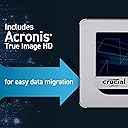
| Box Contents | Crucial MX500, Acronis True Image for Crucial cloning software and installation instructions |
| Brand | Crucial |
| Brand Name | Crucial |
| Color | silver |
| Compatible Devices | Desktop, Laptop, Game Console |
| Connectivity technology | SATA |
| Customer Package Type | Standard Packaging |
| Customer Reviews | 4.8 out of 5 stars 117,740 Reviews |
| Data Transfer Rate | 6 Gigabits Per Second |
| Digital Storage Capacity | 2 TB |
| Digital storage capacity | 2 TB |
| Enclosure Material | Information Not Available |
| Form Factor | 2.5-inch |
| Hard Disk Description | Solid State Drive |
| Hard Disk Form Factor | 2.5 Inches |
| Hard Disk Interface | Serial ATA |
| Hard disk form factor | 2.5 Inches |
| Hard disk interface | Serial ATA |
| Hard-Drive Size | 2000 GB |
| Hardware Connectivity | SATA 6.0 Gb/s |
| Installation Type | Internal Hard Drive |
| Item Dimensions L x W x Thickness | 10.3L x 7W x 0.7Th centimetres |
| Item Type Name | Crucial MX500 2TB 3D NAND SATA 2.5 Inch Internal SSD - CT2000MX500SSD1 |
| Item Weight | 40 Grams |
| Manufacturer | Micron |
| Manufacturer Part Number | CT2000MX500SSD1 |
| Media Speed | 510 Megabytes Per Second |
| Model Name | Crucial MX500 |
| Model Number | CT2000MX500SSD1 |
| Network Connectivity Technology | SATA |
| Number of Items | 1 |
| Product Features | Dynamic write acceleration, RAIN, multi-level data integrity algorithm, adaptive temperature protection, built-in power failure integrity, data path protection, active garbage collection (active elimination of unnecessary memory blocks) TRIM support, self-monitoring and reporting technology (self-monitoring and reporting, SMART), error correction code (error correction code, ECC), power saving mod… |
| Product Warranty | maker |
| Read Speed | 560 Megabytes Per Second |
| Special feature | Dynamic write acceleration, RAIN, multi-level data integrity algorithm, adaptive temperature protection, built-in power failure integrity, data path protection, active garbage collection (active elimination of unnecessary memory blocks) TRIM support, self-monitoring and reporting technology (self-monitoring and reporting, SMART), error correction code (error correction code, ECC), power saving mode Special feature Dynamic write acceleration, RAIN, multi-level data integrity algorithm, adaptive temperature protection, built-in power failure integrity, data path protection, active garbage collection (active elimination of unnecessary memory blocks) TRIM support, self-monitoring and reporting technology (self-monitoring and reporting, SMART), error correction code (error correction code, ECC), power saving mode See more |
| Specific Uses For Product | Business, Gaming, Personal |
| UPC | 649528785077 |
| Unit Count | 1.0 count |
M**N
Easy to install. Good value for money piece of kit.
I won't start by trying to compare this drive with the Samsung EVO or WD drives. There's plenty of reviews already here about that topic, by people far more qualified than me. I would say though, that I, as an 'intermediate' computer user - not a boffin, but have no problem opening a laptop and changing a HDD - I doubt I would notice any real difference in performance between this, the EVO, and the WD. (Cue howls from those in the know.....) Anyway, I digress... I have bought two of these drives, one put into a 2015 16GB i7 HP Envy Laptop, and one in a 2010 6GB Dual Core desktop. The desktop used to take up to 10 minutes to be usable after booting and Windows doing all its business. You could genuinely go off and make a cup of tea (and drink it). After installing this drive, it probably took all of 30 seconds from 'turn on' to usable. It was like a new machine. Photoshop also started up in a matter of seconds rather than close to 2 minutes previously. The laptop is a much newer machine but it too would take 5+ minutes to be usable. This was in part due to the amount of guff I had on the computer, but now, literally 7 seconds from switch on to go!! Photoshop starts in a matter of seconds. Again, like a new machine. The Acronis cloning software that you download via link was straightforward and easy to use. It's not the full version but does what you need it to do. Obviously, to clone, you will need some way of connecting the drive to your computer via a SATA to USB doohicky. Lots of them on Amazon. Crucial Storage Executive, their version of Samsung's 'Magician' optimization software is a bit clunky, not as sexy as Samsungs, but infinitely usable. You don't have to use it though. It's not essential. Just a word if you are looking at a SSD to improve gaming performance. Unless you have a game that utilises a lot of loading from the drive, you probably won't experience much improvement in gaming. That is still dependant on memory, GPU, and processor first and foremost. So, in summary, as an intermediate computer user who wouldn't really notice the difference in performance between the big 3, I went for the cheapest (at the time) option, and I have to say, I have not been disappointed. I do thoroughly recommend it.
J**O
A Game-Changer for Faster Load Times
I recently purchased the Crucial MX500 2TB Internal SSD, which has completely transformed my gaming experience. I bought this SSD with the sole intention of speeding up game load times, and it has not disappointed me. The installation process was straightforward, and it didn't take long at all to set up. One small hiccup was that I had to purchase a SATA3 cable separately, which I assumed would be included, but it wasn't a big deal. Once I had that cable in hand, the installation was a breeze. I simply connected the drive to my desktop PC, and I was ready to go. The performance of the Crucial MX500 is nothing short of impressive. Games that used to take ages to load now start up almost instantly. This SSD has significantly reduced loading times, allowing me to jump right into my gaming adventures without the frustrating wait. It's a game-changer, quite literally! Additionally, the generous 2TB storage capacity ensures that I have plenty of space for all my favourite games, and then some. The reliability and quality of Crucial products are well-known, and the MX500 lives up to its reputation. In summary, if you want to upgrade your gaming setup and enjoy faster load times and smoother gameplay, the Crucial MX500 2TB Internal SSD is an excellent choice. Just remember to grab a SATA3 cable if you don't have one. I couldn't be happier with my purchase, and I highly recommend this SSD to any gamer looking to level up their gaming experience.
M**T
Decent SSD drive and always in Top 3 drives which I recommend.
As a hobbyist I do quite a lot of “Could you have a look at my PC, please?” requests from my family and friends. Quite recently I started suggesting everyone who asked about the storage to upgrade to SSD drives as they became reasonably cheap and literally flooded the market. I always suggest eitter Crucial MX500 series or Samsung Evo 860/870 depending on the current prices and current offers (capacity no less than 500GB). It is very easy to buy a cheap SSD, but they are so different that the buyers can make a huge mistake buying SSD without any knowledge. I recently bought this Crucial MX500 500GB SSD to upgrade a 7 year old laptop as it was the only thing (aside of doubling the RAM) that could really revive this computer and grant it a bit of vitality (not a computer for gaming, just for internet and apps). As usual the results were outstanding. I did not reach the maximum transfers for this drive as I got over 370MB/s write and 450MB/s read results, although the difference to the old HDD is so huge that a laptop feels like new machine again. It is handled by the 7 year old laptop hence the results are lower than on the box (I tested an another Crucial MX500 1TB drive with my Dell G7 laptop and got over 500MB/s writes and reads). System loads in about 12 seconds from power off. It’s like a breeze and after that time a computer is ready to be used. I never experienced problems with any of Crucial MX500 series drives (no problems with Samsung drives either which are always top drives for me), but I always stick to the routine while handling any electronics – leaving the electronics to settle for couple of days after the delivery to allow it to get rid of any moisture from transport, always switch the devices off completely, using the anti-static gear and always doing clean installations of OS when mounting a new system drive (no cloning/migrating). I also never use hibernation/sleep as with SSDs it is a pointless thing in my opinion. It is a very good drive (TLC 3D NAND based), especially in comparison to QLC drives. TLC guarantees better transfers than QLC, especially when it comes to transferring large quantities of files and large amounts of data. TLC is a good alternative for expensive MLC, but does not deteriorate like QLC and guarantees better data security than QLC. I would of course suggest regular backups of the drive, but it is the case of any and every single drive, regardless of being SSD/HDD or brand. Backup is everything. I would definitely consider buying this SSD in the future, especially that 500GB costs less than £50.00 while 1TB costs below £80.00.
F**A
Dependable performance from a brand you can trust.
Crucial have become my top choice for memory and storage solutions, and for good reason. First off, the performance of this SSD is nothing short of exceptional. With read speeds of up to 560MB/s, this SSD has breathed new life into both my PC and laptop. But what's truly remarkable is how it transformed my older, slower laptop into a lightning-fast machine. Replacing the hard drive with the MX500 was like giving it a turbo boost – it now boots up in seconds and runs applications with lightning speed. As a loyal fan of Crucial, I've come to trust their products for their quality and reliability. Both of my PCs and my laptop are now running on Crucial SSDs, and I've been consistently impressed with their performance and durability. The MX500 continues this trend, offering the perfect blend of speed, capacity, and reliability. But perhaps the most compelling aspect of the MX500 is its value proposition. For anyone with an older, slower laptop, upgrading to an SSD can make a world of difference. Not only does it significantly improve performance, but it also extends the lifespan of your device, saving you the hassle and expense of buying a new one. Overall, I couldn't be happier with the Crucial MX500 1TB SSD. It's a game-changer for anyone looking to breathe new life into their PC or laptop. Whether you're a gamer, a student, or a professional, upgrading to the MX500 is one of the best investments you can make for your device. Highly recommended!
P**E
Good SSD but mixed feelings about Amazon's stock
I purchased the 1TB version, during black friday, to replace a 500GB version of this SSD that I had in my XPS 15 (7590) laptop. For those who also have this laptop: you can add another SSD (SATA) in addition to the nvme SSD installed in your XPS 15, if you have the model with the smaller battery. You will need a SATA connector cable (and some rubber rails or something similar) to do this however, as Dell does not provide you with one, despite including a 2.5 inch drive cage. I use this drive for games and storing images, photos, videos etc after I am done with editing them. It works well for this purpose however there are a few things to note about this SSD: - The Crucial MX500 is a TLC SSD, which basically means that its writing speeds will not significantly diminish after your drive is x% full like the Samsung 870 QVO SSD (which is a QLC drive) for example. - It is slightly more power hungry compared to other 2.5 inch SATA SSDs. If you find that your laptop's battery is draining somewhat faster after installing this SSD, this is why. However, since its writing/read speeds don't decline over time like with other SSDs in this tier, I think it is still worth it. One more thing to note about the MX500, specifically ones sold on Amazon (from my own personal experience): I already had a 500GB version that I also bought on Amazon over a year ago which has been working fine. However, ever since I installed this 1TB model about 2 weeks ago, I have been experiencing odd issues with my laptop. My laptop started playing up as if it was infected with malware (randomly started opening up Adobe Premiere Pro, task manager etc). I am usually very careful when browsing online and have enough knowledge to avoid infecting my PCs with malware etc. Nevertheless, I did several scans with Malwarebytes as well as an Antivirus program just in case. Everything came back clean. So I looked around in my reg and log files to try to see what was the issue. In the end, I ended up taking this 1TB drive out and putting my old 500GB one in. Rebooted and it seemed fine. A day later, I swapped it to the 1TB again, and my laptop acted oddly again for a few seconds. It seems to have settled now and I'm not experiencing anymore problems. I am still not a 100% sure whether it was this 1TB drive that was causing the problem but it looks like it might have been. I did not experience this kind of problem with MX500 SSDs bought from other places though and I have seen a few reviews here on Amazon claiming a similar thing happened to them so it might be the batch in Amazon's stock that is having these issues. So if you do buy the 1TB version off of here, be sure to back up any important files just in case.
F**R
Excellent All-Round SATA SSD — Strong Value, Minor Limitations
Why I Bought It I needed a large, reliable SSD to replace my old hard drive in a laptop/desktop that only supports SATA, not NVMe. The Crucial MX500 2TB promised good capacity, strong speed, and high endurance without breaking the bank, so I hoped it would dramatically improve boot times, loading, and general system responsiveness. Setup / First Impressions Installation was straightforward: the 2.5-inch form factor with its 7mm height fits easily into most drive bays, and Crucial includes a spacer for thicker slots. The drive was recognised immediately, and I transferred Windows and my apps over using Crucial’s cloning tools without too many hiccups. The external finish is solid, feels well built, and there’s very little vibration or noise since there are no moving parts of course. Performance / Quality Real-world performance has lived up to expectations. Sequential read speeds hit around 560 MB/s, and writes around 510 MB/s, which are very good for a SATA SSD. Boot times, game load times, and file transfers are noticeably quicker than with my old HDD. Random I/O is strong too — Crucial promises (and many tests confirm) ~95,000 IOPS read and ~90,000 IOPS write in 4K random workloads. The drive also has features you don’t always get in cheaper SSDs: power-loss immunity, hardware-based AES-256 encryption, and dynamic write acceleration help maintain performance under load. Pros ✔️ Very good read/write speeds for SATA — significantly faster than HDDs and many older SSDs. ✔️ Large 2TB capacity gives lots of room for games, media, work files. ✔️ Great endurance (700 TBW for 2TB model) and 5-year warranty. ✔️ Helpful added features: encryption, power-failure protection, reliable cloning tools. ✔️ Quiet, cool operation, no moving parts, so reliable and low maintenance. Cons ❌ SATA interface limits max throughput; won’t match modern NVMe SSDs for top-end performance. ❌ For very heavy writes or long sustained workloads, performance can dip once cache is used up. ❌ Larger physical size (2.5-inch) doesn’t help in devices that only accept M.2 drives. ❌ Price per GB is higher than basic SATA or budget NVMe options (if NVMe is available in your system). Final Verdict If your system is limited to SATA and you want a high-capacity, fast, reliable SSD, the Crucial MX500 2TB delivers excellent all-round performance and is one of the best options in its class. You’ll get snappy boot-times, fast loads, and good endurance. If you have NVMe slots and want ultra-high speed, you’ll get more by going NVMe — but for a SATA drive, this is very tough to beat.
S**N
Easy Install of an excellent product
First off, I do recommend that anyone thinking about updating their laptop with an SSD - and particularly if they have a Dell Latitude E6230 – should definitely give it a go. I have upgraded from a 320 Gb mechanical drive to a 500 Gb SSD. The instructions that came with the drive were comprehensive and the free Acronis True Image software (which you down load) worked without a hitch. It needed one screwdriver (to remove three screws) and an SATA-to-USB cable. You can also use the “Inateck USB-to Dual SATA HDD with offline clone” (facility). The SATA-to-USB cable is probably the simplest solution. The SSD came with an additional tray to host the 2.5 inch SSD but I found I did not need it. The first step is to clone the existing hard drive in your laptop. The SSD is connected to your laptop via the SATA-to-USB cable. Having downloaded and installed the Acronis software and run up the software you take the option to CLONE the incumbent drive. This is really a matter to selecting the which drive you are cloning and which drive is the target drive. It’s mostly a question of taking the “automatic” options when prompted. It then gets cloning. Now this does taken some time – in my case over 90 minutes. Step 2 is to pop out the old drive and replace it with the SSD clone. You need to power down the laptop, remove the battery, discharge any electrical charge remaining in the laptop (by pressing the power button from 5 seconds) and then proceed to open the laptop up. In a few minutes I was pulling out the existing drive and replacing it with the SSD. The 320 Gb drive extracted with ease and the new SSD snapped into place just as smoothly. Step 3 is to reassembly your laptop and download some additional software. Having closed the laptop I reconnected the battery and the power and started it up. The “setting up” by Windows 10 took a few minutes the first time but the drive was already recognised and performing well. I then downloaded the “crucial storage” software (as recommended by Crucial) and installed it to make some final adjustments to enhance the performance of the drive. And I was done. The SSD has given me enhanced capacity and made a noticeable improvement in the performance of the laptop. Windows is up-n-running much more quickly as are the main applications. I should also note that since I had the laptop open to upgrade to an SSD I also upgraded the memory from 8 Gb to 16 Gb. The combination has breathed new life into an oldish laptop.
T**S
Ideal replacement for an older iMac - if you're up to installation
My iMac was getting slower and occasionally, failing to boot - classic signs of spinning disk failure, but of course no errors showing up so I pressed on until it just gave up and booted into recovery mode! Part of the putting it off was the fear of opening the machine - in fact, if you're reasonably skilled at DIY and can follow instructions, it's not hard at all and the machine is well laid out. I opted to install an Apple SSD in the empty fusion drive slot as well as the Crucial SSD, but they're almost a match in performance (and both significantly faster than my old spinning disk). To adapt the Mac's 3.5" drive to the 2.5" format of this SSD I got an Orico 2.5-3.5" drive adaptor , a low-cost and solid plastic carrier that fits the iMac particularly nicely. Once setup and reinstalled the iMac's performance is exceptional - it feels like a machine half its age (it's only an i5, too), loading Cubase and sample libraries in a faction of the time it did even when the spinning disk was allegedly healthy (shame the CPU load hasn't dropped!). One significant difference is that background tasks no longer cause audio dropouts/crackles, always a problem before - the machine can be running multiple tracks in Cubase, receive emails, start disk indexing or even go and browse something in Safari and the audio just keeps on, which transforms the experience of using modern plugins and DAW software on an eight year old computer. I'll leave the fussy stats to other people; all you need to know here is: It's much faster. It works in an iMac without needing fan adaptors (a feature Apple introduced in later firmware for this model). It's good value and the MX is, I believe, better tech than the BX drive. If you are opening your iMac,, you need one of the kits (Amazon has plenty) and should read the guide on iFixit. Took me about 1 hour, 40 minutes including removing the logic board to fit the blade SSD, but excluding final setup and stickdown (you should masking-tape the screen on to make sure everything works before fitting new sticky strips). I've trusted Crucial for a long time for memory, and the price/performance/usefulness of the upgrade here has me delighted.
C**O
El mejor SSD para 🖥️ imac
Lo instalé en una imac 27” retina 5k 2019 Jala increíble! Parece una nueva imac y con 64 RAM de la misma marca da una compatibilidad inigualable y excelente velocidad! 100% recomendable. Actualización 8 meses de uso: Muy contento con el SSD funciona a la perfección, gran capacidad y excelente velocidad, no dudes en comprarlo si es para mac no encontrarás mejor SSD ya que es la marca que apple usa en sus productos originales.
J**C
Install very easy. Supplied cloning software is very good, instructions excellent.
I bought this Crucial MX500 to replace a very old 1st generation SanDisk SSD, which held 128 GB. With the Windows 10 Pro OS and several large software packages used daily and creating files, the SanDisk was a bit small - it had come in my "daily driver," a refurbished Lenovo T430 i7 with 8 GB of RAM. I'd been watching for a good quality but larger SSD for the C: drive. When the MX500 went on sale at a very good price, I bought it. I'd checked out reviews of this drive on several sites I trust - all had rated it very highly. I was not able to do the install immediately - my USB-SATAIII transfer cable had gone where the odd socks are, so I needed another to do the clone and swap. (A word of caution: make sure the "clone" cable you get is has the correct connectors for your drive). I looked at a couple of good videos and articles on transferring the system drive in Win 10, then downloaded the Acronis software package provided as part of the Crucial MX500 purchase. Just for safety's sake, I also made a bootable Windows System Recovery USB stick, using the tools on Microsoft's web site. All the instructions provided in the Crucial package were straightforward and writtenin easy, plain-language steps with illustrations. The supplied Acronis "clone" software installed easily, and stepped through the procedure with very specific instructions. I connected both the new and old SSD drives as suggested, then started the cloning process and went off to have a coffee. The whole job was finished and the cloned drive error-checked automatically in under 30 minutes. I tested the new drive to make sure it started up correctly, which it did with no problems. After that, it was simply a matter of re-installing the mounting screws on the drive bay with the supplied spacer, and storing the old 128 GB drive into a static-safe bag. I'm keeping it as an emergency boot-up device, since the process leaves the old drive intact. It isn't large enough to be of much use on any other system, and it is very old - SSD's have a finite number of read-write cycles before starting to have errors. So, it's there for emergencies. I found that the new MX500 was considerably faster in both start-up and operation than the old 1st generation SSD - I'm sure the technology has improved, and the drive has more space for cache purposes. I did not have to re-register anything on the Microsoft web site. The only other thing I noticed was that several of my regular online sites accessed by web browser asked for an extra "confirmation" step when I logged in. This happened over 2 successive days, and after that I'd apparently proved that I'm still me, so the requests for additional login validation stopped. This was a minor thing - I was actually rather glad to see that there was that level of extra security on those few sites. To sum up, this SSD, in the 2.5" form factor for older laptops, is a very good choice as far as ease of cloning and installation. The Acronis software supplied by Crucial worked perfectly and quickly. The instructions were clear, with pictures, and well written. Getting the drive while on sale was an nice bonus. The performance of the new MX500 is much better than the 10-year-old SSD it replaced - overall probably 30-35% faster. Five stars all around for the Crucial MX500 SATAIII 2.5" SSD.
ف**د
من افضل المنتجات
ممتاز جدا للالعاب عن واقع تجربه سرعه افضل واسرع من الهارد الديناميكي بالنسبه للالعاب انصح فيه لان الهارد العادي بطئ جدا
B**T
Excellent Product
I had an old Dell laptop XPs15Z, which had HDD with bad sectors over the years. The laptop was deadslow and programs will never load. My nephew suggested to change to SSD and upgrade RAM to 16GB, which I purchased and this Crucial SDD gave me 100% relief from my trouble. Now improved from 8GB to 16GB with my new Crucial SSD, my laptop is superfast now. I am really satisfied and will recommend this to every one who do not want to buy a new laptop spending heavy
T**H
Betrouwbare en razendsnelle upgrade – de Crucial MX500 is een winnaar!
De Crucial MX500 500GB 3D NAND SATA SSD heeft mijn computer een enorme boost gegeven, en het is zonder twijfel een van de beste upgrades die ik heb gedaan. Vanaf het moment dat ik hem installeerde, merkte ik direct een flinke verbetering in snelheid en algehele prestaties. De lees- en schrijfsnelheden van deze SSD zijn indrukwekkend. Dankzij de SATA III-interface en 3D NAND-technologie start mijn besturingssysteem nu binnen enkele seconden op, en ook zware applicaties en bestanden laden veel sneller dan op mijn oude harde schijf. Het verschil is vooral merkbaar bij het multitasken en bij het openen van grotere bestanden zoals video's en grafische projecten. Voor dagelijks gebruik, zoals surfen op het internet, tekstverwerking of het afspelen van media, is de snelheid van de MX500 perfect en voelt alles soepel en responsief aan. Wat de betrouwbaarheid betreft, stelt de MX500 zeker niet teleur. Crucial staat bekend om zijn hoogwaardige producten, en met de ingebouwde integriteitscontroles en databeschermingsfuncties biedt deze SSD gemoedsrust. De AES 256-bit hardware-encryptie is een geweldige toevoeging voor extra veiligheid, vooral voor wie belangrijke of gevoelige gegevens op de schijf bewaart. De installatie was ook bijzonder eenvoudig. De MX500 is een 2,5-inch schijf, dus het past in de meeste laptops en desktops zonder problemen. Met de handige kloningssoftware van Crucial kon ik eenvoudig mijn oude harde schijf overzetten naar de SSD, waardoor ik direct kon doorgaan met werken zonder een volledige herinstallatie van mijn besturingssysteem. Dit maakt het een uitstekende keuze voor zowel beginners als ervaren gebruikers die hun systeem willen upgraden. Met 500GB opslagruimte biedt de MX500 voldoende capaciteit voor een gemiddelde gebruiker. Het is een geweldige keuze voor wie zijn besturingssysteem en belangrijkste programma's wil opslaan, samen met veel ruimte voor persoonlijke bestanden zoals foto's, video's en documenten. Pluspunten: Razendsnelle lees- en schrijfsnelheden Betrouwbare 3D NAND-technologie met AES 256-bit encryptie Eenvoudige installatie en kloningssoftware Goede prijs-kwaliteitverhouding voor 500GB opslagcapaciteit Stabiele prestaties, zelfs bij intensief gebruik Kortom, de Crucial MX500 is een perfecte keuze voor iedereen die zijn laptop of desktop een flinke prestatieboost wil geven. Met zijn uitstekende snelheid, betrouwbaarheid en gebruiksgemak is dit een SSD die echt waar voor zijn geld biedt. Een aanrader voor wie serieus aan de slag wil met het upgraden van zijn systeem!
Trustpilot
5 days ago
2 months ago