
DOWNLOAD THE APP


Customer Services
Copyright © 2025 Desertcart Holdings Limited
DOWNLOAD THE APP


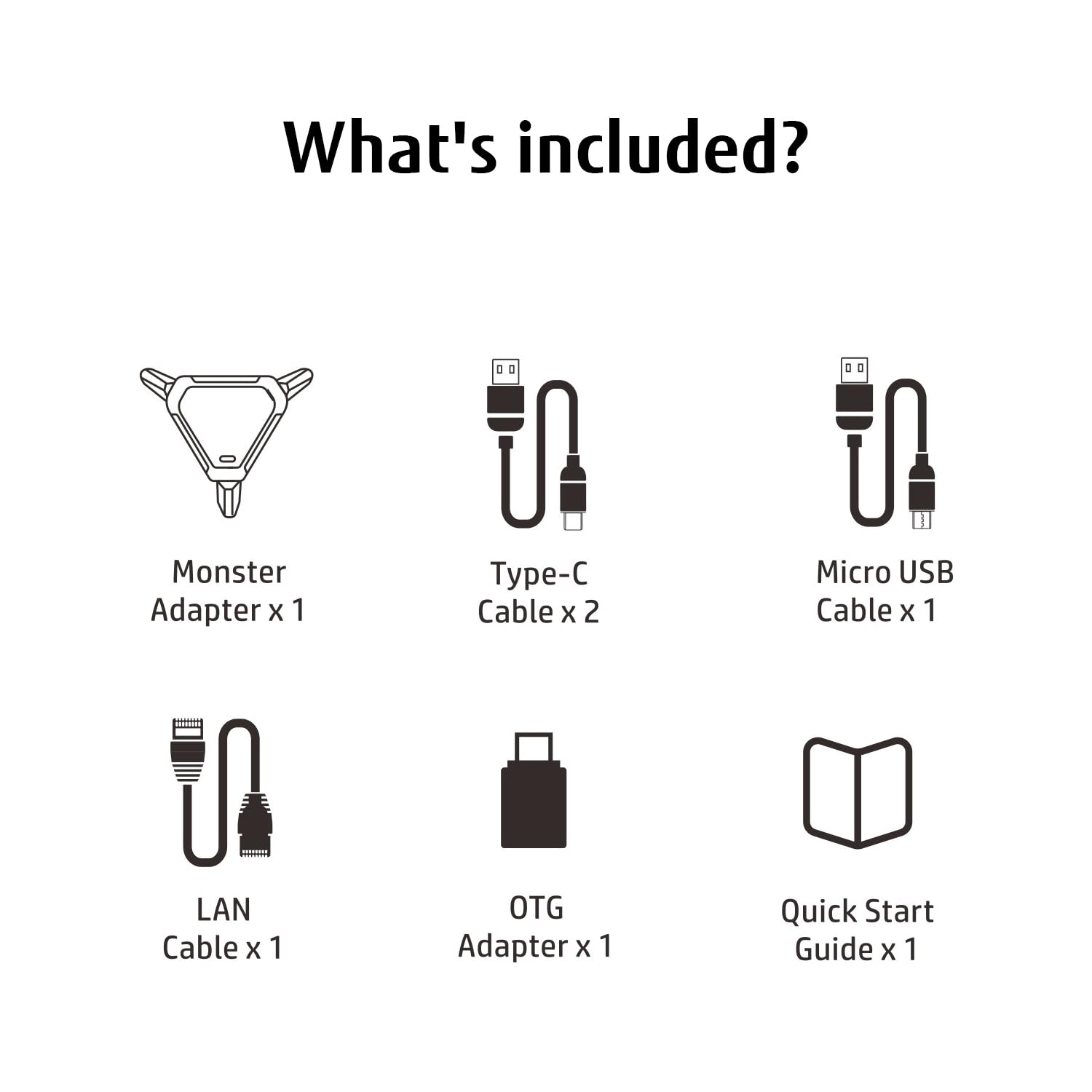
🎯 Dominate Every Game, On Every Console—Precision Meets Power
The XIM PS5 Keyboard and Mouse Adapter delivers ultra-low latency with a 1000 Hz polling rate, supports all major consoles including PS5, Xbox Series X/S, Switch, and PC, and features a powerful companion app for real-time customization. Its sleek design includes customizable RGB lighting and integrated 3.5mm headphone support, making it the ultimate tool for professional-grade gaming across platforms.


| Unit Count | 1.0 Count |
| Number of Items | 1 |
| Item Weight | 8.48 ounces |
| Package Quantity | 1 |
| Item Dimensions | 4.9 x 4.3 x 2 inches |
| Finish Types | Glossy |
| Color | Black |
| Warranty Type | Limited |
| Current Rating | 1 Amps |
| Power Plug | Type C |
| Connector Type Used on Cable | USB 2.0 |
| Number of Ports | 7 |
| Compatible Devices | ['PS5', 'PS4 Pro', Slim', 'PS4', 'PS3', 'Xbox Series X', S', One One', 360', 'Switch'] |
| Specific Uses For Product | Headphones |
S**S
Brings Keyboard and Mouse to Every Game on Console!
A cool, War of the Worlds looking alien design to start with the unwrapping of this little unit. It's got some nice quality cords to connect up to the different consoles. Once I got it all setup it was instantly as if I was playing an Xbox SX or PS5 but with straight PC Keyboard and Mouse controls. With no extra dialing in expect I had to change the inverted controls back for the mouse action to work right.There is more and more games than support keyboard and mouse on the new consoles but really the cool part more than anything about using this is for all the oddball games that have no support. And that goes for the older consoles too. You could play Mortal Kombat like the old 90s PC versions with the keyboard. Or even use it with Resident Evil, Tomb Raider, and all the Nintendo N64 games like you were running the emulator on Windows at school. Then it's also really great for the point and click games that are on a console.The setup is easy all around for every console but the PS5. That console is just a goofy mess all around for controller compatibility and that's all in Sony's department. So, there's sorta a backdoor approach to getting it all to work for that system but once you are though it does work solid. Just a little weird having to link the console and account all around to the app.One thing I was hoping for, was if I was also able to use this device to run other controllers through with it. Specifically my fight pads and arcade sticks that are not PS5 exclusive ones. Sadly, I couldn't get that part to work. But that's all fine cause that would have only been a bonus if that was the case.Then you got the app to 100 percent dial in every controller button to keyboard and mouse as well as getting the movement speeds dialed in for the conversation from joystick to mouse. Very fluid and perfect instructions all the way through.If you are used to PC's keyboard and mouse operations and have always wanted to enable that on consoles. This does the trick.
R**E
Confusing device, does not actually work?
Tried to get it working for 2 hours now and it never does anything other than flash purple.I attempted to use the ap and it simply says click to start playing after I paired it however refuses to stop flashing purple.Error device mis match.Keyboard plugged in next to headset port, mouse and ps5 controller on the other side, ethernet in the back plus both power cords.I tried multiple mice and keyboards and none worked.
J**O
Don't work
Testen on diferend ps5 and networks.Don't work
B**A
amazing adapter, but I would like to type in text using a keyboard as well
I was under the impression that I could also type on a console using this adapter with the keyboard and mouse. But nope, it doesn't type so there's no faster way to communicate - this is only used to replace the controller.Setup looked sort of daunting but the guide and online resources from their website were extremely detailed and helpful. So setup ended up being very easy. I only hooked it up to my ps5. The basic setup requires you to download their app, enable remote play on your console, login with your psn, then map the keyboard and mouse for example you map the letter W as directional pad UP or the controller X button would be mapped to the space bar. They actually have a slew of bigger title games pre mapped for you such as deathloop, AC, COD etc. I can't say using keeb and mouse works for every game just because it just doesn't translate well. I was trying to map out controls for diablo4 using FPS type controls, and while it moved pretty good, there is no cursor shown in the game so I can't see where I'm pointing at. This adapter however is definitely ideal for FPS, where you COD or OW players can gain a huge edge. Supposedly you won't get banned either because the server just recognizes the input as a controller thanks to the adapter. The movement is smooth and responsive, and if your wires aren't long enough to reach (from your console to your seat), you can opt for 2.4 wireless connection.
B**K
Fantastic
I play mostly on console but there are some games on the PS5 that I would like to play with a keyboard and mouse and also be able to adjust and fine tune the controls. This device works in just doing that.The setup was straightforward and the instructions were pretty clear. Now I did have some issues about it complaining to connect everything as it says, it wasn't recognizing that all devices were properly connected even though they were. But after disconnecting and reconnecting some cables it was all good to go. It was a bit weird though that I had to connect my PSN account on the device.The app itself is quite easy to use and it connects to the device right away. I tested playing Anno 1800 which is a pain to play with a controller. I was able to map out the controls to the mouse and keyboard fairly easily. There's plenty of options to play around with on the app to really dial it in.The device itself looks nice , very alien like. It has your USB A ports for the keyboard and mouse, the USB port to connect to your console , Ethernet , and an AUX plug for headsets. I love the RGB lighting as well.My one gripe was the adapter that it came with was a bit intermittent with the connection to my console. A little nudge and it would disconnect. Overall a great device to allow you to use keyboard and mouse for your console games.
A**D
did not work for my ps5
was able to pair everything just as shown on video and manualat first the headset wasn't working . was on but no audio was going thrukeyboard works great , was able to set keybinds but mouse was not responsive . light was on on mouse even got a different one which i didn't have to since the original one works perfectly and still not responsivewaste of time
Trustpilot
2 days ago
2 weeks ago