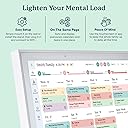
Desertcart purchases this item on your behalf and handles shipping, customs, and support to Japan.
📅 Elevate your family’s flow—because organized lives are the new status symbol.
The Skylight Calendar is a premium 15.4-inch HD touchscreen digital calendar designed for busy families. It syncs effortlessly with major calendar apps, offers an interactive chore chart and meal planner, and can be wall-mounted or placed on any surface. With on-the-go app access and optional premium features like photo screensavers and rewards, it transforms household management into a seamless, stylish experience.


| ASIN | B0C9V811L6 |
| Best Sellers Rank | #572 in Office Products ( See Top 100 in Office Products ) #1 in Digital Calendars |
| Brand | Skylight |
| Brand Name | Skylight |
| Customer Reviews | 4.4 out of 5 stars 6,801 Reviews |
| Format | Digital |
| Item Dimensions W x H | 9.9"W x 1.4"H |
| Manufacturer | Skylight |
| Material | Metal |
| Model Number | 860004165262 |
| Model Year | 2025 |
| Paper Size | 15 inches |
| Part Number | 860004165262 |
| Sheet Size | 15 inches |
| Size | 15 Inch |
| UPC | 860011834373 860004165262 |
| Year | 2025 |
O**N
2023 I love it - 2026 update
I’m really a paper pencil person, and I have a year wall calendar which I love and still use, but it’s quite cluttered with all our family schedules. The problem is that when I’m out and about scheduling/cancelling appointments I only add it to my phone calendar and forget to add it to the paper calendar. It’s also not easy to find the appointments again later on my phone. This calendar syncs easily with many different calendar apps. It is very straight forward to set up, use, read, and it lets you know what’s going on that day, the next few days or month. Some say it’s a basic calendar that’s not worth the money but it’s perfect for my family. I don’t have to answer the dreaded question of what do we have to do today. Everyone’s schedules are color coded to match my original calendar app. The only complaint I have is that you can’t add to the calendar console directly because it won’t sync back to my phone calendar app. That still ok though because I don't want anyone else changing things without my knowledge anyway. I’m not positive it’s worth it for everyone but it’s definitely worth it for me. Update: 2026 It's been nearly three years since I purchased this product, and I still use it daily. It only just recently started to have problems with the screen, and I worried that I wouldn't be able to do anything about it, first because I purchased it through amazon, and secondly because it's nearly three years old. I was still hopeful, so I contacted customer support. They were quick to respond walked me though trying to fix the product on my own. I really appreciated their wonderful customer service, so I changed my review from 4 to 5 starts. I figured it was time for a new calendar anyway, and was thinking about switching to another brand, but the customer service alone is worth staying with this brand. Skylight is touted as the easiest to setup and use, and I also don't want to have a device with ads or extra busy screens. You can add or remove information currently showing on the screen, and I want my family to see only what is important. I didn't mention in my original review that I also easily sync to other calendars, like the kids' sports, school and everything else. Just so you're aware there's a little bit of a learning curve if you don't already know how to do these things, but I think most people nowadays do. Since I purchased my original skylight there have also been several improvements to the base model without the subscription. I don't subscribe to plus and I still highly recommend it.
V**A
BEST family calendar
I bought this calendar during Prime Deals to help get my kids and husband organized with chores, routines, and our daily schedule. I purchased the black 15-inch version, and I can honestly say it’s exactly as described online. It’s super easy to use and very kid-friendly. You can add tasks, events, routines, recipes, meals, and even photos. If plans change, it’s easy to skip or edit tasks without any hassle. One of my favorite features is the rewards section, where you can give your kids stars ⭐️ for completing their chores and routines. It also has a sleep mode, which is a nice bonus, and you can even set time limits to help everyone stay on track and finish their daily chores. So far, I haven’t experienced any issues, and I definitely think it’s worth the money. It’s made organizing our household much easier, and I would absolutely recommend it to my family and friends.
B**E
Game changer for keeping our family organized!
We absolutely love our Skylight Calendar! It has made keeping up with our family's busy schedules so much easier. Everything is in one place, and everyone can quickly see what's coming up without having to ask or search through multiple calendars. The display is bright, easy to read, and simple to navigate. Setup was straightforward, and syncing our calendars was quick and hassle-free. It's become a central part of our home and has helped us stay organized and avoid scheduling conflicts. If you're looking for an easy way to keep your family on the same page, I highly recommend the Skylight Calendar. It's been a fantastic addition to our home!
J**N
A Great Help for People Suffering Cognitive (Short Term) Impairment
The Skylight Calendar was recommended to help anyone with mild cognitive impairment/short term memory issues. We're using it initially too supplement paper wall calendars, daily diaries and piles of individual and confusing paper notes. We are hoping it will replace all of those analog prompts since it can do all of them in a much cleaner format with its integrated events, lists, and tasks all in one easy to see place. We have it hanging on a kitchen wall at eye level. Just have to convince the user that it is much more comprehensive and easier to read than the refrigerator calendar. In our case I've disabled the photo stream screen saver (great way to display all your favorite shots) until the key user is comfortable tapping the screen to view the calendar. Just a touch switches views from month to week to day to event details. We're only two, but this product is great for families as it also can list chores, even with rewards for doing them, recipes, etc. You can even email event info, recipes, tasks, etc. directly to the Skylight. Highly recommended!
J**F
Beware Apple icalendar users
I really wanted to love the Skylight Calendar, and after a frustrating setup process, it’s starting to grow on me. The biggest challenge was setup. If your family uses multiple calendar systems, especially Apple iCloud calendars, expect some trial and error. The app can be confusing, some of the terminology isn’t very clear, and syncing isn’t always instant. In my case, iCloud updates can take 10–15 minutes to appear on the Skylight. That said, once everything was configured correctly, it works ok. The biggest surprise was the Magic Import feature. I emailed my child’s school calendar PDF to Skylight, and it quickly imported the events accurately with very little effort. Pros: * Attractive display and quality hardware * Easy to read * Shared family calendar works well * Magic Import is surprisingly useful * Photo and video screensaver features are a nice bonus Cons: * Setup can be VERY frustrating * App and terminology can be confusing * Limited customization options * iCloud syncing is not always immediate Bottom Line: If you’re already using Google Calendar, setup will probably be easier. If you’re an Apple family like ours, expect a little patience during setup. Once it’s running, though, it’s a useful family organization tool that helps keep everyone on the same page.
B**Y
I Returned Another Digital Calendar for This One. No Regrets.
I originally bought a different digital calendar and ended up returning it because I wasn’t happy with it. This one checked every box I was looking for. The combination of a digital photo frame and family calendar is perfect. Instead of another screen on the counter, it actually adds something to the room while keeping everyone’s schedule front and center. The interface is what impressed me most. I didn’t have to hunt through menus or guess what button to press. Everything is laid out in a way that just makes sense. The AI feature has been a huge time saver. I can type or talk naturally and have it add appointments, reminders, or tasks without tapping through a bunch of screens. The chores, stars, and rewards system has been a great motivator for my toddler. It’s simple enough that they understand it, and earning stars has made everyday routines much easier. I also like that each family member can choose their own character. It’s a small feature, but it makes the calendar feel personalized and easy to glance at. If you’re looking for a family calendar that’s easy to learn, quick to update, and doesn’t feel overcomplicated, I don’t think you’ll be disappointed.
J**E
Skylight’s “sidekick” makes it worth it
I’m really loving this. Was looking for a way to replace our paper calendar on our fridge. Was fine for us before kids but now with their school schedule it just became too much to write out each month. Pros: - Love that we still have the large physical form to look at everyday. Easily syncs with our calendars. - Two way syncs with google calendar - Skylight customer service was able to walk me through a work around to get Qgenda to sync. - Meal Planner with sidekick is great as I can take a picture of a recipe cards, a screen shot, send a url etc to the Sidekick (Magic Family Assistant) and it will add to the recipe box. - When I meal plan as then it adds it to my grocery list and can assign it to a day-I love this so when I look at my calendar and the day can click on the recipe assigned and it brings it up for me to follow recipe. - Sidekick was also a game changer when I got my son’s school schedule and simply snapped a picture of it and emailed it to skylight and all the dates were automatically put in for the year. Cons: -Have had some trouble on occasion adding address in Skylight for event - requires subscriptions for some features like meal planning and sidekick, which I’m normally against but have found it to be worth it - not as customizable and can’t add other apps as some competitors Other considerations: I looked at other options. I looked at the newer Echos. We actually have an Echo 10 that we got with the intention for cooking. You have to have Alexa learn a skill and then use all recipes app for it to pull up your home recipes. And the calendar is small. No meal planner. It’s nice you can add to the grocery list from Alexa. Just wasn’t what I needed. We still have her in the corner to play music and set timers mostly. After I started using sidekick I looked around at other AI calendars in this space. Ohai seems very cool but not something we need at this point. I do sometimes use Alexa or Siri to add events and reminders to google calendar. I’ve also read you can email Alexa pdf calendars or pictures and she can create events for you. Idk if she can do that with recipes though. I know ChatGPT can create events for you, not from pictures but maybe pro users have that ability. I looked at several other calendars that require subscriptions like Jam, Cozi and Goldie but ultimately decided I wanted the physical form. And not all offered an equivalent to sidekick. I considered Cozyla as it offered more apps and no subscription but didn’t have a sidekick equivalent. Hearth seemed pretty similar, but at the time I don’t think had the meal planning feature. You may also consider dakboard as this seemed highly customizable but felt like several features I didn’t need. In Summary: Skylight won out for me for its simplicity, intuitive design, meal planner, sidekick and we all love seeing the pictures everyday. I think it was the one most geared towards our needs.
H**H
TLDR: Calendar, Lists, Tasks, and Profiles without a subscription or everything for $79/yr
So far, so good.. This is basically a locked down Magic Mirror with a nice interface and a changeable bezel. I believe it's running Android. You get Calendar, Lists, Tasks, and Profiles, without a subscription, everything else is locked down. Rewards, Meals, Recipes, Photos, Sidekick, and Themes are available if you pay the subscription at $79/yr. You can one way or two way sync your Google Calendars (multiple), (Apple, Outlook, and others I believe) You have to install the Skylight App on your phone to really make use of all the features. So far the grocery list is pretty cool. Its a bit expensive, but it's nice for kids or if you have a lot of events and people to coordinate.
M**N
Good
Very good Bout extremely expensive
J**A
Very happy!
I was hesitant about spending so much on a calendar, but I have three kids who all have a very busy schedules and I couldn’t keep up with the life admin! We have been using the Skylight calendar for two weeks now, and it has changed our life for the better! My kids know exactly what they need to do for their AM and PM routines now, with no nagging from mum or dad! The AI magic assist is amazing - it will create calendar entries from screen shots, emails or photos - such a game changer! For once in my life, I actually feel organised and on top of things. I couldn’t be happier. Worth every cent!
L**Y
Best customer service ever!
I rarely write reviews, but the Skylight Calendar 15” and the incredible team behind it deserve every bit of praise. From the moment I unboxed the device, I knew this wasn’t just another tech product — it’s a beautifully designed, smart, and incredibly useful addition to our home. The display is stunning: bright, crisp, and large enough to see from across the room. Setting it up was unbelievably easy, and within minutes, our family calendar was beautifully synced and organized. It has completely transformed the way we manage our days — no more confusion, missed appointments, or sticky notes on the fridge. It’s intuitive, elegant, and reliable. But what truly sets this company apart is their exceptional customer service. Every interaction I had with their team was met with kindness, promptness, and a genuine willingness to help. They don’t just support their product — they stand behind it with heart. You feel like you’re dealing with real people who care about your experience. If I could give more than five stars, I would. The Skylight Calendar 15” is one of the best purchases we’ve ever made, and the customer service is second to none. I highly, highly recommend it to anyone looking to bring clarity, beauty, and simplicity to their daily lives.
0**S
Life changing
Cannot recommend this product enough. I originally was searching for a digital calendar because I never remembered to update our paper ones. I figured if I kept buying and not using paper calendars I might as well save that money and purchase this. I do not regret my decision! We have mounted it on the wall above the “drop zone” so everyone can see and use it as they get ready for the day. Favourite features: * the calendar - really easy to use, synchs with iPhone calendar so always up to date, colour coded for each person, variation in display options so easy to find a view that works for you. * task list - works great for kids and adults, helps create a feeling of working together to look after the home, great for my SEND child who needs reminders to do everyday tasks. * lists - we use the lists for groceries, to-do list and to meal plan. * we are not signed up to the monthly subscription and have had no issues without it. Definitely can see the appeal though. * update regularly with new features eg. Countdown function and “up for grabs” task list (tasks for anyone at any time, not assigned to an individual or a specific timing) The Skylight has been a life changer for our neurodiverse household. 5*
E**T
Defekt and Every one different
I ordert 3 calender, every one have a different Plug just one is fitting to my Country. And one is Not Working now They wont ME to return it by my Self. So i got defekt Stuff and i have to pay it and to send it back by my self
Trustpilot
4 days ago
5 days ago