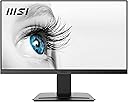
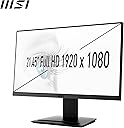
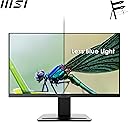
๐ Elevate your workspace with MSI PRO MP223 โ where productivity meets eye-friendly innovation!
The MSI PRO MP223 is a 21.45-inch Full HD office monitor featuring a 100Hz refresh rate and 1ms response time for smooth visuals. It boasts a 99% sRGB color gamut and TรV Rheinland-certified eye-care technology to reduce blue light and flicker, ensuring comfort during extended use. With tilt adjustment, VESA mount support, and multiple connectivity options including HDMI and VGA, itโs designed for flexible, professional setups. Ideal for millennial managers seeking a balance of performance, eye health, and sleek design.


| ASIN | B0CD31LQXX |
| Aspect Ratio | 16:9 |
| Best Sellers Rank | #11,466 in Computers & Accessories ( See Top 100 in Computers & Accessories ) #229 in Monitors (Computers & Accessories) |
| Box Contents | Power cord, Power adapter, Quick start guide, HDMI cable, Warranty Card |
| Brand | MSI |
| Brand Name | MSI |
| Color Gamut | 99 |
| Colour | Black |
| Compatible Devices | Desktop, Laptop |
| Contrast Ratio | 1000:1 |
| Customer Reviews | 4.4 out of 5 stars 648 Reviews |
| Display Technology | LCD |
| Display Type | LCD |
| Hardware Connectivity | HDMI, VGA |
| Has Color Screen | Yes |
| Image Brightness | 300 nits |
| Image Contrast Ratio | 1000:1 |
| Importer Contact Information | Acro Engineering Company, C-87 DDA Sheds, Okhla Industrial Area, Phase-1, New Delhi 110020 |
| Item Dimensions D x W x H | 18D x 49W x 38H Centimeters |
| Item Type Name | Monitor |
| Item Weight | 2.4 Kilograms |
| Manufacturer | MSI, Micro-Star INT'L CO., LTD. No.69, Lide St., Zhonghe Dist., New Taipei City 235, Taiwan http://www.msi.com. |
| Manufacturer Contact Information | Micro-Star INT'L CO., LTD. No.69, Lide St., Zhonghe Dist., New Taipei City 235, Taiwan http://www.msi.com. |
| Maximum Display Resolution | 1920 x 1080 Pixels |
| Model Name | PRO MP223 21.45 Inch Full HD |
| Model Number | PRO MP223 |
| Mounting Type | VESA Mount |
| Native Resolution | 1920 x 1080 |
| Network Connectivity Technology | HDMI, VGA |
| Packer Contact Information | Micro-Star INT'L CO., LTD. No.69, Lide St., Zhonghe Dist., New Taipei City 235, Taiwan http://www.msi.com. |
| Picture Quality Enhancement Technology | MSI EyesErgo technology, TรV Rheinland Eye Comfort certified features |
| Pixel Pitch | 0.24 |
| Power Consumption | 30 Watts |
| Product Features | Anti Glare Screen, Blue Light Filter, Eye Care, Flicker-Free, Tilt Adjustment |
| Refresh Rate | 100 Hz |
| Resolution | FHD 1080p |
| Response Time | 1 Milliseconds |
| Screen Finish Type | Flat |
| Screen Size | 21.45 Inches |
| Screen Surface Description | Flat |
| Shape | Flat |
| Specific Uses For Product | Business, Desktop |
| Total HDMI Port | 1 |
| Total USB 3.0 Ports | 2 |
| Total USB Ports | 2 |
| Total Video Out Ports | 2 |
| Unit Count | 1 Count |
| Viewing Angle | 178 Degrees |
| Warranty Description | 3 year manufacturer |
| Warranty Type | 3 Years Manufacturer Warranty |
P**P
MSI Pro MP223 21.45" Monitor โ Long-Term Review (3 Years)
I picked up the MSI Pro MP223 about three years ago as an upgrade from my old 20-inch, 1600ร900 monitor that only supported VGA. The difference was immediately noticeableโnot just in clarity, but also in overall usability. One of the main reasons I chose this monitor was to finally make proper use of my GPUโs HDMI output, and it delivered exactly what I needed at a very affordable price (โน6200 at the time). The jump to Full HD (1920ร1080) on a slightly larger 21.45-inch screen made everything sharper and more immersive, especially for gaming. The 100Hz refresh rate is another highlightโwhile itโs not a high-end gaming panel, itโs a clear step up from standard 60Hz displays and makes gameplay feel smoother. For the price, this was a big win. In terms of color quality, Iโd describe it as decent. Itโs not meant for professional color grading or design work, but for general use and gaming, it performs well. Colors look natural enough, and I never felt like the experience was lacking during gameplay or media consumption. Build quality has also held up impressively over time. After three years of continuous use, I havenโt encountered any issuesโno dead pixels, no flickering, no performance drops. Itโs been reliable throughout, which is honestly one of the most important things in a budget monitor. Iโve primarily used this monitor for gaming, especially single-player titles, and Iโve never run into any problems. The combination of 100Hz refresh rate and stable performance makes for a smooth and enjoyable experience, even if youโre not pushing ultra-high settings. Overall, the MSI Pro MP223 has proven to be a solid budget-friendly monitor. If youโre upgrading from an older display or looking for an affordable option with HDMI and a higher refresh rate, this is definitely worth considering. Even after three years, itโs still going strong and doing exactly what I need it to do.
J**C
Good VFM monitor
Used this with a MacBook Pro. Had no issues. It isn't an IPS panel, but it has great viewing angle, is decently bright and has almost no bezels. And it is the cheapest good monitor that I found. It comes in a box that's very very small. So packing it during a house move is also simple.
R**R
Good monitor with a minor issue
The display is sharp and smooth, and overall performance is great for daily use. There is a small white layer visible when viewed from the side, but it doesnโt affect normal front viewing. Apart from that, everything else is excellent for the price.
K**K
Great buy
There are certain other monitors in this price range that claim to have 100hz refresh rate (acer is one of them), but is really just 75 hz. This is probably the only true 100hz monitor in this price range. With regards to other features such image quality, brightness, resolution and so on -- you won't be able to tell the difference between different screens within a price range to be honest, they're all equally good. The base is solid, has a little slot for placing your phone, tilt angle of -5 to 20 degrees is enough for most cases, cannot adjust height tho, you should ideally have a chair that is height adjustable!. Has an audio output too (3.5mm jack, really handy if you have external speakers). Size 22-24 inch is ideal and any larger screen will get grainy at 1080p. Has an inbuilt anti blue light setting, though I'm not a fan of it. MSI good brand but the servicing leaves much to be a desired. I have a laptop from MSI, quality piece of engineering but had a minor charging port issue within the very first few weeks and it was very difficult to find and visit the servicing center... Other than that, MSI is a top tier brand. Don't expect much in terms of servicing though What separates this from other monitors in this segment is the refresh rate in my opinion. If you want to play games at around 100 FPS, this is the cheapest option -- 120 or 144hz costs significantly more and in many cases you may not even have a GPU that is capable of outputting a consistent 144fps
R**H
Super product good screen quality good ๐๐๐
Super product good Screen quality good ๐
N**E
It's working very well and i don't have a single issue with it,it's Best for value product
S**E
Good for productivity and entertainment
The MSI PRO MP223 21.45 inch monitor has impressed me a lot. The display looks amazing with vibrant colors and clear details, making my work and entertainment better. Its size is just right for my desk, not too big or small. Considering its price, the MSI PRO MP223 21.45 inch gives great value. It's a fantastic choice for a high-quality monitor that won't break the bank. I'm really happy with my purchase, and I think it's a great monitor for anyone looking for a top-notch 21.45-inch display. Highly recommend!
T**E
Long Term Review: MSI Pro MP223
The MSI Pro MP223 is a solid choice for those seeking a budget-friendly monitor with good color accuracy and viewing angles. Itโs well-suited for general office work, browsing, and casual media consumption. If you need advanced features or extensive ergonomic adjustments, you might need to look at higher-end models. Design and Build 1. Aesthetics: The MSI Pro MP223 sports a minimalist design with slim bezels, which helps in reducing distractions and is great for multi-monitor setups. Its sleek appearance is quite modern and should fit well in most office environments. 2. Build Quality: It generally has a solid build quality with a stable stand, but it may not offer as many ergonomic adjustments compared to more premium models. Height adjustments, tilting, and swiveling options might be limited, so you may need a separate monitor arm if you require more flexibility. Display Quality 1. Resolution and Size: The MSI Pro MP223 features a 22-inch display with a Full HD (1920x1080) resolution. This is a standard resolution for productivity monitors and should be adequate for most office tasks and general use. 2. Panel Type: It uses an IPS panel, which is great for color accuracy and wide viewing angles. This means that colors will look consistent and accurate from different angles, which is beneficial for design work and collaborative tasks. 3. Brightness and Contrast: Expect decent brightness and contrast levels suitable for typical office environments. It may not be as bright as high-end monitors but should be sufficient for general use. 4. Color Accuracy: As an IPS panel, the Pro MP223 should provide good color reproduction, though it might not be as precise as more expensive monitors. It's suitable for tasks where color accuracy is important but not critical, like casual photo editing or graphic design. Performance 1. Response Time: The monitor's response time is likely sufficient for most productivity tasks, though it might not be ideal for high-speed gaming. For office work, web browsing, and media consumption, the response time should be adequate. 2. Refresh Rate: The refresh rate is typically 100Hz, which is standard for most office and productivity monitors. Higher refresh rates are more relevant for gaming and some professional applications. Connectivity 1. Ports: The MSI Pro MP223 usually includes a variety of ports such as HDMI and DisplayPort, which are standard for connecting to different devices. Check the exact model specifications to confirm the available ports. 2. USB Ports: It may not have built-in USB ports or other additional connectivity features, which is something to consider if you need extra connectivity options. Additional Features 1. Eye Care Technology: MSI often includes features like anti-flicker technology and blue light reduction to reduce eye strain during extended use, which is a nice touch for productivity-focused monitors. 2. Built-in Speakers: Itโs unlikely that the Pro MP223 includes built-in speakers. If audio is important, you might need to rely on external speakers or headphones.
Trustpilot
1 week ago
2 weeks ago