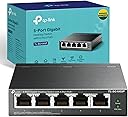
⚡ Power up your workspace with effortless speed and smart energy—because your network deserves the best.
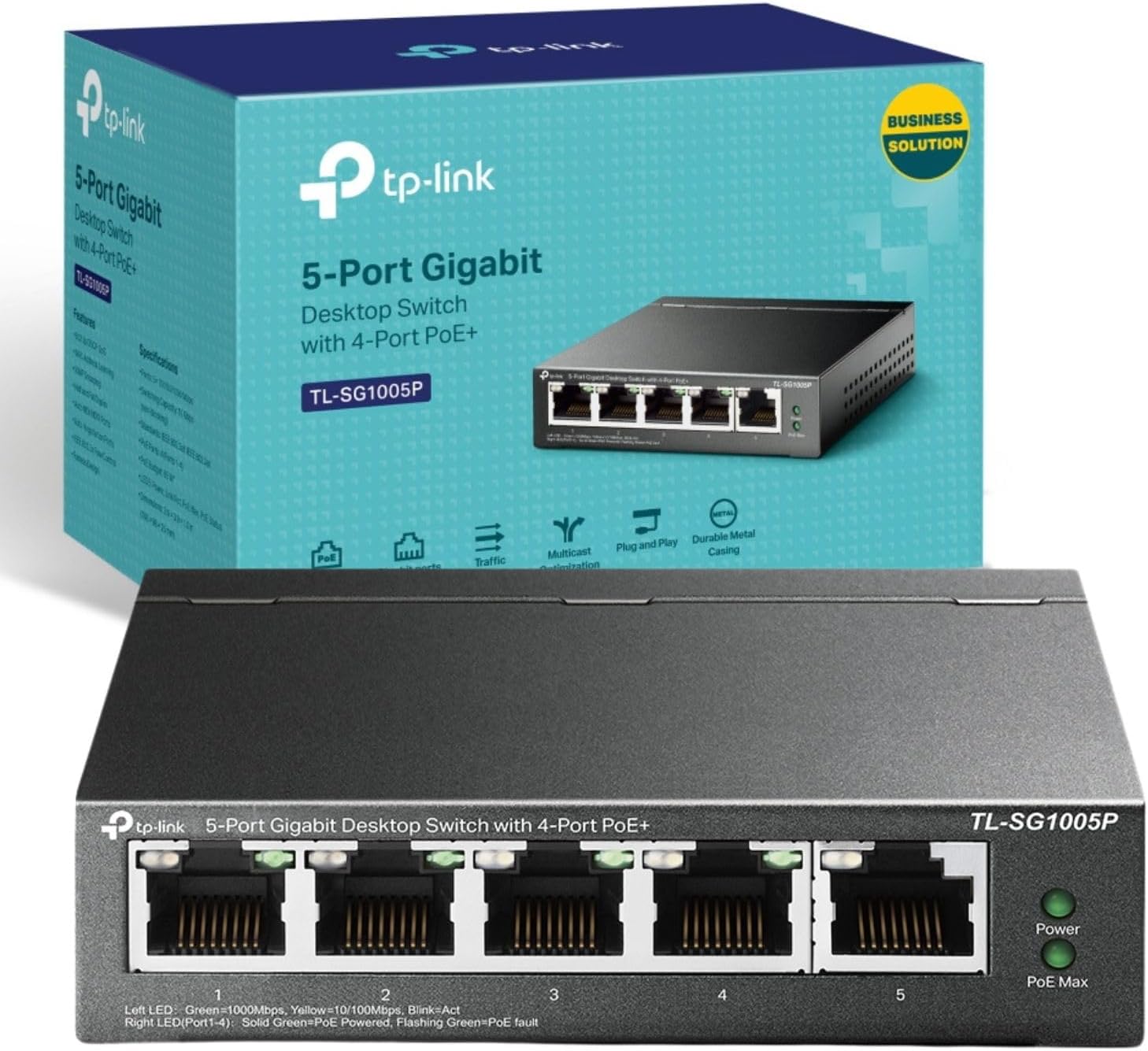
The TP-Link TL-SG1005P is a compact 5-port Gigabit desktop switch featuring 4 PoE+ ports that deliver up to 30W each and 65W total power. It supports IEEE 802.3af/at standards, offers QoS for smooth traffic prioritization, and includes intelligent power management to prevent overload. Housed in a durable metal casing with a fanless design, it ensures silent operation. Plug-and-play setup requires no configuration, making it ideal for professionals seeking reliable, high-speed networking with integrated power delivery.


| ASIN | B0769C24T1 |
| Are Batteries Included | No |
| Best Sellers Rank | 2,315 in Computers & Accessories ( See Top 100 in Computers & Accessories ) 15 in Network Switches |
| Case material type | Metal |
| Current rating | 1.31 Amps |
| Customer Reviews | 4.7 4.7 out of 5 stars (4,254) |
| Data transfer rate | 1000 Megabytes Per Second |
| Date First Available | 10 Sept. 2017 |
| Global Trade Identification Number | 06935364083229 |
| Guaranteed software updates until | unknown |
| Interface type | RJ45, PoE |
| Item Weight | 250 g |
| Item model number | TL-SG1005P |
| Item weight | 8.82 Ounces |
| Manufacturer | TP-Link |
| Maximum power | 65 Watts |
| Product dimensions | 10L x 9.8W x 2.5H centimetres |
| Series | TL-SG1005P |
| Upper temperature rating | 40 Degrees Celsius |
| Voltage | 53.5 Volts (DC) |
M**M
Plug and Play
Because I gutted my house and remodelled it starting a few years ago I ran in Cat6 everywhere. As it turned out this has proven to be a real boon despite the onward march of WiFi networks including Mesh type systems of which I have five BT units. Which work but are not ideal. Because when I remodelled I replastered everywhere using foil backed boards to add a bit of extra insulation inadvertently creating a bit of a Faraday cage in each room. Wifi still works but the distance through walls is very limited thus I fitted a mesh system which is okay but nothing great. Then my son put me onto the idea of using industrial access points and thus I did some digging. And yep, there are a few systems of which the TP Link one is the most reasonably priced vs quality system. In fact its cheaper than the BT hub system overall. The caveat is of course you need the Cat5 or 6 in place to fit it which, thankfully I did. And I love this gear. Firstly as an engineer I like the idea of my AP's being wired in. Faster and more reliable straight away. Secondly, unlike a mesh system each unit is back to the router thus not reliant upon repeating signals and all the guff and speed reduction that comes with it. You can put an AP wherever you want without having to have a strong WiFi to repeat. This TP Link Omada system being made for offices, bars and workplaces also offers a multitude of controls and in such a way that even a complete IT nonce can fit and use it. Simply run in the gear, download the app and off you go. As part of this upgrade to my house of course I naturally wanted POE to make things simpler and thus I bought this rack mounted network switch. I also wanted to stay with TP Link to make sure there were no compatibility issues which, I know there should not be, but with computer stuff, who knows? The unit is quite small and discrete if you don't intend rack mounting it. If you do then there are two 'wings' which you attach via screws to each side to make the unit mountable within the uprights of your unit. Easy to fit with a small posidrive screwdriver. Once fitted you connect as in any other unmanaged network switch. Just plug in as you require with of course lan cable back to your router. The POE side is entirely automatic and senses if the item being fitted is POE compatible or not. Some of the Omada equipment is POE and some requires a power supply. It makes no difference - just plug in and off you go. This saves a bit of worry because many items might fry if you fit them to a POE switch if they are not POE compliant. I have also fitted the TP Link controller module for network monitoring and along with various AP's I have found the overall system to be superb. The app is super easy and intuitive and the overall cost - not including running in Cat 6 if you need to - is cheaper than my five BT mesh units and far more reliable.
A**N
EXCELLENT PRODUCT. Read the review as to the reasons I gave it 5 stars.
This review is for the TP-Link 8 Port Desktop Switch with 4 Port POE capability. Cutting straight to the bone. Excellent product. The SG1008P is an unmanaged switch which allows you to hook up an additional 8 Gb RJ45 internet connections into your local network. BUT NOTE: Buy this unit ONLY IF you need the ability to drive a maximum of 4 (four) ports with POE. (Power over Internet). If you don't have the need for POE, buy its cheaper sibling, the SG108, which does the same, without the POE ability, at half the price. TP-Link has an excellent reputation for reliable and dependable products. this is my 3rd TP-Link Switch and the first one is still running fine after 6 (SIX) years of 24/7 use. (When I say 24/7/365, that's exactly what I mean. NO equipment is ever switched off. I bought this one 'cause I had to drive an IP camera without the need to run a separate power cable to the camera. Just works a treat. Plug in and go... no configuration whatsoever required. ( Yes, I know, I could have bought a single POE power injector but I plan for the future and more POE equipment is on the horizon). Now... some product features. NOTE though that only 4 ports can handle data and POE. (Of course ALL 8 ports handle data). The switch is enclosed in a sturdy metal case, and unlike it's non-POE sibling.. has a much more substantial power supply as it needs to cope with the possible extra load, imposed by the connected units POE demands. The unit supports the POE standard 802.3at which is one of the two common used POE standards. NOTE: It never hurts to check the volage requirements of the units you are planning to connect, as well as the power needs of the attached unit(s). WHY IS THIS IMPORTANT ?? Well, here is an example.. maybe a touch far fetched for most of us, but here goes: You have splashed out on the super duper PTZ camera, which has a 140 meter range at night, and it's using its in-built infra-red lights.... and its PTZ mechanism is motorised and it has anti-condensation heaters. (Goodby Childrens in heritance) !! You can bet your last penny that the power a camera of that type needs will be in EXCESS of the 55 watts total power the POE on the SG1008 can supply, so the SG1008 is not what you need. But.. for ordinary cameras or phones... you should be absolutely fine. Do take note of one other thing: IF the POE power draw exceeds the maximum allowed 55 watts.... the switch WILL CUT THE POE power to Port 4, to protect itself from overload. I.M.O. a very nice feature, designed to protect both the switch and your equipment. Another point to note, unlike it's smaller sibling the TL-SG 108, this unit has the RJ45 sockets on the BACK, as well as the power input, and the LINK indicator lights are on the FRONT of the unit. Cutting to the chase: An excellent Gigabit switch, build like a tank, with a external decent power brick. 4 ports for yr POE equipment and 8 ports in total for whatever you want to connect. No configuration needed at all. I was tempted to take one star of this review. WHY ? While the box itself on the front calls this a DESKTOP switch... on the side specs it says that the unit is wall mountable. NOT TRUE !!! The required slotted holes in the bottom of the unit are NOT there. In my case, as I have to wall mount, I just used double sided 3M adhesive tape to solve the problem. What annoys me is that it's smaller sibling, the TL-SG108 DOES HAVE THESE SLOTTED WALL MOUNT HOLES. TP-LINK , please get yr act together, either correct your box writing or give us the holes we need. But... here is a nice touch.. to protect yr desk, they include 4 rubber stick on feet if you want to use them. In summary: Superb product. Reliable, build like a tank by a company which has an excellent reputation in this area. Buy it with confidence as I did, you will be most unlikely to be disappointed. Final note: THIS IS A FULLY PURCHASED product. I do not do "freebie" or discounted reviews and if I review a product, I only do so IF I AM USING IT MYSELF. See the photos if you want to see what the unit looks like. Albert PS: Apologies... bloody Amazon loves to turn my photos sideways !!!!!!!
C**S
POE Switch - ideal for cameras.
Bought this mainly for the POE+ support as I'm running 4 Reolink POE cameras. Nice compact design that has the connections on the rear and the LED displays at the front. Indicators show the current POE status with notification if the POE supply is maxxed out. I currently run 4x cameras both with night vision lighting and no issues have been encountered. Casing does get slightly warm in summer as there is no forced cooling fan, but that is offset by silent operation. Fully automatic operation and has gigabit capability. Well recommended.
W**B
Great little switch, NEVER power it on without the ethernet to your router connected!!!
I needed a PoE switch for some IP cameras, replacing a noisier and much larger unit. All worked fine on the desk setup and then put it into use. I powered the switch prior to plugging in the ethernet back to the router, which assigns IP addresses. When you do this the switch defaults to a static IP address of 192.168.0.1, now this for many will be fine, for the other 50% of the universe this will be the same IP as their router. This will result in an IP conflict on the network and lots of problems, for me it meant about 65% packet loss and then 3 days of cursing my ISP (SKY) as being terrible blah blah blah, until I did an IP scan and saw 2 routers... So as long as you plug the ethernet cable before powering it up all good, or set a static IP from the web config so it is never a thing you will never experience this bit!
N**9
Resumen rápido: - Switch de 5 puertos Gigabit, con 4 puertos PoE+ que permiten alimentar dispositivos compatibles por el cable Ethernet. - Instalación simple: “plug and play”, sin configuración compleja, ideal para cámaras IP, puntos de acceso WiFi u otros equipos PoE. - Carcasa metálica y diseño robusto (sobremesa o pared) lo cual aporta durabilidad. - No es un switch gestionado: los usuarios que requieran control avanzado de red pueden echar en falta funciones como VLANs o monitorización detallada. Especificaciones clave: - 5 puertos RJ-45 10/100/1000 Mbps. - 4 de los puertos soportan PoE+ (IEEE 802.3af/at). - Presupuesto de potencia PoE total hasta ~65 W para todos los puertos PoE. - Carcasa de metal, diseño silencioso (sin ventilador), adecuada para ubicaciones domésticas u oficinas pequeñas. Opinión detallada: Lo adquirí para instalar en el “armario de red” de mi casa, donde tengo varias cámaras IP PoE y un punto de acceso WiFi PoE. Desde que lo instalé ha funcionado sin fallos y ha simplificado el cableado: en lugar de tener adaptadores de corriente para cada dispositivo, ahora solo un cable de red alimenta tanto datos como energía. La instalación fue muy sencilla: lo conecté al router con un cable de red, y luego cada cámara y AP entraron al switch y quedaron alimentados. No tuve que tocar ninguna configuración: el equipo detectó los dispositivos compatibles PoE y les suministró energía automáticamente. Muy adecuado para quien no quiere complicarse con configuraciones avanzadas. La calidad es notable; la carcasa metálica da sensación de robustez, y el hecho de que sea fanless evita ruidos — es ideal para un entorno doméstico o pequeño despacho. Además, los puertos Gigabit aseguran que el tráfico de vídeo de múltiples cámaras no sea un cuello de botella. Ahora bien, hay cosas que conviene tener en cuenta: Al no ser gestionado, no hay interfaz de configuración avanzada (como QoS fino, control de tráfico PoE por puerto, monitorización detallada) más allá de lo básico. Si tienes una red más compleja o profesional, podrías necesitar algo más avanzado. Aunque 65 W totales es suficiente para varios equipos PoE+, si vas a alimentar cámaras o dispositivos muy potentes o muchos, hay que calcular bien el consumo conjunto para no superar ese límite. Montaje en pared: Los puntos de anclaje podrían ser más estándar si se fija en pared (aunque en sobremesa funciona perfectamente). En resumen: Para una instalación doméstica o de pequeña oficina con varios dispositivos PoE, este switch cumple muy bien su función, simplifica y ordena la red, y lo hace con buena calidad. Por eso le doy un 4 sobre 5. Pros - Alimentación PoE + datos en el mismo cable, reduce líos de adaptadores. - Puertos Gigabit, ideal para vídeo/cámaras, etc. - Carcasa metálica, silencioso y de instalación sencilla. - Muy buena relación calidad/precio para lo que ofrece. Contras - No es gestionado → menos opciones de configuración avanzada. - Presupuesto de potencia PoE limitado a ~65 W → hay que planificar consumo si muchos dispositivos. - Para montaje en pared, quizá haya que buscar adaptaciones (si no vienen orificios estándar).
M**S
Commercial grade PoE switch. Very well made. Solid. Well worth the money.
N**P
Works well. Simply plug and play. This is third TP Link POE switch that I have and they all work well. This switch has the led indicators on the front panel and they are quite dim. I prefer the other TP Link layout that has the led indicators located next to the RJ45 jacks however. Makes it easier to trace/troubleshoot. My only real complaint (minor) is the mounting slots on the back do not fit any regular screw head. Flat, roundhead, whatever. Perhaps there is some obscure metric screw that is intended to be used. Makes it difficult to mount/dismount.
ص**ف
صنف ممتاز وسريع في نقل البيانات،استلمته بنفس المواصفات التي طلبتها
S**A
Me ayudó mucho este equipo. Le conecte dos AP de la marca Sophos y funcionan muy bien. Lo recomiendo
Trustpilot
1 month ago
2 days ago