🚀 Upgrade your speed, secure your data, and never look back!
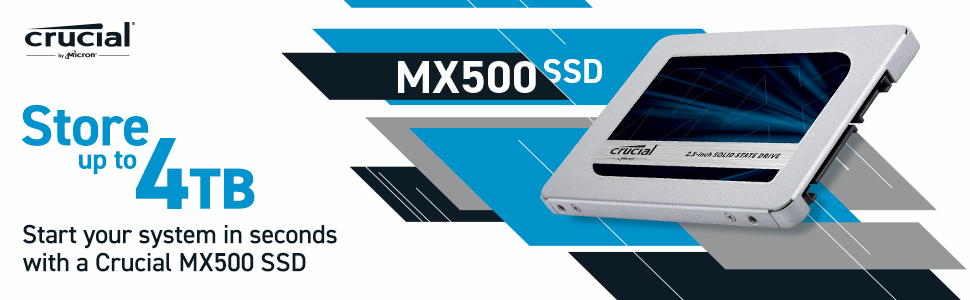
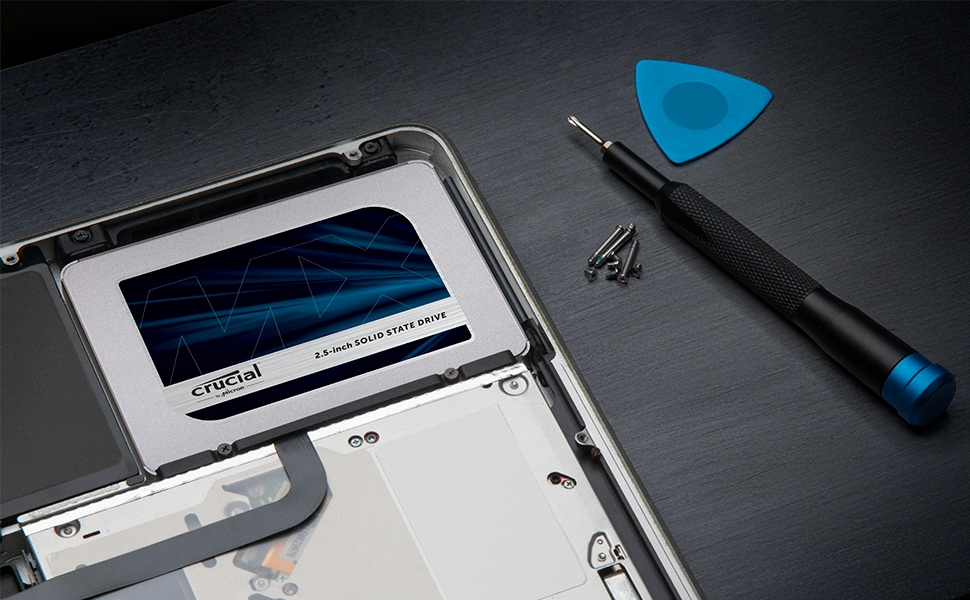
The Crucial MX500 1TB SSD combines Micron’s advanced 3D NAND technology with SATA 6Gb/s interface to deliver blazing sequential read speeds up to 560MB/s and robust AES 256-bit hardware encryption. Designed for both laptops and desktops, it features integrated Power Loss Immunity to protect your data during unexpected shutdowns. With a slim 2.5-inch form factor, easy installation, and a 5-year limited warranty, this SSD is the go-to upgrade for professionals seeking reliable, high-performance storage.



| ASIN | B078211KBB |
| Additional Features | Hardware Encryption |
| Best Sellers Rank | #92 in Internal Solid State Drives |
| Brand | Crucial |
| Built-In Media | Internal Solid State Drive |
| Cache Memory Installed Size | 256 |
| Color | Blue/Gray |
| Compatible Devices | This drive is compatible with desktops and laptops that accept 2.5" 7mm SATA drives |
| Connectivity Technology | SATA |
| Customer Package Type | Standard Packaging |
| Customer Reviews | 4.7 out of 5 stars 110,068 Reviews |
| Data Transfer Rate | 6 Gigabits Per Second |
| Digital Storage Capacity | 1 TB |
| Enclosure Material | 3D Nand Flash |
| Form Factor | 2.5-inch |
| Global Trade Identification Number | 00649528785060, 00649528787392 |
| Hard Disk Description | SATA |
| Hard Disk Form Factor | 2 Inches |
| Hard Disk Interface | Solid State |
| Hard Disk Rotational Speed | 7200 RPM |
| Hard-Drive Size | 1 TB |
| Hardware Connectivity | SATA 6.0 Gb/s |
| Installation Type | Internal Hard Drive |
| Item Dimensions L x W x Thickness | 4.06"L x 2.76"W x 0.28"Th |
| Item Height | 2.75 inches |
| Item Type Name | Crucial MX500 1TB SATA 2.5 Inch Internal Solid State Drive - CT1000MX500SSD1 |
| Item Weight | 0.04 Kilograms |
| Manufacturer | CRUCIAL TECHNOLOGY |
| Media Speed | 510 Megabytes Per Second |
| Model Name | Crucial MX500 SSD |
| Model Number | CT1000MX500SSD1 |
| Number of Items | 1 |
| Read Speed | 560 Megabytes Per Second |
| Special Feature | Hardware Encryption |
| Specific Uses For Product | personal, gaming, business |
| UPC | 649528787392 649528785060 649528785152 |
| Warranty Description | Limited 5-year warranty |
A**R
It's a pretty good drive.
Would I recommend this SSD? Yes, I've had it for a little over a month now and I've had no issues. (I bought the 500 GB version and am only talking about the 500 GB version) I would recommend you also check if you want a different similarly priced SSD. (This entire review is talking about the 500 GB versions of each drive as of January 2021) For example: The ADATA SU760 $52.99 https://www.amazon.com/gp/product/B07TDW86SQ/ref=ox_sc_saved_title_5?smid=A2UXO5LPTDY3LN&psc=1 (I included a picture of the performance of my brother's drive that he has been using for many months now) The ADATA SU800 $54.99 https://www.amazon.com/gp/product/B01K8A29CS/ref=ox_sc_saved_title_5?smid=A2UXO5LPTDY3LN&psc=1 (I don't know anyone who has one, so I can't say how good it is from experience, but the overall star rating is pretty good) The Samsung 860 EVO $54.99 https://www.amazon.com/dp/B0781Z7Y3S/ref=cm_sw_em_r_mt_dp_voubGb4T4G14K?_encoding=UTF8&psc=1 (It's a Samsung drive so it will usually be high quality but it's not always in stock) *If the links don't work I'm not fixing them, just search the name of the drive. Why I bought it (please skip if you do not care): I have a laptop that had a hard drive. The hard drive would blue screen like once a month for a few months before it decided to completely brick itself. It would blue screen about 1 minute after booting. It would still let me boot into safe mode without blue screening but I couldn't use wifi so there was no point. I could no longer write to the drive. I have a HP laptop and since they come with HP hardware diagnostic tools, I was able to determine that the problem was the drive and not something else. I bought this drive just because it was the first one I saw that would arrive the next day. My laptop broke on Friday and I was able to get it working before school on Monday. Instillation (Drive and Windows): Installing the drive was very easy for me because I have a good amount of computer knowledge. This drive and my old hard drive are exactly the same size so all I had to do was remove my old drive. Then I took the vibration cover off the hard drive, this cover also held the drive in place. I put the cover on my SSD and slid it into the drive area. It fit tightly in there just like my old hard drive. After that, I turned on my computer and went to the bios to make sure it would boot off of a usb. I plugged in my window install usb and the computer was able to boot into the windows install manager. I was able to painlessly install and boot into windows 10. My old windows used secure boot but the new windows used legacy boot so I did have to change that in to bios to be able to boot. Since I have an HP laptop my virtual windows license automatically transferred to the fresh install of windows. Performance: I have uploaded 2 pictures of this drive's performance. The performance is as advertised and the differences could be do to a lot of different things. In day to day tasks it is a lot faster and smoother then my old hard drive with 16 gb of optane. Windows boot time is significantly faster. Downloading, transferring, and unzipping files is a lot faster. Being able to use my computer while windows is updating in the background is also nice. For gaming, don't expect a significant improvement in most games. Maybe your load times will be a bit faster but most games just don't really rely on your drive. Overall: This drive has not given me any issues over the month that I have owned it. I highly recommend buying it.
U**K
Great value and quality!
I've run this drive in my Thinkpad T560 for over a year, installation was easy and it has worked perfectly. Great boot times, quick file transfers, and has had no issues so far. Great value for such a high quality drive.
·**·
Faster computer startup time. Great value.
I just installed CT1000MX500SSD1 and it performed as expected. I installed this in my 7 year old HP Pavilion HPE h8-1360t Desktop PC which had Windows 7 (now Windows 10) with an Intel i7 3770 CPU @ 3.4GHz, 16GB RAM and a 1TB hard drive. At the time, I had no need for a SSD drive as it booted up in 30 seconds at the time of purchase. Over the years with Windows update and upgrade, the boot time increased progressively. I resorted to just hibernating the computer as it was faster than turning it off/on. Now it's about 1.5 minutes and even after signing into my account and after waking from hibernation or a restart. It was less responsive due to all the background services at startup. Opening a simple web browser was sluggish. I had to wait about 5-7 minutes before the system would become more responsive. Last week, I finally decided to upgrade to a SSD as the price has gone down. I was trying to decide between this and one of the Samsung 860 1TB SSD models. The price of the Samsung was a little higher with slightly better performance than this one, but I didn't need the fastest SSD. In my mind this and Samsung were both relatively fast. I chose this one as the best value at the advertised price. The drive came with a small manual and a drive spacer. I did not need the spacer for my desktop. I also bought this drive together with the suggest dual mount kit and a separate SATA III data cable. There was no need to purchase the SATA to USB adapter for my situation as I already had the extra room and with data and power connector inside the desktop. The drive installation was not difficult. The online directions for the migration process were helpful. I wished that the online directions would have displayed separate instructions for notebook/laptop users since they are more likely to benefit from a SATA to USB adater. I downloaded the Acronis True Image 202 0 version for Crucial from the link provided through the enclosed manual. There was no need for a special key to be entered for activation. The software contains the essential features required for the migration process. For Crucial users, a full version can be purchased for an additional fee. I don't see the need for it yet, but it's good to know that they provide the option in case I would like to purchase it in the future. The migration was simple but not as intuitive. If I was cloning the drive directly, it would have been perfect. I chose the manual route to resize the partitions on my target drive and took a little longer. The software instructions didn't really explain very well on how to resize the partitions manually. I had to play around with the settings before getting it to resize the way I wanted it. Ensure that all other applications are closed before committing to the cloning process as the partition will be locked down without additional confirmation. The transfer process estimated that it would take about 4-5 hours, but when I came back an hour later, it was already done. The system reboot was then required. I had to go into the BIOS and switch the boot drive to the Crucial SSD. It definitely booted up faster and the system was not sluggish during startup. The GUI was ready for me immediately. Afterwards, the Storage Executive installation was recommended. The Momentum Cache was a nice feature, but have not enabled it yet. As for overprovisioning, if I had known that it required dedicated space, I would have reserved some before the migration process. After searching on the Internet, I didn't really need the OP feature anyways. I just have to remember not to fill the drive to the max and allow for some room as a swap space like the disk hard drive, but if I do ever get to that point down the road, I can upgrade or add another drive. The computer now boots up faster with about 30 seconds from off/on and 20 seconds with hibernation. I didn't really care to test the read/write speed but the faster boot time definitely renewed the life of my desktop. I would rate the SSD as 5 star and the migration software as 4.5 star.
S**L
solidly reliable and high capacity SSD drive
I bought three of these Crucial MX500 4TB 3D NAND SATA 2.5 Inch Internal SSD drives to install in a recently acquired HP Core i7 desktop. My goal is to eventually phase out a full tower PC that I built in 2012. It handles my video and audio servers and has a solid state boot drive, along with 7 spinning hard drives for data. This HP has a considerably smaller case and my goal was to fill it with high capacity SSD drives. I've always been a fan of the Crucial line of SSD drives, and I've never had one go bad. All three of these Crucial 4 tb drives were installed to SATA headers on the motherboard, and I was able to fit all of them in what is a one foot tall mini desktop tower. Installing these drives is very easy, plug in a sata cable plus a power cable to each, and they're good to go. I used 3m two sided tape, the kind used to hang pictures, to stick the drives to flat surfaces inside the case. They are very light and compact, I just made sure to keep some air around each drive and not bunch them together. Once they were installed, I closed up the case and turned on the computer. I opened disk manager and partitioned and formatted each of the new drives. They will be used as data drives. The computer came with a 1TB M.2 as the boot drive, so the total solid state drive capacity for the computer is 13 TB. I spent some time copying my audio database of over one thousand CD's ripped into lossless format files, as well as my video database of movies and music videos. My 2012 build full tower with it's spinning hard drives holding the data, worked well for many years. This new one with all ssd drives, works much better. Each audio or video file loads noticeably faster than on the old server, plus there are no spinning hard drives making noise. I downloaded the "Crucial Storage Executive" software from the Crucial website that is very helpful. It checks the firmware revision you have and updates it if needed. All three of mine came with the "45' version of the firmware. I had it update to the latest "46" version which took less than 30 seconds. The photo with this review shows my new media server loaded with 13 tb of solid state drive capacity, including three of the Crucial SATA ssd's. They are fast, cool running and should have a very long life.
M**E
Reliable Workhorse – Still Going Strong!
I bought this Crucial MX500 1TB SSD about a year and a half ago, and it’s still marching on without a problem. The drive is 81% full right now with mostly *.mkv videos, and it hasn’t slowed down a bit. Boots are quick, programs open instantly, and everything just feels smooth. Installation was super easy, and I haven’t had to think about it since—exactly what you want from storage. This thing has been a rock-solid upgrade for my system. Definitely one of the best tech purchases I’ve made, and I wouldn’t hesitate to buy another.
J**C
The SATA SSD is great, but Cloning Software is terrible
The Crucial SATA SSD is a great product at a terrific price when compared to the other big players like Samsung and Western Digital. I am pleased on how it’s has made my 8 year old Windows 7 era Acer gaming laptop feel like a smoother and quicker laptop. However, my only issue is Acronis is a terrible cloning software that is the OEM approved and recommended software for the Crucial SSD. 1) Acronis is also super slowwwww! It lags up the computer and waiting screen from selecting the menu options to start the clone take over 10 minutes making me wonder if my laptop crashed. 2) It kept failing, I tried cloning my old SATA disk Hard Drive over 8 different times to the SSD only to find that the SSD wouldn’t boot. Anyone who has taken apart poorly engineered laptops will know that it is painfully disappointing to constantly remove screws, disconnecting ribbons, and continuing to swap out new hardware with old hoping for a different outcome after 3-4 hours of waiting on software to complete the transfers. So after doing everything from deleting partitions, re-formatting, watching YouTube videos, and re-cloning the SSD with with Acronis, I stopped using Acronis and instead found a YouTube video from a great channel called, ExplainingComputers, showed how to use a free app called DiskGenius. When I used DiskGenius, I found out my SSD with Acronis clone had a corrupted Windows boot partition, which is insight Windows Disk Manager and Acronis did not display. Then following YouTube ExplainingComputers instructions, I got DiskGenius to clone my old Hard Drive data to the SSD much quicker than Acronis, and now my SSD boots up feeling 5X more faster than my old disk Hard Drive that would crackle while struggling to load a Chrome browser. I guess it’s not much of a review of the Crucial SATA SSD because it’s a know commodity, but more of a review on how DiskGenius is the better free cloning and disk software tool to prevent you from going through the same struggles I went through thinking the OEM compatible software is the way to go. Thanks ExplainingComputers, I learned a lot.
L**R
Crucial MX500 1TB - Worked well and is Faster than my older Intel 180 SSD
I have always (25 years) bought Crucial memory and storage devices for my PC's and to upgrade for friends. They make very good and reliable products. I would pay a bit extra to get this name-brand, tested, quality product. The drive installed in the bundled bracket easily and the process went well (for an experienced PC person). I needed to change the BIOS settings to get the drive recognized (Legacy Order of Boot). I tried to install the Acronis Disk Clone program, but it would not run/install due to this error. It had an error of "Already at Latest Level" and would not continue to load. Windows did recognize the drive in Disk Manager, and it was ready to be used. I was lucky to have Acronis 2016 that I could install and use easily. It installed this drive with Acronis, and it picked MBR as a Format type. I did want to try GPT, but my PC (HP Z420) might not be capable. The Cloning went quickly and worked great. I also used the Crucial Storage Executive and turned on the two features to increase speed (does take about 70 to 100GB). Drive worked fine and Windows seemed to accept the Clone. Looking online there are a number of people who had trouble with the Crucial Acronis Software, this seems to be a problem. This was not an easy swap and it took several hours due to the problems. After install (clone) I started getting a CHKDSK being run automatically. It would freeze up at 100% and not continue until a reboot. I started over from scratch. Fresh format, Windows 10 OS, updates, loaded back all my programs and now everything works great and fast. Still giving this a 5-Star rating given the performance and overall process. Cloning next to never works without some kind of trouble.
K**8
Money well spent. Revived a completely unusable notebook.
My daughters Dell G3 notebook was getting really slow, especially after upgrading to Windows 11. It got to the point that she didn’t even want to use it anymore because the hard drive would just grind away for an hour or so after boot up. Decided it was time to replace the drive with an SSD. Some of the brands I was considering were WD, Samsung and Crucial. I had never used Crucial before, but reviews seemed to be good for the MX series, which is supposed to be a step up from the BX. At the time of purchase, the Crucial MX500 was cheaper than the similar competitor drives and was faster than about half of them with up to a 560MB/s transfer rate, so I went with it. No, problems with the installation of the drive. All screw holes match the existing configuration as well as all connectors for power and data. Formatting and reimage also went without a hitch. After running all updates, my daughter’s computer is running great. Very fast bootup, program startups and browser loads. This made her very happy and like her computer again. I’m glad everything went smoothly and for not even close to $100 was able to put off buying a new notebook for her. Just to be clear on usage and expectations, my daughter does play games on it, but they are not as hardware intensive as some of the popular titles out there and she mainly uses it for MS Office, surfing the web and streaming. Under those conditions, the Crucial MX500 has been performing admirably. I can’t say how it would do under tougher conditions with constant, rapid data exchange and higher temperatures caused by nearby components. We’ll have to see how this drive performs long term but, so far, I am impressed considering I have never used this brand before. I recommend this drive to anyone looking to upgrade to an SSD. I will update this review if anything wrong pops up, but if you don’t see any updates, then it’s still running strong.
Trustpilot
5 days ago
2 weeks ago