
Desertcart purchases this item on your behalf and handles shipping, customs, and support to Japan.
🔒 Elevate Your Security Game with ColorPro Clarity!
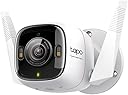
The Tapo ColorPro Wi-Fi Outdoor Camera C325WB combines advanced 2K QHD HDR imaging with innovative ColorPro Night Vision technology to deliver vivid, full-color surveillance 24/7. Featuring flexible connectivity options via PoE or Wi-Fi, robust weatherproof design, and smart AI detection for people, pets, and vehicles, it ensures precise alerts and reliable monitoring. Enhanced with 2-way audio, a built-in siren, and seamless Alexa/Google Assistant integration, this camera offers professional-grade security with effortless installation and versatile storage options including local microSD and cloud.
| ASIN | B0C48DZJ6Y |
| Alert Type | Motion Only |
| Antenna Location | Outdoor Security |
| Best Sellers Rank | #40 in Bullet Surveillance Cameras |
| Brand | Tapo |
| Built-In Media | Camera and Manual |
| Color | 2K QHD + ColorPro |
| Compatible Devices | Smartphone |
| Connectivity Protocol | Wi-Fi |
| Connectivity Technology | Wired |
| Control Method | App, Voice |
| Controller Type | Amazon Alexa |
| Customer Reviews | 4.2 out of 5 stars 889 Reviews |
| Effective Still Resolution | 4 mp |
| Field Of View | 127 degrees |
| Flash Memory Installed Size | 512 GB |
| Focus Type | Manual Focus |
| Form Factor | Bullet |
| Indoor Outdoor Usage | Outdoor |
| Indoor/Outdoor Usage | Outdoor |
| Installation Type | Screw In |
| Item Dimensions | 3 x 4 x 5 inches |
| Item Highlight | Daylight Clarity at Night, 2K QHD, Person/Pet/Vehicle Detection, Local/Cloud Storage, 127° FOV, Built-in Siren |
| Item Type Name | ColorPro Wired Outdoor Camera |
| Item Weight | 230 g |
| Manufacturer | TP-Link |
| Manufacturer Warranty Description | 2 year manufacturer |
| Memory Storage Capacity | 512 GB |
| Mfr Part Number | Tapo C325WB |
| Model Name | Tapo outdoor cameras |
| Model Number | Tapo outdoor cameras |
| Mount Type | Wall Mount |
| Night Vision Range | 98 feet |
| Number of Channels | 4 |
| Number of Items | 1 |
| Other Special Features of the Product | 2-Way Audio |
| Photo Sensor Resolution | 4 mp |
| Power Source | Corded Electric |
| Recommended Uses For Product | Outdoor Security |
| Room Type | Classroom, Kitchen, Living Room, Office |
| Special Feature | 2-Way Audio |
| UPC | 840030705427 |
| Unit Count | 1 Count |
| Video Capture Format | MPEG-4 |
| Video Capture Resolution | 2k |
| Water Resistance Level | Waterproof |
| Waterproof Rating | IP66 |
| Wattage | 7 watts |
| Wireless Technology | Wi-Fi |
E**H
Great Addition to Home Securiy System
I have not had this long enough to thoroughly explore the capabilities, but so far I am quite pleased. It was easy to set up (I put it inside the house at a window next to the doorbell). This was the closest to one of my electric outlets. The setup itself was a breeze. You just need patience to get the correct angle and setup point for the best view. Also, with my setup location (the only one that is possible for me at this time), I had difficulty cutting out the glare, which does interfere with camera view clarity. This is something that will be corrected when I have the chance to change the camera location. I find the large angle of view is superb, and the night vision was much better than I expected. The colors seen at night are very good. The motion detector is a little too sensitive, as I configured the camera to NOT sense cars or animals, but that motion triggers a recording. Right now, I think the recorded video is going to my cloud storage, as I can pull up a month's recordings, and I am not paying for a "live feed subscription." I THINK the reason for a subscription is so that if you are away from home and the camera is tripped, you can communicate with (or yell at) someone at your door, or wherever you have set the camera up. I can't comment on actual connectivity as I do not have a live feed subscription. This camera does add an additional level of security to my home defense system. It complements my alarm system. My brother has the same brand of camera at his home, but it does not have the same bells and whistles as this one. He was also impressed by this particular camera. The cost was not as high as I expected, indeed much less. This camera is a good value for the money. I will probably buy an additional camera for my back patio.
D**.
Nearly 2 years outside — great video, solid reliability, audio is just okay
I bought two of these Tapo/TP-Link ColorPro outdoor cameras (C325WB) almost 2 years ago, mounted them outside, and they’ve been out there ever since. Bottom line: they’ve been great. What’s been good: Video quality is very good (2K QHD / 4MP) — the picture is clear and detailed, and it’s been easy to see what’s going on when you need to review footage. Color night mode is awesome — this is the feature that sets it apart. The ColorPro night vision gives you much more usable nighttime video than typical night vision. Outdoor durability — two cameras, nearly two years outside, and they’ve held up well. Storage options are flexible: It supports local microSD recording or cloud (Tapo Care), which is nice depending on how you want to set it up. Overall: If you want an outdoor camera with really strong video quality and excellent color night vision, this has been a great buy for me. I just wouldn’t pick it specifically for top-tier audio. Wired option (important detail): One thing I really like is that it can be run on a wired Ethernet connection, which can be more reliable than Wi-Fi. Just note: it’s not PoE, so you still need to power it the normal way. One downside The only thing I wish was better is the audio quality. It works, but it’s not as clear/high quality as I’d like compared to how good the video looks. It does have two-way audio, but audio is the weak point for me.
J**M
Great camera for your security
Perfect for a wired system with wifi connectivity. We use 2 of them for the wide angle and can see our entire front property. Videos are clear and the camera notifies you immediately. Easy to mount, set up is quick. App is easy to use.
M**N
Great camera but weak product support, failing moisture seals
I bought the TAPO C325-WB in June 2024 and installed it outdoors to view wildlife. It installed easily and I set it up for viewing & recording on my Windows laptop using Blue Iris software. I use the B.I. app to control motion detection and have not tested the TAPO's built-in detection. The night color is amazing but it depends on the light level. The C-325 has a max frame rate of only 20 fps, whereas the grayscale night vision of my other color cams outputs at 30 fps. Using the TAPO phone app, I can turn on the spotlight and begin reducing the brightness, and watch the frame rate received by B.I degrade from 20 fps to 15 fps. When the fps drops below 20, the motion recordings of night wildlife gets very choppy and jagged.For best results, I leave the light on but set it to the lowest-possible level to maintain max frame rates. I would give this camera high marks but the power supply died after 3 months and I tried to contact TAPO for a replacement. Their phone support puts you in a never-ending queue and after waiting 30 minutes, I give up. Their chat support is AI-based and I could find no way to ask for an RMA to return the defective power supply. I finally used their email support to submit an RMA request form, but waited 5 days with no response and submitted this review. On the following day I received an email from Tapo with apologies, and they shipped a replacement power supply. I updated my original 3-star review to 4 stars and will see how well it holds up. October 2026 update to Review: The lens on this outdoor C325WB has begun clouding during moist weather, so the seals are apparently failing even thoigh it is IP66 waterproof rated. All precautions were taken to keep moisture out and I can dry the cam to remove the moisture, but it comes back every time it rains.
P**C
The Color Night video is the killer app. Competes with the best out there.
There's no camera right now that can compete with this level of clarity in low light conditions. There's only a few negatives but so many positives for this camera. I'm in aww right now. Video/Picture quality is top notch. Its clear in low light as well as brightly lit areas. The fact that I mounted this behind a window is just perplexing in a good way. The time it takes to open a notification to a live video is very fast. Faster than my Google Nest cameras which are faster than my Wyze and Eufy's. It also doesn't seem to miss an alert. The number of notifications can get annoying but its somewhat controllable through the app. The app works well and you can have up to 32 cameras. If you want to talk through the camera, its surprisingly loud and clear. The only negatives I can think of are the lack of "animated gif" style rich notifications. So you get pics but not a video (Google Nests have this). Uses a barrel type power connecter (Wish it was USB-C). No desktop web browser access to the cameras (like the Nest). You can stream the video feed to apps or a NAS but if you're using a micro-SD card, its one or the other. Not both. Lack of Email Notifications (like the Nest) This may be the best home camera you can get right now. Will be interesting if Google ever takes their Nest acquisition seriously but I'd buy this over the Nest even though the Nest products are a bit more polished. Hint: Start the Tapo Care (for cloud recording and rich notifications @ $35/yr) during setup and if you plan on purchasing the subscription, don't start it until the end of the trial period. If you pay early, the date starts from the purchase date so you lose a few days...
R**R
It looks like you've reached your device limit for playing this video.
So the things you need to look for in a camera are: 1. Mounting style. The mount for this thing kind of sucks; the cable set is intended to run straight up the middle in the arm and into the wall/soffit, but the ball joint in there will create a severe pinch point on the cable bundle if you need certain angles depending on horizontal/vertical mounting. And the cable is captive in the mount due to bulbous connectors. It's just not very well thought out and I'm not certain how long the plastic will last outdoors. 2. Imager. The imager is actually pretty decent. HDR mode is more useful during the day to clear up the shadows. At night all it does is produce blobby smears. 3. Software. This camera has the really awkward distinction of pairing a pretty decent feature set with an infuriatingly bad interface. RTSP works out of the box and the edge AI actually works pretty well and it does look like a lot of thought has been put into the features and controls. However, I use the app daily and it's so badly designed it's not even funny. It wastes screen real estate, doesn't pick appropriate thumbnails, punishes you for missing a hard-to-hit ellipsis, still has "swipe" engaged while you're zoomed into a video trying to pan around, hiding video controls, "network is unstable try again later", illegible file naming (looks like seconds since epoch), merges too many events together, etc. The software is basically a hot mess. Lastly, the camera seems to have stability issues. They have a daily reboot feature, but they really should just fix their bugs. I'm in a position right now where I can't allow the camera to go down in order to debug the issue further, and support is... not as technical as they should be about this. In order to retrieve debug logs apparently you have to physically pull the SD card. So I guess if you have to get up on a ladder to physically pull the card then sucks to be you. Should be able to pull the log remotely. This camera is a good effort but it's kind of not ready for prime time. Update: July 2024, recent firmware version 1.1.17 is even less stable and seems to make the camera hard crash after around 24hrs. It's awkward that they don't even have a watchdog implemented. If your power is mounted such that you have to get up in the attic or on a ladder to reboot the device, well sucks to be you. Update 2: Same month, now somehow the imager has come loose inside the housing. The camera hasn't moved, however somehow a dark line which appears to be the circular boundary of the front lens housing is now visible in my picture. As predicted, the physical design/construction of this camera is questionable. Update 3: November 2024, update 1.2.2 is less stable and appears to introduce glitches with SD recording on top of that. Update 4: May 2025, update 1.3.4 lowered bitrate of the RTSP stream, possibly the recording stream as well. It looks like they cut it nearly in half. I guess they thought we wouldn't notice. The image quality is much worse and the AI detection is also negatively affected. It seems like they wanted to cut down on the bandwidth, but for my usage, the easiest way to cut down on bandwidth is shorten the post-even limit. (It currently records literally 1 minute after an event, which means if I have a 20 second event, the camera will produce a 80 seconds worth footage, which is kind of stupid.) Update 5: July 2025, update 1.3.6 introduces errors in the RTSP stream. This was a known problem with their other cameras, and it looks like they decided to propagate the bug to the ColorPro. Search for errrors like "SEI type 764 size xxx truncated at yyy". Update 6: September 2025, update 1.3.7 still has the RTSP stream error, however they changed it slightly. It might actually be slightly worse (more errors) now. Update 7: October 2025, update 1.3.8 still has the RTSP stream error. Update 8: I was reviewing my archival footage from the past year and noticed in the May update that they surreptitiously changed the OSD font. This is annoying if you're doing any careful image processing. They won't let you change the OSD location, but they will change the font size, so you literally have no control over any of this. Update 9: March 2025 Firmware 1.4.3 still produces non-conformant stream errors.
P**T
Great camera. One annoying problem - fixed!
I recently installed two of these cameras. I wired one to a router and used Wifi for the other. The installations went well although the one installed over rough stucco took a little extra time to make sure the holes for the anchors were precisely drilled. The provided template didn't stick to stucco so I taped it to the wall and marked the holes in the stucco with a punch. The quality of the images is excellent and the app is fairly intuitive. My one issue occurs when I'm continuously streaming the image from either of the cameras to an iPad I bought specifically for that purpose. After a few minutes the image freezes and grays out with a message to "Tap to refresh." Tapping the screen does restore the image, but I can find nothing in the documentation, forums or FAQs that explains this issue. Is it a bug in the Tapo app? Is it a "feature?" All WiFi signals are good. I don't want to have to keep tapping the screen to monitor my cameras. Responses from TP-Link or other users are welcomed. Update August 11, 2023 I emailed TP-Link support about the problem I documented above. Their Technical Support team could not have been more responsive. Over a period of several weeks they asked me to collect and forward system logs from the camera (Micro SD card required which must be removed from the camera to access the logs) and logs from the app. They provided detailed instructions on how to collect the logs. At the end of that time they provided access to a beta version of the app to which they had added a fix, again providing instructions for accessing the beta. It worked without any interruption in viewing the cameras. I was told that the fix would be released in the Tapo 3.X app with no specific release date. However, I recently installed the latest release, 2.17.2 ("Fixed some bugs and improved stability.") which appears to have the fix included since I've experienced no "Tap to refresh" interruptions over several days. I'm changing my rating on the camera from 4 stars to 5. Great support! Update September 6, 2023 The Tapo 3.0 app (3.0.17) has been released.
J**E
Fantastic night time clarity. Great live view and crappy app and event/continuous recording review.
Fantastic 2K camera with fabulous night time clarity. Watching it live, it is very good for 2K. Using the app, trying to see events or review/scrub continuous recording is fairly terrible. As far as night time clarity, this is the best camera I have ever seen. It honestly seems like magic. The microphone is pretty decent. The app navigation is meh at best. Why on earth is the video review under the "me" section? Put it under the cameras where the cameras live. Why can't I click a camera in the camera feed view and adjust it's settings and view it's events and continuous recording one place? Awful experience. Further, you tout how awesome your person/vehicle/pet detection is and then literally do nothing with it except highlight them when viewing live. I CAN'T set event detection to record only when people or pets (animals would be better) or cars. So what's the purpose of knowing that they are being detected? When I review the events, it doesn't highlight what triggered the detection like it does live. I don't care about motion at all unless it is a person, animal or car. I can't imagine that there are many home owners who have a different opinion on this. Also, in continuous recordings which can only happen with the MicroSD card and cannot be used in tandem with the cloud recording (what a terrible decision... why would I want one or the other? And if I'm using the MicroSD card then why would I need the cloud service ).... Sorry... To continue the thought, in continuous recordings, scrubbing is not really a thing. When you scrub a Nest camera you can quickly see it slide through the video and can spot variations to see if something in the video changes like a dark shadow entering or something flying across the screen. You can "scrub" the tapo recording but it jumps to wherever you stop and does not slide through the video. So you can skip ahead by a certain number of seconds or try your luck at sliding to the exact moment you need, but it's really not good. I'm very disappointed after seeing great reviews and the features they tout for these cameras. If they would record in a more intuitive and useful way (outside of the fantastic night clarity) then I'd keep them. The events would be more useful and I'd see the value. If I could continuously record and easily scrub the recordings then I'd keep them, but the app is so unwieldy and hard to use in this case and makes it a painful experience. I'm thinking I will return these cameras for now and will rebuy them if you ever make them useful.
D**N
I use it for my All Sky Camera
**5 out of 5 Stars – Great Camera for Astronomy and Nighttime Events** I originally purchased the **Tapo ColorPro Wi-Fi Outdoor Camera** for a purpose other than home security. I use it as an **AllSky camera for star gazing** and also at astronomy star parties to capture the activities of people setting up and using their telescopes throughout the night. So far, I have been very impressed with its performance. The low-light capability is excellent, and the camera does a good job of recording nighttime activity while maintaining good image quality. This is especially important when documenting astronomy events that take place entirely after dark. To make it more versatile, I run the camera from a **portable battery pack**, which allows me to use it in remote observing locations without access to power. I also adapted the mounting system so that it can be attached to a **tripod or light stand**, making it easy to position wherever I need it. While I can't yet comment on its long-term durability since I haven't owned it for an extended period, it has performed very well so far. Time will tell how it stands up to regular outdoor use, but my initial experience has been very positive. **Pros:** * Excellent low-light performance * Good image quality at night * Wi-Fi connectivity works well * Easily adapted for portable use with a battery pack * Can be mounted on a tripod or light stand with a simple modification * Great for astronomy applications and documenting star parties **Cons:** * Long-term durability remains to be seen **Rating: 5 out of 5 stars** *Although this camera is marketed as a security camera, it has proven to be a surprisingly capable tool for astronomy enthusiasts. If you're looking for an affordable way to monitor the night sky or record activities at star parties, this camera is definitely worth considering.*
P**V
Camera Top ! Imagem super ótima, superou todas as expectativas do produto!!
Câmera entrega o que promete, imagem ótima, campo de visão adequado, imagem muito nitida e perfeita mesmo sob pouca luz
K**A
Buena
Tiene muy buena definición por el precio, tenemos algunos meses con ella y funciona de maravilla, se logran ver bien los rostros, tiene buen alcance
R**A
A câmera é boa mas nem seus poréns
A câmera em si é uma boa câmera, a qualidade de imagem durante o dia é muito boa, mas a noite com muita baixa iluminação ela pixela a imagem e perde qualidade, com uma iluminação baixa ou pouca mas com pelo menos a iluminação de rua, ai a qualidade fica boa. É possível dar zoom na transmissão ao vivo, mas a imagem distorce muito por causa do vidro frontal gerando sombra na imagem. O software em si é bom, diferencia carros de pessoas e animais, mantendo uma qualidade de alerta bom caso vc escolha desativar algum alerta. A transmissão por Onvif para um NAS é feita por configuração a parte pelo aplicativo do celular, nao tem muita explicação no manual nem no app vai ter que conta com sorte e tentativa e erro. O ângulo de abertura da lente é bem padrão, não tem diferença para uma foscam ou intelbras, eu esperava um ângulo maior pelo tipo da lente. A conexão é diferente, ao invés de escanear um qrcode com os dados da rede vc se conectar na rede wireless dela e configura pelo app qual rede wireless ela vai usar, ou usa cabo de rede mesmo, uma coisa legal é poder configurar um IP fixo, parece bobagem mas uma boa parte de câmeras de segurança ou são DHCP ou você precisa reservar o IP no DHCP. O plug de energia é tipo americano, mesmo pq ela veio importada, isso nao é um problema.
T**H
Hidden Gem: The Best Security Camera You Won’t Find in Search Results!
I’ve tried six different security camera brands over the last five years, searching for the best one—but the best never seems to show up in Amazon search results! That changed when a friend recommended TP-Link Tapo. I had to search for the exact model to find it, but now I see why it might not show up alongside big brands like Ring and Blink—it’s a serious competitor! I never leave reviews unless I’m 110% satisfied, and this is it! My search for the perfect home security camera is finally over. The Tapo C325WB is hands down the most reliable camera I’ve used. The video quality is outstanding—I can clearly read license plates of passing cars (not that I record them, but it’s great to have that level of detail). One of the best features is the support for a 512GB microSD card (I use a SanDisk High Endurance), allowing 24/7 2K continuous recording for over 200 days! Plus, with loop recording, I never have to worry about running out of space. Unlike other brands that lock features behind subscriptions, Tapo offers premium “AI” features at no extra cost. Cloud storage is available as an option, which makes sense for those who prefer offsite backups. The camera supports both LAN and WiFi, and I’ve had zero issues with connectivity—no surprise since TP-Link specializes in networking! Their Tapo app is seamless, the picture quality is amazing, and there’s no lag whatsoever. I was so impressed that I explored their full product lineup and ended up buying their smart switches, outdoor cameras, and doorbell—all top-notch and unbeatable in price! When it comes to security, reliability is everything, and TP-Link Tapo delivers. They use secure protocols to ensure privacy, and their home monitoring system is simply unbeatable for the price. If you’re looking for a feature-packed, reliable, and affordable security camera, this is the one.
Trustpilot
1 month ago
3 weeks ago