

Desertcart purchases this item on your behalf and handles shipping, customs, and support to Japan.
๐ฅ Capture Every Moment in Stunning 4K โ Because Your Content Deserves the Spotlight!
The Extenuating Threads 4K HDMI Capture Card delivers high-definition 4K 60fps video capture with dual USB-C and USB 3.0 interfaces, enabling plug-and-play use across Windows, MacOS, Android, and Linux devices. Ideal for gamers, streamers, and professionals, it supports real-time preview and screen sharing without driver installation, making it a versatile and affordable solution for recording and broadcasting HDMI sources like consoles, cameras, and PCs.
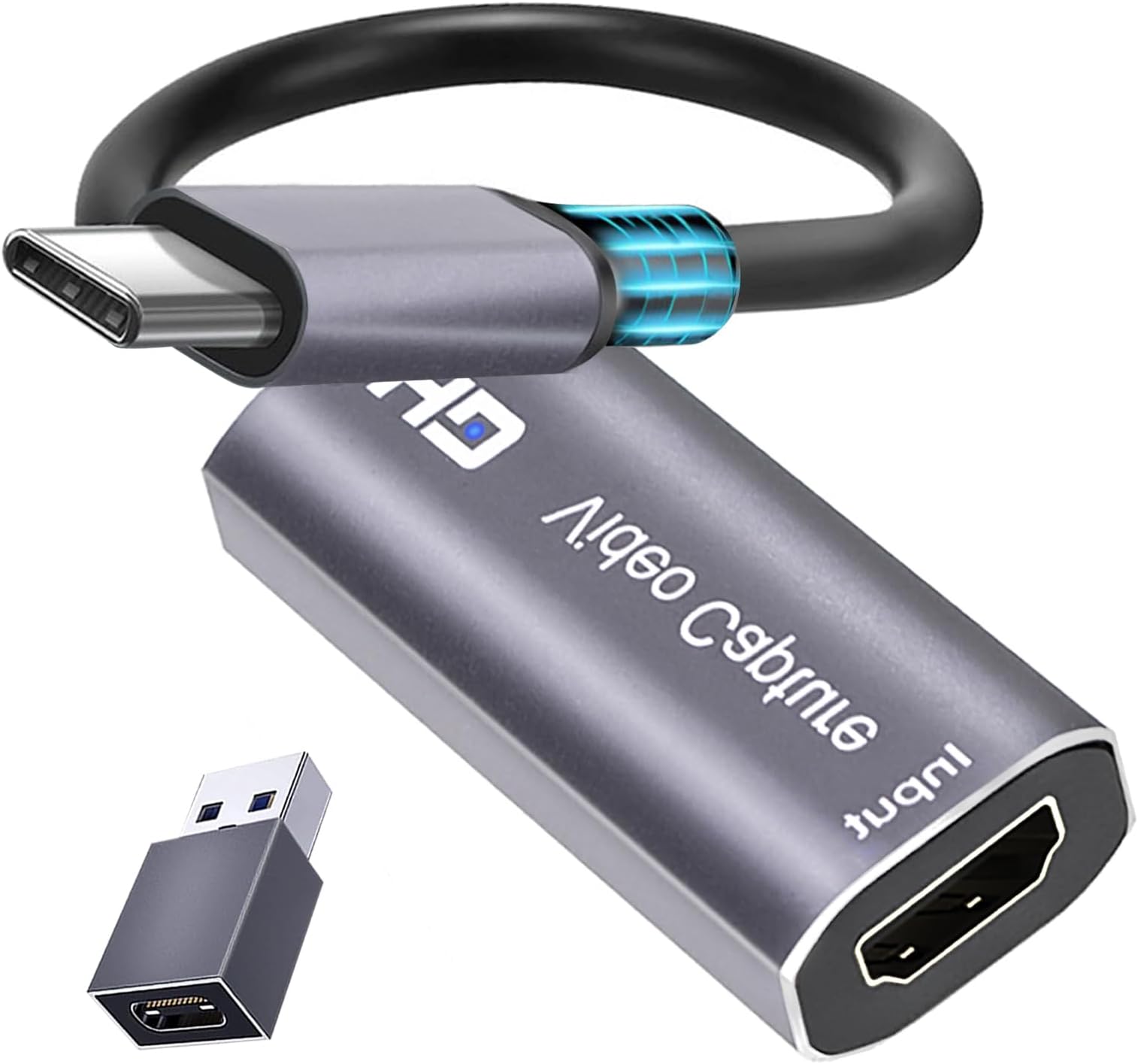


| ASIN | B0C2HG93TG |
| AV Output | 4K |
| Antenna Location | Video Recording |
| Best Sellers Rank | #136 in Internal TV Tuner & Video Capture Cards |
| Brand | Extenuating Threads |
| Built-In Media | Capture Card |
| Compatible Devices | Gaming Console, Personal Computer |
| Customer Reviews | 4.3 out of 5 stars 383 Reviews |
| Hardware Interface | USB Type C |
| Item Weight | 0.03 kg |
| Manufacturer | Extenuating Threads |
| Minimum System Requirements | Operating System: Windows 7 or later, Mac OS, or Android. Compatible USB-C, HDMI, and USB 3.0 ports required. |
| Model Number | KY-07A |
| Operating System | Mac Os,Windows |
| Other Special Features of the Product | 4K HDMI Video Capture and Recording, Flexible Connections |
| Platform | Linux, PlayStation, Windows |
| Recommended Uses For Product | Video Recording |
| Special Feature | 4K HDMI Video Capture and Recording, Flexible Connections |
| Video Capture Resolution | 1080p |
J**S
Amazing!!!
Update: it does work! I plug this thing into my Samsung Galaxy tablet S9 and then The HDMI cable from my mini PC goes into the other end of this video capture card. That means my tablet is now the monitor for my mini PC. Yesss!!! Now I don't have to drag that portable monitor all over the world. What a relief!!! Whew. Orig: Ihis does not work. Mini PC, HDMI out connected. Other end connected to phones and tablets to test. Running USB camera standard app on Android. No image. Seems a fail.
B**Y
You get what you pay for
This capture card is a very affordable option if youโre just getting into streaming or just need to record video from another source. It appears as a webcam on most devices without any driver issues, plug-and-play. It can receive 4K30 and 1080p60 but it really feels like 4K24 and 1080p30. The main โissuesโ with this product are its heat and low frame rate, but with its price these are to be expected. Itโs definitely not the best capture card on the market, but if you just need something cheap and easy to use, this is the card for you.
M**H
Streaming Device
I was Looking for something that would allow me to hook my streaming device to the PC in the other room so I could watch NetFlix or other services I had my RoKu hooked to my monitors HDMI port which worked well but changing inputs was kind of a pain (in the You know where) because it would change my PCs resolution resizing and moving all my windows when I changed the input back to PC this works much better because I can just open streaming box in a Window Other things to Know: it doesn't come with Software... (but windows already has the Drivers) I tried a few things VLC worked okay but it wouldn't really go full screen 16:9 it only want to run it in old school 4:3 TV mode I also tried to open it in a browser tab (which was a little over my head) same problem... 4:3 TV Ratio I'm sure you can probably run it in Any software that will open a webcam you just have Select the source as... "USB Video" TLDR: in the end, I just used MPC-BE which I've been using for Years... (Media Player Classic Black Edition) Download from MajorGeeks in Options: select the Play Back Capture Device as "USB Video" Works Perfectly Exactly what I Wanted
A**W
Works great on iPad Pro and Macbook Air
I use it when I need to check video output streams quickly. It works great but gets really hot. There are free apps in the App Store that work well for this purpose. It's a fantastic addition to your travel bag for emergencies.
A**A
Works very well with M1 Mac
Using this on an M1 based MacBook. The device is plug and play, no drivers to install. Shows up in the hardware info app as USB 3. After a continuous run of over an hour, it was mildly warm. Using OBS Studio, it was trivial to add the HDMI video as USB source and the HDMI audio as USB audio source. Video/audio appear well synchronized. OBS using hardware encoding built into the M1 cpu creates a file of approx 650MB per hour. Tried various apps (Netflix, NBC, Prime, etc), had no trouble so far.
A**W
Died After 7 Months
This item stopped working after only 7 months. I used this capture card once a week in that time. so < 30 times in total.
Q**D
Seamless Streaming Made Easy!
The 4K HDMI Capture Card by Cam Link is a streaming gem. With its plug-and-play simplicity, I effortlessly turn my device into a content creation hub. Whether gaming, streaming, or virtual meetings, the 1080P output is flawless. The included USB C adapter adds versatility, making it a breeze to adjust settings for various consoles. Elevate your streaming game with this must-have accessory!
H**U
It works, it does the job, but the specs are incorrect/misleading
The good news about this product: * It's easy to use. It's plug-and-play, you can use any sort of app that captures from a webcam (it registers as one). So hooking it up to OBS is ezpz. * There's very little lag. It's kinda there if you focus on it, but it's probably 1 frame late. * It's cheap, so if you need an HDMI capture device, this works well for that. Now for the bad * The device is USB 2.0, not USB 3.0 as the product literature claims. You can verify this yourself using a tool called "USB Device Tree Viewer." So unless I somehow got a bum unit, the product literature is lying about that. In addition, the USB-C to USB-A converter you get is also USB 2.0, despite the Type-A side looking like a USB 3.0 port (I tried plugging it in with various known USB 3.0 devices and it all registered as USB 2.0) * The output of this device is capped at 1080p30, and there's no software to configure it. Would I return this device knowing the limitations of it? Not really. The price point is fine and I originally bought it to turn my iPad into an external monitor. Since it's still 1080p30, it's good enough if I need to tinker with something and don't have a display on hand to do it with.
M**N
Qualidade
Produto muito bom. Satisfeito com a compra. Cumpre o que promete.
R**E
Havey quality product
Good
G**R
good
good for price
C**R
Perfect to use with iPad Orion app
Bought to use with โOrionโ app to connect my iPad Pro M4 as an external display to an older windows computer. It is literally plug and play, works first time, picture quality is perfect and there is no lag at all. The build quality of the device is great with a metal body to control heat and ensure durability although I did not observe any elevated heat at all during use.
E**N
Is bueno.
My son used this to run a dvd player through his phone. That was pretty cool. He uses it for something more reasonable on his computer and says it works well on whatever that thing is.
Trustpilot
2 weeks ago
2 days ago