


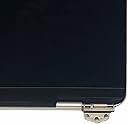



Replacement 13.3" Laptop LCD Display Assembly for MacBook Air Retina M1 A2337 EMC 3598 MGN63 MGN73(Silver)
Product ID: 513269708
🔍2560x1600 Pixel Resolution
⚙️120-Day Warranty
🖥️13.3-inch Retina Display
Desertcart purchases this item on your behalf and handles shipping, customs, and support to Japan.
✨ Upgrade your MacBook Air’s view — see the difference, feel the power! 🖥️
This 13.3-inch replacement LCD display assembly is engineered specifically for the MacBook Air Retina M1 A2337 EMC 3598 models, featuring a stunning 2560x1600 resolution and a sleek silver finish. Backed by a 120-day warranty, it offers a professional-grade screen upgrade to restore your laptop’s vibrant visuals and premium look.
| Best Sellers Rank | #15,793 in Computers & Accessories ( See Top 100 in Computers & Accessories ) #124 in Laptop Replacement Screens |
| Customer Reviews | 3.9 out of 5 stars 94 Reviews |
G**R
Save yourself some money
With about 30 minutes of time, you too can save over $300! This screen installed easily after following iFixit’s instructions. Including tools with the screen makes the process even easier, although a plastic spudger is needed and not included (I made do with a LEGO brick separator). If this is your first time repairing an Apple device, some screws are tiny, and others are ridiculously tiny, so work in an area where you won’t lose them and be sure to track where they go. The only extra steps I had to take were swapping two small shields next to the screen connector from the old screen to the new because they weren’t included. This only took an extra minute or two. All in all, this was a pretty easy repair, and after plugging the laptop into the charger, it booted right up. It’s good to have this little MacBook back!
F**Z
Very Easy to Install, Stock Like Results
Overall to me, the screen replacement process was very quick and easy. It was intuitive, and while I was following a 15 minute video, I found myself done in 5 minutes, constantly skipping ahead to the next step. It’s as simple as unscrewing a few things and screwing the new things in. As for the build quality, while promotional images don’t show it, don’t worry, it has the Apple logo! The brightness is great and screen looks to have great contrast. It functions fully and I had no issues with it. I got a MacBook with a cracked screen for $200 and sold it to Best Buy for a $600 gift card so overall, this was a big win. If you’re hesitant about doing it, just go for it!
J**H
Don’t buy
Worked for a year then just went black
T**O
Works as it should.
Fits and works. Knowing this is not genuine and the money you are saving is good enough to use.
J**T
Great
Great OEM fit, screen works perfect, installation was a breeze at about 30 minutes, great value for the money.
R**1
No webcam?
So i just replaced my daughters macbook13 screen. I am not a mac anything person. I replace teh screen for her and everything works as far as power on and images, cool! 2 wks later my daughter comes home after graduating from college. She fiddles with her leptop and loves it. Her nephew cracked the screen somehow. But now she's interviewing for jobs via teams, zoom, and what not and she realizes her webcam does not work. I go to search amazon's "looking for specific info" type in webcam then it says, item does not come with a webcam only the screen. What the? So i look all over the page and NOWHERE doe sit says one is not included. In fact on a video as part of the pics, it sure does show the webcam function! HMM? Now amazon wants me to send the whole thing back for either a replacement or refund. What a joke. Amazon needs to get its head out of a hole. I'll keep the screen as it works but just BEWARE of amazons farce advertisement. I'm telling you, certain things from amazon is straight trash! Just beware. BE VERY AWARE! 12/31/2024 UPDATE! after about 2wks of use my daughter came to me saying the screen just went black. Closing the lid then opening, for a split second the screen will flicker then black out. Not worth messing with this anymore. Will will be returning this with a quickness and look elsewhere on amazon for another. and maybe with a webcam built in? I know, wishful hoping.
R**4
It just works
I was a bit skeptical at first about the quality of this product. I took the risk anyway, bought it. The installation was rather straightforward. I plugged in the power supply, no life. I waited for about 30 minutes and tried to turn on the computer. This time I saw some life in it. Finally, it works better than expected. I am glad I took the risk.
T**E
Faulty Camera
Screen works fine but the camera comes out extremely dark and is pretty much not usable
B**1
livraison assez rapide
fonctionne bien belle image
T**O
Muito boa!
Produto de excelente qualidade, nos surpreendeu muito.
N**N
perfect
working good, quality is great, still working after 1 month
I**M
con su logo y eslogan
la pantalla viene muy bien, tardo en llegar ya que la pedi para México pero aun asi el paquete llego intacto y su funcion la cumple muy bien. la recomiendo ya que viene con todo lo que dice
D**A
RECLAMAÇÃO. TRATAMENTO PESSIMO DA AMAZON PARA COM OS CLIENTES
O PRODUTO NÃO SERVE, PESSSIMA QUALIDADE E MUITO INFERIOR AO QUE SE DEMOSNTRA NA IMAGEM. Até o presente momento estou aguarrdando uma solução para realizar a devolução do produto, diversos foram os e-mails enviados sem respostas de vocês. vou acionar a jusrtiça pararesolvermos essa situação, pois estoudecepcionado com a atenção da empresa para com os clientes.
Trustpilot
1 month ago
1 month ago