

Desert Online General Trading LLC
Dubai, United Arab Emirates
Desert Online General Trading LLC
Dubai, United Arab Emirates

🚀 Transfer Like a Pro!
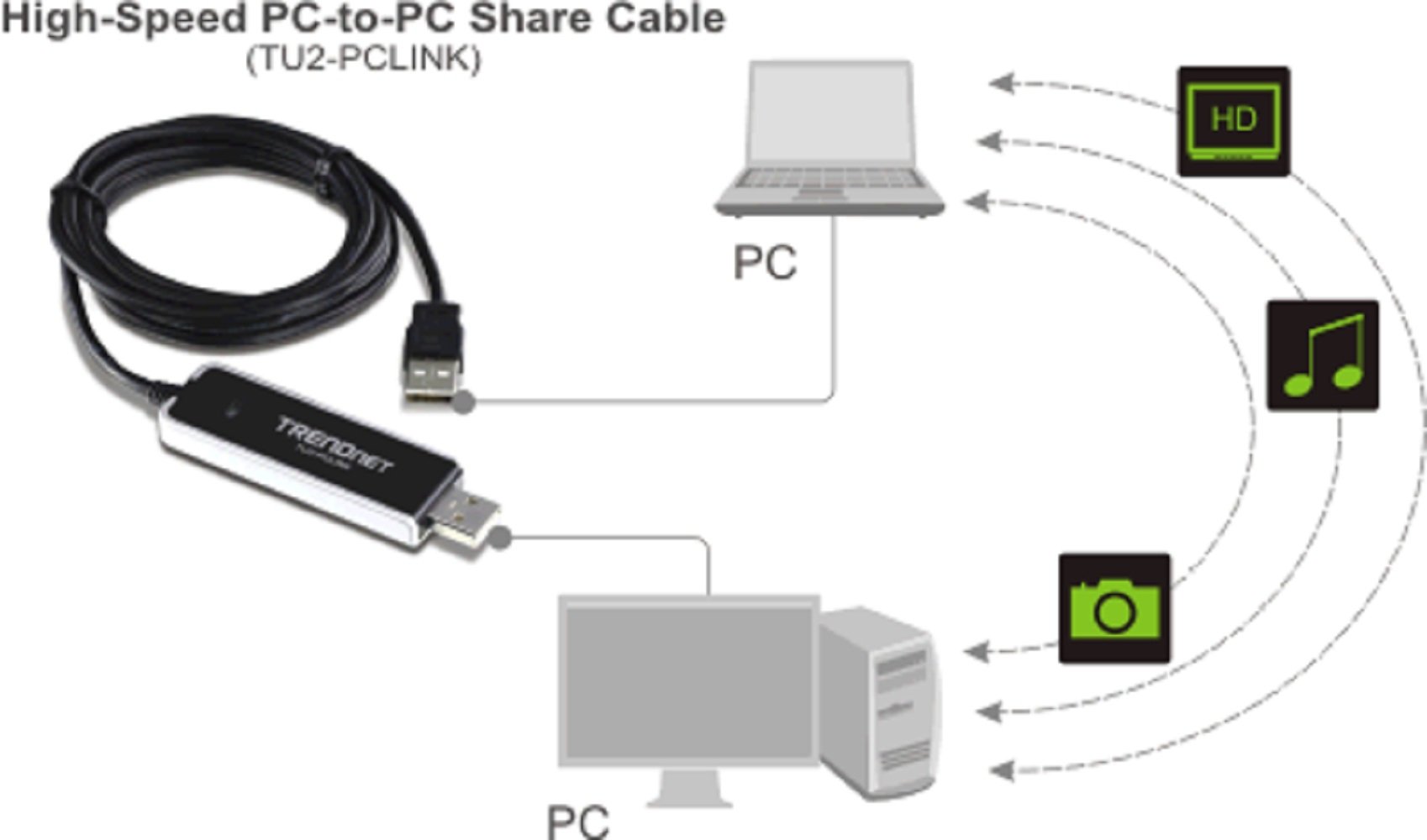
The TRENDnet Quick and Easy Transfer Cable is designed for hassle-free file sharing between PCs, boasting high-speed transfers of up to 160Mbps. With a user-friendly plug-and-play setup, this cable is compatible with a wide range of Windows operating systems and comes with a generous 1.8m length, ensuring you can connect easily without the need for an external power source. Plus, enjoy the confidence of a 2-Year warranty.
M**N
Does what you need it to do
Worked exactly as expected. The drivers loaded on both computers. The transfer utility was easy to navigate. My only slight recommendation is that there should be a back folder/return to last folder button like in Windows Explorer. I backed up all files from my old laptop to my new laptop, including my rather large music collection, with great ease.
J**Z
Did not work with XP to Windows 10
I tried connecting an XP computer to a Windows 10 and the Windows 10 computer did not see the XP computer.
B**E
Ease of use
Worked great, easy to use, and fast
G**I
Easy to use, but I excepted more speed!
With USB 2.0 and a not very powerful computer, I copy at 16 mb per second: 10% of potential.I'm afraid you need usb 3.0 to transfer files much more faster and even a powerful PC.Probably with a simple usb cable I got the same results with less cost.However, very easy to use.
N**S
Wow - This is Great!
This is a great little device. Plug it in, transfer files. I used it when I got a new computer. It made it very easy to transfer Outlook files, bookmarks/favorites, and all my working files. You don't need any fancy file transfer software anymore. What a great investment for under $20!
M**Z
Transferred one file then stopped working. Wouldn't transfer files from Win10/Win10, Win10/Win8.1, etc. Crashes on Win10.
The packaging states Windows XP/Vista/Windows 7 only. The product advertisement shows the page only and not the actual packaging. Even though they state they support those OSes including Windows 8.1 and Windows 10, the user doc inserted says that the Sharelink app is for Window 7 only. I tried to transfer data from a Windows 10 to Windows 8.1. It worked on one single file. I tried different permutations because I have a lot of customers requesting data transfers from disparate OSes. Windows 10 to Windows 10 did not work. It crashes. The Sharelink executable auses page faults when looking at the application event log. Windows 8.1 to 8.1 does not work. The app launches but you never see the other system so you can't drag/drop files from one system to another, even when the cable is switched. Window 7 to 8.1 did work, if Sharelink is opened on the Windows 7 system. Launching Sharlink on Windows 8.1 will open the app, however, you cannot see the filesystem on Windows 7 machine. This cable is not diverse enough for my needs or perhaps it is just faulty. I filed a ticket with their technical support department for assistance. No one ever replied back to me. I also checked to see if there was a firmware update for this cable on their support site and there was none. I would not even try to order a replacement cable from this company. I would recommend that you spend your money elsewhere. I shipped it right back to Amazon and am grateful that they have an excellent return policy. I will look for a better cable and if I happen upon one that can reliably handle more OSes, I will update this review.
J**Y
TRENDnet High Speed USB 2.0 PC-to-PC Cable
This was the first time ever using a transfer cable and I found this one to be all that it was advertised to be. It is 6ft long and very light. It only took and hour of reviewing files and then transferring selections to a new computer. I had to install all previously applications to use data files transferred. I would recommend this product to anyone who needs to do data transfers computer-to-computer.
S**7
Not as Advertized.
I disappointed at the user user interface. I owned two other USB to USB exchange device, this unit is had disappointing results.Pro:Slim designfast interface bootCON:Does not synchronize individual directories.One-way synchronizing.
H**N
ISTRUZIONI IN ITALIANO
AVETE UN PRODOTTO CON DELLE ISTRUZIONI IN 6 LINGUE DIVERSE, ANCHE IN CIRILLICO, PERCHè LO VENDETE IN ITALIA CHE NON COMPARE NELLE TRADUZIONI? RICORDATEVI CHE è UN OBBLIGO COMUNITARIO....
D**.
FANTASTIC
This is amazing, on trying to transfer files from one laptop to another over the household network it was due to take 23 hours. But with this all was done and dusted in 15 minutes. I couldn't believe it but its true. A brilliant bit of kit
C**N
Bon produit - simple d'utilisation à recommander
Après quelques hésitations, mon choix c'est porté un peu au hasard sur ce câble, je cherchais à transférer 100 go de données d'un ordi à un nouvel appareil et je n'ai pas été déçu..ce fut fait en moins d'une heure..quelques tâtonnement au départ pour comprendre le fonctionnement mais c'est un produit à recommander qui marche mieux que les transfert web pour ceux qui ont une bande passante pourri !
A**K
Works exactly as advertised
Plug one end into a USB port, the other into a USB port on another computer and you have an instant and easy connection over which you can share and copy files. It worked on both Windows XP and Windows 7. The software install took seconds. The user interface is basic but functional. No complaints, it did just what it was supposed to.
D**G
Mit highspeed Daten übertragen
Habe das Linkkabel sofort nach Erhalt angeschlossen und hat sich unter beiden PC's (Windows 7) sehr schnell Installiert.Man hat bei dem eingebundenem Explorer, welcher bei Anschluss des Kabels auf beiden Rechnern startet, eine sehr gute Übersicht und die Daten lassen sich einfach, schnell und unkompliziert übertragen.Kauf ist zu empfehlen.Volle Punktzahl
Trustpilot
1 month ago
1 month ago