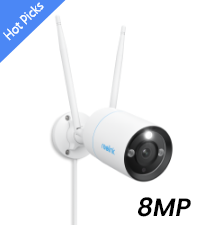
๐ See it all, day or nightโsecurity thatโs as smart as you are.
The REOLINK Floodlight Camera combines dual 4K lenses to deliver a seamless 180ยฐ panoramic view with ultra-bright 1800-lumen floodlights for vivid color night vision. Featuring smart detection that distinguishes people, vehicles, and pets, it sends precise real-time alerts. With dual-band WiFi and Ethernet options, plus no subscription fees for video playback, this outdoor security camera offers professional-grade surveillance with versatile installation and continuous power.


| ASIN | B0BJZYK5BF |
| Alert Type | Person/Vehicle/Animal/Motion Detection |
| Antenna Location | Outdoor Security |
| Best Sellers Rank | #1,227 in Bullet Surveillance Cameras |
| Brand | REOLINK |
| Built-In Media | 1*1m Network Cable, 1*4.5m Power Extension Cable, 1*Power Adapter 12V/1A, 1*Reolink Duo Floodlight WiFi, Instruction Manual |
| Compatible Devices | Smartphone |
| Connectivity Protocol | 2.4G/5GHz WiFi |
| Connectivity Technology | Wi-Fi 5+2.4/5GHz Wi-Fi |
| Control Method | App |
| Controller Type | Reolink App, Reolink NVR |
| Customer Reviews | 3.9 out of 5 stars 242 Reviews |
| Effective Still Resolution | 8 mp |
| Field Of View | 180 degrees |
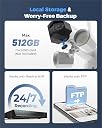
| Flash Memory Supported Size Maximum | 512 GB |
| Focus Type | Manual Focus |
| Form Factor | Bullet |
| Frame Rate | 20 fps |
| Indoor Outdoor Usage | Outdoor |
| Indoor/Outdoor Usage | Outdoor |
| Installation Type | Screw In |
| Item Dimensions | 7.68 x 9.57 x 9.25 inches |
| Item Type Name | Bullet Camera |
| Light Source | Floodlight |
| Manufacturer | Reolink Digital |
| Manufacturer Warranty Description | 2-year |
| Mfr Part Number | WCDBFL4K03 |
| Model Name | Reolink Duo Floodlight WiFi |
| Model Number | Reolink Duo Floodlight WiFi |
| Mount Type | Wall/Ceiling Mount |
| Night Vision | Night Color |
| Night Vision Range | 100 feet |
| Number of Channels | 1 |
| Number of Items | 1 |
| Other Special Features of the Product | 180ยฐ Ultra-Wide View, 4K 8MP HD Resolution, Cutomizable Lighting, Night Vision, Smart Detection |
| Photo Sensor Resolution | 8 mp |
| Photo Sensor Technology | CMOS |
| Power Source | Corded Electric |
| Recommended Uses For Product | Outdoor Security |
| Room Type | Classroom, Kitchen, Living Room, Office |
| Special Feature | 180ยฐ Ultra-Wide View, 4K 8MP HD Resolution, Cutomizable Lighting, Night Vision, Smart Detection |
| Specific Uses For Product | Amateur, Outside, Outside; Amateur, Outside; Professional, Professional |
| Unit Count | 1 Count |
| Video Capture Format | MP4 |
| Video Capture Resolution | 8 MP |
| Viewing Angle | 180 degrees |
| Waterproof Rating | IP66 |
| Wattage | 15 watts |
| Wireless Technology | Wi-Fi |
M**4
Great Camera!
This camera replaced a $45 4K PTZ camera from AliExpress. It was a good camera, but didn't show my whole driveway, the app was questionable, and human/vehicle detection simply didn't work. This camera, on the other hand, shows my whole driveway at all times without panning, the app is great, and detection has been working stellar for me. The floodlights have been working well, and I have them turn on when it detects a human or vehicle at night. It even integrates well with Home Assistant, which was surprising. You can change all of the settings via HA, and even trigger automation when it detects a human, motion, or a vehicle. I was using my Synology NAS with this for a while and it was working fine. The downsides? Pet detection never seemed to work for me (not a big deal), I really wish this was PoE capable, there's only one stream available via ONVIF, and the picture gets blown out when sun is hitting my vehicles and garage. The web interface doesn't require anything weird like IE, Flash, or Silverlight, but it's only streaming for me in low resolution (Firefox/Linux&Mac). I had to turn off hardware acceleration in the Android app for it to display a stream, so keep this in mind.
A**R
Inexpensive, Fast, and Private but with a little more complicated initial setup
I saw this product when I was looking for a floodlight/ security camera that didn't connect to a proprietary cloud or store video on a 3rd party server. This only connects to the intranet or via remote access, the latter I haven't mastered yet. After installing it, I have been extremely satisfied with the image quality, easily customized app, and SPEED. I have a doorbell camera from the home security service we use. It's garbage. In large part because of how incredibly slow it is. And the footage is definitely going through or ending up on one of their servers, for sale or free to cops. This is the opposite. Effort: This is an outdoor floodlight, so it probably will require being comfortable using a ladder, maybe cutting a piece of wood and painting it to make sure the camera is installed flush to the wall, and making a hole in your house. Its speed comes from the direct connection to your router or a wifi repeater with LAN ports. That's Cable A. It can't be hardwired to your house, even if you know how to do that, which I do not, but if you do you can definitely put this thing together. ANYWAY, because it can't be hardwired, it has to be plugged (Cable B) into an outlet. Even if you have outdoor outlets, this is not the kind of thing you want getting wet all the time or being easily unplugged. So you will almost certainly need to make some kind of a hole in your walls. Not renter-friendly, this model. It's not a small amount of work, but I am 100% satisfied with the product and the app so far. Remember, too, it records to a microSD card. If you want to record in 4K I would recommend at least 128gb or larger (check their website for compatibility) because when it's full you'll probably want to it to just start over and it's been up about 24h at max resolution and gone through 30gb. I'm sure you don't have to have it do that, tho but less convenient.
M**Y
Unreliable Camera! Do not buy it
I installed it inside. The camera motion detector keep turn the lights on and bothered us with unwanted alerts even there was nothing moving. The lens is clear but panorama design so we have very narrow and small view on the phone. The camera cause more trouble than protection when it keep dropping from the network. Just only few months old and I had to replace it with the other brand camera. I don't know if the manufacturer will honor the guaranty.
B**Y
A way to install without plugging into power outlet
There is a way to hard-wire this camera without plugging into an outlet in a completely self-contained manner. One can get a small power converter typically used for powering LED lights that converts 110 V AC to 12 V DC. Make sure the power converter can support at least about 20 W close to the rating of the Reolink supplied power adapter, and is compact enough to fit inside the base cavity of the camera. (Lustaled 24W LED 12 V Power Supply on Amazon is the one I bought) Connect the input side of this converter to the wires coming out of the wall for the original light fixture with say wire nuts or Wago connectors. On the output side of the converter, connect an electrical barrel plug as shown (size #5, 5.5 mm OD, 2.1 mm ID) and then plug it into the DC port of the camera. The base cavity of the camera is quite large with a lot of empty space, a compact power converter and barrel plug will fit inside with no problem. Have been using this setup for half a year now, so far so good. Another challenge is the mounting bracket doesn't work with standard junction box, so had to get a vinyl siding mounting block first and mount the camera onto the block. The final setup looks pretty neat with no visible wires. Hopefully, Reolink will update this floodlight camera with hard-wire option and junction box mount in the future. The ultra-wide field of view and high resolution are great. It also supports 5 GHz wifi. However, there are a lot of false motion alarms. So, it is used as a floodlight and backyard viewing manually. This camera does not have motion sensors, it relies on image processing to identify motion. One little quirk is if the floodlight is turned on manually, the light won't stay on for long, it will go out after about 3 minutes, need to use the timer mode to bypass this problem.
P**4
Bought 2. Both failed after about a year
*** EDIT/UPDATE 9/19/2024* Both cameras were still in working order The WiFi range extender that they connect to had gotten "confused" and was not accepting WiFi connections from anything. Also, one of the 120VAC to 12VDC power supplies I use had failed. My apologies, Reolink. I leave the original review text so others might troubleshoot more before returning or giving up on the device. Suggest to un-mount and plug it into your router with hardwire ethernet cable and do a factory reset (pushbutton) and re-do setup. ______________________ Original review follows: I ran two of these for about a year. Impressive image quality and they ran flawlessly. Until they both died within a couple of weeks of each other. Upon power on you can hear the lens shutters click, but they never boot up or make any visual or audible indication that they have powered on. I watched the footage back on BlueIris on both during the moment of failure, and there was nothing out of the ordinary going on, they just stopped streaming and never came back up. Unfortunate, and I am hesitant to purchase more or even bother with a warranty claim.
S**O
Great picture but the camera has some downsides to work out
Daytime picture on this camera is fantastic. I love the wide angle view which cuts down on the number of cameras I need. Nighttime picture is satisfactory though it gets a little too grainy at longer distance. The main issue I have with this camera is motion detection. Seems to have a hard time detecting vehicles heading away from it close up. I have it mounted above my garage door shooting straighht out the driveway towards the street and often times it doesn't register the car leaving no matter what sensitivity I set the vehicle recognition at. It seems to have the same problem at times with a person walking in a straight line towards the camera...often not being identified until the person is very close. I also was having issues with false alarms on vehicle detection identifying insects as cars unless the sensisitivy was turned down very low which would then make actual vehicle detection even worse. In the distance vehicles crosing at a 90 degree angle it seemed to have no problem with. Also it would be nice to set the duration of the flood light once it is tripped. There doesn't seem to be an option to do that in the software. I will probably keep the camera as I love the picture and field of view, but the motion AI and flood light features need some work. Also it would be nice to be able to have other reolink camera event dectections be able to trip the flood light on this camera as well with a setting in the software.
D**S
Works well with Blue Iris
Installed this a couple days ago and I like it. Works well with Blue Iris. Photo of settings attached. Flood lights are motion activated and seem to come on when I'm 15 yards or so away. There may be settings to adjust the sensitivity but I haven't cared enough to go dig around for it. The light positions can be adjusted and you can tell from my photo of nighttime that I don't have them positioned properly. They're pointed kinda straight ahead and I need to point them in line with each of the camera lenses. Comes with a pretty lengthy power cable. Some people complain about losing connection and some forums for Blue Iris recommended disabling "RTSP Keep Alive" so I did that from the start and have no clue if it woulda worked fine with that enabled. I suspect a lot of the connection issue complaints by people are wifi related. I have a fairly extensive ubiquity mesh wifi network with 2 Ubiquiti Unifi Ap-AC Lite's inside an 1 Ubiquiti UAP-AC-M-US outside that gives me exceptional wifi signal throughout my 2 acres. With my wifi setup I have had 0 issues with signal connection. (Side note: I love my ubiquity setup and would highly recommend it to other tech nerds, if you're not tech savy though this product is likely too complicated for you to setup)
M**.
Needs to be setup first
This is a cheaply made product designed by engineers who have never had 1 day of real world experience. I'm not even sure why this product exists to be honest. They make 2 versions of this camera, wired and wireless. The wired one connects to POE power and can be plugged right into an NVR, this one is SUPPOSED to be designed similar to the reolink doorbell. You plug it into power and connect it to wifi. This unit however is special. You need to connect it to LAN through your router then set it up on the app, then setup it's wifi connection. Which is completely idiotic and reflects poorly on every software designer that worked on this, and the higher ups that actually let it through. The ring floodlight camera is 10x easier. You plug it into any existing wires, connect to its Bluetooth network, find your wifi and put it in. THATS IT. And seriously, if it absolutely needs to be set up before it's mounted MAYBE PUT THAT IN THE INSTRUCTIONS SOMEWHERE. That's another thing, the instructions are poorly translated jokes. All it says is "on phone download app". I had to look up a seperate video just to figure that out. Everything said though, the camera itself is very good. It's a very crisp 4k and can be seen flawlessly, even if it's far from any routers or extenders. Another thing I really appreciate is being able to put in an SD card and record from that. Its very convenient not to need to pay anything to see your own recordings. All said I would give it 3 stars, but I have to take 1 away immediately for the device not supporting rich notifications, and for the doorbell to need a SUBSCRIPTION JUST TO SEE IMAGES IN NOTIFICATIONS. "Whos in the driveway?" "OH, I don't know let me just click the notification.... okay its loading... stilllll loading... whoops hold on that's the live view, let's just go to the playback.... and loading... still loading.. oh it's Steve!" IT SHOULDNT TAKE 45 SECONDS JUST TO SEE MY OWN DRIVEWAY. Seriously, just get the ring system unless you're connecting this to an NVR.. but sometimes a monthly payment just really isn't that bad.
L**A
Perfect product for front of the house security.
A**R
It is early days, but so far so good.
The item arrived before committed date. Happy with night vision and picture quality. But motion detection seems to be a bit lagging, particularly at night. Not sure if settings need to be tuned.
Trustpilot
3 weeks ago
2 days ago