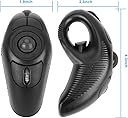
🚀 Elevate your workflow—track, point, and scroll without limits!
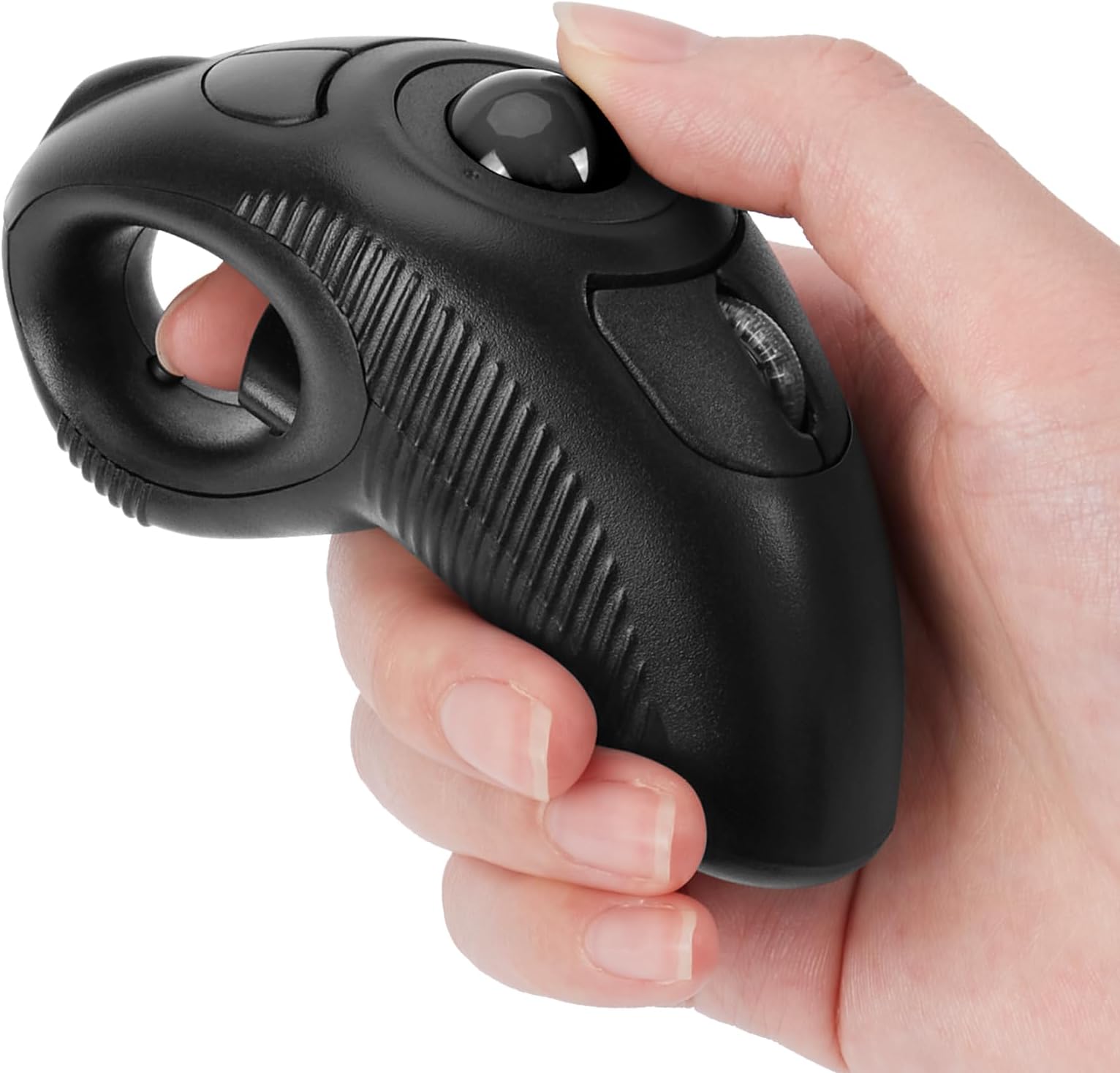
The welspo Wireless USB Handheld Finger Trackball Mouse combines ergonomic design with wireless freedom, featuring a thumb-controlled trackball and integrated laser pointer. Powered by a single AAA battery and utilizing USB 2.0 plug-and-play technology, it offers versatile ambidextrous use and portability, making it a smart choice for professionals seeking a compact, wrist-friendly input device for laptops and desktops.


| ASIN | B0BJZQX6CM |
| Batteries | 1 AAA batteries required. |
| Best Sellers Rank | #235 in Computer Mice |
| Customer Reviews | 3.6 3.6 out of 5 stars (2,268) |
| Date First Available | July 12, 2017 |
| Item Weight | 5.5 ounces |
| Item model number | iF6B |
| Manufacturer | BrainyTrade |
| Product Dimensions | 4.3 x 1.9 x 0.04 inches |
J**O
Great mouse substitute, and the manufacturer stands behind it
UPDATE (9/2022): I reached out to the manufacturer and they sent me a replacement even though it was almost a year since I'd purchased it. I'm updating my review based on my happiness with the mouse (which was always very high) as well as the fact that I'm extremely impressed that the manufacturer was willing to take responsibility and stand behind their product. ------------------------------------ It's very convenient to have a mouse you don't need to rest on any surface, and I loved this mouse while it functioned correctly. Unfortunately, after less than a year of very light use (at most once every few weeks) it stopped working. Specifically, when I'd plug the small dongle into the PC I'd get the error "A request for the USB device descriptor failed. Windows has stopped this device because it has reported problems. (Code 43)", and no amount of finagling would resolve the problem. I'd have thought the dongle would be bulletproof since it has no moving parts, but apparently just inserting and removing it a few times over the past year put it out of commission. At this point I'm left with an expensive laser pointer, and it's frustrating to know that the mouse itself is probably fine and the only thing preventing me from using it is a bad dongle. I'm now using an old wireless Microsoft laser mouse that's still going strong after 15 years, dongle and all. Maybe I just got a bad unit and you'll be luckier than I was, but as it stands I can't recommend this mouse.
C**S
Cheap Chinese..
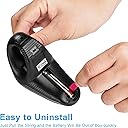
The battery door is super cheesy and fell of right away. I had to use electrical tape to keep it on. It is a little small and the product is quite light weight. If you are looking for something to feel solid in your hand, this isn't it. The general concept is cool. It will take a little getting used to, but that is fine. The lazer pointer is a nice feature and works well. The track ball is a little too sensitive but should be fine after some more use. Overall, I dont think it is worth the $32 at all. Way overpriced.
V**R
Nice alternative to trackpoint/touchpad
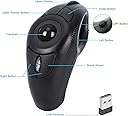
I use a laptop that has a touchpad (which I hate), and also has a trackpoint (the "eraser" thing) which can be fatiguing and painful if I'm doing a lot of mousing. When I'm working at a desk, I can use a regular mouse. But when I'm working elsewhere, a mouse doesn't work well at all. I hate a true trackball - tried them many times and they just never work well for me. This concept looked intriguing so I decided to give it a try. First off, my comments would apply to any of a number of models of handheld mouse out there. The concept is interesting - you hold the mouse in your hand, don't have to be right by the machine, don't have to have room for a mouse to move. After several days of using it, my thoughts are: - It's a bit disrupting to have to put the mouse down when you have to use the keyboard. So for someone doing a lot of keyboarding, with the occasional mouse click, this isn't the best choice. It's usable, just a bit intrusive. - The thumb-sized trackball is better than a full-sized trackball for precision, but still can be tougher to get the pointer in just the right spot. I wish there were a version that had a little thumb-sized touchpad (or better yet, a trackpoint!). - The two buttons which serve for "right-clicking" are below the trackball, on either side of the scroll wheel. It requires a bit of thought when you need to right-click. Presumably that will become more automatic with a bit more practice. - The laser pointer would be useful if you were doing a presentation. It's controlled by the left-hand of the two buttons above the trackball. The righthand button does nothing in this model. Other versions of this device have those buttons working for page-up/down scrolling and double-clicking. The laser pointer is fun (sure wish I had a cat to tease with it) but for me, not terribly useful. Another version (no laser pointer/paintbrush) would have been a better choice for me. Durability: can't really comment as I've just had it a few days. The thing does seem to be holding up well, charge-wise, since its initial charge the day I got it. The documentation is useless. There's a diagram showing the various buttons and what they mean for the different versions, but no instructions. Fortunately it was pretty self-explanatory - I just plugged in the little wireless USB thingy to install the drivers, then plugged in the separate USB cable and let it charge.
M**R
Works well
Works great. It's replacing a high end gaming mouse that freezes and is very laggy. This one doesn't have any stutter or freezes . It responds immediately with no lag and makes a better gaming mouse than the gaming mouse did. Unbelievable, I see complaints about the track ball falling out and how it doesn't work well when tilted on its side. I've tried everything ( short of dropping it ) to dislodge the ball and make it quit working when tilted on its side and have been unsuccessful at doing such. Now it doesn't have a premium quality feel to it .it's not very robust and I don't think it can take a drop to the the ground well . So if you drop it that's on you .don't hate the device . Get a lanyard or necklace or some kind of tether or something if you are clumsy because this mouse ain't having any rough housing.
K**Y
It's alright.
It's comfortable to use, but it drops it's connection constantly. Sometimes just turning it off and back on fixes it, but most of the time I have to completely disconnect it from the PC and reconnect to resume using it. It seems to lose connection pretty reliably when in an upward angle. When pointed in a steep enough upward angle you lose function of the trackball.. a spring loaded ring lightly pressing the ball towards its socket would probably fix that. Or just don't point it away from the floor. Scrolling and clicking functions work as expected when it is connected, although the click is very loud compared to all the other mice I've used. The pointer does jump around a good bit at the end of travel, but that's pretty normal for lower budget trackball stuff. So if you need consistency and repeatable accuracy I wouldn't really recommend this. if you just need something that works and is more comfortable than having your wrist smashed into a desk this is a pretty good choice.
E**N
Very sensetive even after reducing sence settings. Material is weak, not durable
M**G
buy a known brand
J**L
Material feels pretty cheap. Ball is very loose, moving the mouse without touching the ball will move the pointer. 2 of the buttons are the same function (right click), missed opportunity to have a backward/forward button, missed opportunity to have a side scroll function. Battery is a triple A, in a world where we use USBC to charge. Okay, not that that’s out’ve the way, we’ll worth the money 3 days in. Incredibly useful for studying when you’re back in your chair. Incredibly ergonomic, very easy to hold for long periods of time due to the finger loop design, love the button inside the finger loop. Well worth the money for my purposes. What confuses me—why isn’t there any competition to create a better version of this product? I use a razer Naga Pro v2, it has 12 side buttons plus 3-6 other buttons, including side scroll, profile change, dual connectivity. It’s such a missed opportunity for a company like Razer not to either partner-up, or make their own version of this
M**M
لم يعجبني لانه لا يوجد به ليزر كما هو مذكور كما انه لا يستحق ثمنه كل الازرار تعمل بنفس الوضع انا مستاءة من المنتج
J**A
Trackball is very loose which makes it incredibly inaccurate for using this as a proper mouse and clicking/selecting objects in the computer. The simple fact of slightly moving your hand or pressing the ‘click’ button itself makes the trackball move and the pointer too (making you click on something else) Perhaps an ok product for powerpoint presentations but definitely a waste of money and completely unusable as a mouse. I’ve put a little mark on the trackball for my video so people can see how much the ball moves loosely without input, so people understand what I mean
Trustpilot
3 weeks ago
3 weeks ago