Desertcart purchases this item on your behalf and handles shipping, customs, and support to Japan.
🎯 Elevate your workspace with precision, comfort, and wireless freedom.
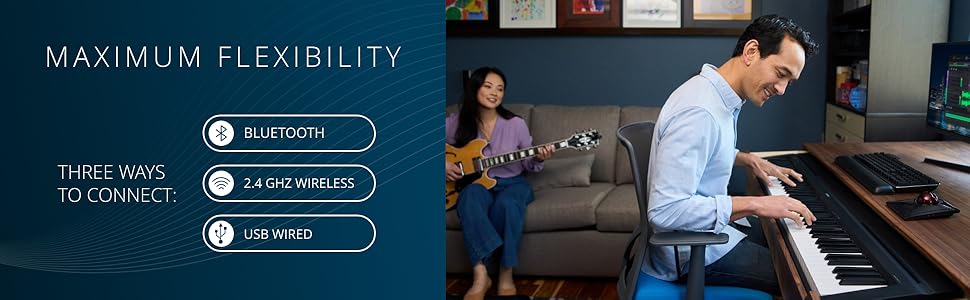
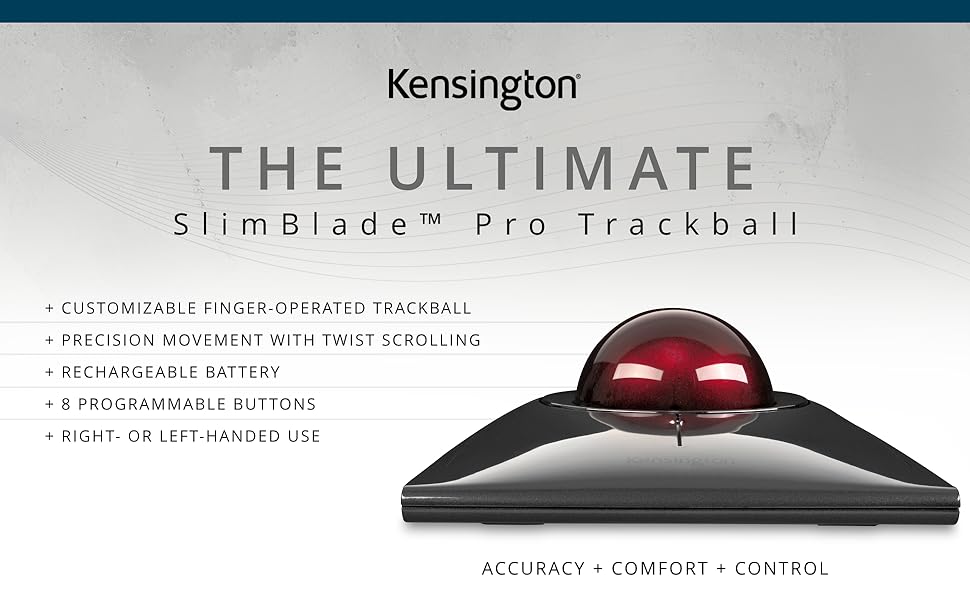
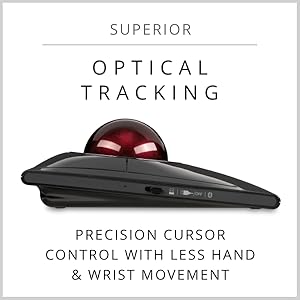
The Kensington SlimBlade™ Pro Wireless Trackball redefines professional input devices with its rechargeable 4-month battery, versatile Bluetooth/2.4GHz/wired connectivity, and dual-sensor technology for pinpoint cursor accuracy. Its sleek, ambidextrous design saves desk space and reduces wrist strain, while customizable buttons empower productivity. Ideal for managers and creatives craving ergonomic excellence and seamless control.


| ASIN | B0BLRQ4116 |
| Additional Features | Ergonomic Design, Programmable Buttons, Rechargeable, Wireless |
| Antenna Location | Professional |
| Battery Average Life | 4 months |
| Best Sellers Rank | #3 in Computer Trackballs #254 in Computer Mice |
| Brand | Kensington |
| Button Quantity | 4 |
| Color | Black/Red |
| Compatible Devices | Personal Computer |
| Connectivity Technology | Bluetooth, USB |
| Customer Reviews | 4.1 out of 5 stars 1,076 Reviews |
| Enclosure Material | Plastic |
| Finish | Glossy |
| Global Trade Identification Number | 00085896720805 |
| Hand Orientation | Ambidextrous, Right |
| Hardware Platform | PC, Mac, Linux |
| Included Components | Item |
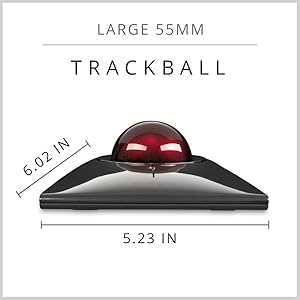
| Item Dimensions L x W | 8"L x 6"W |
| Item Weight | 0.24 kg |
| Manufacturer | Kensington |
| Mfr Part Number | K72080WW |
| Minimum Required Operating System Version | Windows 1 |
| Model Name | Kensington SlimBlade Pro |
| Model Number | K72080WW |
| Movement Detection | Trackball |
| Movement Detection Technology | Trackball |
| Number of Batteries | 2 AA batteries required. |
| Number of Buttons | 4 |
| Operating System | Windows, macOS |
| Pattern | Trackball |
| Power Source | Battery Powered |
| Range | 1.5 meters |
| Special Feature | Ergonomic Design, Programmable Buttons, Rechargeable, Wireless |
| Style Name | Finger-Operated |
| Theme | Video Game |
| UPC | 085896720805 |
| Unit Count | 1 Count |
| Warranty Description | 3 Year Warranty |
S**E
SlimBlade maybe the best Kensington trackball - battery charge does not last, support replaced it
Having used the traditional trackball for more decades than I can easily remember I decided to switch to the slimline version about 3 months ago. The "wheel" on the traditional always made an annoying sound and the weakest point on it. The "wheel" on the slimline is not physical but senses when your finger is close to the circular area around the ball, meaning there is no ring anymore and you simply get close to or touch where it used to be and spin the ball to get the same effect, and it works well once you realize how to control it. It is smooth and easy to use. The track ball is the same size and are interchangeable. The socks the ball its in has some nice improvements, gone are the tiny balls use to give it a smooth roll and always collected dead skin and dust and replaced with simple indents doing the same without as much collection. Then at the bottom you now have a hole where dust will fall out through. This makes it less sensitive to collecting particles and easier to clean. You have a choice to use bluetooth or USB cable. The buttons can be harder to click on since you now have to click closer to the center unless you press a lot harder than normal. Not a huge deal but a change. The only real issue I've started to run into namely battery life. The specs lists 4 months or charge, that was good until 2 weeks ago and now it drops to 25% and gives a flashing red-light to let me know the charge is low. Now I charge it once a week. Though annoying it does charge up pretty fast. For all that use this brand of track ball you know they are well made and this is no different and maybe even better. Inserting the USB C connector does require a much harder push, something probably made to ensure it does not fall out easily. And for everyone else, if you ever had an issue with your mouse, try a track ball mouse but one with a large ball. Small ones do not give the same control (more sensitive). --- UPDATE: Called support and they are shipping a new one, can't complain about that!
J**E
The Best Trackball I've ever Used
This is a solid well made piece of equipment. The operation of the buttons has some clanking, but I rather like that feedback. The function of the 4 buttons & button-combination is completely customizable with many options for the action that's taken. I just love the twist-&-scroll ability, where you twist the trackball & whatever page you're in slides up or down. It's so much faster & easier than shuffling over to the slide bar at the right of the page, & sliding down manually. For me, this alone was worth the purchase. After a month of using the trackball for many hours, the charge level is still at 100%. I use the trackball on a Bluetooth connection. It's fast & reliable. I am very pleased with the smooth & silent operation of this trackball. Having a large ball is really useful for me to keep control of the mouse over a very large screen. If you've only ever used a mouse, expect a period of adjustment for you to get used to the operation & feel of a trackball. But, this is the best. A little regular practice, & you'll find this fast & more accurate than anything you could have done with a mouse.
A**6
Well worth the money, especially with a hand injury
I've only been using this a few weeks but given I have a hand injury and the other styles of ergonomic mouse weren't much help, this has been really nice and my hand does not ache much if at all by the end of the day like it had been. I can easily roll this light trackball without cramping my hand unlike typical mouse having the positions of gripping or moving or even the vertical style that I had previous to this that I was happy with before injury. The other styles with small thumb based trackball also weren't an option for me based on the grip and position of movement and repetitive stress on the thumb. I was very excited to find this and that I could keep my palm open and more flat most of the time, and that I didn't have to grip and hold to move it either. The twist to scroll feature was easy to adjust to and it takes such little effort and is little to no strain for me, and hand injury or not, I think the scroll mechanism is a really nice feature that anyone could be happy with. The buttons are big too and everything just feels relaxed and not stressing my hand. I haven't yet experimented with setting up custom buttons as my company doesn't allow downloads without admin access to use that feature. It's so easy to just connect and use out of the box, if you're ok with their default placement, I haven't felt the need beyond standard use functions or to change the button setup. It works either by wireless USB or Bluetooth. I've used it both ways without a problem between two laptops. I can't really comment on battery life after only a few weeks, but I haven't charged it at all since I initially got it; though I was OOO several days but otherwise using it everyday all day. I am really pretty happy with this and how my hand feels much better now, when before I had daily aches or cramps with others. Well worth the money!
A**R
Premium look but mixed on usability and features
The good: + The unique twist to scroll feature works (fairly) well and feels natural to use. I initially had written it off as an unreliable gimmick and was put off from purchasing the Slimblade, but the many other reviews stating otherwise eventually swayed me. Turns out they were right. + Nice, large trackball that rolls fairly smoothly out of the box without too much stiction and with decent heft (though maybe a tad too much heft). + Lower profile is easier on the hands and wrist. Coming from the Expert, where a wrist rest is almost mandatory, I appreciate being able to use the Slimblade without one (though I'll probably use one on occasion anyways). + Hardware DPI switch, this was an important inclusion because I felt the Expert pointer speed was too slow, by default, and I didn't want to rely on Windows pointer interpolation for increasing speed. Especially since I often switch input devices throughout the day and the settings would carry over to my other mice/trackballs. + Driver allows for button chording, so clicking two adjacent buttons simultaneously can trigger a separate action. Not super reliable, as the timing can be fairly strict, but better than nothing and allows for more mapping more than just 4 actions (up to 8). + This is subjective, but the aesthetics of the device is pleasing (much better than the Expert IMHO). The bad: - The click panels feels and sounds flimsy and inconsistent. Not that I think they'll break anytime soon but I would've much preferred discrete buttons instead of the buttons being integrated as part of the body. The pressure needed to activate a button is variable across the panel, with it getting hard the further down, or up, you go from the center line. I also have a defect on mine where pressing the top right corner on the bottom right panel doesn't actuate the button despite pressing the all the way down, to the point where the button hits the inner shell. Have a replacement on the way, but the fact this defect is even possible doesn't fill me with confidence about its design. - The glossy plastic finish picks up sweat and grime very easily and (especially with hot summer days incoming) needs wiping down regularly (near daily). Keep a microfiber cloth handy. - Scroll noise volume is not adjustable. I'm not bothered by the sound as much as others in the reviews, and I understand why the noise is there (feedback, and so you aren't confused when your mouse cursor suddenly stops responding due to scrolling), but there really should be a volume option. I'd like to use the Slimblade in the office, but I could see the scroll noise grating on co-worker's nerves in no time. - Settings are saved on your computer, not the device. I can understand omitting on-board settings for cheaper mice, but this device is not cheap. - Expensive Update: I've had to send my replacement Slimblade back due to intermittent disconnect issues that my (3rd!!) replacement has fixed. I've either been extremely unlucky or Kensington needs to get their QC in order.
A**S
Good, but not without (significant) flaws
Precision: Contrary to other reviews, I don't find the SlimBlade to be very precise unless on very low speed settings/DPI. Friction is a thing, and when needing to move the mouse a small distance from a static position, there's a tendency to overshoot the target. One's hand movement on the ball needs to be extremely precise in order to move the cursor small distances. Scrolling: The scrolling is done by twisting the ball itself, rather than twisting the ring the ball sits in, like the Kensington Orbit. One would think you could trigger the scrolling accidentally just by making regular mouse movements, but in practice, it really does work as intended. Cool feature. I also like the noise it makes. Buttons: The buttons are very easy to click, which can be annoying. A light, accidental touch can trigger a click, which can be especially problematic when you have a button mapped to a specific function such as "Undo". Not fun to look up at the screen seeing that your newest code addition has disappeared. Custom mapping: being able to map Cut, Copy, Paste, Undo, Redo, etc to different buttons and combinations is awesome. I imagine this is very helpful in music/video editing environments.
C**J
A work of art that can also function as an inconvenient and frustrating trackball
Difficult product to review. On the one hand it is new, fresh, an exciting departure from the norm, an attractive piece of tech that looks stunning and gets interest from anyone who hasn't seen it before. On the other hand it is a very flawed computer peripheral that isn't good at doing the job it is actually designed for. In summary, what could have been the best pointing device I've ever used turns out to be one of the worst. It is let down by small overlooked functionality issues, that should have been obvious during testing before releasing the product, and should easily be rectified by the devices software. Poor design choices regarding the location of settings buttons on the trackball are just that, very poor functional design. It is almost as if it is a BETA version prior to the official release. Setting up the Slimblade is easy. Plug in USB and it's detected and usable immediately, or pressing the Bluetooth button connects just as quickly. I have not tried the 2.4Ghz wireless. The trackball is usable without installing Kensington Works software but to take advantage of button programming the software is required. BTW I am using Windows 11. Buttons can be assigned different actions within Kensington Works, allowing up to 8 user programmable actions. However, this does little to alleviate the biggest issues with using this trackball especially as the software doesn't have any way of disabling, either temporarily or permanently, the twist ball scrolling system. That is just plain stupid, and I cant help thinking that no one at Kensington has even tested their own product! Twisting the ball delivers a very annoying and again totally uncontrollable artificial speaker generated click click click noise. WHY? and why can it not be turned off? On top of that the Twist to scroll cannot be disabled making the trackball useless in environments that require consistent accurate movement of the cursor. The Trackball will often interpret a diagonal slight rotation of the ball as a twist and start scrolling, totally ruining the current design being drawn on screen, for instance. When playing 1st person shooter games, again the trackball will interpret your input as a request for scroll, destroying gameplay. You are just trying to look around or navigate a character when all of sudden the view point changes or zoom changes or head up display appears, or whatever is assigned to the scroll function within the game happens. This is NOT acceptable. It renders the trackball unusable and quite frankly unfit for purpose. There should be a software switch, as Kensington have not provided a hardwired switch on the device itself, to suspend the scroll twist function in addition to turning off that incessant click click click click click etc. so the trackball is of no use in most user cases already, but it gets worse........ The buttons on the side of the unit to select DPI or pair bluetooth could not be in a more inconvenient position. Again, I believe there is no way anyone properly product tested this before release otherwise it would have been addressed. In order to pick up the large footprint trackball unit your hands/fingers grab the unit exactly where the DPI button is located. Instantly changing DPI settings or worse, messing up bluetooth connection. It is disappointing that an expensive and often assumed quality brand Kensington is happy to sell this beautiful ornament as a trackball when it clearly isn't ready for use, despite being available for years now. I cannot use this trackball, neither can my partner nor my work colleagues and all for the same reasons. It is not just me being difficult! This trackball really is a waste of money, effort, time etc. A quick bit of software development to enable useful features such as disable the DPI switch and disable the twist scroll and associated click click click click click click click would completely change this useless trackball into a very good product. WHY has it not been done? My more than 20 year old Logitech Cordless Trackman is way better than this Kensington effort. I do not recommend this Kensington Slimblade Pro at all. The only users likely to be happy with it as a pointing device are ones that are wealthy and don't mind overspending on a useless device and would very rarely use it, or have another pointing device anyway. There are more issues with the trackball but enough is enough, this is just a quick Amazon review.
J**S
The Perfect Merging of a Keyboard. & Mouse!!!
I came across the Kensington Trackball about 35 years ago and it was just a very simple plug-in device. I have not gone back to using a regular mouse, or a trackpad since I started using the Kensington Trackball. It cuts down on hand fatigue, is much more precise in its movement and I’m sure it helps to prevent future issues surrounding carpal tunnel syndrome. The Trackball remains stationary and you gand works the ball & buttons. Everything is faster & easier with the Trackball. The Trackball has two left-keys & two right-keys, which can be programmed as left-click/right-click, with the remaining keys able to be programmed to snap to websites, email, etc. This is a very versatile product and as I said, I’ll never go back to using a regular mouse or a trackpad again. They are a pain. It’s the perfect merging of a keyboard and the ability to move your cursor around your page , highlight, cut/paste, etc. with speed and precision. FIVE STARS FOR THE PAST 35-YEARS & MOVING FORWARD.
G**.
Huge improvement over my old wired Slimblade!
As an owner of a much older, wired Kensington Slimblade trackball (the one with the little tab for magnetic attachment to the Slimblade keyboard), this is a major upgrade! I was hesitant at first, thinking "how much better can it be"? Well, I can say it is a LOT better. The trackball looks better, cleaner, and just looks more quality than the first one. No ugly tab sticking out, the trim ring around the ball is a darker color, just all around better appearance. I had the old one in the wired version, I've always been cautious about wireless peripherals, but I went ahead and tried this one in 2.4 Ghz wireless, with the provided dongle. I will say, at least in my case (24" iMac, Ventura), it has been absolutely flawless. No delay when waking from sleep, no skips, just perfect, one would not even think it is a wireless connection. I will also mention that the 4 buttons have a much better feel, and click, not so obnoxious and clunky as the original. Now for the best part. I never got used to the twist to scroll action on the old one, it seemed most of the time, it would be an annoying mix of scrolling, and moving the cursor around. I'm not sure what Kensington changed, or if there was something wrong with my old one, but this trackball is lightyears better than the old one in this regard. I use the twist to scroll all the time now, and it has become my favorite trackball, and I have a LOT of them, Kensington Expert, X-keys L-trac, and a host of Elecom, HUGE, Deft Pro, etc. I will mention that I do not use Kensington's software, but rather an excellent program for mice and trackballs called "Steermouse". It allows for much customization, and works very well with this trackball. I can say I am 100% satisfied with this purchase. Given some of the other reviews, I was hesitant. SO glad I tried this one out, despite having owned the older one. My confidence in Kensingon products has been 100% restored!
M**Ł
Najlepszy trackball
Wygląd kosmiczny, niski profil, duża kulka, precyzja użytkowania bardzo duża, a scroll wheel jako Ruch kulą to game changer.
J**S
Comfort, comfort, comfort ...
This trackball is simply top notch, as far as I am concerned ! Very comfortable to use, low profile, ball is so easy to spin and use, I love the way to scroll while spinning on its axis the wheel while my fingers turn around the base, switches are lovely, nice click, nice sound, nice feeling, glossy finish is nice to touch in the hand ... Bluetooth works great for me (better than my previous 2,4GHz dongles for my older trackballs). Everything on it has been well thought out and the result is an excellent product, well worth its price. Highly recommended (for trackball lovers) !
M**I
Good quality
Durable , and also satisfying to scroll with
J**.
El mejor para trabajar
Esta de lujo
L**T
Excellentes retrouvailles
Pour comprendre mon parcours avec les trackballs que j'utilise depuis déjà au moins 8 ans, je vais lister ce que j'ai eu : - une Kensington Orbit qui était tombée HS - une Kensington Slimblade filaire depuis au moins 5 ans : je l'utilisais chez moi puis je l'ai transférée au travail - une Elecom Deft Pro achetée par curiosité il y a on va dire 3-4 ans pour chez moi J'avais bien aimé la Kensington Orbit qui avait d'ailleurs certaines qualités par rapport à la Slimblade qui est cependant supérieure sur beaucoup de points (nous allons y venir). La Slimblade filaire est devenue naturelle pour moi grâce à sa prise en main quasi parfaite pour ma prise/pour la forme de ma main. Bien sûr, la spécificité de la Kensington Slimblade est le défilement avec la boule, là dessus c'est très naturel et agréable avec le bruit de retour satisfaisant. On peut même jouer avec la boule pour se détendre. Elle est également facile à nettoyer et la boule est grande. Si maintenant on ne vient à l'Elecom Deft Pro, j'avais remarqué dès le départ des points assez peu satisfaisants : - elle fait assez cheap à pas mal d'endroits, du moins elle est assez "rugueuse" - la boule n'est pas fluide et accroche souvent - revenir au scrolling à l'ancienne type souris vs l'anneau de l'Orbit ou le défilement naturel avec la boule de la Slimblade est un gros downgrade - le scrolling est fatiguant comme l'accès à certains boutons Cependant, je l'avais gardée histoire de ne pas avoir la même chose partout. Cependant, après une mésaventure hier sur le changement de DPI malencontreux qui semble avoir rendu le trackball encore plus imprécis avec beaucoup d'accroche (et un temps mort au changement de DPI pendant lequel la trackball ne marche plus), je me suis dit que cela suffisait que j'allais acheter enfin une trackball qui me plaît. En premier lieu, je me suis demandé si je n'allais pas prendre une Ploopy (d'autant plus que l'Elecom a rendu une partie de JV pénible et que Kensington n'est pas cité par les gamers), cependant je n'ai pas trop eu envie d'attendre une livraison de l'étranger avec de la douane. Cela me serait sans dout revenu aussi cher que la Slimblade Pro mais on verra une autre fois. J'ai voulu également prendre l'Expert pour varier les plaisirs et économiser un peu, puis je me suis dit que ça serait dommage de revenir à un scrolling mécanique, puis je me suis dit "zut allez je la prends même si je n'aurais aucune surprise". Une fois reçue, le verdict est sans appel : je retrouve bien ce confort, cette fluidité, ce geste naturel que je n'ai pas avec l'Elecom, c'est flagrant, tout est plus fluide et agréable. j'utilise l'index et le majeur à peine courbés et le pouce clique sur le bouton gauche. Le petit doigt touche le bouton droit. Sur l'Elecom, le pouce et les deux doigts sont courbés, ce qui fatigue. Globalement, je peux la manipuler sans tension, presque négligemment du bout des doigts. Mais comble de tout, alors que je m'attendais à avoir la même expérience qu'avec la Slimblade filaire, je me rends compte que cette nouvelle version semble avoir été améliorée aussi en termes de capteur et de précision générale. En effet, même si je ne fais pas vraiment de travaux de précision, il arrive parfois que je doive bien cliquer assez rapidement (je ne joue pas à des jeux rapides, mais je ne peux pas me permettre de trop foirer non plus) et cette version semble à cet effet un peu meilleure. Ce n'est pas le jour et la nuit, mais c'est assez significatif ; c'est peut-être parce qu'elle est neuve également, je mettrai à jour cet avis comme d'habitude. Il arrivait parfois en effet que la Slimblade filaire ait une sorte d'"arrêt" quand on ralentissait. Cet effet est bien moindre ici même s'il semble exister. Le bouton DPI aide également bien à personnalisé son expérience. Autre nouveauté de ce modèle, la possibilité de l'utiliser sans fil avec au choix du BT ou du 2.4Ghz avec le dongle fourni (sous la trackball). Je ne suis pas un grand utilisateur de souris sans fil, surtout vu la forme du produit qui est clairment taillée pour le bureau, mais le 2.4Ghz répond bien (cela a bien marché sur un switch USB Ugreen également), pas testé le BT mais je suppose que oui (je n'en vois pas l'intérêt avec le 2.4Ghz pour ma part mais si c'est là on ne va pas cracher dessus. Pour finir, l'esthétique de cette Slimblade est réussie, plus sombre que la filaire (qui a un anneau chromé et des couleurs un peu plus claires), ce qui fait plus "pro" et élégant si j'ose dire (bon cela ne va pas changer la face du monde). Enfin, Kensington fourni un adaptateur USB A vers C pour le branchement sur le PC, ce qui est un plus. Concernant le software, je ne l'utilise quasiment jamais, les touches par défaut me conviennent (contrairement au deft pro) mais il y a à peu près tout de basique (choix des actions des touches, sens de défilement, accélération...et quand même ce que j'aime bien, la possibilité de ralentir le pointeur, mais n'est-ce pas déjà dans Windows ?). Je ne vais pas m'étendre davantage là dessus car au mieux je vais faire un petit réglage et ne jamais y retoucher. Je ne vais pas non plus revenir sur l'avantage des trackball à mes yeux par rapport à une souris : pas besoin de bouger physiquement l'objet, détente avec le toucher de boule, plus précis pour ma part, gros boutons avec un usage de doigts que je préfère. Pour conclure, je suis content de retrouver ce modèle amélioré, globalement c'est la trackball qui me convient le mieux et de loin même si dans le futur je me laisserai probablement tenter par une Ploopy ou équivalent (si c'est le cas, je posterai une mise à jour ici). Si je devais peut-être déconseiller un achat sur ce modèle, ça serait pour un produit vraiment mobile. Cette trackball a clairement un design pour être posée sur un bureau ou en station prolongée, même acheter une housse pour ça me semble peu pratique, d'où mon désintérêt relatif pour le sans fil (même pour le mouvement , le principe d'une trackball c'est de ne pas bouger). Là dessus, même si elle était moins bonne, la Elecom était plus "portable". (petite, légère, compacte).
Trustpilot
1 month ago
3 weeks ago