Desertcart purchases this item on your behalf and handles shipping, customs, and support to Japan.
โก Power Your Smart Life with Nighthawk Speed & Security
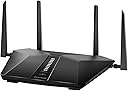
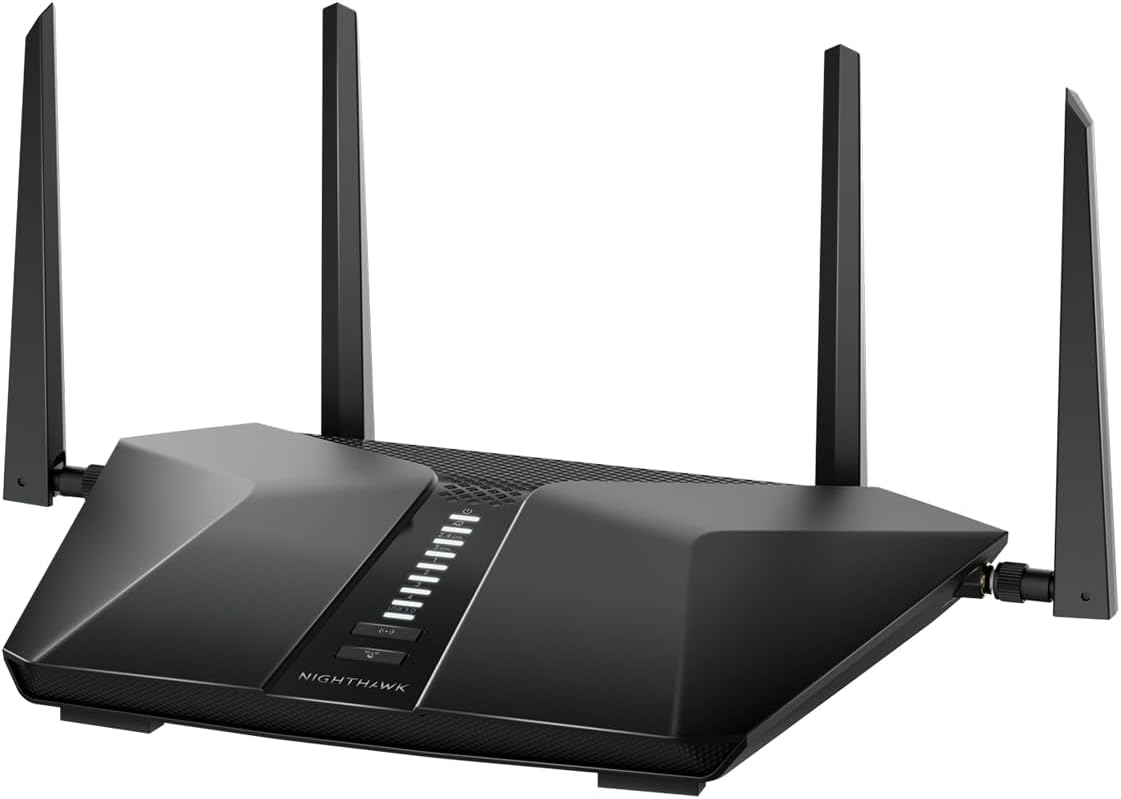
The NETGEAR Nighthawk AX3600 Dual-Band WiFi 6 Router (RAX41) delivers ultra-fast wireless speeds up to 3.45 Gbps and robust coverage for up to 25 devices across 2,250 sq. ft. Equipped with a powerful 1.5 GHz triple-core processor and advanced WPA3 security, it ensures smooth 4K streaming, gaming, and conferencing with enhanced protection. Ideal for 2-3 bedroom homes, it supports multiple wired connections via 4 Gigabit Ethernet ports and is compatible with all major ISPs.


| Antenna Location | Business, Gaming, Home |
| Antenna Type | Fixed |
| Asin | B0BC28BF7V |
| Best Sellers Rank | #2,172 in Computers & Accessories (See Top 100 in Computers & Accessories) #92 in Computer Routers |
| Brand | NETGEAR |
| Built In Media | 4 external antennas, Ethernet cable, NETGEAR Nighthawk AX5/5-Stream AX3600 WiFi Router (RAX41), Power adapter, Quick start guide |
| Color | Black |
| Compatible Devices | Gaming Console, Personal Computer, Security Camera, Smart Television, Smartphone |
| Connectivity Protocol | Wi-Fi |
| Connectivity Range | 2250 square_feet |
| Connectivity Technology | Ethernet, Wi-Fi |
| Control Method | App |
| Controller Type | Google Assistant |
| Coverage | Suitable for a 2 to 3 bedroom home |
| Customer Reviews | 4.4 4.4 out of 5 stars (149) 4.4 out of 5 stars |
| Data Transfer Rate | 3.45 gigabits_per_second |
| Frequency | 5 GHz |
| Frequency Band Class | Dual-Band |
| Item Weight | 1.3 pounds |
| Lan Port Bandwidth | 1.5 ghz |
| Manufacturer | NETGEAR |
| Maximum Upstream Data Transfer Rate | 1000 megabits_per_second |
| Mfr Part Number | RAX41-100NAS |
| Model Name | RAX41-100NAS |
| Model Number | RAX41-100NAS |
| Number Of Antennas | 4 |
| Number Of Ports | 6 |
| Operating System | Netgear proprietary operating system |
| Other Special Features Of The Product | 1024-QAM 25% increased data efficiency and faster speeds than a 256-QAM router, 160MHz Channel Support*** Enjoy greater than 1Gbps WiFi speeds for blazing fast streaming and downloading to newer mobile devices, 5 Gigabit Ports Connect more wired devices for faster file transfer and uninterrupted connections, Internet Security, Powerful 1.5GHz Triple-Core Processor Ensures fast and smooth 4K UHD streaming, gaming, and video-conferencing |
| Router Network Type | Wireless |
| Security Protocol | WPA3 |
| Unit Count | 1 Count |
| Upc | 606449156478 |
| Warranty Description | 1 Year Limited |
| Wi Fi Generation | Wi-Fi 6 |
| Wireless Compability | 802.11ax |
User
Great upgrade for my home network and much better for running a home server
I purchased the Netgear Nighthawk RAX41 primarily because I needed more control over my home network. I run a home server for media streaming and other services, and the Google Fiber puck I was previously using made port forwarding more difficult and unreliable than it needed to be. After switching to the Nighthawk, I was able to configure the necessary ports and network settings much more easily.The router has been a major improvement for my home-server setup. Connections to the server are stable, local streaming works smoothly, and I have not experienced the random connectivity issues I was dealing with before. The administration interface gives me much more control over settings such as port forwarding, reserved IP addresses, connected devices, security options, and Wi-Fi configuration.Wi-Fi performance has also been very good. I have multiple phones, computers, televisions, smart-home devices, and other electronics connected throughout the house, and the router handles everything without becoming noticeably slow. Speeds are strong near the router, and the coverage has been reliable in the areas where I need it most. Devices also reconnect quickly after being restarted or moved around the house.The Wi-Fi 6 support is a nice benefit, especially as more of my newer devices support it. Downloads are fast, streaming is smooth, and multiple people can use the network at the same time without causing major slowdowns. It has worked well for streaming high-quality video from my home server while other devices are gaming, browsing, or watching online content.Setup was fairly straightforward. The Nighthawk app can handle the basic installation, but I appreciate that Netgear still provides a full browser-based interface for more advanced settings. That was important to me because I wanted more than the simplified controls offered by the Google Fiber puck. Once I assigned my server a reserved local IP address and set up the required port-forwarding rules, everything worked as expected.The router itself also feels well built and has a clean, modern appearance. It is larger than a basic ISP-provided router, but it does not take up an unreasonable amount of space. The Ethernet ports are useful for connecting my server and other stationary devices directly, which helps provide the most stable connection possible.My only minor complaint is that the settings can feel a little overwhelming at first if you have never configured a router before. However, I would rather have access to those options than be limited by an overly simplified system. Once everything is configured, the router requires very little attention.Overall, the Netgear Nighthawk RAX41 has been a great replacement for my Google Fiber puck. It provides strong Wi-Fi performance, reliable wired connections, and the network controls I needed for my home server. I would recommend it to anyone who wants more control over their home network, especially if they need dependable port forwarding or plan to run a media server, game server, security system, or other self-hosted services.
User
20+ devices, no slowdown
Replaced my old router with this and the difference was immediate. Covers my entire house, no more dead zone in the back bedroom, and I've got well over 20 devices on it between phones, TVs, cameras and smart home stuff. It doesn't even flinch. Setup through the app was straightforward and I haven't had to touch it since. If you've got a full house of devices fighting over bandwidth, this handles it.
User
Superior
I replaced the unit that the cable company charged me for each month. This gives me whole house wifi without boosters. Superior coverage
User
Comes preinstalled with Security App
Price was $119.99 at Best Buy, and $69.99 on Amazon. However, it comes preinstalled with Security App that wants a monthly charge, not disclosed at sale. Expires after 30 days.
User
Easy install, but..
Why does the QR code for auto-installation on routers (not just this one) always say " code invalid"? That always raises my panic level. Anyway, manual installation was simple, smooth. Don't skip modem unplug-replug step
User
Netflix used to make good routers
Avoid Netgear RoutersNetgear used to make good stuff. I purchased the Nighthawk AX3600 based on good reviews. Once received my first clue there was going to be an issue is that they want you to use the Netgear Armor app to set it up. However, you have to agree to the $100 subscription in order to setup the router that you just bought. No problem, just use the ethernet cable and login to 192.168.1.1. After multiple logins and reboots, it appears to work. However, only the 2.4ghz network is broadcasting. the 5ghz network is no where to be found. Then it booted me out from the direct connection and I was unable to access it either through the 2.4ghz network or directly through the ethernet cable. Maybe your luck will be different and your ok with the $100 a year subscription but this router will be going back ASAP.No more Netgear products.
User
Fixed my network problems.
Sometime in spring/early summer 2025 I was having issues playing everquest. I put up with it for way too long. After getting a new computer I still had issues. Testing withing everquest was showing 10% sent packet loss. Remoting into work also felt slow.Web packet loss testing was showing 25% sent loss and lower but significant receive loss. Spectrum couldn't find an issue.After installing this the web test shows 0% packet loss both ways and everquest shows 0.0x% loss.The set up was a bit more cumbersome than expected but if you follow the instructions step by step you will be fine. You can then use the app or http to the router itself for further more in depth configuration if you so desire. Wired of course is extremely fast and no issue, the WiFi is sufficiently good.Oddly though I chose the same network id/password I did have to reconfigure some of my wireless devices after setting up the new router.I wish I'd purchased it eight months earlier.
User
Highly recommend
Works great in our 2-story home. Download the installation app and setup goes smoothly! A guest network option is included and is easy to setup. Now my visitors can be isolated from all my devices! Fair price for the product.
Trustpilot
3 weeks ago
1 week ago