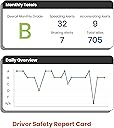
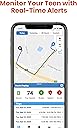
My 90 year old mother-in-law still drives. Yikes! She does not use a smart phone, so I needed a way to monitor and track her driving. After researching extensively, I chose the MotoSafety OBD Tracker. Although the device is used primarily for fleet usage and teenage driver applications, it seemed like the device could serve the purpose of monitoring an elderly driver and providing theft monitoring as well. I have been using the device for a month. Installation is purely simple. Just plug the device directly into the OBD (Onboard Diagnostic) port under the dash on the driver's side. As soon as the key is turned on, the unit powers up and begins its search for a GPS signal. There are apps available for both Apple and Android devices, as well as a direct link website for other type browser use. The sign up is easily accomplished with an email address. The actual setup is best done through the website rather than the app. Once the account is setup, the Tracker will show the current or last position of the tracker. It will record the actual track of the automobile that can be reviewed later. The track not only shows the routing taken, but will give stop points, how long the vehicle remained at a location, and the address of that location. Other useful features include geo-fencing, speed reporting, heavy braking/acceleration, time period usage and maintenance reporting. Since the Tracker specializes as a Teen Driving monitor, one can use geo-fencing to literally outline on a map an area that the car can be driven. The time period can be set to insure that a curfew is met. The heavy braking/acceleration can monitor not only good driving habits but can be used to alert for a sudden stop that might indicate an accident. The Tracker does not use air bag deployment but relies upon sophisticated algorithms to record acceleration/deceleration rates. Maintenance reporting shows current battery voltage, and fuel quantity on some newer vehicles. Apparently, engine trouble codes would be recorded, but I have not observed this feature. My primary concern was knowing when the car was being operated and the area where it is being used. The alert features helped to provide this info but required a work around. Normally, a parent would set up a time period that the car could be used and if the teenager was out after that time, an alert would be sent to the parents' phone, email, or both. Obviously, an elderly driver monitoring alert would require just the opposite information. On another review, I read that a daughter had set an authorized time period for her dad that she was sure he would not be driving, ie, 1am -3am. Any usage outside that time period would trigger an alert showing the car was being operated. The only small glitch is the actual alert shows as an Unauthorized Use alert when set up in this manner. If any other person is designated to receive alerts, they need to know how the alert works. Obviously, an alert showing usage outside a designated area would be highly valuable for a driver who becomes disoriented or confused while driving. A couple of other useful alerts are Idle and Tamper. A default time of 5 minutes of Idle time is initially set. If the car is On but idling for longer, an alert is sent. I find this feature to be especially helpful for an elderly driver in case of fatigue or incapacitation. The Tamper alert is triggered when the device is removed from the port. I have read that this alert can be triggered if the device is not securely positioned in the port. I have not had this issue. The purchase price through Agilis Systems was $24.99 through Amazon. A monthly monitoring fee through MotoSafety is $19.99. So far I am well pleased with the design, function, and usability of the device, the app, website, and customer support of Agilis. I highly recommend the device for anyone with teen or elderly drivers.