Buy anything from 5,000+ international stores. One checkout price. No surprise fees. Join 2M+ shoppers on Desertcart.
Desertcart purchases this item on your behalf and handles shipping, customs, and support to Japan.
🚀 Print Fast, Save Green, Stay Connected — The Ultimate POS Powerhouse!
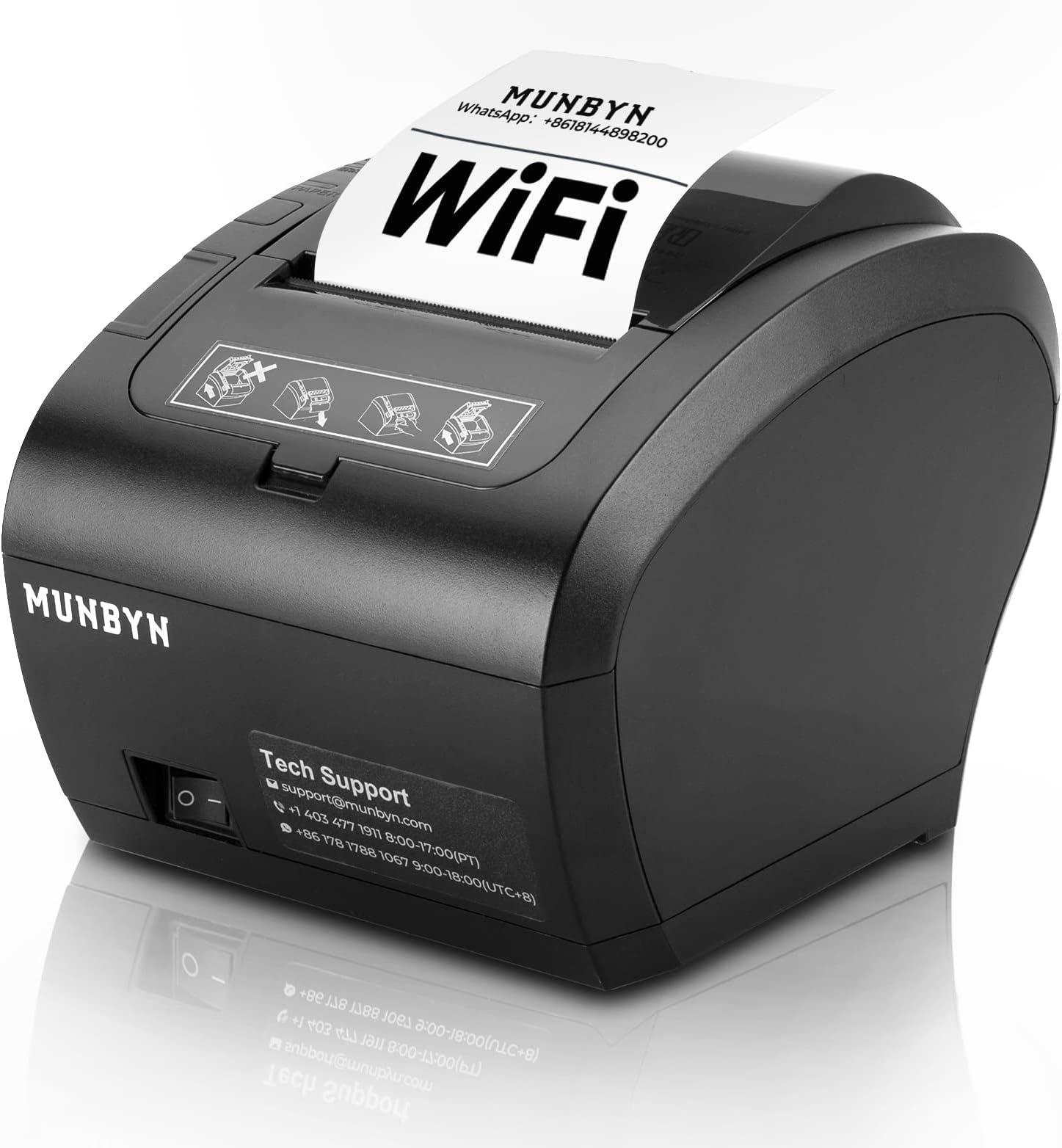
The MUNBYN WiFi Thermal Receipt Printer (P047-WiFi) is a versatile 80mm POS printer designed for modern retail environments. It supports multiple connection options including WiFi, USB, LAN, and RS232, ensuring compatibility with Square POS and major operating systems. With a rapid print speed of 40+ receipts per minute and an automatic cutter, it boosts transaction efficiency. ENERGY STAR certification guarantees up to 30% energy savings, while its wall-mountable design saves valuable counter space. Backed by 18 months warranty and professional tech support, it’s a reliable choice for any business aiming to streamline checkout and reduce operational costs.


| ASIN | B0BCV7D4GP |
| Additional Printer Functions | Print Only |
| B&W Pages per Minute | 72 ppm |
| Best Sellers Rank | 22,204 in Business, Industry & Science ( See Top 100 in Business, Industry & Science ) 26 in Receipt Printers |
| Box Contents | Paper, USB Flash Drive |
| Brand Name | MUNBYN |
| Color Depth | 1 bpp |
| Colour | Schwarz |
| Compatible Devices | Windows/Andriod/Mac/iOS/Chrome |
| Control Method | App |
| Controller Type | Windows/Linux/Android/Mac/Chrome |
| Country of Origin | China |
| Customer Reviews | 4.0 4.0 out of 5 stars (441) |
| Dual-sided printing | No |
| Duplex | Automatic |
| Hardware Interface | USB |
| Ink Colour | Black |
| Item Dimensions D x W x H | 28.6D x 16.4W x 16H centimetres |
| Item Type Name | Dot Matrix Printer |
| Item Weight | 1.2 Kilograms |
| Manufacturer | MUNBYN |
| Maximum Copy Resolution Black and White | 300 dpi or higher |
| Maximum Print Resolution Black and White | 300 dpi or higher |
| Maximum Sheet Capacity | 50 |
| Maximum Supported Paper Size | 3 x 5 inch |
| Model Name | ITPP047P-USEW-BK-UK |
| Model Number | ITPP047P-USEW-BK-UK |
| Model Series | ITPP |
| Network Connectivity Technology | WIFI+USB+Ethernet+Serial |
| Other Special Features of the Product | Energy Star |
| Paper Size | 80X80 Millimetres |
| Print media | Unknown |
| Printer Output Type | Monochrome |
| Printer Type | Thermal |
| Product Warranty | 24 Months Warranty |
| Resolution | 300 x 300 |
| Specific Uses For Product | Business receipt printing |
| Total USB Ports | 1 |
| Warranty Type | 18 Months Warranty |
M**E
Fantastic Thermal Receipt Printer
This product, for the price is Awesome! Tested so far: Font A and B and regular and Bold. Works. Native QR code and barcode CODE128 printing, Works. Rasterized image printing works. Nice compact design. Wifi setup with static IP no problems nor was the driver installation. Would suggest codepage 14 for Europe be set as default, so Euro currency symbols work out of the box. A really nice product.
T**G
Arrived Faulty
Wouldn’t even turn on.
W**K
Great customer service
Printer arrived really quickly and easy to set up using links and tutorial videos. Had one issue trying to upload a logo ti the receipt but the Whatsap chat was very quick and helped resolve the problem. Would recommend.
D**D
If you can manage to get it worked, it is perfect
I bought it from an Amazon Warehouse deal, it has been returned before and repacked, there was nothing missing but the thermal roll was almost finished. I guess it gives a clue why it has been returned ( the printer prints a small note everytime you fiddle with settings, so whoever bought it must have tried really a lot to be able to get it working) I took me a while to manage to settings right. Support videos are partially helpful, if you are familiar with networking, it must be a piece of cake but if not like me, it might be a challenging task but not impossible. I can confidently say that if someone cant manage to get it running on wifi most likely it is not printer's fault but users. On the other hand it is not simple to set up. OS Win10 , currently using WIFI never tried USB connection
P**E
Good Product & Support
I've bought two WiFi receipt printer. At the beginning I was struggling to setup & finally decided to return the item. But as a last try I tried to message the support team stated on the manual & they guided me & at the end found the fixes. So it's ok to buy this product as there is a good support available.
R**A
Good And Fast
i have been this printer using for sevral years and very good and fast . After i encountered a small problem , i contacted with the customer sevice in China and Timber and Li solved the problem for me and i am very grateful to them.
Y**A
Just Ok
Not the best. Everything is fine, It's just that the printed words are not clear enough
L**S
Poor build quality
Feels cheap and sometimes makes loud beeping noise, having to switch it off and on to stop it! Wouldn't recommend
B**L
Der Drucker ist super, die Anleitung für die WLAN-Konfiguration nicht. Deshalb schreibe ich hier mal, wie ich es erfolgreich gemacht habe. 1. Den Drucker einschalten und das Handy oder den Rechner mit dem AP (Access Point) des Druckers verbinden. SSID ist WIFI Printer, Schlüssel 012345678 2. Im Browser die Adresse 10.10.100.254 aufrufen 3. Im Menü STA auswählen und die eigene SSID und den entsprechenden Schlüssel eingeben. 4. Im Menü Restart auswählen 5. Den Drucker aus- und wieder einschalten. Wenn sich der Drucker mit dem eigenen WLAN verbunden hat, wird ein kleines Protokoll ausgedruckt. Darin ist auch die zugeteilte IP-Adresse enthalten. 6. Das Handy oder den Rechner wieder mit dem eigenen WLAN verbinden. In dem Menü des Druckers können auch die Zugangsdaten des eingebauten AP und die Papierbreite angepasst werden.
S**A
L'imprimante est vraiment au top Installable sur Windows, Linux et Android, fournis avec tous les drivers ( sauf Raspbian ) que j'espere bientôt disponible avec CUPS :) Tres facile à installer, il suffit de suivre le tutoriel complet en ligne sur youtube sur la chaine de 'Mark Yuan' et voir : MUNBYN ITPP047 WIFI printer setting (STA mode) WIFI printer driver installation Il faut en effet modifié les parametres réseaux sur 2 endroits (Portail Web + Advanced sur le logiciel POS Driver) sinon cela ne marchera pas, on peut configurer le spooler, afin de passer par l'USB ou le Wifi selon la connexion automatiquement Je l'utilise avec Google Cloud Print et elle fonctionne parfaitement ! contrairement à certaines qui ne font pas correctement la conversion et du coup résulte dans des erreurs de conversions Je recommande vraiment leurs produits, Mark est disponible pour le support et il fait de l'excellent travail, cette société fait des tutoriels videos et est proche de ses clients quand ils ont des questions, Rien à dire je ferais vraiment appel à leurs produits pour ma société !
C**N
Facile d’installation, fonctionne avec Linux
P**L
Ho ordinato la stampante e l'ho connessa facilmente al mio computer. Durante il processo avevo dei dubbi e il servizio di assistenza mi ha servito eccellentemente aiutandomi in tutti i passi relativi alla configurazione. La stampa è perfetta e veloce.
S**J
Va genial i muy rápida al imprimir. La instalación seria muy sencilla si avisaran que hay que desactivar el firewille o configurarlo para que no bloquee la impresión. Una vez averiguado ese detalle todo super raro.
Trustpilot
2 months ago
2 weeks ago