


Desertcart purchases this item on your behalf and handles shipping, customs, and support to Japan.
⚡ Power your 8th Gen Intel build with speed, style, and stability!
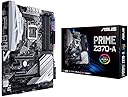
The ASUS Prime Z370-A motherboard is engineered exclusively for 8th generation Intel Core processors, featuring dual M.2 slots, USB 3.1 Gen2, and Intel Thunderbolt 3 support for maximum connectivity. It offers intelligent 5-Way Optimization for dynamic overclocking and cooling, customizable AURA Sync RGB lighting with 3D-printing mounts, and reinforced Safe Slots for heavy GPUs. With premium 8-channel HD audio and extensive I/O options, it’s the perfect ATX foundation for high-performance, stylish PC builds.


| Asin | B075RJHN2D |
| Best Sellers Rank | #1,145 in Computer Motherboards |
| Brand | ASUS |
| Built In Media | ASUS 2T2R Dual band Wi-Fi moving antennas (Wi-Fi 802.11a/b/g/n/ac compliant), CPU Fan Holder, CPU installation tool, I/O Shield, M.2 Screw package, MB Cablemod Coupon, Prime Z370-A motherboard, SATA 6Gb/s cable(4), SLI HB BRIDGE (2-WAY-S), STRIX Door Hanger, Strix series sticker, User's manual, cable ties packs, supporting DVD, vertical M.2 Bracket set |
| Chipset Family | Intel Z370 |
| Chipset Type | Intel Z370 |
| Compatible Devices | Personal Computer |
| Compatible Processors | 8th Generation Intel Core |
| Cpu Model | Core i5 |
| Customer Reviews | 4.6 4.6 out of 5 stars (554) 4.6 out of 5 stars |
| Global Trade Identification Number | 00889349843376 |
| Graphics Card Interface | PCI Express |
| Item Type Name | ASUS PRIME Z370-A LGA1151 DDR4 DP HDMI DVI M.2 USB 3.1 Z370 ATX Motherboard with USB 3.1 |
| Item Weight | 2.5 pounds |
| Main Power Connector Type | 4-pin |
| Manufacturer | ASUS Computer International Direct |
| Memory Clock Speed | 2133 MHz |
| Memory Slots Available | 4 |
| Memory Storage Capacity | 64 GB |
| Mfr Part Number | Prime Z370-A |
| Model Name | Prime Z370-A |
| Model Number | Prime Z370-A |
| Number Of Items | 1 |
| Number Of Ports | 4 |
| Platform | Windows 10 |
| Processor Socket | LGA 1151 |
| Ram Memory Maximum Size | 64 GB |
| Ram Memory Technology | DDR4 |
| System Bus Standard Supported | SATA 3 |
| Total Number Of Hdmi Ports | 1 |
| Total Pcie Ports | 2 |
| Total Sata Ports | 6 |
| Total Usb Ports | 9 |
| Unit Count | 1 Count |
| Upc | 190198496737 889349843376 |
| Usb 2 0 | 2 |
| Warranty Description | 3 Year Warranty |
User
Like it, but MINOR issue using NVMe with SATA 5 & 6
There is a problem with this board when using NVMe that isn't evident until you build the machine... it doesn't allow SATA 5 & 6 to be used with NVMe (SEE UPDATE BELOW). I had to search after trying cables and pulling hair out - others found problem also. That's the reason I took off a star - a 6 SATA board should give 6 SATA ports even if you use both M.2 drives imho. Or at least CLEARLY disclose this.My build:ASUS Prime Z370-A / Intel i7-8700 / Samsung NVMe 960 / case, etc..Pros:Wow is this fast! Amazing performance with the NVMe - about 6x over a SATA drive. The UEFI (what used to be BIOS for old timers) is amazing also - mouse and keyboard work fine - I assembled this in stages and without the drive(s) booted into the UEFI. Really nice EZ mode and Advanced. Board has nice lighting on the side, and 4 leds show boot sequence (on the board) - nice touch.Cons:Not thrilled with the fit of the connector plate in my case, but that may be a case issue.Manual was just OK - not as bad as some, but not wonderful either. Omission of lack of SATA 5 & 6 when using NVMe.Overall - I like it, the speed is wonderful (amazing really with NVMe), the user interface is great but I'd probably opt for a 8 SATA board next time so I get at least 6 after the NVMe install. (Apparently other boards do the same thing - might be an Intel architecture thing...).*EDIT* - OK,after further research I'm raising my review to 5 stars. Turns out the loss of SATA 5 & 6 is listed in the manual (was confusing in my defense) and you CAN use all 6 SATA ports if you are happy in X2 mode on the M2.2 socket ONLY. So double the NVMe speed at loss of 2 SATA ports (5 and 6) on M2.2 socket. The X2/X4 setting does NOT affect the speed of an NVM3 drive in the M.2_1 slot... which is my configuration... so I have all 6 SATA ports and a super fast 500GB NVME drive. I'm ok with that. It would only affect you/me if you have 2 NVMe drives, one in both M.2 slots, and even then only if you want the X4 max speed (which of course you would want).
User
Great Motherboard!
I've been building computers for myself and other people since the the late 80's and I have build many different brands over the years such as A-Bit, MSI, Gigabyte, Asrock, and Asus. But the last 3 personal builds for myself have been the Asus Brand because of reliability and ease of setup. This motherboard was no different and the quality of the motherboard looked to be superb! It's quality through and through. At about $165.00 this board is a bargain, the Intel i5 8th Gen CPU cost a hundred dollars more! The only issue I had was a tight fit around the back connector plate, and I had to remove a chassis cooling fan in order to not force the connector cover under it. Still that wasn't hard to remove the fan and re-install it after that. It does fit well, but tight. Again, this was on my Corsair Brand Case, yours will probably be different? Other than that, I had no "Murphy's Law" happen. Probably the most difficult thing to do was install the CPU bracket, and you should go to YouTube to see how to do it. If you don't do it correctly, you could damage the MB, and the CPU won't sit evenly on the heat-sink. You also need to use the plastic spacers on each the 4 jack-screws or you won't be able to screw them down. The MB also comes with very good thermal grease, so don't waste your money buying the Arctic Silver, the Asus supplies thermal grease is fine and there is enough to do 3 CPU's. After a week using this motherboard, I'm more than happy, it is extremely fast! My system has the Samsung SSD MNVe M2.1 500GB, Samsumg EVO SSD Drive for the other drive. I use a 1TB Seagate Disc Hard drive for backup up only. I have the 8th Gen Intel i5 8600K 6-core CPU that is faster than a 7th Gen i7 CPU. This system is blistering fast, it boots from stone cold in less that 20 secs. and a warm boot (reset) is faster than that! I'd recommend this board highly for graphics use and video editing and it is also a good gaming MB too although it is not considered the top Asus gaming board. This MB also has 4K video on board, although I use an after market GTX Nvidea Card that is a faster and more powerful card instead of the onboard video.
User
Working Perfectly
EDIT: Erroneous diagnosis by a technician and a horrible Amazon Customer Service experience lead me to rate this 1 star months ago.To be honest with ASUS, and other possible buyers, I had to update this review.The bottom line is: this board works perfectly and is amazingly easy to use. The ASUS UEFI Bios is just the cherry on top.*******************************Rant about customer service still is true tho.Amazon banned my account because I made a 'big' purchase of less than 2000US in parts. Amazon would not unlock my account unless I sent them a picture of my CC along with a bank statement; to me this was borderline illegal and discriminatory.I have been buying online for years and I have never had a problem making big orders before. Normal behaviour is to put an order on hold for verification, not this spit on the face that I recieved from Amazon. All their customer service reps lied and sweet talked to me, but in the end no one helped me and I had to give in to their demands so as to not delay my build further since some parts weren't available on Amazon and I ordered them on another popular PC parts website, which didn't give me all the problems that Amazon did.Guess which will be my first option when buying parts again in the future? Certainly not Amazon.
User
Good if you get a good one
Did a computer upgrade and a new motherboard was part of it. Chose this one to go with a I5 8600k cpu. Got it, put my system together and system would not boot up. Got the Ram warning light on motherboard. Hit the Ram button which is supposed to reboot it to more compatible memory settings but it didn't work. Called Amazon and was on phone quite awhile troubleshooting. The troubleshooting proved difficult cause I had also replaced CPU, video card, and Ram. Yeah, I was thinking, "this might not end well for me". Amazon tech agreed with me it was most likely a bad motherboard. This was Saturday afternoon when I had called. They express shipped me out a replacement motherboard and I got it the next day Sunday morning! No kidding you say. Well that's what I said too. Built system again with replacement motherboard and this time booted right up and I've been cruising ever since. Motherboard turns out to be good but I did have to have it replaced once cause the first one was defective. I could easily knock a couple of stars off since I got a bad motherboard the first try. Or I could leave all the stars on cause of such good support from Amazon. You be the judge.
User
Good Motherboard - Good Tech-support - Great service by Amazon
This is the 1st time I've ordered computer components from Amazon, but I was confidant that they would stand behind their products. I was not disappointed. The first mother board had the dreaded hang at the orange DRAM light. Where the mother board never came up into the BIOS screen. I had ordered two memory sticks so I was able to verify that neither worked in any DRAM slot and the MemOK button did not change any outcomes. I called Amazon tech-support and they put me in direct contact with ASUS technical support. After a short exchange of information and verification that the DRAM I had was on their Qualified Vendor List, they concluded that the board or the memory was bad. Since I had two sticks, I felt that the likely problem was the board (as was the case). Amazon, had the new board to me in two days. I installed it and the system came right up. I was very pleased at the quick and effective tech support from ASUS and especially Amazon. While ASUS would have attempted to repair the board which with shipping would have taken weeks, Amazon, sent a return label and had the new board to me very quickly.The board works well, and the performance with my I7 six core processor is very satisfying. I have used ASUS boards before and never had a problem. This issues seems to happen at a rate higher than I would expect (this based on looking at Amazon reviews). But overall, it has positive reviews and a reasonable price.
User
Excellent Z370 Mobo
Really pleased with this mobo. Everything works! And it's got everything current, including x2 M.2, and USB 3.1 Gen 2 Type A and Type C connectors. Although I probably won't use them, it can also accommodate Thunderbolt and Optane.Replaced the components of my Jan-2012 i7-3930K system and it started up on the first try. Cloned my old Samsung 850 EVO to the 960 and it was off to the races!ASUS Prime Z370-Ai7-8700KCorsair H100i V2 CPU Cooler16GB of 3733 MHz G.Skill RAMSamsung 960 EVO 500GB M.2 SSD(old video card: MSI RX480, Cooler Master Gold 1000W PS)This mobo quickly overclocked the i7-8700K to 5.0 GHz with no tinkering. Interestingly, overclocking and BIOS updating are done only in BIOS. Whereas my old ASUS P9X79 Pro board used a Windows app for both. Went back to stock settings for now except for turning on XMP so the RAM will run at 3733 MHz.It does run hot, idling in the low 30s. Maxed out in the 70s before retreating to the low 60s with TJMax at 100 using Prime95, all cores at 100% at 4300 MHz and 1.27 volts.As someone mentioned, the I/O shield could be improved.BTW, if you're upgrading your system as I was, you'll need to have your Windows Product Key handy for a mobo replacement. Otherwise it's an hour on chat to activate Windows. Office Pro had no problem re-activating.
User
Bad Start But Ended Great!
After building past PCs with Asus motherboards with good success, I opted for another Asus motherboard, this time the Asus Prime Z370A, a middle of the road motherboard with a great price from Amazon. I paired the motherboard with the Intel i5 8400 CPU and together these are a good combination.The install went well but when I turned on the new PC build, I was met with no beep sound and the system refused to post and the monitor stayed dark. The case fans and the CPU and graphics board fans all turned on as well as the LEDs. Close inspection showed the orange motherboard DRAM light was continuously on.The manual recommends pressing the MemOK button until the DRAM light starts blinking. Pressing the MemOK button with a pencil eraser causes the DRAM light to begin automatic memory compatibility testing and it goes through a cycle of blinks for a couple of minutes but every time it would return to the continuous light state.I suspected the problem to be either with my single 8GB DDR4 memory stick or with the motherboard A2 memory slot required for a single stick of memory. Having only one 8GB DDR4 memory stick, I was unable to swap sticks to determine if the memory stick was bad or whether the motherboard A2 slot for a single memory stick was bad. I bit the bullet and purchased a second stick of DDR4 memory ($90) that I hoped not to have to buy. The second memory stick yielded the same result as the first and after spending days investigating the problem, I resolved that the problem had to be with the motherboard.I phoned Amazon customer service about having the motherboard replaced. I was first handed off to Amazon tech service where I explained the steps I had taken to try to resolve the problem. I was told that I had already done all the steps they would recommend and I received immediate authorization to return the board.I’ll have to give kudos to Amazon for the speedy resolution of the problem motherboard. I phoned them in the morning about 11:30am and my replacement motherboard was delivered to my door about eight hours later on the same day about 7:30 pm. I was impressed with the customer care I received.The next morning I hooked up the new motherboard to my new computer build and when I turned it on, the process went flawless this time and I’m typing this now from this new computer. Dealing with the first motherboard was a hassle I could do without but sometimes…….how to say this delicately……Stuff Happens!.... but Amazon did a fantastic job with problem resolution.
User
Impressed!
These Motherboards travelled a long way from Amazon to get to me. I am a first time builder, the instructions were easy to follow, the board was easy to understand and all the pins and ports were labelled well. I installed the RAM, CPU, COOLER, FANS and SSD.Was worried it might not post as I heard horror stories about Motherbaords that travel a long distance from postage etc but this beautiful baby turned on the first time of asking an has made me very happy that I chose this board.Its paried with a i7-8700 cpu, 2070 ultra gaming gpu, gskill rgb ram, x62 kraken cooler. It hasnt missed a beat and if you are looking at this board or range of boards I can assure you wont be dissapointed.
User
Five Stars
Good board. Has very good configuration option in BIOS to control the other hardware.
User
Excellent mid-range board for an 8th gen Intel build.
ASUS makes some of the best, if not the best, motherboards around. They maintain a high standard of quality from the top of the range to the bottom. Over the years I've used many ASUS motherboards and have always been satisfied with not only their performance but their endurance. This board is a nice middle of the road board and an excellent option for someone looking for a good Z370 board but doesn't want lowest price point stuff. Stable and feature packed with a very good power delivery system this board is the perfect pairing for a build using any of Intel's unlocked 8th gen processors (ie. i3-8350K, i5-8600K or i7-8700K).
User
Muy buen MB.
Los componentes se ven de primera. El Bios y los programas de Asus hacen que sea fácil de configurar para OC. No tengo todo en OC, pero sdus guías y asistencia es muy bueno para alguien que se inicia en OC.
User
Not trusty at all, did not boot
LED's light up but doesn't even boot, I took all anti-esd procedures and even then didnt boot, can not recommend, I can't even get a refund because I bought it at the start of the year, waste of money.
User
中古でも商品があることに感謝
私は壊れたものと全く同じものを買いましたので付属品などはまったく気にしていませんでしたが確認しておくとなお良いと思いますw きれいにクリーニングされており説明通り動作しました。
Trustpilot
2 weeks ago
4 days ago