Buy anything from 5,000+ international stores. One checkout price. No surprise fees. Join 2M+ shoppers on Desertcart.
Desertcart purchases this item on your behalf and handles shipping, customs, and support to Japan.
🚀 Boost Your WiFi, Own Every Corner of Your Home!
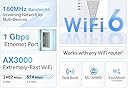
The TP-Link AX3000 WiFi 6 Range Extender (RE715X) is a dual-band wireless repeater designed to eliminate dead zones and extend high-speed WiFi coverage up to 2400 sq. ft. Supporting up to 64 devices, it features Beamforming antennas, EasyMesh compatibility for seamless network expansion, and a Gigabit Ethernet port for wired connections. With quick app-based setup and advanced security compliance, it’s the perfect solution for professionals demanding reliable, fast, and secure home internet.


| ASIN | B0B8BVY12V |
| Best Sellers Rank | #2 in Repeaters |
| Brand | TP-Link |
| Built-In Media | Quick Installation Guide, Wi-Fi Range Extender RE715X |
| Color | White |
| Compatible Devices | Gaming Console, Personal Computer, Router, Smartphone, Tablet |
| Connector Type | RJ45 |
| Customer Reviews | 4.2 out of 5 stars 3,945 Reviews |
| Data Transfer Rate | 3000 Megabits Per Second |
| Frequency | 5 GHz |
| Frequency Band Class | Dual-Band |
| Frequency Bands Supported | 2.4GHz, 5GHz |
| Item Dimensions D x W x H | 1.57"D x 4.21"W x 6.3"H |
| Item Type Name | WiFi Extender |
| Item Weight | 13.44 ounces |
| Manufacturer | TP-Link |
| Mfr Part Number | RE715X |
| Model Number | RE715X |
| Range | 2400 Square Feet |
| Smart Home Compatibility | Smart Home Compatible |
| Special Feature | Access Point Mode |
| Special Features | Access Point Mode |
| UPC | 840030703362 |
| Warranty Description | 2 year manufacturer |
| Wireless Communication Standard | 802.11ac, 802.11ax, 802.11b, 802.11g, 802.11n |
| Wireless Compability | 802.11ac, 802.11ax, 802.11b, 802.11g, 802.11n |
S**B
Amazing Wi-Fi 6 Extender – Solved My Dead Zone Problem!
I bought the TP-Link AX3000 Wi-Fi 6 Range Extender to fix a major issue: one of my rooms had no Ethernet connection and terrible Wi-Fi, and I almost called a handyman to install an Ethernet port in the room. A search online pointed me to the TP-Link AX3000 Wi-Fi 6 Range Extender. This extender solved the problem perfectly! Setting up with the TP-Link Tether app was quick and painless, and within minutes, I had strong, reliable Wi-Fi and a usable Ethernet port in that room. I tested it with my switch and "voila", it works! The performance has been excellent—fast speeds, smooth streaming, and stable connections with no more dropouts. Even devices that struggled before now work flawlessly. The extender blends right into my Spectrum Wi-Fi 7 network and provides seamless coverage across my home. I also love that it supports Wi-Fi 6 features like 160 MHz channels, which really boost performance, and the Gigabit Ethernet port for my wired devices I needed in my office, is the best thing I have now. Overall, this was exactly what I needed—easy setup, strong signal, and the perfect solution for a room without Ethernet access. Highly recommended!
K**A
Outdoor camera signal and more.
This range extender has been amazing for our home. We got it to improve signal for our outdoor cameras which were placed on a detached garage. We placed it in an upstairs bedroom, and it immediately improved coverage everywhere. Every device in our house connected great, including phones, laptops, TVs, smart home devices, cameras. You do need to manually go in select the extender and put in your regular Wi-Fi password to connect which was easy. What really impressed us is that it even reached our finished basement, which always struggled with weak signal before. Since installing this extender, the connection has been fast and reliable throughout the entire house with no dead zones. Setup was EASY, and once it was running, it just worked without any issues now been several months; and we’ve gone through more than one power outage without issue of it turning back on and working without any intervention on our end. For the performance and coverage it provides, this extender is well worth it. I absolutely recommend it to anyone looking to boost WiFi coverage in a multi level home.
J**G
Solved all my WiFi issues!!!!
This is my first time purchasing this booster or brand BUT this is my 3rd WiFi booster ever. This thing is AMAZING. Setup was a breeze. The instructions are actually written coherently and make sense. The app, minus one very big glitch (see below), made setup foolproof. This thing really works wonders. I am FLOORED by how well it works. None of the other boosters I had worked even close to as well. All our dead and slow WiFi issues are resolved. Trust me, I could write a full manifesto on what we have dealt with with our WiFi connection in our house. Not anymore though! The only two drawbacks I have found are: 1.) The size: this thing is quite large. The ideal location for my booster is in my upstairs hallway which gets A LOT of traffic between my high energy dog and young kids. I do worry that someone is going to collide with it and tear it out of the wall and break it. 2) The app had a glitch. First of all, the setup app is awesome because it does the work for you if you follow the instructions. It made it super easy and not as cumbersome and confusing as every other booster I’ve used. The only issue is that they need to update it for iOS 18, because anytime I tapped on a field that needed to be filled in, the keyboard would not open so I couldn’t type what was needed. The work around for this is to open your notes app, type what you want, then copy and paste it. Not ideal, but I’m assuming it’s temporary and now that the booster is setup I don’t even need to go into the app. After dealing with the junk boosters I’ve had in the past, I’ll take these two drawbacks without any complaint. This is a great booster. Worth the money.
K**A
Works great, Amazon used like new but no tp-link warranty on used items
Purchased a "used - like new" range extender from Amazon. PROS: Packaging and all contents were undamaged, and the range extended, when plugged in, quickly joined the tp-link "one mesh" network. All works well technically - we have excellent signal throughout our two story 2100 +/- sf home. CONS: Two troubling issues, one larger than the other: (1) The tp-link product warranty specifically says that it only applies to the original purchaser, and if purchased used (as in what we did via Amazon), there is no warranty. That should have been disclosed by Amazon on their website. We saved about $34 ($56 vs $90) buying used instead of new, and I'm not sure we'd have done anything different had we known it would not be warranted, but we should have been made aware of that issue. (2) tp-link had issued a firmware update in 2024. Here it is 2026, and the range extender must have been manufactured a bit ago to have the old firmware. Also, it's not as easy as it should be to access the update process. Basically, you have to plug the range extender into an outlet near enough to your laptop/desktop that you can run an ethernet cable from the range extender into the laptop/desktop, ensure you turn off any wifi on your laptop/desktop, and then access a tp-link website to log into the range extender, check for firmware updates, download, and let it install and reboot. Once you figure that all out, it works well enough. Also, tp-link is VERY sporadic with their firmware updates. With all that considered, we took one star off our rating for the product.
V**R
Quite The Improvement
So, I was searching around for a Wi-Fi extender since the model that's currently in use at my house is...well serviceable but not great by any standards. Eventually an article led me to this device as its most recommended one. I got it while it was on sale and finally last night had a chance to sit down and set it all up. Setting it up wasn't too hard the instructions have three different methods you can use depending on your setup. I tried the WPS connection method to no luck sadly maybe the router is just that old. The second has you install an app to manage it which I didn't try but will probably do so in the future after I replace my old phone. So finally, I had to go for the final method and that was to go through the website. Which was quite painless and easy it'll have you create a password and then pick which Wi-Fi you'll be extending it'll ask twice if your Wi-Fi has two options 2.4GHz and 5GHz. After a short bit it was up and running and HOLY MOLY what a difference. So, I speed tested both the older extender and this one to really get a difference. First my room is down the hall so my connection can be spotty sometimes and the older extender was having a connection fit at the time. And so, at the time of the test the old extender had me at about barely 12Mbps for download and barely a single Mbp for upload. Now after I connected to this model the results spoke volumes as it was still during that same moment of spotty connection I went from 12mbps to pretty much 40mbps for download and 12mbps for upload. So, it defiantly improved and truly extended the Wi-Fi. Also, both connection tests were done using the Wi-Fi only as I had to plug it in on the other side of my room, so I didn't want to connect a cord and possibly trip. Anyway, if you're looking for something decent to help patch up the Wi-Fi in your house, I'd recommend this product.
P**Y
Great Mesh extender
I was having some problems when moving around my house with difficulty connections. I think this is due to upgrades by my neighbors on there WiFi systems. As I was seeing much higher signals on there WiFi channels. My garage is some distance from the WiFi router. Which worked well until the neighbors WiFi changes. Once I set up the AX3000 extender and put it in the garage now I have solid internet throughout my house. Router set up well, with some minor problems that were easily resolved. Again tp-link system working well.
D**N
Functions Perfectly Via Ethernet
I needed this extender to get WiFi from my house where the main Fios router sits to the detached garage. Already had an Ethernet cable run through underground conduit(years ago) to the garage and bought new intermediate hubs(just in case) to get connected to the existing Ethernet cables going to my garage studio addition on the far end from the house. • I used the TP-Link Tether app setting up the extender next to the house router first in AP mode. Took it to the garage plugged it in the electrical and Ethernet and WiFi came to life. One caution is when moving after set up at main router be sure your Ethernet cable is connected to the extender before plugging into the electrical outlet. Once booted up it will ask for your password again all this via the Tether app and will connect back to the main router. It took me some trail and error to figure that plug it in first part out. • Great WiFi signal now covering most of the garage. • There is a great YouTube video @network-from-home which shortcut the process.
N**Y
Perfect for my needs! Townhouse/Gaming
I moved into a new townhouse and they built the router inside of the garage. So a good extender immediately became a mandatory necessity. Not only did it take care of all the dead zones inside and outside of the property, but I’m able to run an Ethernet cable from my Xbox to the extender. The diagnostic tests were night and day differences in comparison with/without it. The setup was quick and easy. If your needs are any similar to mine, then this is definitely the one you’re looking for!
M**D
Very good
As they mentioned.
E**A
*
*
J**N
Good experince
Access point great,easy installation and configuration, delivered on time
A**K
It’s a great replacement for older models
It’s working as expected, it was a replacement for an older version of range extender, wifi signal it’s more stable and reaches further with the RE715R.
S**N
Expensive But It Really Works.
I bought this tp-link AX3000 Wi-Fi 6, Model RE715X Range Extender off Amazon U.K. Despite the fact it is for the U.K. Market, it came fitted with an American plug. I was going to return it, as another U.K. Reviewer did, I decided however to buy a U.S. to U.K. Plug Adapter from MyTravelPal and I am really glad I did. The Range Extender is very top heavy, the plug adapter is a lovely tight fit and once everything is plugged in, rock solid. The reason I bought the range extender was that, in what I call my “entertainment room”, I have a lovely pair of Sonos Speakers as well as a pair of Apple HomePods which are even better, however at regular intervals one of the speakers, usually the right one on both systems kept cutting out and if I was running Apple Music from my Mac using the Home Pods every now and then, the music would jump to the Mac instead of staying with the Home Pods, really frustrating, I have a ZZOOMM Dual Band Router and wondered whether it may be caused by a poor Wi-Fi signal in this particular room, this is the reason I bought the Wi-Fi Extender. It was very easy to set up using the WPS connection, I had already downloaded the Tether app from the Apple App Store, once set up it started working perfectly immediately, no more dead spots and listening to music is a delight once more, if you want a really good extender, you won’t go wrong with this, yes it is more expensive than a lot of others, but as they say “you get what you pay for”. Top Marks.
Trustpilot
1 month ago
1 month ago