✍️ Elevate your digital artistry with precision and comfort—never miss a stroke!
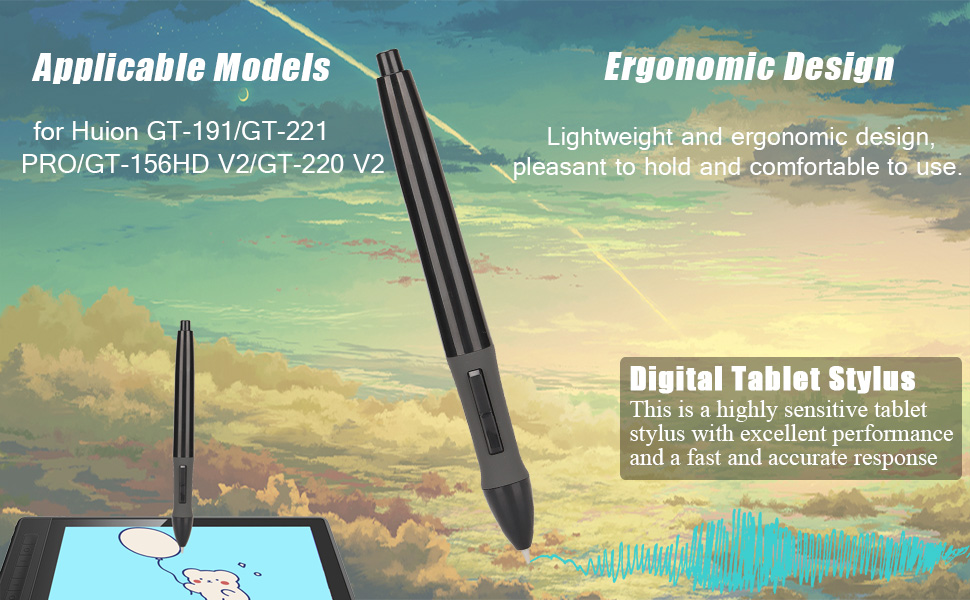
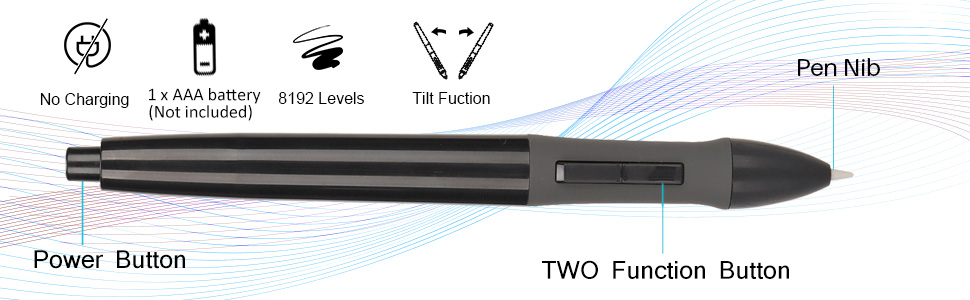
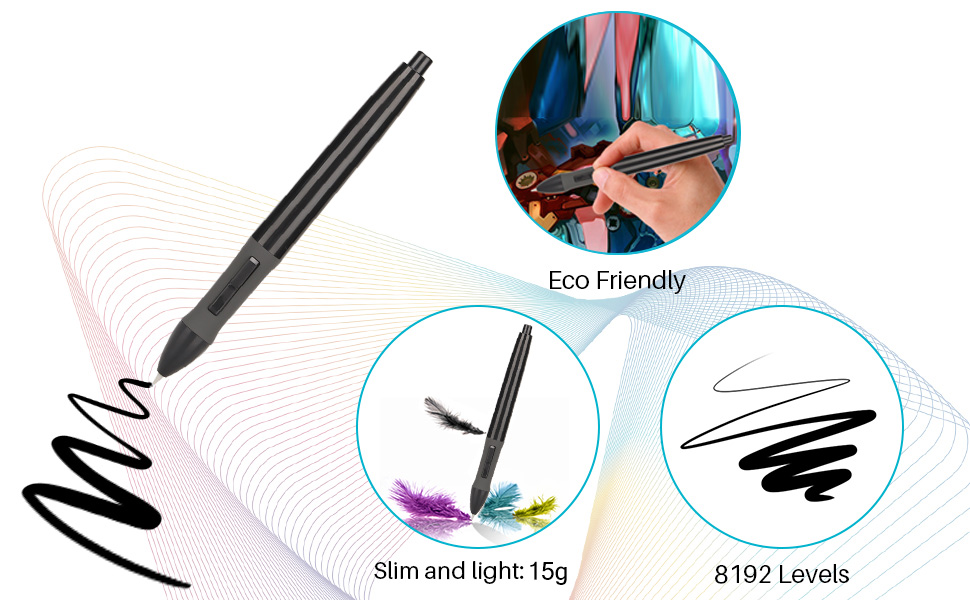
The Yoidesu PEN68D is a battery-powered drawing tablet pen featuring 8192 levels of pressure sensitivity, designed for seamless compatibility with Huion GT series tablets. Its ergonomic, lightweight design ensures comfortable use during extended creative sessions, while the AAA battery power offers long-lasting, hassle-free wireless performance. Praised by professionals as a reliable and precise backup pen, it delivers sharp, natural strokes ideal for detailed digital artwork.
| ASIN | B0B2QBRGD7 |
| Best Sellers Rank | #119 in Digital Pens |
| Customer Reviews | 4.4 4.4 out of 5 stars (91) |
| Date First Available | May 30, 2022 |
| Item Weight | 0.634 ounces |
| Item model number | Yoidesuyrhmf05czd5665 |
| Manufacturer | Yoidesu |
| Package Dimensions | 7.05 x 5.55 x 0.67 inches |
F**7
Excellent replacement pen!
I am incredibly pleased with the quality and ease of use. Put a AAA battery in it and clicked the button on the top, and it just connected without any issues to my HUION GT 191. Pressure sensitivity adjustment is a snap. Definitely recommend. In my testing I used Inkscape ( scalable vector graphics ) and it works like a dream. I am very pleased with the performance of this pen!
N**S
Sharp, Reliable Backup Pen That Feels Like a Real Pencil
I use an older Huion Kamvas GT 191, and the main pen for it is the rechargeable kind that comes with the tablet. I bought this one as a backup and later found another rechargeable one on eBay, so now I keep two rechargeables plus this battery-powered pen in rotation. In some ways, I like this one better than the pens that come with these tablets. It takes a single AAA battery, and as long as you switch it off when you’re done, the battery lasts a long time. That makes it useful if a rechargeable pen is plugged in but I want to stay wireless, I just grab this one and keep working. The tip is sharper and more precise, almost like a real sharpened pencil. For me, that makes crosshatching and fine line work smoother and more natural. I really noticed this when I did my first completely digitally drawn comic. I ended up using this pen a lot during that project, and it handled the work beautifully. Even though I don’t have to rely on it very often because of my two rechargeable pens, this one usually ends up being the pen I reach for. It’s a backup that turned out to be just as good, if not better in some ways, than the original pens. —Nathyn Brendan Masters Night Phoenix Press
R**G
This replacement stylus for the Huion Kamvas GT-191 is the truth, the funk, AND the power!
I admit that this item was bought with more than a bit of apprehension. I bought the 21" Huion Kamvas GT-191 back in 2019; didn't have enough for a Cintiq, and caught this little beauty on sale new for 33% off (normal price for this item at the time was around $600 and, I think, Huion was releasing the v2 Kamvas line so they were trying to offload the previous versions). I started my career in commercial art doing cartooning, but later got heavily into photography as well. Never really been comfortable drawing on a screen (it took me a LONG time to get used to graphics tablets). Usually do my pencils analog and scan them into the computer. Needless to say that--even after all this time--I'm STILL trying to come to grips with CSP. That said, once I got this Kamvas, it's been REALLY useful in my layout & design work when creating composite photo illustrations and retouching images in Affinity Photo. The only shortcoming, in my mind, with the Kamvas was the fact that I had to load the drivers for it on whatever computer was being used at the time and had previously experienced conflicts with having Wacom drivers AND Huion drivers resident on the same Mac. So, for portability, the Huion drivers were loaded onto an old 2012 Mac Mini that had recently had the RAM maxxed out and a SSD installed and my MacBook Air had the Wacom driver on it, so I could carry it around with a Bamboo table that was still in service. Installed Sketchbook, Affinity Photo, and an old copy of Mischief (if you don't know, ask someone--it's one of those software gems that's no longer around). These were the only programs that I was comfortable with using the Kamvas on. Started (couldn't say exactly why) using the Bamboo/MBA mix more and more. Fast Forward to a few months ago and was cleaning out my office. Had folded down the Kamvas a year before and put it to the side because the table space was needed for a used Epson Perfection V700 that someone had given me. Decided to press it back into service...that's when it was found out that the batteries on the two styluses I had would no longer take a charge AND the power supply was going. It still functioned as a basic monitor (until the power supply gave up the ghost), so I figured IF a replacement power supply could be found, I'd either keep it as an emergency/backup monitor or give to my granddaughters along with the Mac Mini it used to be hooked to. Two weeks ago, I found the Yoidesu Pen, PEN68D, on Amazon. Read the specs and figured that, for $23.99 + tax and shipping, I'd take a chance. Had read in some of the reviews that it would work without installing any drivers, "We'll see..." I thought. Received it three days ago and finally got around to plugging in the new power supply from T Power (bought these two items and the Huion animator's glove), dropping a AAA battery into the pen (no Lithium-Ion rechargeable on this, you have to use a single AAA battery and no initial battery comes with it), hooking an HDMI cord and an old USB A-B cord up between the Mac Mini and the Kamvas. It sprang to life, but now, did the pen WORK? Contemplated installing the Huion drivers from the web site, but was curious about the claim I'd read in the Amazon reviews. Turned the pen on (it also has an off/on switch that is very convenient), opened up a new canvas in SketchBook and stroked across the screen. It works...ok, but what about pressure sens...OH, ****! IT WORKS! Am writing this review, minutes after trying this stylus (and so don't have any finished work to show using this stylus) and, once I find the jitter/smoothness controls (in the software preferences, I suspect), the plan is to try this with Mischief and see if I can't force myself into the deep end of the pool with CSP and Krita. I stand by the statement invoked as the title of this review AND I'll be buying 2 or 3 MORE of these, at minimum, SOON as their only other shortcoming is that the nibs on these are NOT replaceable and there are a couple of reviews posted up here by users who tried--hard--to replace the nibs and ended up breaking the stylus. Like so many good things out there sale these days, it is encouraged to put your hands on them while they are available for purchase. On the hunt for an old/refurbished M1 Mac Mini with 16GB. Once I find one, I may make this Kamvas the main monitor for that computer.
G**B
Works well, but may be disposable
It works on my GT-191 drawing tablet. There are no replacement nibs so it may just have to be thrown away when it wears out the nib. Huion has replacement pens and nibs. I recommend you to get them from Huion instead. I will keep this one but I should have done more homework before buying this one.
M**N
Phenomenal
I use an old Huion Kamvas gt-191 and they no longer make pens for them, especially since the pens have to be charged. This was an absolute amazing replacement and works even better than my original pen. Though you can't change the nibs, the pen is super cheap in price but well made in quality. The pros balance out any cons. You need a single AAA battery for it to work and it has its own power button to turn off and on. The best part is there is no driver or anything. It's a literal click and go! The build in pressure sensitivity is amazing and works perfect. I'm used to my old pen's broken sensitivity, but adjusting to this one was so much easier than the spare pen I have. The overall feel of the pen is perfect in my hand. The buttons are the same as the original and the thicker base will help the artists wrists. I Will for sure be buying more just to have spares upon spares. I will also update after a significant amount of time to let future shoppers know the lifespan of the pen. P.s. Although I'm stubborn and biased on my old pen, only getting this as a backup for my backup, I've been favoring it more and more.
B**N
Does in fact work with the Huion Kamvas GT-191
Works with the Huion Kamvas GT-19.1But you must set the battery at the very bottom of the battery holder, or it will get stuck in the top causing the pen to not work.
K**N
Great Replacement
I was skeptical of having to get a non-rechargeable pen since my current one finally reached the end of it's life cycle and was essentially on life support, and the model was discontinued. After using this one i'm very satisfied considering I would forget to turn off my pen frequently after using and it still seems to be going strong with the one battery I have in. In terms of pen pressure sensitivity; I haven't played much with the sensitivity since it seemed to function well enough out the box, but at times feels like I have to really press down for my brush settings to take affect so expect to have to make some adjustments.
L**O
So so easy to set up. Add batteries, click the bottom, and you're good to go! Highly recommend.
L**O
Funciona con mi tableta Huion Kamvas GT-191 v1 (la descripcion indica que solo funciona con la v2). La presion es algo distinta y la longitud de la pluma es algo corta a comparacion de la original pero me acostumbre rapidamente. Me agrada el peso que le agrega la pila AAA y es satisfactorio el "click" para encenderla. Tambien es compatible con las puntas. No me gusto el empaque en el que la enviaron (una bolsa de papel con un plastico) pero no llego dañada asi que no le restare estrellas por eso.
R**.
I had bought a used huion GT-156HD v2 and both pens weren't working correctly. Thought the tablet was the problem but still decided to try a replacement pen. Got this the next day and worked right away.
F**E
This is the only replacement available for the GT220 V2, I am very glad to find it.
C**U
this pen seems can’t change tip, but I works perfect on my kamvas 221 pro. I guess we may don’t need to change tip during its life span.
Trustpilot
1 month ago
2 months ago