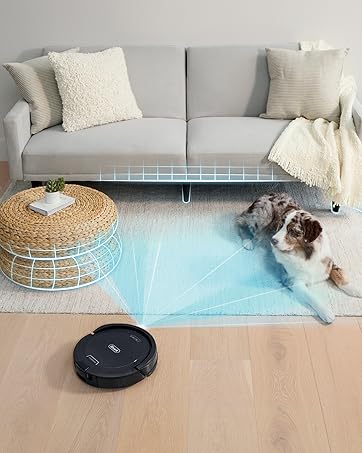
🧹 Elevate your clean game—because your home deserves smarter, hands-free perfection.
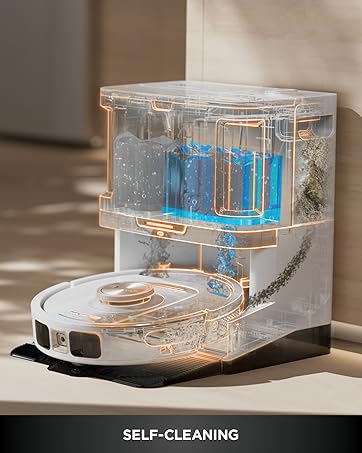
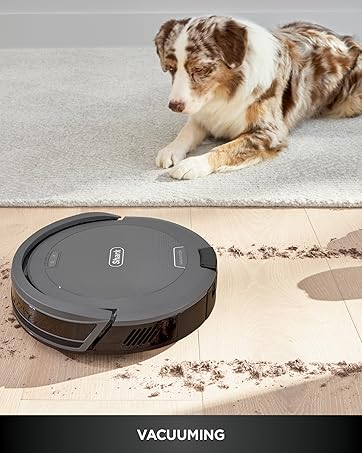
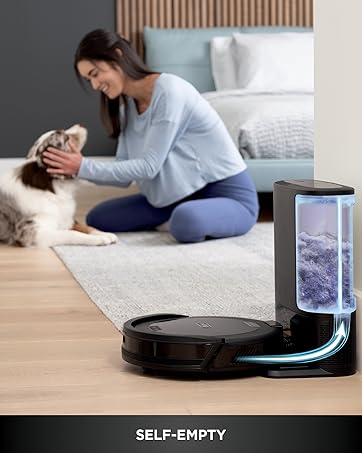
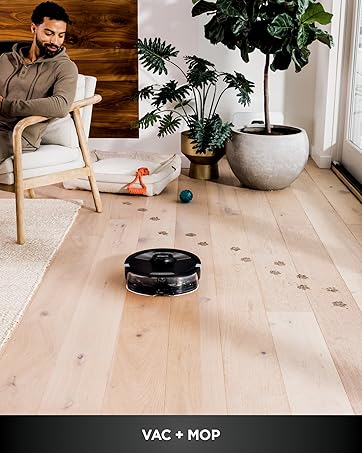
The Shark AI Ultra Voice Control Robot Vacuum combines powerful 650W suction with advanced LIDAR home mapping and AI Matrix Clean Navigation to deliver thorough, customizable cleaning on carpets and hard floors. Its self-emptying base stores up to 60 days of dirt, while voice control via Alexa and Google Assistant offers seamless hands-free operation. With a 2-hour runtime and recharge-and-resume capability, it’s designed for busy, tech-savvy households seeking effortless, precision cleaning.


| ASIN | B09T4YZGQR |
| Best Sellers Rank | #337,591 in Kitchen ( See Top 100 in Kitchen ) #822 in Robotic Vacuums |
| Brand | Shark |
| Capacity | 0.27 Gallons |
| Color | Silver & Black |
| Compatible Models | Amazon Alexa, Google Assistant |
| Customer Reviews | 4.0 4.0 out of 5 stars (7,818) |
| Date First Available | 4 June 2022 |
| Item Weight | 6.92 Kilograms |
| Model Number | AV2511AE |
| Power / Wattage | 650 watts |
| Product Dimensions | 21.41 x 33.22 x 35.31 cm; 6.92 kg |
| Runtime | 2 hours |
| Special Features | Bagless |
| Voltage | 120 Volts |
A**R
My Usage and Overall Comments: ============================== Have had the Bot for 2-3 weeks now. Mostly used on 2nd floor (bedrooms/bathrooms/Loft area) which is 90% carpet. I mapped this floor only. Occasionally used on 1st floor, which is about 50% carpet. (Not mapped). Overall it seems to do a pretty good job, keeping in mind these Bot Vacs are not meant for DEEP cleaning carpets. Much quieter than my old Neato Botvac80! Cleans my 2nd floor on a single charge with BOOST cleaning, and recharging takes about 3 hours. Overall I feel it's a good Robot Vac, but wouldn't spend more than $300 for it. Floor Mapping Review: ============================== - My 2nd floor is about 1,000sq ft and it takes about 10-12 mins to map it. - It's not the greatest at mapping. It will sometimes take 2-3 "Explore" runs for it to get it right because it occasionally misses entire wall sections. - Adding/Changing/Removing Room Labels and No-Go Zones on the app is pretty easy. If you're older, it's easier to do it on a Tablet vs the phone. - I noticed that once it completes the entire cleaning run on the 2nd floor, it seems like it internally compares the results with the full map(??), and if it detects area's that it missed it will go back to them to clean them. When it does do that, it doesn't always clean them in the most efficient order, often running from one end of the house to the other to address these areas. I have also seen this behavior when tasked with cleaning a specific room. It's will sometimes bounce around in the room getting the spots it feels it missed. - There have been times where I've seen it do several clockwise/counter-clockwise spins in the same spot as if it's trying to decide where to go next. Sometimes these crazy spins can last 30-40 seconds. - So far no problems with it finding the Base Unit and Docking with it. - Mapping is only required if you need to specify No-Go Zones or want the ability to vac a specific room(s) so you CAN do like in my case, map the most commonly vacuumed floor (ie: 2nd floor) then manually initiate a cleaning for the 1st floor. (see more about mapping in my "CONS" section). Detailed Review: ============================== PROS: - It's fairly quiet. You can actually have a conversation standing next to it as it's cleaning. - Their SHARK CLEAN app is easy to use. Again, if you are older using it on a Tablet (larger screen0 will be a better experience. - The self-vacuuming / evacuation unit works well, typically removing 95% of the bot vac's contents. - So far have not had any issues with it getting stuck in a corner, going over room thresholds/transitions, etc. - Bump avoidance it pretty good as long as objects are high enough for the Lidar Sensor to see it. - No issues transitioning between carpet and hardwood/tile surfaces. - Although it may not take the most efficient paths on occasion, and sometimes re-cleans a section(s) 2-3 times during it's total run, it does appear to do a very through clean, cleaning all the places that it possibly can reach. - It does well respecting No-Go Zones. - Ledge detection works well also, but the fall-off is only detected after about 25% of the bot is hanging over the edge - depending on it's speed. It can be nerve wracking to watch near stairs!! - The Evacuate and Resume feature is nice to have. (After every 30 mins of cleaning, it will return to the Dock to empty its dust bin then return to clean where it left off. - The Do Not Disturb Schedule works well. - The No-Go Zones work well. - Although I have not had a need for it as of yet, I'm confident the Recharge and Resume feature will work fine. FYI: - Initial WiFi Setup: I did have an issue trying to pair the Bot with my phone. I think after I rebooted my phone it finally worked. - Annoying - if you remove the Bot's dust bin while it's ON, it will complain stating it's dust bin needs to be replaced. - The foam roll filter in the Docking station gets VERY dirty real fast and needs to be cleaned every 2-3 runs. It's easy to clean, just tap over a garbage can to get the bulk off, then slide off the foam roll from it's base and rinse in a sink. Let dry completely before returning to docking station. - The Evacuation system will engage EVERY TIME you return the Bot to the dock. So if you pull the Bot off just to check the roller, as soon as you re-dock it, the evacuation system will turn on. - The Evacuation system is as loud as a typical upright vacuum, so keep that in mind when deciding on a location for it!!! - I have not tried the SCHEDULED Cleaning at all. I personally prefer to manually initiate when/where I want it to clean. CONS: - I was not able to Register the Bot via the app - kept saying "Something went wrong". Had to do it online. - The app could use some improvements/updating, like showing the current location of the BOT and what it's cleaned so far as it's running, estimated time of completion, etc. - Deleting your map when you want to do a "Re-explore" (ie: Re-Map) can take a minute or two to complete. - "Matrix" cleaning can only be performed on one room at a time. So if you have 3 kids bedrooms you want to Matrix clean you have to select one, do the cleaning, then send it out again to do the Matrix cleaning on the 2nd bedroom, etc. You might be able to work around this by setting up 3 Scheduled cleanings(??), one for each room. - The Mapping system could be MUCH better. I can understand it not mapping a shoe on the floor, but missing an entire 10-FOOT WALL SECTION??? Would be nice to have Multi-Floor/Level mapping also. - I've run into an occasional issue where after doing a manual cleaning (via press of the CLEAN button) on the 1st floor (not mapped), then using the app to vac a specific room on the 2nd floor (mapped), it will clean the room, but then starts re-cleaning the last 3-foot section over-and-over until I manually stop it. Others also have reported odd issues jumping between "Mapped" cleaning and "non-Mapped" cleaning areas. The fix for me was to delete my map and have the bot do a re-explore to build it again (and hope it does it correctly on the 1st pass). If this issue continues, I'm toying with the idea of not doing any mapping at all and just letting the Bot figure it out as it goes regardless of the floor it's on. I'll loose the No-Go Zones and Specific Room Clean functions and it will likely take longer to run, but it might be worth it until the Mapping Logic is improved. CUSTOMER SUPPORT: ============================== I did reach out to them when I had the "re-cleaning the same 3-foot section" issue after bouncing between a Mapped and Un-Mapped floor. This was during Black Friday weekend, and I only waited 5-10 minutes to speak with someone. They were OK, some easier to understand than others. I was eventually connected with one of their Technical Support staff and had to re-explain the issue. He asked if I could run the cleaning session again (I was fine with that) and he wanted to video record the Bot in action, so he sent me a link for the video connection. I was unable to get that working (Android phone issue??). He asked me to re-explain the issue to him again, and we got into a brief disagreement about how the MATRIX CLEAN function worked - he claimed that was only for "Spot cleaning", which I told him was NOT true. He finally suggested I delete my floor map and re-run another mapping session then try to replicate the problem again. I was assigned a Ticket# to reference when I called them back with my findings. After re-doing the mapping, I haven't been able to replicate the problem yet, and I'm leaning towards assuming the Bot works best with Mapped areas only, and jumping between Mapped/Non-Mapped floors is not 100% supported (???)
C**C
I couldn't be happier with my Shark robot vacuum! From the moment I set it up, it has been a game-changer for keeping my home spotless. The setup was incredibly easy, and the app integration is seamless, allowing me to schedule cleanings even when I'm not at home. The suction power is phenomenal, effortlessly picking up dust, pet hair, and debris from both carpets and hardwood floors. I love how it navigates around furniture and obstacles with ease, ensuring that every corner of my home gets cleaned. The self-emptying base is a fantastic feature, saving me time and effort while keeping the vacuum running efficiently. One of my favorite aspects is the advanced mapping technology. It creates a detailed map of my home, so it knows exactly where to clean and avoids areas I don't want it to go. The battery life is impressive, easily handling my entire home on a single charge. The Shark is quiet, efficient, and incredibly effective. It has truly made my life easier, and I can't imagine going back to manual vacuuming. Highly recommend this product to anyone looking for a top-notch robot vacuum!
N**.
EXCELENTE PRODUCTO PARA EL HOGAR, MANTIENE LA CASA LIMPIA DE TODOS PELOS QUE TIRAN MIS PERROS HUSKY
M**J
Aaaaah ... I'd love to love it, but it's just ok. The suction is not as strong/reliable as it ought to be. I am still trying to figure out if I can adjust the settings to relieve my complaints in that department. What I am sure is below par is the app: slow to open, no context help (you have to search the internet for the manual and then find the solution to the problem - I had to do that just to be able to open and empty the dustbin), instructions for mapping were not intuitive - I had to do 3 failed runs before I figured it out, cannot add rooms after the fact, so I will have to do it again. Shark support, though, is responsive and helpful. I appreciate that! Update December 2025: a couple of days before the warranty ran out, the app stopped working. "Can't fetch map", the app crashes. The usual fixes (uninstall, reinstall, different phone) didn't work. Since then I've spent hours on the phone with them to no avail. "Don't worry, we will fix this" .... I want to reach through the phone and .... Now I am trying my luck with Amazon, but nobody is taking any responsibility for selling this crap. DONT BUY and don't buy anything from Shark and Ninja ... that is my recommendation.
J**L
Love this item. I was worried I wouldn’t be able to set it up but it was super easy. It maps your rooms, it is then easy to set up the rooms on the app. You can program it do certain rooms It’s very quiet, the only noise is when it empties itself. I have a cat that is usually scared of his own shadow, however he loves following the Shark around. Very happy with the item. Nothing negative to say!
Trustpilot
2 days ago
1 month ago