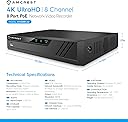
🔒 Elevate Your Security Game with 8-Channel 4K Powerhouse
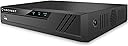
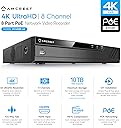
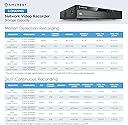
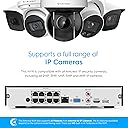
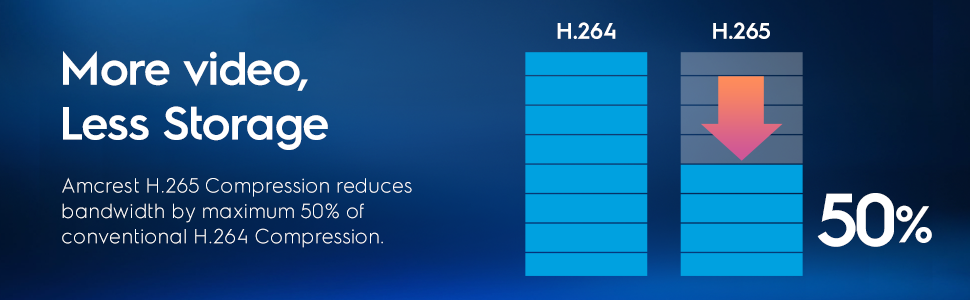
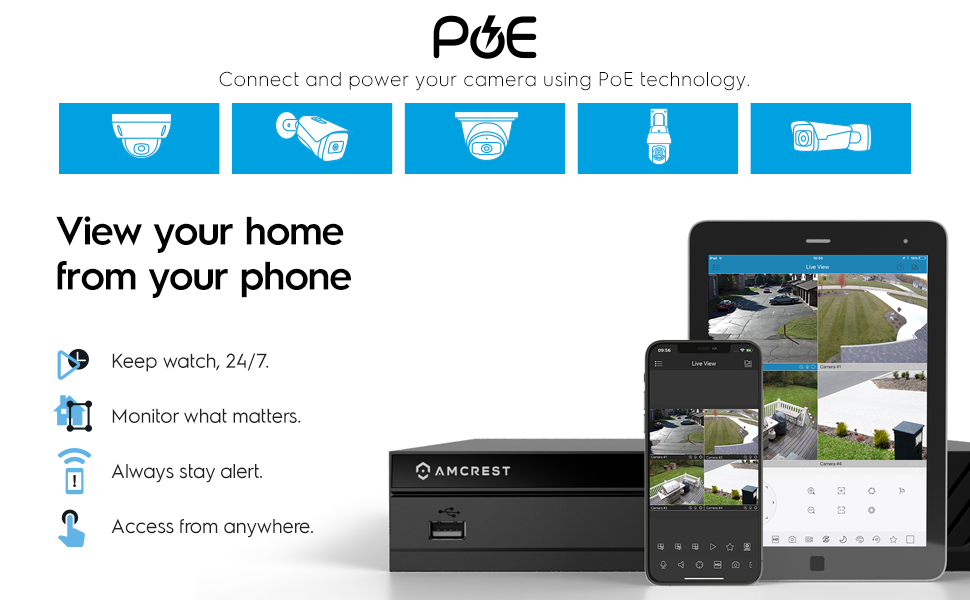
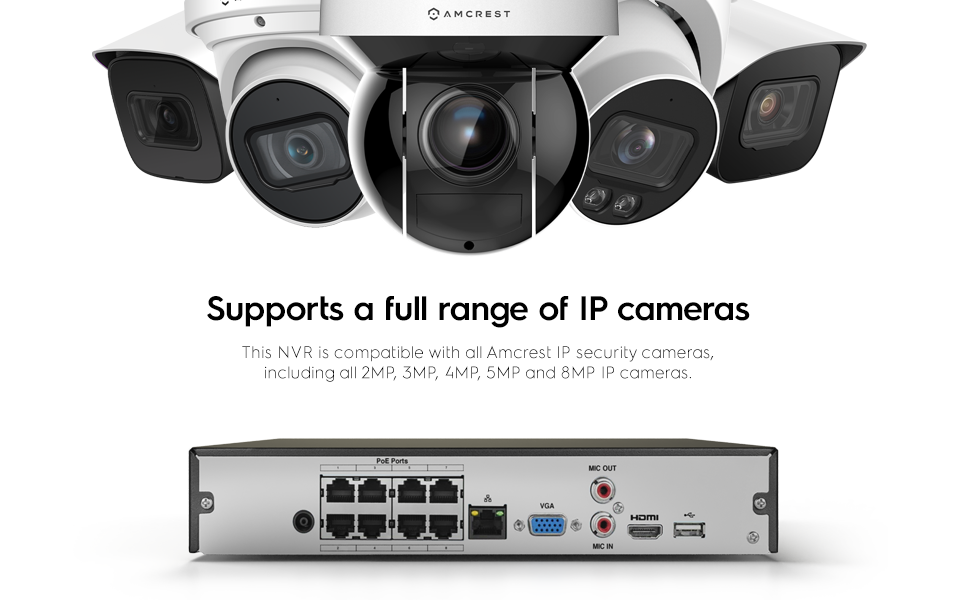
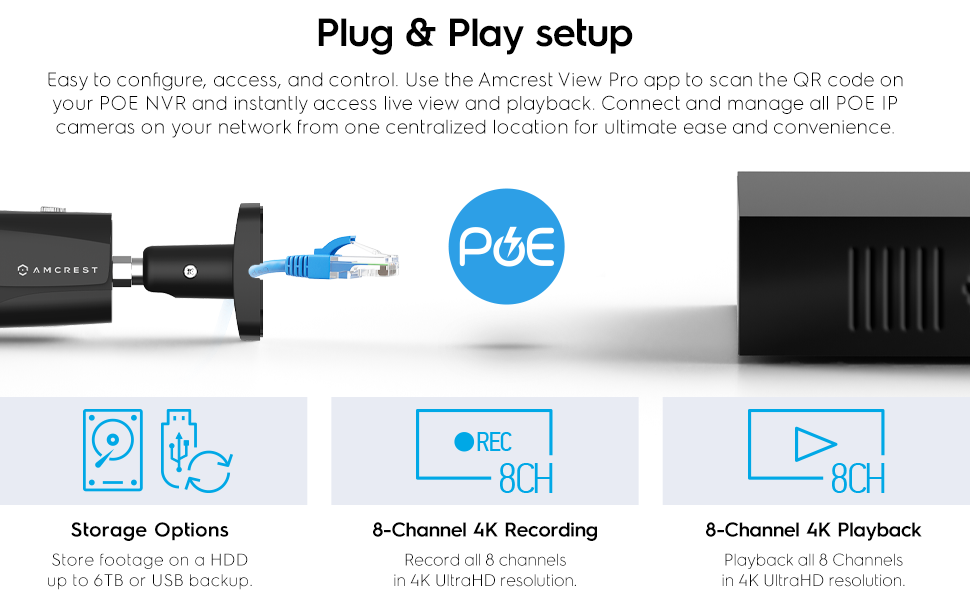
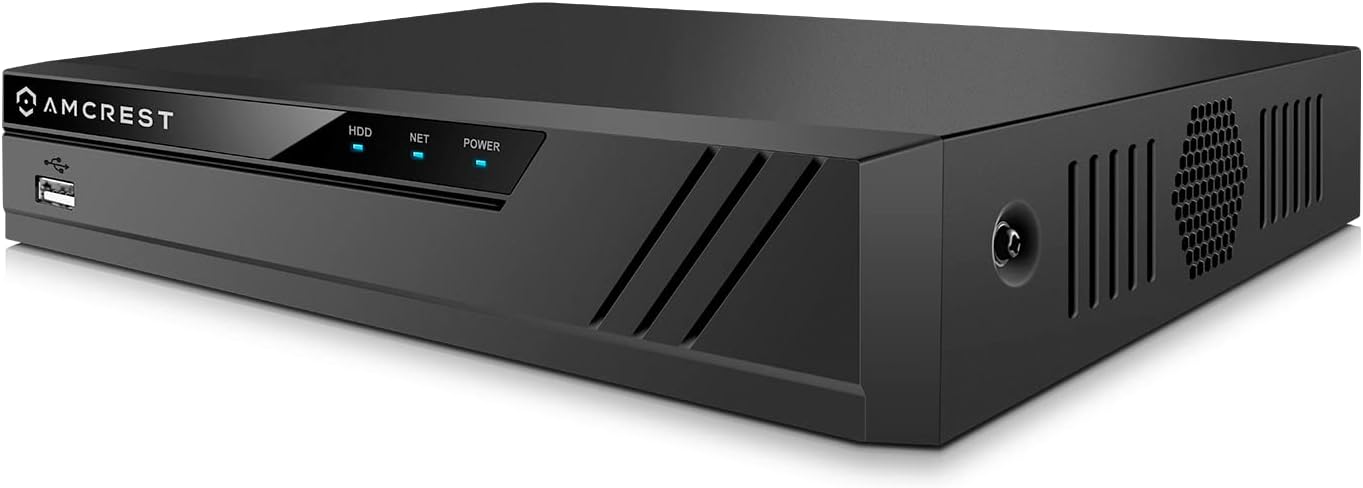
The Amcrest NV4108E-A2 is a professional-grade 8-channel POE NVR supporting up to 8 ultra-HD 8MP/4K IP cameras with real-time 30fps recording. It accommodates up to 10TB HDD storage (not included) and leverages advanced H.265 compression for efficient video storage. Designed for easy setup with POE technology, it offers intelligent search, playback, and USB backup features, backed by a 1-year US warranty and support.


| ASIN | B0743WP62Q |
| Audio Input | RCA |
| Best Sellers Rank | #60 in Surveillance Video Recorders |
| Brand | Amcrest |
| Compatible Devices | Camera |
| Connectivity Technology | Ethernet |
| Customer Reviews | 4.2 out of 5 stars 1,137 Reviews |
| Global Trade Identification Number | 00856099007198 |
| Hard Disk Size | 10 TB |
| Hard-Drive Size | 10 TB |
| Item Dimensions L x W x H | 10.2"L x 9.15"W x 1.9"H |
| Manufacturer | Amcrest |
| Media Format Digital Video | HDD |
| Memory Storage Capacity | 6 TB |
| Mfr Part Number | NV4108E-HS |
| Model Number | NV4108E-HS |
| Number of Channels | 8 |
| Number of Items | 1 |
| Product Dimensions | 10.2"L x 9.15"W x 1.9"H |
| Total Usb Ports | 2 |
| UPC | 091952777652 856099007198 |
| Video Input | Ethernet |
| Warranty Description | 1 Year Warranty |
C**Y
Very happy after 2 months with it
Overall I am very happy with this NVR, the limitations are ones I knew of when I got it and the pain points are minor enough I would recommend the product fully although they were frustrating in the moment. My use primary use case: Recording video from my mix of Amcrest wifi cameras, Amcrest POE cameras, and some older Swann ONVIF compatible (sorta, barely) wifi PTZ cameras (dislike these but I haven't gotten around to replacing them with POE PTZ's) while I am out of town. Triggered recording is a nice perk but I am happy with always recording and overwriting on full storage as well. Whe I am home its nice to be able to unplug and not have to worry about it capturing me in my birthday suit. First Impressions: Why is there a mouse in the box? I don't need another cheap throwaway device. (Narrator: he did need it) Oh, you use the mouse to set it up via the local interface...how do you type. I hate on screen keyboards Do I have an extra keyboard around? Oh, wait, I'm done setting it up that wasn't so bad. (took maybe 10 minutes with mouse and HDMI monitor, without a monitor your probably S.O.L I didn't read the instructions though...sorry tech writers everywhere) *Using the HDMI interface* "oh wow this is much more polished than I expected" *Later using the Web interface* "oh wow, this is kinda dated looking" *Later logging into the web interface via my phone* "wow guess that why they have an app...still not as bad as my ubiquiti Edge Router Lite on my phone" Seriously though the web interface is busted on mobile screens. WHY WONT THIS ADD TO THE APP! Added to the app, and now it just works like a Ronco Rotisserie I can set it and forget it. Pain Points / Annoyances: Adding the NVR to the app! Took me longer than anything else, adding the hard drive, adding username/pass...anything The problem is the copy below the two QR logos, I kept scanning "cellphone client" because the app on my phone was asking me to scan the code. I figured it out by accident when I panned the camera and it grabbed the "wrong one" - Device SN I would rename "Cellphone Client" - "Download App" and "Device SN" - "P2P Device Setup" SMART data is shown under Operation -> Information - HDD but not under Management -> Storage -> HDD Manager Wish the PTZ controls were hidden if not support by any camera, or just the ability to collapse the panel behind an overflow menu. The HDMI output has a much more useful/powerful camera layout than the web interface. Wish List: Image processing with object detection and OCR I would like to be able to trigger on a person/dog/cat etc even better let me tag captured faces to that the detected person is reported Grab license plates from cars that enter the frame Temperature reporting for the harddrive Better external notification reporting (things in addition to SMTP) Support central logging to a log server. Push notification support to Pushover or other push notification broker for alarm events Support for MQTT servers for alarm events Support LDAP authentication 19" Rack mount ears, This might be a product segmentation decision but I'll probably try and print a bracket to mount it as the rest of my network and AV gear is in the rack and I have a 19" monitor mounted there as well. Questions / Things That Confuse Me: Under the network tab in the web interface there is a sub tab marked "Switch"I assume this is for setting the DHCP server settings for the builtin POE switch but it's confusingly named. I want to expose it to the web for remote access but I'm not sure how hardened the web interface is. I see that it supports HTTPS certs but I don't want to manage uploading certs everytime letsencrypt rolls over. I probably put it behind a Nginx reverse proxy with an auth layer as extra security Not sure if the manufacturer would recommend this.
S**D
NVR FIRST, Cameras second!
I have had two POE Amcrest cameras now for just over a year. My biggest regret now is not having a reliable source of data-storage. Prior to having this NVR I tried several solutions to avoid "spending" more money. 1) Internal storage using the microsd. (These failed within a week...) 2) FTP storage - (SUPER unreliable, and EXTREMELY challenging to setup... Most FTP services only support one channel at a time! So imagine trying to deal with that...) Not to mention accessing these files means MANUAL WORK!!! 3) NAS - NAS solution was not bad, but still the same situation with manually accessing files... No decent UI to support these files being saved here... NVR is a game changer... DO NOT BUY CAMERAS without this being part of your shopping list. Buy less cameras and START with if you have to! 1) Setup pretty simple. I would suggest buying a different HD (I personally like Seagates...) Simply unscrew and place harddrive and screw into place... Plugin using the cables provided. 2) Hook up... POE ports make for less POE switches. 8 is plenty for my house... I would even say for "most" houses... Their is a cheaper model of this that seemingly does not have POE... I would say do not go with this, as you will later have to upgrade. This device also has HDMI and VGA output. I personally plugged this directly into my TV. Now I can stream all of my connected cameras to this... 3) Setup... Setup overall is pretty simple and easy to do... Biggest issue is understanding which windows and controls... Mouse can take a minute to get used to as left click triggers, right click exits... Various windows for managing each Camera can be difficult, but again once you get the hang of where things are... It gets easier. My cameras were mostly setup already so mostly just had to have my NVR log into each. 4) LIVE... Out of the gate the NVR is accessible via web browser, or app. I use the app more often... Now if you leave your home network you will need to have some basic Networking skills to do port forwarding. Having a DNS service is super helpful. Most routers now days have these built in, and just have to be configured. 5) Reviewing... NVR's make things SO much better. Yes its still a bit clunky. However, now I can go into any given date and pull up a feed. I wish I could scan faster, but maybe that will happen in the future.. Technically it would be better to just have it setup for alerts, but I prefer 24x7 recording. Much less chance of missing something. ---- CONS / Issues 1) The fan on the NVR is rather loud. I expect either it will "quiet" down over time. If not it appears to be a standard fan, so likely can be exchanged. Definitely do not use this without one as the POE, and harddrive will overheat... Especially if running multiple channels... 2) Interfaces - These are still a bit difficult to manage, but not impossible. Take some time getting used to where things are located. My preference is using the APP to manage each option set for the cameras. Even the Web Interface as then you can export/import much easier in my opinion. (templating makes this so much better to manage multiple cameras!) OVERALL Do not start into this path of cameras without an NVR. Period... It changed my whole setup, and is so much more reliable.
N**K
Great NVR
I had recently purchased a complete Amcrest system for my father, and after getting it setup for him, I decided I wanted one as well. I already had the cameras, just needed the NVR instead of just being able to watch the cameras, now I could record them as well! This fit the bill perfect, just had to pop in a drive I had handy, and off I went. Using the P2P feature is great, not having to manually poke holes through the firewall and simply being able to bring up the app and there's my cameras. The recording feature is pretty great as well. You can select any or all the cameras and see them on a single timeline, making it very easy to go through recordings. The motion detection is spot on as well, any time a car would go by, or a bicycle or someone walking it would capture it and even was able to set it up to email me! Setup was super simple, just hook it up to a monitor either over HDMI or VGA, and use the included mouse to go through the setup. I had it up and running and connected to my existing cameras in under 5 minutes. Speaking of which, this thing integrates with existing cameras seamlessly. Being able to use the 4 I had already setup before hand was great. The hardware itself works a treat too. I was able to sit and watch the streams with no hiccups, no blips just a nice crisp clear image. Recording was seemless as well, the only thing I had to setup that I didn't like out of the box is that it would take a screenshot every second. I set it to only take a screenshot when it detected motion, which made looking through alerts much easier. I've attached a few pictures showing the size of it compared to a standard flash drive, it's very compact! I also took a screenshot of the main page of the device showing some of options and the nice interface. All in all, if they would have had this a few years ago, I would have bought it then. I highly recommend this to anyone looking for an easy to setup and use NVR
C**S
Makes life easy and playback FAST
For the longest time I was using my cameras with SD card storage to record and playback recordings when I wanted to view them. Although this kinda worked for me, I found that if I wanted to see something on the camera it tended to be difficult to search for things, and then recall them to playback. Sometimes it couldn't complete the search, sometimes it would complete the search but it would disconnect from the camera while I was playing it back directly from the internal SD card. So, I decided to get an NVR so I could have one central hard drive to record everything to. I purchased the NVR without a hard drive and figured that I would just use an old hard drive that I had removed from a scrapped computer in the office. I ended up putting a 5400 RPM 1 TB hard drive from an old laptop into the unit. I will say that although I was able to mount it in the NVR without a 2.5" to 3.5 bracket, I was only able to use 2 of the 4 screws to hold it in. I really wish that Amcrest would drill a few more holes in the bottom of their NVR so people can choose to use either a 3.5" or 2.5" hard drive in the unit without having to purchase or have an adapter plate / bracket. Otherwise everything went smooth and I was up and running. The initial start up was easy, I was asked a bunch of on-screen questions (through the convenient to use HDMI connector) Once I answer those questions and then searched for cameras on the network, and connected to the back of the NVR it loaded everything up and I was ready to go. I did have to enter the User Name and the Password I set up for all the WiFi and other POE cameras not directly plugged into the back of the NVR, but that was to be expected. The first thing I did was get all of the different cameras recording into the hard drive. I was amazed at how fast and easy it was to search and playback of all my cameras. Being used to waiting up to a minute or even 2 sometimes for things to load, and then find the video when I tried to select it, it blew me away how a search of 24 hours of video happened in a matter of about 2 seconds! Then when I clicked on the playback for each of the cameras the video just started playing, no waiting at all! Remember, this is 5400 RPM drive from a 8 year old laptop. The NVR also has the ability to connect seamlessly with the Amcrest Surveillance Pro software. This makes life so easy. One thing that I would have liked to see from Amcrest with this NVR is the ability to play audio from the NVR connected cameras, out of the HDMI connection to the monitor. Sadly you can not. Instead, if you use the Surveillance Pro software you can listen to, and talk back to cameras with both speakers and Mics. A great feature of the NVR is its ability to communicate over the network. This means you don't have to even connect a monitor up to the NVR HDMI output. The NVR software using the IP address of the unit will come up with a TCP login window. Once you enter the user name and password that you've assigned the NVR you have complete control over all the settings. You can even monitor the cameras (without sound and Mic) and playback video recorded on the hard drive. The great part about the NVR, which I hadn't even thought about until I got it, was the fact that I could place the NVR ANYWHERE that I had a network connection. I didn't have to park the box by a monitor to use it. I simply stuffed it away in the attic where I have a switch, and I was able to go to my office and access the entire NVR setup via the TCP connection, OR, I can use the Surveillance Pro software from ANY computer on the internet, or my cellular device to monitor all of the cameras on-location where the NVR is. This means that I can be out of the house, and while at an outside office, I can be watching what's going on with the house. At first I thought that I would have to have access to the NVR box sitting next to it to view the recordings and monitor the cameras, like in a security room. This is NOT the case at all. Overall I'm very impressed with the low cost NVR and how well it integrates with even an older hard drive. There's a fan on the side that keeps everything nice and cool, so I'm not worried about over heating, even though it's a single board design. I called Tech Support to find out about the issue being able to listen out of the NVR and they were knowledgeable and able to answer all of my questions.. So I was happy with the support I received. If you want to set up a full security system including wired and wireless cameras on-site, I think for the price this will give you access to 8 plug in POE cameras, as well as at least another 8 (or more) wireless cameras you may have around the house. All with fast recording playback. I haven't even begun to dig into all the amazing features you can do with the software. Some include (with the correct cameras) heat detection, Facial recognition, Alarms and Zones and the list goes on. With the free software this is a serious security device, and not just a simple Ring doorbell and wifi camera going to a slow cloud service. Heck, this unit even works with the Amcrest WiFi Doorbell which I was able to add to this NVR as well! I would strongly suggest this unit to anyone that wants an easy setup and use of instant playback and monitoring from anywhere in the world. Especially for the price!
S**K
Where do I start ? Garbage experience from start to end
Can't complete the setup, it would NOT connect to the internet no matter what I did. AT&T ( my provider ) said everything was fine their end, they could even see the Amcrest MAC ID etc, it just completely failed to work. Constant beeping over and over as well, I called their customer "service" line - very scratchy line quality, got a support tech with an accent so strong I had to ask her to repeat nearly everything, and she kept talking over me which I had to tell her to stop doing. Before we even started trying to address the setup/connection I asked her to stop the beeping noise - then she showed me the relevant page and it turned out it was warning me there was no hard drive fitted - WTF? So an "NVR" without the "R" part??? Packaging said "10TB HDD" in a big blue box in the top right corner, but if you actually find some reading glasses and look really close it says "( not included )" underneath it. That's absolutely ridiculous - if I buy a new truck I don't expect it to say "5 liter Hemi" then "( not included )" underneath it. At that point I gave up, it wouldn't see feeds from any cameras ( presumably due to failing the setup- connection ) and apparently even if it actually worked ( hah! ) it wouldn't have been able to record anything either. This is so annoying, I had to buy another brand because 'Speco Technologies' that made my previous NVR are utter garbage - theirs at least works ( unlike this thing ) but crashes almost daily - this junk didn't even get that far. It's apparently too much to ask to get a working security NVR in this country, is it? UPDATE: I finally decided to give this brand another try, just received a second one, I put an HD in myself and went through the setup. WOULD NOT connect to my POE ( Power Over Ethernet ) cameras no matter what I did, just couldn't even see they were there despite being plugged into the back of the unit. Swapped this out and put my old Speco Technologies unit in place, it immediately recognized all 3 cameras and connected to them - I wrote down the IP addresses of all 3 cameras, swapped back ( again ) to the Amcrest unit and did a manual camera-add with the IP addresses - still nothing, wouldn't even see them. This unit is utterly hopeless. Gave up and returned it. Sadly back to using the Speco Tech NVR - I don't like it, it's not reliable and crashes about once a week, or every 3rd time you remote connect to it, but at least it works in between times - the Amcrest won't even do that. Done with this brand after 2 units returned now.
R**.
Perfect replacement for CCTV Pros NVR
I've only had this for a week but so far I am very happy with this purchase. I needed to replace an NVR from CCTV Pros that went bad just out of warranty. Their cheapest replacement was 4 times more than what I paid for this. My POE cameras (5 from CCTV Pros, and 2 ONVIF) were recognized immediately when plugged in. The ONVIF cameras were set with static IP addresses, so I did have to set them to DHCP first. The firmware is very similar to my old CCTV Pros NVR. What surprised me the most was when I transferred the hard drive from the old NVR to this one, I did not have to reformat it. Actually, all the previously recorded video integrated seamlessly with the Amcrest firmware. Setup was much easier than I anticipated. I can not comment on the P2P and app that Amcrest provides as I use my own cloud (Home Assistant) to view the video stream remotely. That setup was also much easier than anticipated (using rtsp streams from the NVR to Generic Camera entities in HA). Hopefully it holds up over time. For now, I am very pleased with this purchase and consider it an excellent value. Edit: After running this for a week, I discovered an issue with the CCTV Pro cameras. Not a big issue for me, but when the cameras switch to night mode, a "Tampering" alarm is triggered causing the video to start recording and it doesn't stop until another event occurs. This was causing all the cameras to record all night long. In order to prevent it from happening (I only want to record when Motion is detected), I had to disable the Tampering Alarm on all the cameras in question. The ONVIF cameras did not have this issue, so either they work as they should, or they are so cheap that they don't have a Tampering detection feature.
G**O
Replaced Older QSee NVR
Replaced my old QSee NVR with this. The old hard drive worked after plugging it in and formatting, also all the previous QSee cameras worked once I entered the factory password for each camera during set up. Mobile app was much better than the previous QSee app!
M**R
Software is riddled with bugs
I've been an Amcrest user for the last 8 years or so. Most of their devices have some bugs, but I'm a software developer and I'm aware most software has at least some minimal issues, so I'm normally willing to work around it when I can, but this NVR is starting to challenge my patience. For starters, I have recently purchased 3 of the new AI bullet cameras (IP5M-B1276EW-AI) that support Human and Vehicle detection. The cameras are good at the human and vehicle detection but I've had an issue with those sending email alerts where part of the picture is blank. I'm not sure if that is a camera problem or an NVR problem, but I currently have an open case with Amcrest trying to fix the issue. I have never been successful at getting the instant alerts through the Amcrest ViewPro app, on any device, more than once or twice before they just stop working, so I have relied on email alerts to know when someone is around my property. This NVR "claims" to support the new AI cameras, but there is no place in the 4108E-A2 that allows you to enable or configure the Human and Vehicle detection. You have to connect directly to the camera to configure those settings, which requires you to have a POE injector to power the camera long enough to do the direct connect and modify the settings, then you can plug it back into the NVR. Aside from that annoying inconvenience, the next big bug is that it seems to lose 1 or more of the cameras when reboots. At one point I had to disconnect one of the AI cameras to be sure the motion detect was properly configured, but when I disconnected it from the NVR, a couple of the remaining cameras changed positions in the list causing them to show "red" in the status, which also prevented them from being available in the ViewPro app. In order to correct this, I had to remove all the cameras from the config, then the system automatically added them back in the proper order. Being a software developer, I decided to see if this was an isolated event, so I decided to reboot the NVR again. This time 2 cameras came up red and would not repair themselves. So again, I had to remove all the cameras from the config and let the system automatically add them back. I repeated this process 3 more times. Once or twice I could live with, but 5 times in a single afternoon is too much. Then the worst bug of all occurred when suddenly I got an "Invalid username or password" error when I tried to log in after the last reboot. Despite the ViewPro app still being able to connect and display the cameras with the password I assigned, the web interface continued to declare I was using an invalid password. I had to pull out an old monitor and connect directly to the NVR to reset the password before I could log back into the web UI. That bug is unacceptable. Your device should never lose the password and block you out. Despite being a loyal user of Amcrest products for years, I have to declare this one has too many issues, especially for the inexperienced user. UPDATE: After finally getting everything configured, I found that 2 of my cameras were sending email alerts, but did not include the picture that goes with it. Before I could even try to figure out why this was happening, I had to go out of town, and when I pulled up my ViewPro app to check out cameras, 1 camera was unavailable with and error saying “failed to connect”. I’m done, this NVR has too many issues so it’s going back now
F**S
Hasta ahora, todo bien.
Pude conectar cámaras de 4mp de otras dos marcas. Las reconoció fácilmente gracias al protocolo ONVIF. Trae un procesador rápido , comparado con el de otras dos marcas que use. No deja usar la comprensión en formato H.265 desde el NVR, creo que depende de la cámara. No la he probado con una cámara 4k. Hace ruido , pero no es molesto. Tengo unas dudas en cuanto a la cantidad de energía que envía. Ya que en una ocasión envió “ruido” a las cámaras. No he logrado configurar las cámaras vía http desde la pc al NVR. Puedes configurarlas desde el NVR , pero solo cosas sencillas. Dentro del nvr hay un led de color rojo que está constantemente encendido.
G**T
6 Years and Still going strong
I bought this unit 6 years ago. I was a bit nervous buying this nvr. I didn't know amcrest and up until then I was living in the chinese greymarket hikvision ecosystem. It was the right choice buying it as this unit has been absolutely fantastic. It adopted a variety of non amcrest cameras without issue. I find the user interface to be better than hikvision. I had a problem with their software when I first started but after a call to customer support they pointed me to the VMS software by dahua. So I'm using SmartPSS as the remote administrator - very happy with it. This NVR has been plugging along since then without a single issue. I've read other reviewers who had issues with compatibility - not me.
C**S
Excelente producto, ya he comprado esta marca desde hace ya 8 años
Calidad
7**R
It lasted 6 1/2 years
I bought one of these in May 2019. I found it hard to set up so phoned Amcrest for help It took hours but the technician was very patient and got it working for me. It worked very well until it just quit. It lasted 6 1/2 years I think that is very good today.
A**P
Do not trust this seller - selling used equipment as new
tl;dr - Company shipped an open-box return as a new item. Was missing HD mounting screws, and the previous owner had changed the admin password. At the time of this review, I have not been able to get the password reset. edit: Customer service is unable to reset the password and says to send it back. The company who makes the device (who claim to be affiliated with the seller) say that this is an amazon problem, that they ask that all returns be sent back to them but amazon does not comply. I'd take that with a grain of salt, myself, but that's their position. It's not their fault, there's nothing they can do about it. Longer version: So my company has been having some real problems with theft of tools and metal products. We've decided to install a surveillance system to try to see where the stuff is going. I bought this item as it appeared to meet my needs (IP cameras, POE, remote monitoring/alerts). When I opened it up, I noticed that the shiny plastic surfaces didn't have the removable protective plastic that you normally see even on cheap imported electronics. No big deal, I thought - some companies don't use it, and I don't care if it gets a little scratched anyhow. So I go to install the hard-drive. For budget reasons, I bought a 4TB WD Purple, this was lucky, as the manual says that it only accepts 4TB drives, despite the amazon page saying it takes 6TB drives. I can't comment on which is the truth. When I turned the device upside down, I noticed that there were shiny circles around the holes where the HD mounting screws bite into the metal. 'No problem', I assumed, they probably connect a HD during QC, maybe they screw it in for some reason? I open the unit and go to install my HD inside. 'Hunh, they didn't include a set of screws to install the drive. That's weird, the manual says four are included.'. Luckily, I have a box of such parts at home. Unluckily, I'm not at home. I make the 45 minute round trip and retrieve the screws. Hard-drive mounted, I plug the device into a monitor, connect the mouse and cameras and fire her up - ready to start configuring the cameras. Now, the manual says that the first thing that will happen is that a popup will appear asking me to change the password. This does not happen. 'No biggie,' I think to myself. Sometimes these manuals are written about obsolete firmware. I'll just find the option to set a new admin PW, And I can't log in. None of the default passwords work. I try variations on capitalization, try to connect to the default user account, nothing. It begins to dawn on me. This is a used device. Someone bought this, plugged it in, and changed the default password. They didn't like the device for some reason and returned it. The company, being both unethical and incompetent simply sent the device back out to another customer. They didn't bother to do a factory reset, they didn't bother to make sure the device worked, and they didn't bother to make sure that all the accessories that are meant to be included were included. I tried to navigate the password reset feature with the manufacturer, but their phone tech support person asked me to call back (long story) and when I did two minutes later the company had closed for the day. So now we have no security system for at least overnight, maybe for the whole weekend. That's the level of quality you can expect from this seller - I would suggest buying from anyone else.
Trustpilot
1 day ago
2 weeks ago