
DOWNLOAD THE APP


Customer Services
Copyright © 2025 Desertcart Holdings Limited
DOWNLOAD THE APP
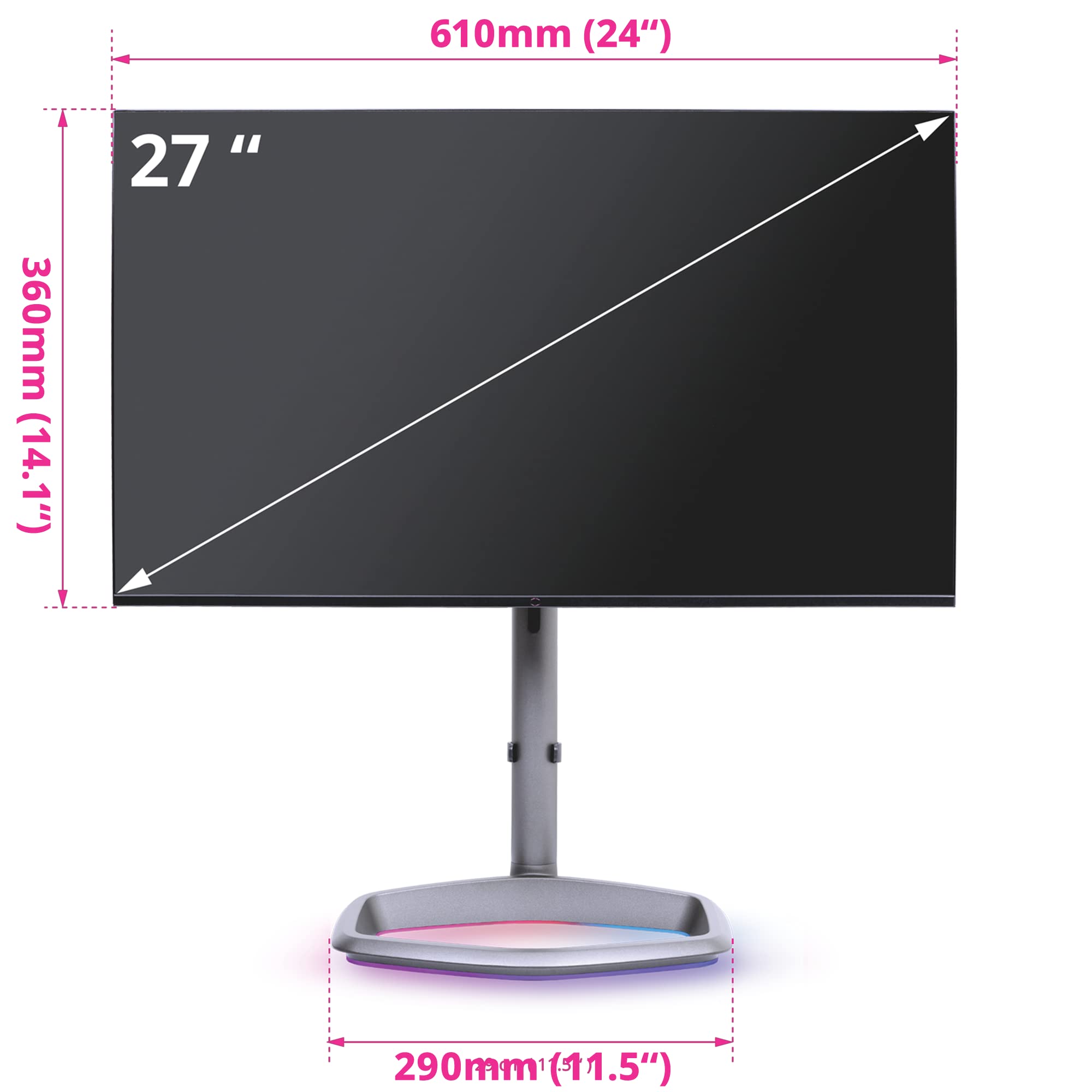
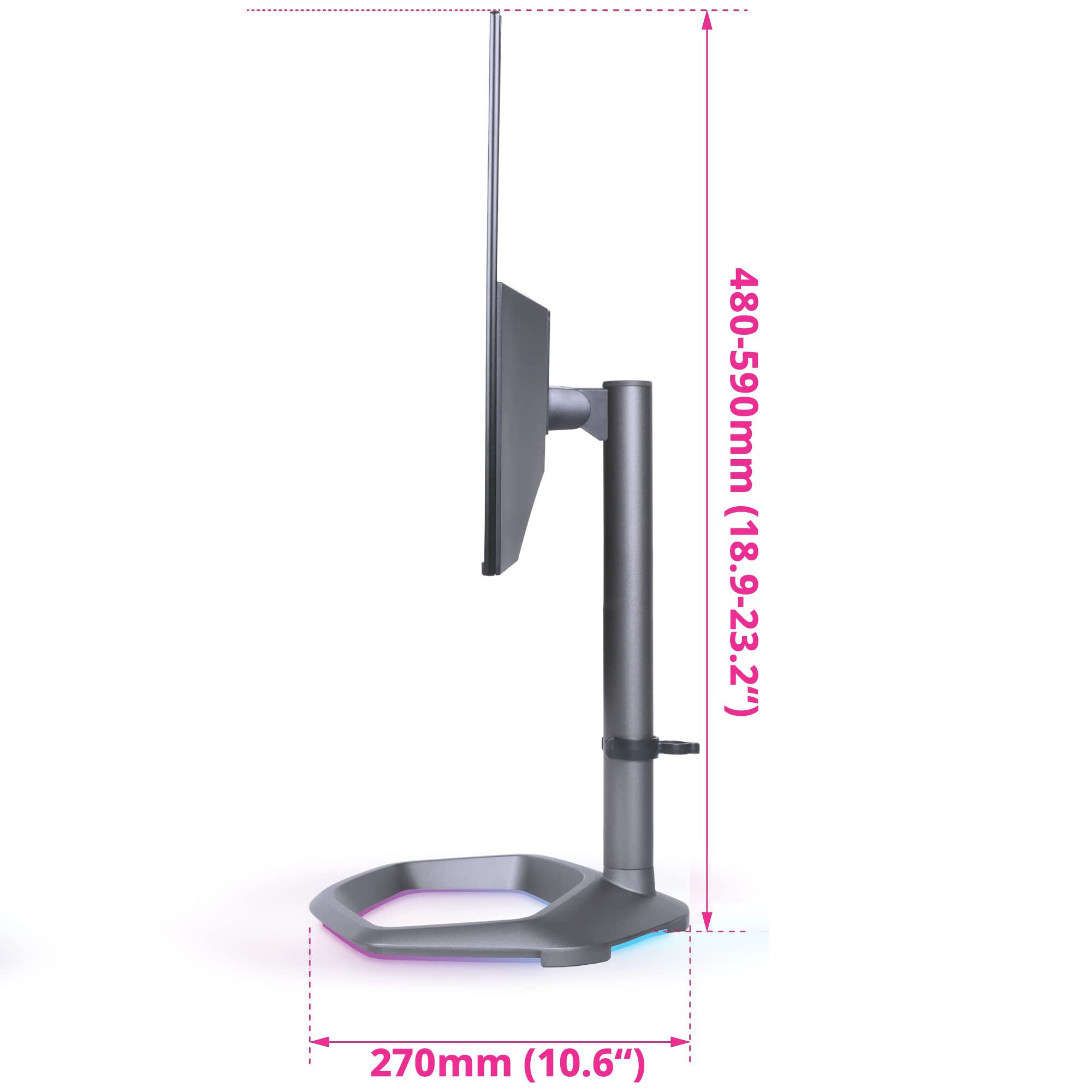
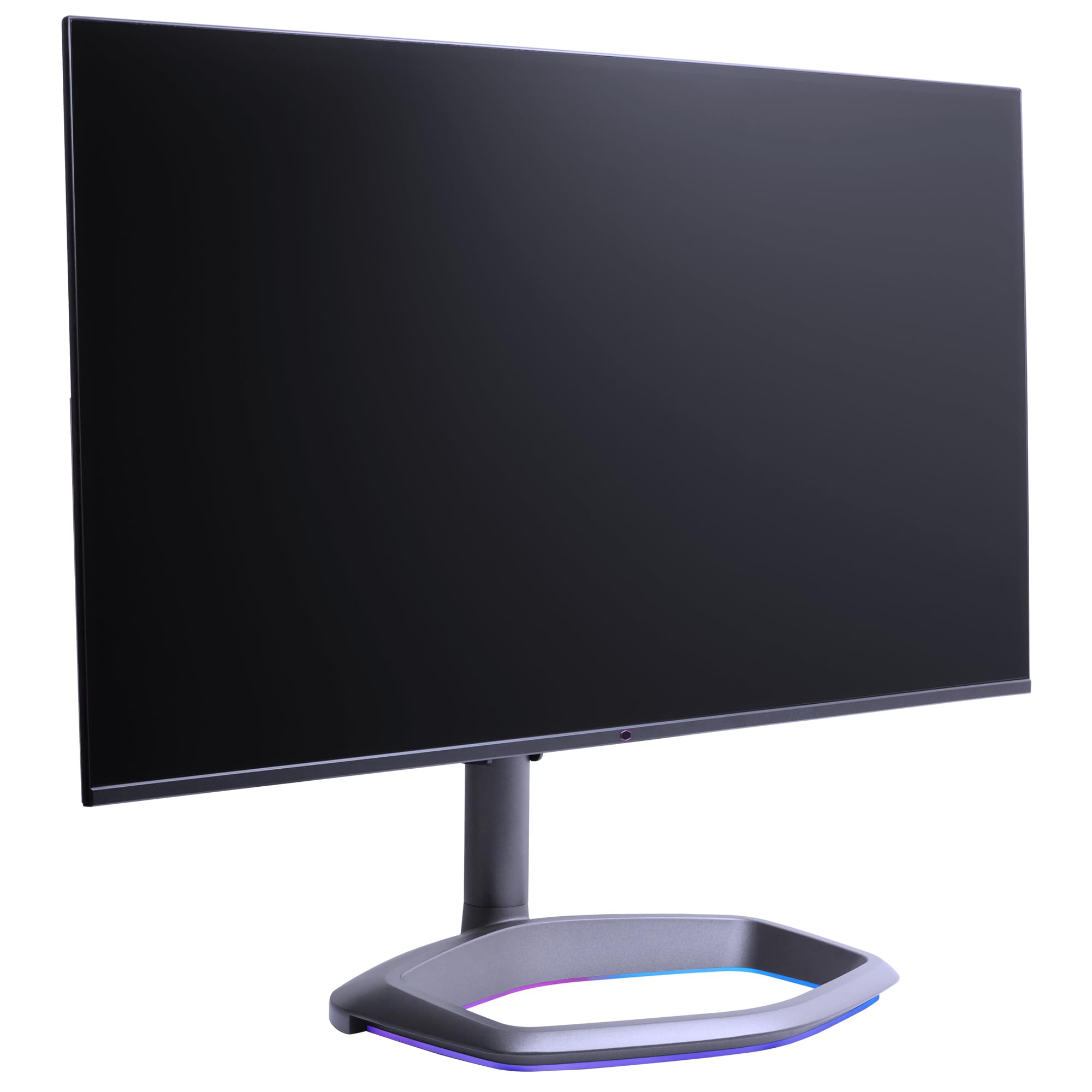


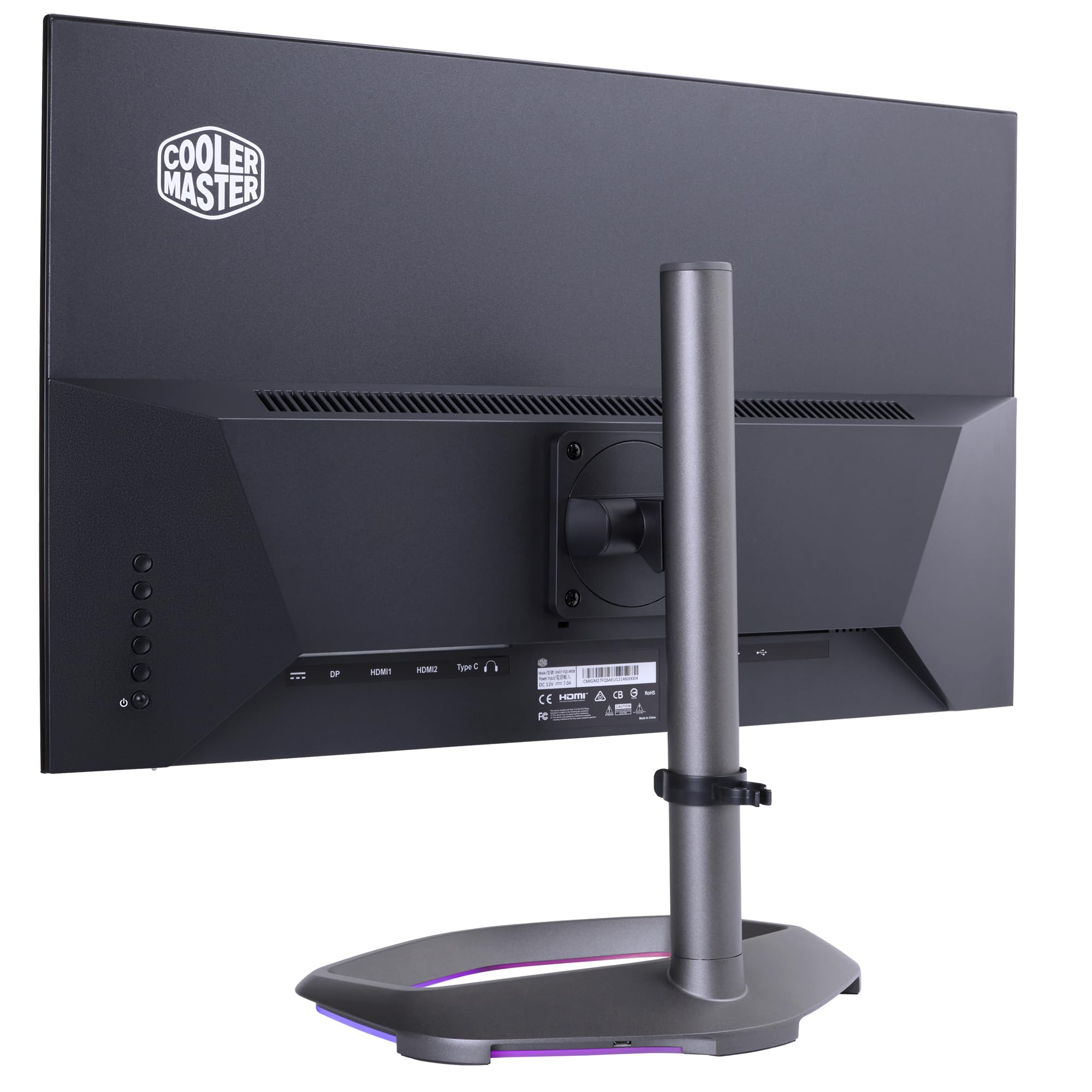



🚀 Elevate your workspace with speed, color, and style — don’t get left behind!
The Cooler Master GM27-FQSA is a 27-inch QHD monitor featuring a 2560x1440 resolution, ultra-speed IPS panel with 165Hz refresh rate and 1ms response time, and 90% DCI-P3 color gamut. It supports HDR10 and FreeSync Premium for smooth, vivid visuals, and includes versatile connectivity options (DP, HDMI 2.0, USB A/B/C). Its stylish cast-aluminum 'Halo' stand offers ergonomic adjustments, making it ideal for professionals and gamers seeking high performance and immersive color accuracy.


| ASIN | B09V39C8BT |
| Best Sellers Rank | #104,248 in Electronics ( See Top 100 in Electronics ) #2,328 in Computer Monitors |
| Brand | Cooler Master |
| Color | 27" QHD |
| Customer Reviews | 3.5 3.5 out of 5 stars (127) |
| Date First Available | March 8, 2022 |
| Item Dimensions LxWxH | 10.63 x 24 x 14.2 inches |
| Item Weight | 16.05 pounds |
| Item model number | CMI-GM27-FQSA-US |
| Manufacturer | Cooler Master |
| Max Screen Resolution | 2560 x 1440 |
| Number of USB 2.0 Ports | 1 |
| Number of USB 3.0 Ports | 1 |
| Product Dimensions | 10.63 x 24 x 14.2 inches |
| Screen Resolution | 2560x1440 |
| Series | GM27-FQSA 27” |
| Standing screen display size | 27 Inches |
W**L
Great Monitor at a great price
The monitor is brigth, perhaps too bright for me (I suffer from migraines, and Bright light can be a trigger sometimes). The monitor had a few theething issues, and they are slowly being resolved via firmware updates. I am still on the OG Firmware, as a mew firmware is incomming, I'll be updating when I get the new firmware. The monitor is an absolute blast for the price, tested it with a movie (Lucy) and some light gaming (SOMA & Arkam City), and performed absolutely well. The base is, how to put it, sturdy buy sloppy, if you shake your legs the monitor will move, also it will be difficut to have it 100% horizontal or 100% vertical, if you care about those things, but it will not topple or fall over. and you will have space to put papers and trinkets in the hexagon, unlike other monitors ;-) There is some weird curvature optical effect in the left and right borders of the screen, but I (and probably you) will not even notice. The nub control is a tad fastidious, but bearable. Other than those minor things, I am 107% satisfied!
M**;
A Good Monitor Full of Faults (GP27U and GP27Q)
Overall: It's a pretty solid monitor but has some pretty big issues. The Design Defect really kills a lot of enthusiasm I had with this monitor. Pros: Local Dimming: 5xx dimming zones is a must have for true HDR. Works great in HDR supported games. Ideally you'd get a nice and bright OLED but those just don't exist under 32". Brightness: It's basically a miniature sun when it wants to be. Price: It's basically the cheapest real HDR monitor you can get. Text: Text is so incredibly crisp. I didn't know I needed this in my life until now. It's my main drivers for upgrading to 4k. Ruined my second monitor for me though.... Cons: You have to restart the monitor every time it falls to sleep or enjoy a black or purple image. Design Defect: Monitor seems to have a design defect. The left and right sides of the screen are noticeably dimmer with the far most lines being completely invisible when you sit at a normal viewing angle. The closer you are the worse it gets. Seems to be an issue with the anti-reflectent coating. Local Dimming: It distracts from the experience when viewing non-HDR content. Text becomes hard to read in some situation and there's so much noticeable haloing on all websites. In games that don't support it bright objects in a dark scene become so fuzzy. Don't use it. Backlight glow: Never understood the whole thing with backlight bleed or glow but man do I now. It's BAD. VERY BAD. Wouldn't be an issue if Local Dimming worked in SDR content though. I initially though the monitor had some crazy bad anti reflective coating until I enabled Local Dimming. Software/OSD: It's a mess. It's easy enough to navigate as a tech enthusiast but so many settings are arbitrarily locked and some settings that don't make sense. (Example: There's some sort of "MPRT" thing that trails to everything that moves and idk what it's for) The software developers seem to have no clue what they're doing either releasing untested and broken or buggy software updates. Slowest monitor on Earth: It is by far the slowest monitor I have ever seen. Switching inputs, changing resolution, or turning HDR on and off takes a full 5 seconds. My computer literally gets to the login screen from a real shutdown and I'm STILL waiting for the monitor to turn on. Pressing the wrong key or dealing with a screwy game is just made even more frustrating when you're stuck waiting on this thing. Neutral: VRR: It does exist and it might work for you. It might not either. I don't use it.
J**K
Decent panel
It is definitely bright. My monitor does not have any dead pixels yet. I've had it for about 3 days now. The picture is clear, contrast is very good. I had to set the OSD up myself to what looks good to me. Local dimming not too useful at the moment because it makes things too dark. With HDR in windows on, Local Dimming works better but because the monitor locks the color space to Bt. 2020, the color looks worse than SDR. The blacks are still sharp in SDR but it does have backlight so that affects it. I returned a VA panel and got this instead. It is definitely IPS with decent quality at different viewing angles. Overall, great monitor. I took 1 star off due to value for money. I'll say that it's brightness is really good and the "sharpness" of the image quality is definitely noticeable over the regular monitor due to contrast + brightness but I would still say that the cost for this image quality is a bit high. It would be worth it to someone that really wants high brights but still with sharp blacks. Cons There are some issues that weren't a deal breaker for me but may be for some. This monitor also suffers from one of the issues with the VA monitor I returned. On the very edge to either side there is a blur effect where image/text on the very edge blurs out when you look at it from an angle. This also exist on the very bottom edge but less. This isn't a deal breaker for me because majority of the time I don't notice. Other thing is that the previous monitor I bought had an "auto" option for local dimming. It made the blacks darker but also kept the brights highlighted. On this monitor, it doesn't have that option, it just adds local dimming with low, medium and high to the entire monitor. I'm guessing the local dimming auto on the other monitor made the dimming specific to certain areas at a time.
M**Z
Crystal clear!
This packs a wallop for the price. 1440p HDR on a midrange budget. The local dimming doesn't look as good as an OLED but for the price point it's phenomenal. I recommend turning off local dimming completely for non-gaming use, which is really easy to do. Medium or even High look excellent in most games. Ergonomics and adjustability are excellent. The sound is just okay, I only tested it once before switching to my speakers. Color depth and clarity is excellent. I didn't notice the pink that some reviews seem to be complaining about.
T**K
Excellent refresh rate, good resolution and colours. Very nice design with slim bezels, metal frame, usb hub, 60W usb c power delivery for laptops/MacBooks adjustable stand and of course RGB lighting. I also have the highly rated gigabyte M27Q and prefer this monitors performance and design but I do wish it had a KVM hub as is included on the gigabyte monitor.
O**N
Un monitor súper, precioso y funcional. Me encanta; buena calidad de imagen, color perfecto para editar fotografía y video.
J**Y
Not a professional reviewer so I will just give my impressions. Positive: - Amazing price for what you get - Refresh rate is legit. Default mode is nice and smooth and does not require overdrive. - Saturated colors with wide gamut, but this is a bit of a negative too (see later) - Good contrast compared to other IPS monitors (looking at you LG) - Stand mostly metal with a nice finish. RGB is smooth - Extremely subtle branding on monitor front, nice and sleek - Thin beezel on all sides, nice modern look - Monitor sides (that you would touch to adjust) are smooth anodized aluminum, gives a really premium feel Negatives - Color gamut is wide but really not so accurate. Definite unpleasant red color cast, will take a lot of tweaking to render more neutral. Still better than crap non-wide monitor. - Monitor does NOT adjust low enough, bottom of monitor is 5-8 inches above desk (big deal for me) - Backlight uneven on sides, with vignetting. - Overdrive modes all have overshoot - I will try them some more and update review - OSD is painful to use - Stand foot is a little tall and extends out middle, kept hitting keyboard on it. - 2 dead pixels, unfortunately toward center This monitor has a nice physical build quality, great refresh and Freesync performance. Colors are nice and saturated but not accurate and backlight has unevenness and vignette. Stand does not lower enough. Overall a good effort, but needs some improvements to be really good. Panel is great and has a lot of potential. Version 2 of this monitor will likely be fantastic. But this one is going back.
Trustpilot
1 day ago
1 week ago