Desertcart purchases this item on your behalf and handles shipping, customs, and support to Japan.
๐ Elevate your Pi projects with ROADOMโs crisp, responsive touchscreen โ donโt get left behind!
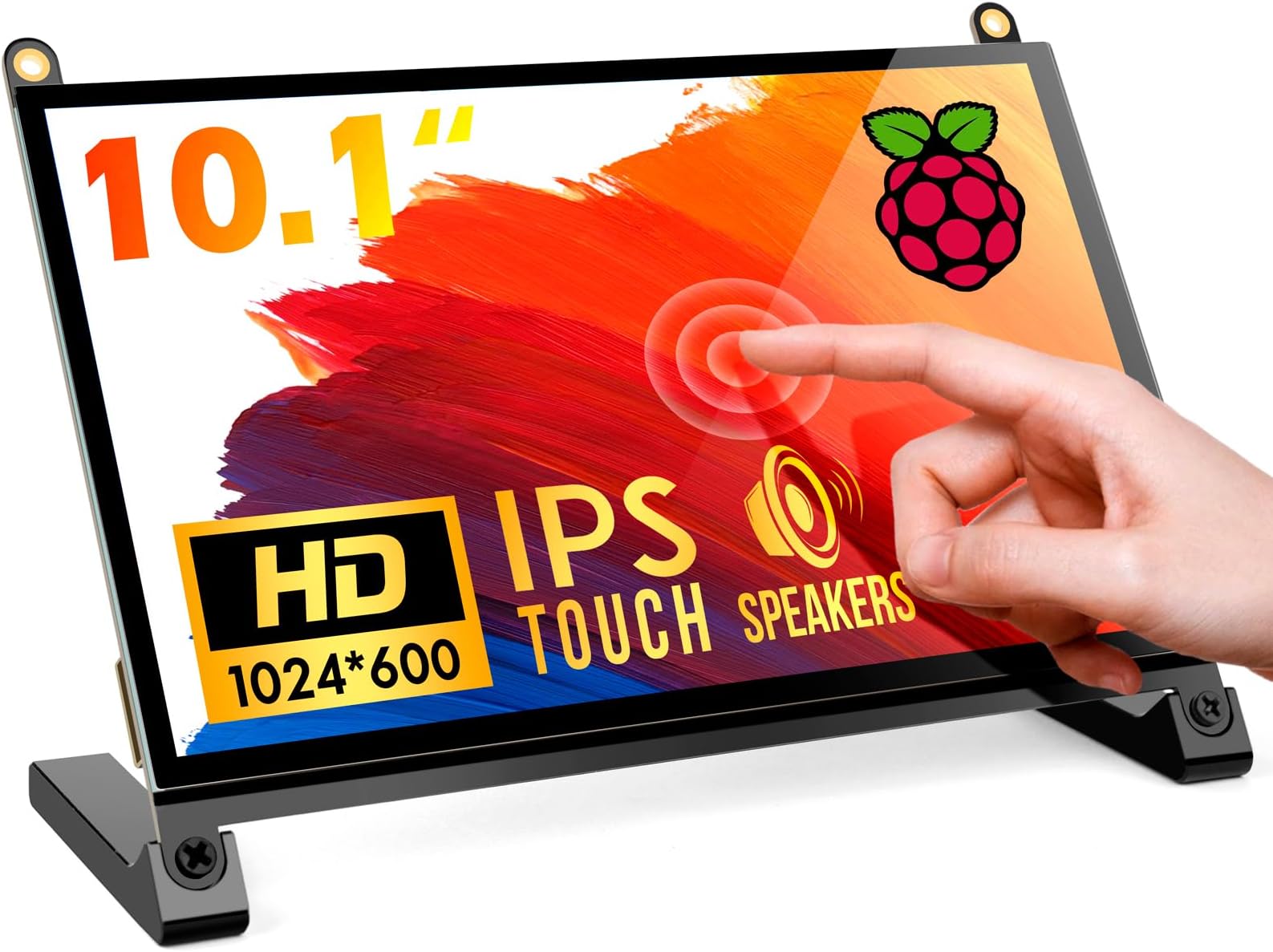
The ROADOM 10.1" Touchscreen Monitor delivers a sharp 1024x600 IPS display with a wide 178ยฐ viewing angle and 300cd/mยฒ brightness. Featuring a 5-point capacitive touch panel with a rapid 3-5ms response time, it supports plug & play via HDMI and MicroUSB across Windows, Linux, macOS, and Raspberry Pi devices. Built-in dual speakers provide clear audio, while the included accessories enable clean, easy assembly and versatile mounting options. Ideal for Raspberry Pi enthusiasts, gamers, and DIY professionals seeking a high-quality, portable touchscreen solution.


| ASIN | B09XDK2FRR |
| Additional Features | Built-In Speakers, Glossy Screen, Touchscreen |
| Aspect Ratio | 16:9 |
| Best Sellers Rank | #14,123 in Electronics ( See Top 100 in Electronics ) #447 in Computer Monitors |
| Brand | ROADOM |
| Brightness | 300 lm |
| Color | Black |
| Color Gamut | 45 |
| Compatible Devices | Raspberry Pi devices, some game consoles, and devices with HDMI output |
| Connectivity Technology | HDMI |
| Contrast Ratio | 700:1 |
| Customer Reviews | 4.3 out of 5 stars 1,479 Reviews |
| Display Resolution Maximum | 1024 x 600 |
| Display Technology | LCD |
| Display Type | LCD |
| Hardware Connectivity | HDMI, Micro USB 2.0 Type A |
| Image Contrast Ratio | 700:1 |
| Included Components | ROADOM 10. |
| Item Dimensions D x W x H | 5.6"D x 9.2"W x 0.3"H |
| Item Weight | 0.92 kg |
| Manufacturer | ROADOM |
| Model Name | Z3-10.1 |
| Model Number | Z3-10.1 |
| Mounting Type | Desk/Wall Mount |
| Native Resolution | 1024x600 |
| Number of Component Outputs | 1 |
| Pixel Pitch | 0.12 |
| Refresh Rate | 60 hertz |
| Resolution | FHD 1080p |
| Response Time | 5 milliseconds |
| Screen Finish | Glossy |
| Screen Size | 10.1 inches |
| Screen Surface Description | Glossy |
| Specific Uses For Product | Gaming |
| Total Number of HDMI Ports | 1 |
| Total USB 2.0 Ports | 2 |
| Total Usb Ports | 2 |
| UPC | 616908984962 |
| Viewing Angle | 178 degrees |
| Voltage | 5 volts |
B**A
Great Product (also how to fix refresh rate and vertical lines)
I picked up this touchscreen monitor for a Raspberry Pi project and have been putting it through its paces. Overall, it is a great, crisp little display, but your experience will definitely depend on the size you choose and your use case. If you are planning to use this for programming or reading a lot of text, the 7-inch model is just too small. The text scaling makes code hard to read comfortably without constant zooming. However, upgrading to the 10-inch model is perfectly acceptable and provides just enough screen real estate to comfortably navigate terminal windows, code editors, and data logs. Important Note for Raspberry Pi Users (How to fix faint vertical lines): When I first plugged it in, I noticed faint vertical lines across the panel. This isn't a defective screen! It's just a timing conflict because the Pi tries to guess generic HDMI settings. To fix it completely and get a crystal-clear image, you just need to force the native resolution at boot: Open a terminal on your Pi and open the boot file: sudo nano /boot/firmware/cmdline.txt (or /boot/cmdline.txt on older OS versions). Go to the very end of that single line of text, add a space, and paste this exact string: video=HDMI-A-1:1024x600M@60 Note that the above line if you want to try 50Hz, then then try this instead: video=HDMI-A-1:1024x600M@50 (Do not hit enter to make a new lineโit must stay as one continuous line of text). Save and exit (Ctrl+O, Enter, then Ctrl+X) and reboot with: sudo reboot. This completely clears up the lines and locks the monitor into its native 60Hz refresh rate. If the lines persist, make sure to power the monitor from a dedicated wall adapter rather than the Pi's USB ports to avoid electrical noise. Highly recommended for hardware tinkering!
A**S
Perfect Screen For Any Project or Prototyping
This is the second Roadom monitor I have purchased. I initially purchased the 10.1 inch monitor for a small project and it worked better than I could have asked for. I have used the 10.1in monitor nearly every day for a few months now and I havenโt had any issues. The screen is incredibly clear, the touchscreen is very responsive, and the sound from the speakers is great. Due to my experience with my first monitor, I decided to purchase a second smaller monitor for small projects/ prototyping. The 7in screen is just as great as the 10.1in one. I initially thought images would be harder to visualize with the smaller screen, but I was wrong. The image clarity, colors, and screen responsiveness is just as good as the 10.1in screen. The sound on the 7in screen is also just as good as the 10in screen. One thing I really like about this kit is that it offers you many different configuration options. You can either mount the pi directly to the screen or use it as a standalone monitor. The vast array of cables that come with the kit allow you to power the screen in multiple different ways (from the USB port of the pi, using GPIO, or with an external power supply). Additionally, the ribbon cables that come with the kit allow you to discretely connect to the PI for a low-profile setup. Lastly, and possibly the best feature about this screen/ROADOM is their customer service. I had reached out customer support multiple times by email to obtain specs about the screen and to obtain dimensions for a custom screen case I was building. ROADOM replied very quickly and answered all of my questions. The only downside I found with this kit is that you canโt control the screenโs brightness using the piโs software (The physical buttons on the back must be pressed to control the brightness), but this is far outweighed by the screenโs quality and configurability. I would recommend this screen for any small project or even a small prototyping station.
D**N
Great little screen for a great price - check out the one with a stand though
Disclaimer: I received this product for free from ROADOM. TLDR: Love the screen, hate the cable it comes with. Recommend to pay the little extra for the one with the stand. Pro: -Great price -Great Screen -Good Features -Great customer support Con: -Bit amateur feeling compared to the stand version -Micro-USB cable instead of USB-C (the stand version has USB-C) -That stupid HDMI ribbon cable! To start, I like the screen. I previously purchased the ROADOM screen with stand, and was contacted by ROADOM after speaking with their customer support from the previous purchase. Their support is amazing, so you can't go wrong there. This screen is super simple, works like a charm, and looks super clean. The touch feature worked perfectly out of the box, and the instructions get the job done. It even has blue color removal built-in for eye comfort! I connected a RPi4b, so I used their included micro-hdmi cable. This is where they lose me. I HATE this ribbon cable so much. It's not that bad and it works, but god I just hate it. The screen that comes with the stand has a much better, stronger cable that connects directly to the HDMI port on the screen (see third photo). I suppose this means I could connect a second device into the HDMI port while having the pi connected, but the HDMI port is disabled while the ribbon cable is connected, so there's no real reason. Ultimately, it feels more...'raw' compared to the screen with the stand. That feels like a product, and this feels like a hobbyist's device. Don't get me wrong, I have plenty of that with all my RPi's, but I just like the stand version more. I'll use this for a dashboard RPi on my counter, to display weather and whatnot. It'll serve nicely for years.
B**U
Super cool device for your rpi or as a secondary screen
So this screen is super cool because you can connect it to your rpi or use it as a secondary monitor like some of the other reviewers have shown. I personally got it to use alongside a rpi as that would allow me to have a mini pc/laptop for side projects around, and since its super portable it makes for a great addition to the rpi and adding onto its versatility
W**M
touch function does not work - resolution pends... RESOLVED
original 3-star review: seems to work well in all respects apart from the touch function. yes, i removed the protective film and, yes, both 5v inputs are powered. i have email'd the mfg - resolution pends... UPDATE: Sun Jan 19 16:19:33 EST 2020 OK... it works. my bad - connection issue. on receiving an email from the mfg/cust support, i was advised to "please connect to Pi3B+ as the attached manual". tl;dr i'm using an R Pi 3B+ with OpenAuto running on Raspbian and i intend to mount it in an '04 ford ranger. the "quick start guide" is not terribly useful. less than useful, actually, and there is no other documentation. the display is bright, crisp and clear, and the touch function works quite well. read on for full disclosure. the unabridged version: as mentioned, the enclosed directions aren't all that great. under the 3 line paragraph marked "to use it as a touch screen for the R Pi, you may need:". here, it shows a picture of the enclosed FPC cable with the caption, "an fpc cable, to connect your R Pi to this touch screen". in their defense, there is another pic of a Pi (only) with 3 cables attached, with a caption, "to use it as a standard monitor..." wherein it indicates 3 cables are required including a note to connect the "5V+ Touch" to "your connected device". off to youtube. i found a review of the lebula display on the first search, but is was completely useless. quite by accident, i discovered another video (https://www.youtube.com/watch?v=_HUt6tRReEQ) for the UPerfect display but it appears to be exactly the same as this touch screen. in case the link is redacted, the video may be found at the standard youtube url with the id "v=_HUt6tRReEQ". unfortunately for most readers here, it's in german, but it is visually very clear and the german-impaired (myself included) may simply view a few spots in the video for the complete info: connection of rpi connections to display starts at 8:30 closeup of almost complete wiring at 9:30 complete wiring at 9:45 its made by EddyD's SmartHome. Danke fรผr das Video, EddyD. note that this video shows a connection scheme using an included cable (there are several) marked, "gift- 3pin power cable for the R Pi" and a very short micro-usb-to-usb-A cable. and, of course, the FPC cable. if you're not familiar with one or more of these, watch more of the video. eureka. size info - useful if you have a place in mind to mount it: actual screen dimensions (excluding mounting tabs): 4.2 x 6.5 inches, diagonally: 7.7 overall dimension: 6.5 x 4.75 4 mounting tabs which extend the height by 0.375 each. thickness with R Pi attached: ~1.25" the indicated resolution is 1024 x 600 but the description on the amazon page says it supports 1280 x 1024. there is no mention of this in the quick start guide. it comes with a 5v 3a power brick (approx 2" x 1.6" x 1") which may be a switching PS as it does not get very warm, at least after approx 30 min use. under actual operation it uses approx 0.9a at 5.1v (approx 4 and a half watts). it did hit 1.2a very briefly during boot. my Pi displayed the "lightning bolt" using the above described connection arrangement - it may require it's own power supply. the warranty (as advertised on the QSG): 30 day return 60 day replacement 12 mo warranty 24 hr cust svc via email life-time after sale service summary and conclusions: i've had the display power'd up for only an hour or so, so i can't speak to reliability, but it behaves as advertised - bright, clear, responsive, apparently well built. there are several cables which are included eg., hdmi-hdmi, usb-micro-usb, FPC. there are adjustments for brightness, contrast, color temp, etc. i have no idea if the power brick will behave above 1 amp, but it behaved well for my purposes. i will be powering it using the DROK 90483 8A 100W DC Car Power Supply (amazon page https://smile.amazon.com/gp/product/B00C4QVTNU/ref=ppx_yo_dt_b_asin_title_o04_s00?ie=UTF8&psc=1). unless i have issues in the near future, i plan to purchase at least 2 more units. the pic is a capture from the vid - hope you don't mind EddyD. :-)
K**L
Good Screen, but construction quality is poor
So, I got this for a Raspberry Pi 4 as a basis for a super versatile machine I can take anywhere and use with just a battery pack and the touch screen if necessary. The pros are it is a good quality screen which works as advertised. The single full-size HDMI out allows me to connect it to any HDMI monitor. I am pleased with the performance and sound. The sound is what would be expected for such little speakers. I like the controls on the back. I have put a micro USB B on/off switch into the power port to keep from having to detach and re-attach the power connector over and over to power cycle my Pi. It is cheaper to replace a little switch than a whole screen when the USB B port wears out from constantly plugging it in and removing it. The primary issue I am having with it is the screen itself comes apart super easy. There is a glass panel over the screen which is mounted to an aluminum bezel, which fits over an aluminum tray in which the rest of the screen components sit. The glass keeps coming out and some of the internal components of the screen are held in only by the tray, and they slide out. I have tried to get the rather tiny clips to work, but until now, it comes apart with normal handling if I am not super careful. I will eventually figure out a way to clip it in place externally, but until then this is a quality issue.
D**K
Awesome product, using with the RPi4
The good: The PCB is extremely high quality and the kit comes with a lot of cables. I was afraid I'd have to buy cables but I wasn't sure so I waited until it arrived. I was pleased to see all of the things that come with it. It comes in a nice box too, the same level of quality as Apple products. The bad: Just 2 things. First, the flat ribbon connector for micro-HDMI video is really hard to work with. For some connectors you use your thumb nail to pull out the locking mechanism. That didn't work with this and I ripped out the lock. I finally got it back in but I'm not sure if it's as strong now. Users are supposed to flip it upward, insert the ribbon, then push the lock down. None of this is mentioned in the Quick Start Guide. It took me nearly 2 hours to fix the connector and connect the ribbon cable. Second, the provided USB charger (it's used to power the screen and RPi) doesn't output enough current. With the screen added I'm constantly getting under-voltage detected errors. Sometimes the green text flickers, so as debian is booting the green "ok" messages flicker. If I power-cycle the unit, usually it goes way. It's hit or miss as I've seen the green text flicker often. I do have a USB-C based wall-wart that I use for the RPi, but there's no way to plug that into this screen. Since the RPi4 gets its power that way, this LCD panel should have used that instead of the flat micro USB (Android-type) as the connector for power. Things for improvement: A mini-HDMI to flat ribbon cable is provided (the one I mentioned above that's hard to slide into the flat-cable connector) to eliminate the need for a large hoop/wire from the RPi to the display. However, the orientation is wrong so the 90-degree turn/flip/rotation in the cable is backwards and causes it to stick out on the bottom. If the micro-HDMI orientation was swapped the correct way I could probably use the included sticky-portion of the cable to lay it down flat on the screen. They had a 50-50 chance of getting it right, and it's wrong. More power, from the USB-charge block is needed. I don't get under-voltage warning errors if I power the RPi4 with the USB-C and the display via the micro-USB. But the USB-C cable coming off the bottom of the RPi4 prevents the screen from sitting on its feet. I tried powering the RPi from its USB-C only, and using the provided 3-pin power cable to power the display. There was an enormous amount of flicker and I was afraid I'd burn something up, so I quickly unplugged the USB-C supply to prevent damage. It would be nice if this back-feeding method to power the display was available, but it's possible the RPi limits the current so there's nothing that can be done.
E**A
"No Signal" on TWO separate and identical monitors in March 2025
"No signal" sums-up my experience with this unit. Item wont work with any HDMI sources that I plug into it, tried multiple HDMI cables, multiple power cables, multiple power adapters (including of course the items that came with the unit). Purchased my unit in March 2025. Super annoyed, but I liked the design of this monitor so I tried to exchange it for another identical unit; expecting the new replacement unit to work and that my first purchase was just a fluke...no, the second identical replacement unit also not working!... "No Signal" is all I see, and then it powers off. When thru instructions and documentation, checked all ribbon cables to ensure they were seated nicely...nothing helps, no sign of shipping damage or broken PCB. First unit reads on the PCB board that it was assembled on Dec 6 2024, and the 2nd replacement unit says assembled on December 13, 2024...they must have had a bad run in manufacturing in December of 2024.... How the manufacturer is still not yet aware of a bad batch considering how many units Amazon shows they've sold this month surprises me, or perhaps the manufacturer is aware of bad units and just hasn't proactively replaced the units in the Amazon inventory and would rather customers have to waste time and money dealing with replacement units and exchanges...all of which is frustrating. I went and purchased a similar designed monitor from a competitor and it works perfectly fine, but the frustrating thing with that other unit is it has no power button. I really WISH that these units that I purchased would have worked; they feel and look like good quality, and I really like the power/menu/up/down buttons on the back of the unit, and this monitor is thinner than the competitor model that's working just fine for me. If either of these units worked properly then I would have been really pleased with them. Unfortunately I have to return both of these units now and wait for the refund, which doesn't make me a happy camper. One unit not working isnt great, but understandable, two units from two separate purchases both being bad and on different manufacturing dates is not cool. I'm an IT engineer by profession and I know what I'm doing, I'm not just some n00b that is making some mistake on my end.
Trustpilot
1 month ago
3 weeks ago