Desertcart purchases this item on your behalf and handles shipping, customs, and support to Japan.
🖱️ Keep your productivity moving—without moving a muscle!
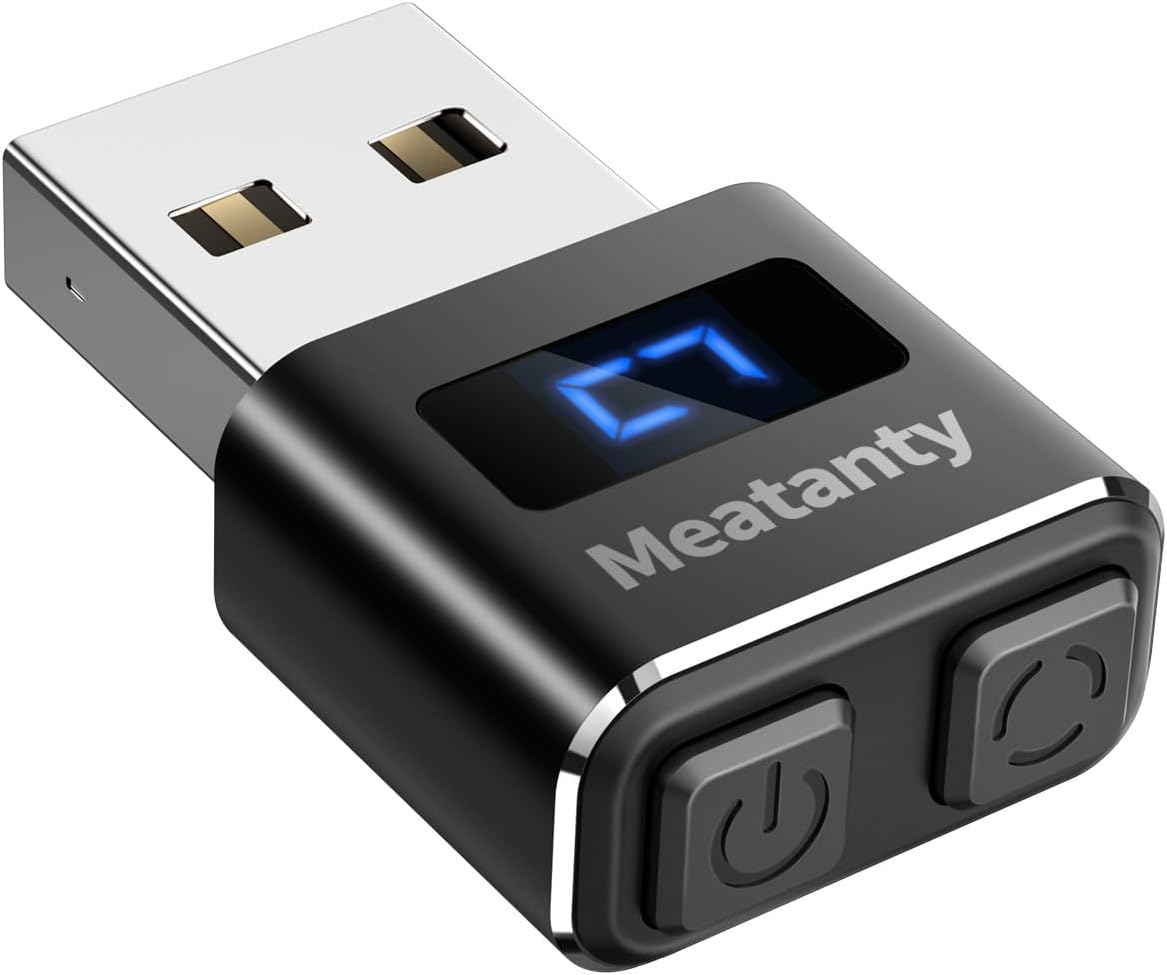
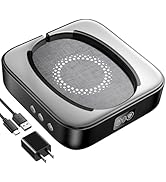
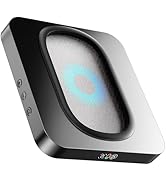
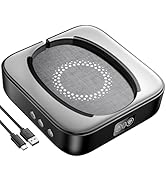
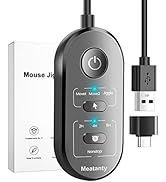
The Meatanty Metal Mouse Jiggler is a compact, USB-powered device designed to prevent your computer from entering sleep mode by simulating natural mouse movements. Featuring a digital LED display, dual buttons for easy ON/OFF and mode switching, and three customizable movement tracks with memory function, it ensures seamless operation without disrupting your workflow. Compatible with major operating systems and built with a durable metal enclosure plus a protective cover, it’s the perfect stealth tool for professionals who want to stay connected and productive, even when stepping away.


| ASIN | B09NVH8HVN |
| Additional Features | LED display, Separate Mode and ON/OFF Buttons, metal |
| Antenna Location | Gaming, Office |
| Are Batteries Included | No |
| Are Batteries Required | No |
| Battery Average Life | 400 days |
| Best Sellers Rank | #5,795 in Computers ( See Top 100 in Computers ) #192 in Computer Mice |
| Brand | meatanty |
| Button Quantity | 2 |
| Color | Black |
| Colour | Black |
| Compatible Devices | Desktop, Laptop |
| Connectivity Technology | USB |
| Connectivity technology | USB |
| Customer Reviews | 4.7 out of 5 stars 8,205 Reviews |
| Embellishment Feature | LED |
| Enclosure Material | Aluminum |
| Hand Orientation | Ambidextrous |
| Hardware Platform | PC |
| Item Dimensions L x W | 33L x 20W millimeters |
| Item Weight | 6 Grams |
| Manufacturer | meatanty |
| Mfr Part Number | INPUT_MOUSE |
| Model Name | Tiny Mouse Jiggler |
| Model Number | INPUT_MOUSE |
| Movement Detection | Optical |
| Movement detection technology | Optical |
| Number of Batteries | 1 AA batteries required. |
| Number of buttons | 2 |
| Operating System | Mac OS 7, Mac OS 9, Unix, Windows 10, Windows 8.1 |
| Power Source | Corded Electric |
| Range | 3.0 meters |
| Special features | LED display, Separate Mode and ON/OFF Buttons, metal |
| Style Name | tiny mouse jiggler |
| Theme | Minimalism |
| UPC | 774336958273 |
| Unit Count | 1.0 Count |
| Warranty Description | 1 |
R**R
works fantastic
does exactly what it says, works flawlessly
C**A
little package that delivers greatness!
Fantastic little helper - I use it together with USB hub so it is invisible to my employer. Lets me step out of the "zone " for some time. Screen saver won't come on when Jiggler is turned on. Only thing that is missing is the adapter for USB C-type. I believe this is excellent product and it will help many to enjoy working from home.
A**E
Petit accessoire discret et efficace et rempli parfaitement son rôle
Il est compact, discret et facile à utiliser. Il se branche simplement en USB et fonctionne immédiatement, sans installation particulière. Le format est très pratique pour le transport, et la finition métallique donne une impression de solidité correcte pour ce type de produit. Il remplit bien sa fonction en simulant une légère activité de la souris ( 3 modes dispo) , ce qui peut être utile dans certaines situations de travail sur ordinateur.
R**R
Great if you work on projects and need to step away from their desk for a few minutes.
Love this jiggler. I use it when I need to run to the bathroom so my computer doesn’t timeout. Sometimes I’m in the middle of working on something and if you have to step away for a minute, sometimes your computer turns off. I’m afraid of losing anything, but this definitely helps keep your screen active. Very easy to set up. It doesn’t have any sound at all connects with plug-in play. Well made.
A**R
良い!
非常に良い! 滅多に星5つは付けないんですが。思わず。 ちゃんと期待通りの動作をしてくれます。 モードが3つあり、どのモードで動作中かLEDで表示されます。オンの時は常にLEDの表示がクルクルしています。 動きが最小の「3」で使っています。微妙な動きを頻繁に行います。これによりスクリーンセーバーは発動しません。 デバイスはUSBの汎用マウスとして認識されるようです。 オンのまま矢印キーでメニュー項目を操作すると干渉するようです。これはマウスカーソルの位置によってと思います。微妙にボーダーライン上にあると、上下の動作で選択が変わってしまいます。 LogiのMX Master 3とは干渉はないようです。マウスで操作している間はマウスが優先されるような動作をしています。 LenovoのデスクトップとノートPCで試しました。 電源スイッチも操作し易いので、不要な時はクイックにオフにできます。スイッチのクリック感も押した事が判るのでいいです。 USBのインタフェースのキャップが付いています。 【追記】 勘違い。マウスでも干渉しますね。微妙に。でも、気を付ければ全く問題はないです。
D**N
macht, was es soll
Ich nutze den meatanty USB Mouse Jiggler seit einigen Wochen an meinem Arbeitsrechner – und er hat sich als überraschend praktisches und zuverlässiges Tool im Büroalltag erwiesen. Das kleine Gerät überzeugt durch seine einfache Plug-and-Play-Funktionalität: Den Mouse Jiggler steckt man unkompliziert in einen freien USB-Port, und schon beginnt er, die Mausbewegung zu simulieren – ganz ohne zusätzliche Treiber oder Softwareinstallation. Gerade in Situationen, in denen ein Bildschirm nicht in den Ruhemodus wechseln soll (etwa bei längeren Verarbeitungsvorgängen, Präsentationen oder beim Überwachen von Aufgaben), hat sich dieser kleine Helfer als äußerst praktisch erwiesen. Besonders positiv aufgefallen sind mir die drei verfügbaren Modi, zwischen denen sich problemlos wechseln lässt. So kann ich je nach Bedarf eine konstante, sanfte oder stärkere Bewegung wählen – je nachdem, wie der Bildschirmaktivitätsstatus gehalten werden soll. Die Bedienung über den integrierten Ein/Aus-Schalter ist intuitiv und spart Energie, sobald die Funktion nicht mehr benötigt wird. Das metallische Gehäuse wirkt robust und hochwertig, was dem Gerät auch bei häufiger Nutzung eine solide Langlebigkeit verleiht. Durch seine kompakte Bauform bleibt es unauffällig an seinem USB-Port, ohne zu stören oder andere Anschlüsse zu blockieren. Im täglichen Einsatz zeigt sich der Mouse Jiggler als stabiler Begleiter, der zuverlässig die gewünschte Funktion erfüllt, ohne Software-Eingriffe oder zusätzliche Einstellungen am PC vorzunehmen. Durch die simulierten Bewegungen bleibt der Rechner in aktivem Zustand, was in manchen Arbeitsumgebungen zeitlich und organisatorisch einen echten Vorteil darstellt. Insgesamt überzeugt der meatanty Metall USB Mouse Jiggler durch einfache Nutzung, solide Verarbeitung und flexible Modi, die ihn zu einem praktischen Equipment für Büro- und Heimarbeitsplätze machen. Eine klare Empfehlung für alle, die ihren Bildschirm dauerhaft aktiv halten möchten, ohne ständig manuell eingreifen zu müssen.
Trustpilot
2 weeks ago
1 month ago