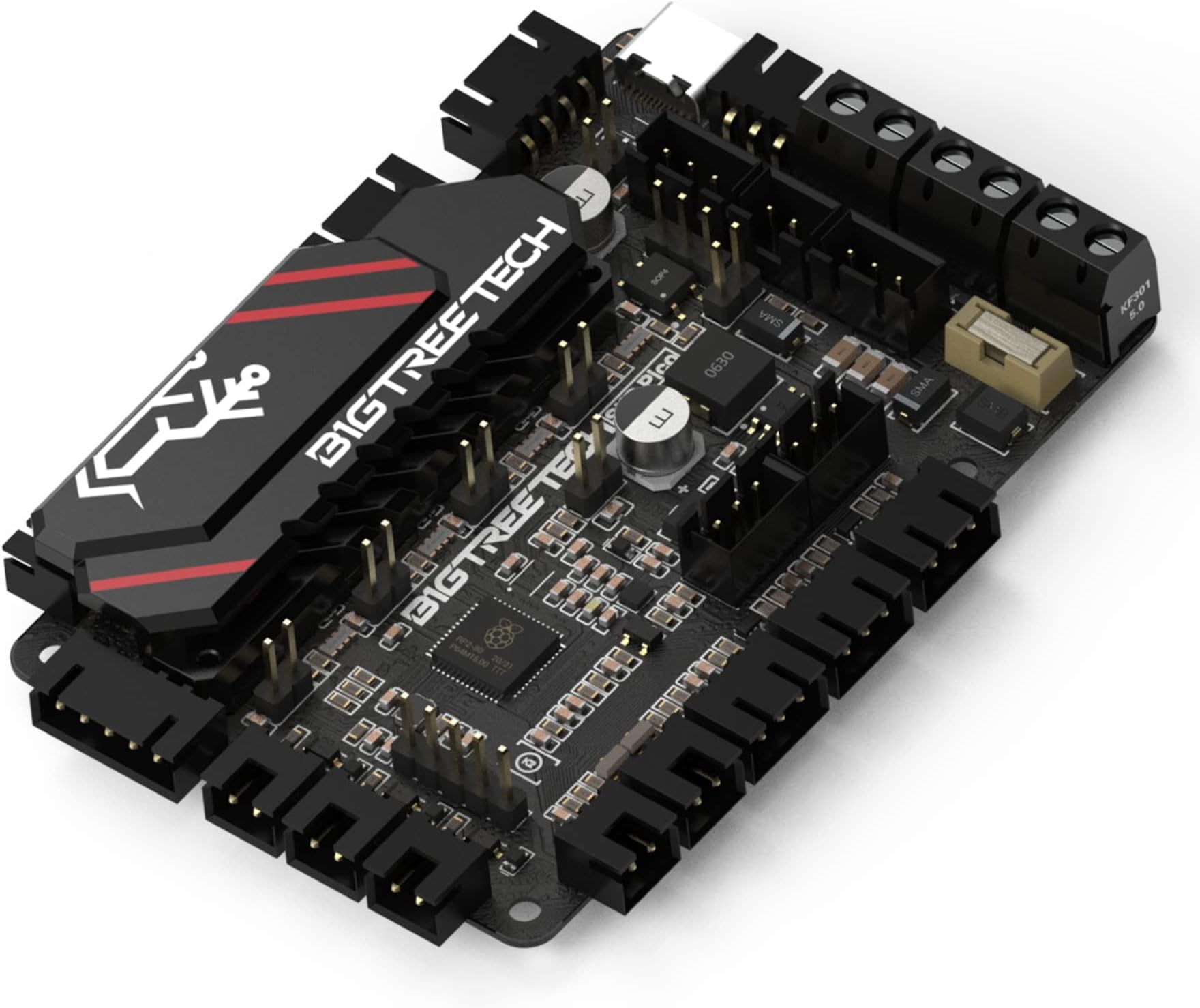
🚀 Upgrade your 3D printing game with the SKR Pico V1.0 — where power meets precision!
The BIGTREETECH SKR Pico V1.0 is a compact, high-performance control board tailored for the Voron VO 3D printer. Featuring an industrial-grade heatsink, ARM Cortex-M0+ RP2040 MCU, and USB Type-C connectivity, it ensures efficient heat management, rapid processing, and seamless communication. Equipped with silent TMC2209 stepper drivers and a 4-layer PCB, it delivers quieter, smoother prints and easy installation. Ideal for professionals seeking a reliable, cutting-edge upgrade to elevate their 3D printing experience.


| ASIN | B09VL3MM5V |
| Batteries required | No |
| Best Sellers Rank | 7,475 in Business, Industry & Science ( See Top 100 in Business, Industry & Science ) 2 in 3D Printer Controllers |
| Customer Reviews | 4.4 4.4 out of 5 stars (2,639) |
| Date First Available | 15 Mar. 2022 |
| Included components | SKR Pico V1.0 |
| Item model number | SKR Pico V1.0 |
| Manufacturer | BIGTREETECH |
| Package Dimensions | 11 x 7.7 x 3.9 cm; 100 g |
C**S
Outstanding upgrade for the Ender 3 – excellent value and performance
I installed the BIGTREETECH SKR Mini E3 V3.0 in my upgraded Ender 3 Pro, and it has been one of the best upgrades I’ve made to the printer. The form factor is perfect — it’s a true drop-in replacement for the stock Creality board, so it fits the existing case with no modifications. Installation was straightforward, connectors are clearly labelled, and documentation is decent enough that the whole swap was stress-free. Performance-wise, this board is excellent. The printer is noticeably quieter thanks to the TMC2209 stepper drivers, motion is smoother, and overall print quality has improved. It handles modern firmware like Marlin and Klipper very well, which makes it a great choice whether you’re just upgrading or planning future mods. Ease of use is another big plus. Everything worked as expected once installed, and setup was simple even with additional upgrades. It feels like a properly thought-out board rather than a budget compromise. Considering the features, quality, and performance you get, this is outstanding value for money. It transforms the Ender 3 into a far more capable and refined machine for a very reasonable cost. If you’re looking for a reliable, quiet, and powerful mainboard upgrade, I wouldn’t hesitate to recommend the SKR Mini E3 V3.0.
K**.
A Game-Changer for 3D Printing
I recently upgraded my Ender 3 Pro with the BIGTREETECH SKR Mini E3 V3.0 Control Board, and the difference has been remarkable. This board is a direct replacement for the stock Creality board, making installation straightforward. With the pre-installed firmware, I was up and running in no time. The standout feature is the silent stepper drivers—my printer is now whisper-quiet compared to the stock board. No more loud motor noise, just smooth, precise movements. Print quality has also improved, with noticeably fewer artifacts and better control over retractions. Another great feature is the 32-bit processing power. Compared to the stock 8-bit board, everything runs smoother, from faster calculations to better handling of complex prints. It also supports Marlin 2.0, giving me access to advanced features like linear advance and thermal runaway protection for added safety. For anyone looking to upgrade their Ender 3 (or similar printers) with a silent, powerful, and reliable mainboard, the SKR Mini E3 is an absolute must-have. Highly recommended.
M**T
Fantastic Upgrade for My 3D Printer – SKR Mini E3 Delivers!
I recently upgraded my Ender 3 with the BIGTREETECH SKR Mini E3, and it has completely transformed my printing experience. This board is a drop-in replacement for the stock Creality board, making installation super easy. It fit perfectly, and with the pre-installed firmware, I was up and running in no time. The biggest improvement is the silent stepper drivers—my printer is now whisper-quiet compared to the stock board. No more loud motor noise, just smooth, precise movements. Print quality has also improved, with noticeably fewer artifacts and better control over retractions. Another great feature is the 32-bit processing power. Compared to the stock 8-bit board, everything runs smoother, from faster calculations to better handling of complex prints. It also supports Marlin 2.0, giving me access to advanced features like linear advance and thermal runaway protection for added safety. For anyone looking to upgrade their Ender 3 (or similar printers) with a silent, powerful, and reliable mainboard, the SKR Mini E3 is an absolute must-have. Highly recommended
M**.
Great with a few caveats
I love BTT boards for upgrading my 3d printers, they have a solid feature set, decent stepper drivers, are nice and quiet , and for me have been very reliable over the years. Picked up the V3 mini to go in an ender 5 pro so that I can add dual Z axis, but there are a few issues (which can all be worked around) you should be aware of. Firstly and the biggest issue, is that if you want to use a BL or CR touch for Z homing, the 5 pin header on the board DOES NOT WORK when using all 5 pins. Neither the precompiled BTT firmware provided by BTT themselves on GitHub or compiling yourself using the latest Marlin will work - the probe won't stop the bed crashing into the hotend. The only way around this is to recrimp the wires on your BL Touch to be a 3pin + 2pin JST, and plug the 3pin into the 5pin BL Touch header on the board, and plug the 2pin (black & white cables) into the Z endstop header. Z homing will then work perfectly. I spent hours trouble shooting this, it's been reported on GitHub as an open issue, it simply doesn't work using only the 5pin Secondly when using an ender printer the hotend fan isn't terminated in a JST 2pin header, as the stock board has a dedicated terminal for directly wiring it up. This isn't present on the V3 mini, so you will have to crimp your own header to allow plugging into the fan headers. Also from a Marlin standpoint, BTT haven't provided ANY settings for people that want to compile their own firmware, and haven't provided any fresh firmwares based on the latest Marlin releases - the most recent release is over a year old. It's also not yet officially supported by Marlin with their example configs in the stable release channel, although there are some configs in the current nightly builds - these aren't flawless however and I've still had to tweak them to get everything working nicely. It'd be a lot easier if BTT would open source what changes/settings are needed for Marlin, rather than only providing precompiled firmware. Also as mentioned above their BL Touch firmwares for Z safe homing DO NOT WORK, your bed WILL smash into the hotend.
S**E
Amazingky silent motors of my Ender 3 Pro
G**.
Je déçu, la carte est arrivée avec un composant dessouder 😞😞😞
S**A
Potente,driver super silenziosi e completamente ottimizzata per klipper e raspberry pi! Unico problema che ho riscontrato è che la mia unità è arrivata con un connettore per la ventola non funzionante,e senza cavo per collegamento uart da raspberry a scheda (guardando le recensioni su altri siti sembra che alcune unità vengano col connettore,ed altre senza...) Do 4 stelle solo per questi problemi che ho riscontrato Ho avviato un reso amazon,e come riceverò il rimborso comprerò probabilmente un'altra skr pico v1 o una skr e3 v3... (sfortunatamente perchè amazon non era il venditore del prodotto,non sono riuscito ad avere una sostituzione per rimborso...)
A**G
Love the use of the pi2040 with one of the easiest install procedures ever. the 45 degree connectors is a great space saver. really nice heat sink would have loved the addition of can.
D**E
Comprata per sostituire la vecchia scheda V1.1.3 della mia Ender 3, dato che era arrivata a fine vita, ho preso questa Skr mini E3 V3.0 e le differenze si sono notate già da subito, qualità di fabbricazione molto buona, ultra silenziosa, si sentono solo le ventole quando è in funzione, le uniche 2 pecche sono la mancanza di un foglietto illustrativo dei collegamenti , e la seconda porta per l'asse Z, che purtroppo condivide lo stesso Driver della porta pricipale, per il resto super consigliata P.S se dovete montare il Bltouch o il CR Touch ufficiali Creality, il firmware che trovate sul Github con scritto Bltouch non va bene, perchè non è stata configurata la porta esatta, quindi dovete abilitarlo su Marlin attivando solo la porta Bltouch, senza specificare il pin "#define BL TOUCH", e funzionerà quella di default che sarebbe la porta adibita al bltouch come su scheda Creality 4.2.7
Trustpilot
1 month ago
1 month ago