🚀 Elevate your network game with effortless speed and reliability!
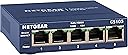
The NETGEAR GS105NA is a compact, metal-cased 5-port Gigabit Ethernet switch designed for home and small office use. It offers plug-and-play setup with no configuration needed, supports energy-efficient IEEE802.3az standards, and delivers up to 2000 Mbps full duplex per port. Its fan-less design ensures silent operation, while the limited lifetime warranty and next-day replacement provide dependable, long-term network performance.


| ASIN | B0000BVYT3 |
| Best Sellers Rank | #7 in Computer Networking Switches |
| Brand | NETGEAR |
| Built-In Media | Switch, Manual, Power Adapter |
| Case Material Type | Metal |
| Color | Gray |
| Compatible Devices | Desktop |
| Current Rating | 0.5 Amps |
| Customer Reviews | 4.7 out of 5 stars 14,050 Reviews |
| Data Transfer Rate | 1000 Megabits Per Second |
| Global Trade Identification Number | 00606449029697, 00606449035995, 10606449029694 |
| Included Components | Switch, Manual, Power Adapter |
| Interface | RJ45 |
| Item Dimensions L x W x H | 3.9"L x 3.7"W x 1.1"H |
| Item Weight | 10.56 ounces |
| Lower Temperature Rating | 32 Degrees Fahrenheit |
| Manufacturer | Netgear |
| Number of Ports | 5 |
| Platform | Windows |
| Product Dimensions | 3.9"L x 3.7"W x 1.1"H |
| Switch Type | Metal |
| UPC | 012304670858 809385141663 012300356152 014444454329 606449035995 778888261928 754262033312 606449029703 803982764058 151903543245 163120573004 606449029697 014444855645 |
| Unit Count | 1.0 Count |
| Upper Temperature Rating | 122 Degrees Fahrenheit |
| Voltage | 24 Volts (DC) |
| Warranty Description | Lifetime Limited Warranty |
P**B
Reliable, easy to install, and perfect for my home YouTube/work-from-home studio
I bought this NETGEAR 24-port switch when I set up a home YouTube studio, and it became even more valuable once I started working from home during Covid. The unit installed cleanly under my wooden desk and handled all of my wired network connections — computers, smart devices, and all the gear in my home office that benefits from a stable Ethernet connection. I never used all 24 ports, but I used plenty of them, and it was great having the extra capacity whenever I needed to add a device. Just like other reviewers mention, it’s truly plug-and-play and has been rock-solid since day one. A dependable, no-nonsense switch that’s been the backbone of my home network.
N**M
Perfect & Powerfuml Switch for non tech folks
This is a perfect switch if you want to expand your home or small business network. If you want to plug in multiple devices to your existing network then this device is for you. I am giving this product a 5 stars for the reason below: 1. Plug and Play. Absolutely no programming or setup required. 2. Percect device for novices users and non IT/computer users like me. Again...no setup required. Just plug in your devices and you will be automatically connected to your LAN. 3. Excellent quality build. The entire unit looks and feel high quality. Case is metal and device is heavy. No cheap plastic and lightweight feel. 4. Netgear is a reliable and makes excellent switches. I have a 10/100Mbs 5 port netgear switch that I bought in 1999 to use in my college dorm to get multiple computers to a single network port in my dorm. I still have this switch 18yrs later and it is still 100% operational. In matter of fact I bought this 8 port to replace my 18yrs old switch. I am only upgrading because i wanted 1000Mbs speee and more ports. Some misc tips for novices/non tech folks. 1. If your house is built after 2004 and was originally wired for telephone lines throughout your house then you already probably got either cat5e or cat6 cables installed already. Electrician will use cat5e/cat6 cables to wire your house for telephone use because they are just as cheap as regular telephone line and more readily avaiable. Therefore, no need to run ethernet cables. Just pull apart your telephone wall plates and verify. I hope this review helps.
M**K
Lots of VLAN configurability, stable performance
A professional network engineer might scoff at this "prosumer"-grade switch, but it does actually have a fair bit of flexibility in regard to its VLAN configuration, and you get a lot of bang for your buck. I bought it so I could connect two Internet gateways (a cable modem and an optical network terminal) to my router's single WAN port and two virtual LANs to my router's single LAN port. Despite the two passes that packets need to take through this switch on their way between the Internet and my LAN devices, I can still download the latest Chromium sources from Google at over 100 MiB/s (average over the course of a 2-GiB+ download) through my gigabit Internet link, so I know the switch matrix is doing a good job at keeping the crossing flows from colliding. To pull off having two gateways connected to one WAN port on my router, I have two 802.1Q-tagged virtual interfaces configured on my router's WAN interface with distinct tags that I assigned as the PVIDs of the two switch ports that the gateways plug into. Each of those two switch ports is configured to pass the traffic of its respective VLAN untagged since the cable modem and the ONT are not expecting 802.1Q-tagged Ethernet frames. Then the switch port that is connected to my router's WAN port is configured as a member of both of the gateway VLANs and is configured to pass their traffic with tags so that my router can run its two virtual interfaces on its one WAN port. That switch port has its PVID set to a throwaway VLAN (of which no other ports are members) so that any untagged traffic coming from the router's WAN port will be thrown away and will not leak to the remaining five switch ports that connect my internal LAN. Those other five switch ports, which I use for my LAN, are members of two more VLANs, one of which is set as their PVID, meaning any untagged traffic they receive gets assigned into that VLAN, and also they are configured to pass any traffic on that VLAN in untagged frames. The other VLAN is for my isolated Internet-of-Things network so I can have remote Wi-Fi access points hosting a dedicated SSID just for my IoT devices. The LAN switch ports are configured to pass traffic on the IoT VLAN using tagged frames, so the IoT network is "invisible" to other switches and hosts unless they intentionally connect to it. The router's LAN port runs both the default (untagged) interface for the trusted VLAN and also an 802.1Q-tagged virtual interface for the IoT VLAN, and those two interfaces are addressed on separate subnets with some firewall rules to prevent IoT devices from connecting to trusted devices, but trusted devices can connect to IoT devices (to command them, read status, etc.). The reason I described my complex setup here is so you could get an idea of how much flexibility this switch offers. Sure, it may not have the kind of Cisco-esque management console that network engineers are trained to endure/love, but the switch's web interface is actually shockingly capable of configuring almost any bizarre VLAN arrangement that you can imagine. And there are actually three other VLAN configuration modes that I did not even describe: a basic port-based mode, an advanced port-based mode, and a basic 802.1Q mode. (I use the advanced 802.1Q mode.) As far as the physical build of this switch goes, it looks and feels exactly as you would expect a Netgear desktop switch to look and feel if you are at all familiar with them. It's a sleek metal slab with a line of Ethernet ports along the front edge and a 12V DC barrel jack on the rear. Each port has two LEDs that show link speed/status and activity, so you get your typical blinkenlights show. The 12V input is nice because it allows me to put this switch on my 12V battery backup along with my router and my two gateway devices. The four devices will easily run for many hours in a power outage. As for reliability, I have never had this switch hang or lose performance with prolonged use. It runs silently for months to years with no intervention required. It just works, even despite the crazy configuration I gave it. I have no complaints at all.
F**N
A solid switch. JGS524
I hate when Amazon groups similar products reviews together. Your not sure if the reviews you are reading are really for the specific product you intend to buy...Anyway my review is for the JGS524 24 port unmanaged rack mount switch. I purchased this to replace a ZyXel 24 port Gigabit switch. There was nothing wrong with my ZyXEL; it gave me many years of trouble free service and was still working perfectly when I pulled it out of service. I purchased it back in the day probably because it was a little cheaper at the time. Although the Netgear JGS524 has been around for a LONG time, its a solid switch. I've had a few of those or its variants kicking around at work, and they just work. Never a problem. Never a need to reboot. The MAIN reason I recently purchased the JGS524 was for its extra indicators. I am about to upgrade to fiber at my house and I wanted to make sure my network was indeed up to the task of faster speeds. With my old switch, the only indicators I had was 'link'. Of course that is fine when hooking a PC to it as you can always check your link speed in Windows. However, switch to switch hookups (without a speed indicator on at least one end) I couldn't be sure I was indeed running gigabit speeds throughout my network without manually speed testing. So I purchased the NetGear mainly for peace of mind. I popped the old one out, popped in the Netgear, and low and behold I had two network segments only running a 100 base speed. Troubleshot my network, and put new ends on my wall faceplate to device jumpers, and gigabit speed restored. I would have never really known my network wasn't at top speed without manual testing or until doing large file transfers without the NetGear. So now I am good to go for the fiber install. When searching for info, I came across a lot of conflicting info. My unit is the 'v2' and does NOT have any fans (silent operation). For what its worth, the NetGear is still the dark blue color it has always been (for the unmanaged version), even though the item description says its black. If I have to nitpick, my only gripe with my purchase is they didn't double box it. They just slapped some shipping labels on the neatgear box and sent it on its way. I normally like to keep all the original boxes to my PC equipment, so would have preferred it was double boxed like they usually do, but it arrived undamaged so its fine. But this has more to do with the shipping and nothing to do with the product. So if your looking for a solid rack mountable Gigabit switch and don't need the advanced features of a managed switch, the JGS524 is a solid buy. -Alan
I**D
You need to understand how to set it up and the manufacturer instructions are not very good on this
We bought this Netgear GS105Ev2, firmware version 1.6.0.3, to work as an inline packet sniffer. It was cheaper than the purpose built inline sniffers, which were running about $100. It does work as a sniffer, but there are some non-obvious setup steps. It does work as a span port or mirror port device. You need an inline packet sniffer when you need to see the network traffic to troubleshoot, but can not, or should not, install a packet sniffer on the device you are trying to troubleshoot. IoT things are a prime example. To start, you need to get into the switch’s management interface. I used the web interface. Assuming the switch is in it’s default configuration, plug your computer into any port and configure your network card with an IP of 192.168.0.238 and a subnet mask of 255.255.255.0. None of the other settings need be set. Go to http://192.168.0.239 in any web browser. Enter the password (default: password). Please change the password if you plan on using this as a normal switch. These instructions assume the device whose traffic you want to capture is plugged into port 1 and the sniffing device, such as a laptop, will be plugged into port 5. I highly advise you label these. Because most laptops can’t capture more than about 80Mbps, under System → Management → Port Status, sent port 1 to 10M Full. Apply. Failure to do this can result in missing some traffic. Second, go to VLAN → Port Based → Advanced. Enable it. Apply. Create a VLAN 1 with ports 1, 2, 3, and 4 as members. Leave out port 5. Apply. This will reduce the broadcast traffic, which is mostly noise, sent to port 5. You will still see all the broadcast traffic that is sent to port 1. Finally, go to System → Monitoring → Mirroring. Set Mirroring to enable and Destination Port to 5. In the port check boxes, check only port 1. Apply. From now on, you plug the device whose traffic you want to capture into port 1, plug the cable from your main switch/router into port 2, 3, or 4, and plug your sniffer laptop into port 5. The laptop does not require an IP address (and won’t be able to talk on the network either). The switch will retain the settings if power cycled. You will also need two additional network cables to run this as a packet sniffer (not supplied). Update: It seems a modern laptop, not running much else, and using tshark to capture the packets can handle 1 Gbps rate. If these conditions are true, skip lowering port 1’s speed and leave it at auto. In testing, if you do lower port 1’s speed, you will get some “bad tcp” (tcp.analysis.flags filter in wireshark; the black lines). This is due to the lower speed. Leaving the speed at auto seems to almost completely eliminate that problem.
A**R
Simple setup
Ez to use, reliable and makes extending physical cabling simple when you want to reduce or eliminate wireless.
J**O
Great product, only one failed after 10 years and Netgear replaced it for free within 2 days!
I have used these same network switches for about 11 years. I have 5 in my home for my network system. It is a large home with three floors and two offices. I tie in 3 servers, 6 tower computers, one laptop, 4 laser printers, digital scanners, 2 digital security video systems, ROKUs, and multiple AP systems to cover my home and yard. I also have two WIFI systems with high power AP points. I have had great luck with these switches. I did have one fail after 10 years and I called the company and I was sent a replacement at no charge and it arrived within 2 days. Since then I have purchased two more as spares and for expansion into our finished basement. I will only purchase Netgear switches based on the product quality, performance and great customer support I have seen. They stand behind their lifetime warranty and because of that I am a loyal customer. This is a very reliable company and they stand behind their company's products with a first class warranty! It is installed as a network hub in my basement and it is working fine. Great quality product. I highly recommend this unit. I like that these hubs are no maintenance and they are plug and play. They work well and last without any issues. Top quality with good support and a great warranty! What I like is that they work so well you almost forget about them being in your network system. Why buy a second class product when you can have a top quality product at a great price and with the best warranty around? My past experience with this product has proven to me that it is superior quality with excellent product support. I have purchased more of these units for use in my home as I like the quality and customer support. It is nice knowing that this is a reliable high-tech supplier that stands behind their product.
A**B
Home network easy!
It's doing It's jobs! Great price! I recommend this product.
Trustpilot
1 month ago
1 month ago