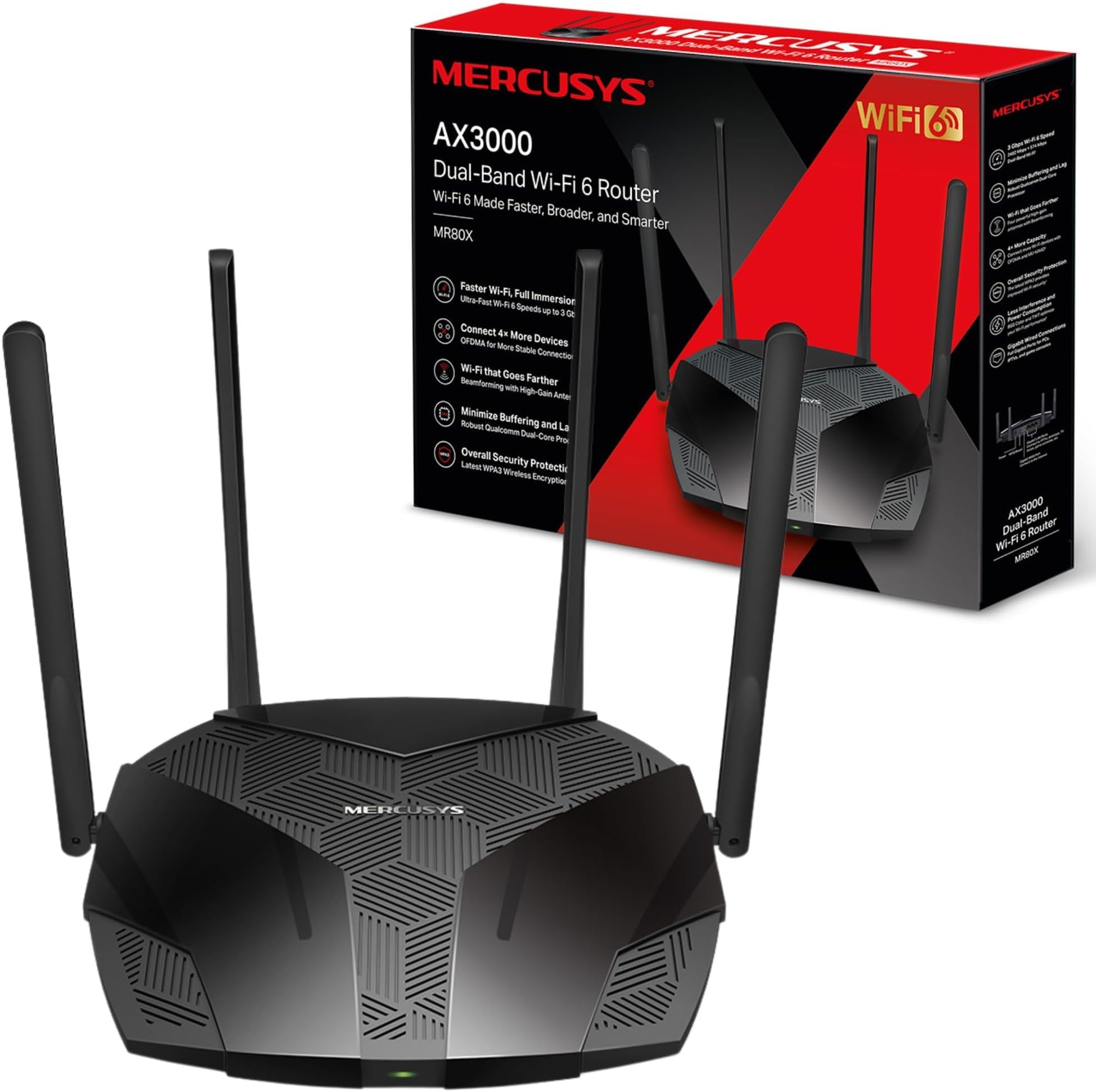
📝 DESCRIPCIÓNRouter Wi-Fi 6 de doble banda con 1.5 Gbps y funciones avanzadas de seguridad.* Modelo similar en Amazon: https://amzn.to/4czvE0i🧾 ESPECIFICACIONES- Velocidad Wi-Fi: 1.5 Gbps (1201 Mbps en 5 GHz, 300 Mbps en 2.4 GHz)- Tecnologías: OFDMA, MU-MIMO, Beamforming- Seguridad: WPA3- Wifi 9- Puerto Ethernet Gigabit📦 CONTENIDO- Router Wi-Fi 6 MERCUSYS MR1500X- Adaptador de corriente- Cable Ethernet- Manual de usuario📲 APP• Mercusys💶 PRECIO• 14 de julio de 2024: 34,99€🟢 PROS• Velocidades rápidas ideales para streaming 4K• Seguridad avanzada con WPA3• Amplia cobertura con cuatro antenas• Instalación fácil mediante aplicación• Ahorro de energía eficiente• Configuración rápida e intuitiva🔴 CONTRAS• No incluye puerto USB para almacenamiento• Las velocidades pueden variar según el entorno🛜 Wi-Fi 6Cuando se menciona “Velocidades Wi-Fi 6 de Próxima Generación” que alcanzan hasta 1.5 Gbps, se está refiriendo a la capacidad máxima teórica de transmisión de datos del estándar Wi-Fi 6.- Desglose de Bandas• 5 GHz: Esta banda puede ofrecer hasta 1201 Mbps.• 2.4 GHz: Esta banda puede ofrecer hasta 300 Mbps.- ¿A qué se refieren estas velocidades?Estas velocidades se refieren a la capacidad máxima de transmisión de datos dentro de la red local inalámbrica (Wi-Fi) y no directamente a la conexión de Internet que recibes de tu proveedor.- Comunicación Wi-Fi vs. Internet• Comunicación Wi-Fi: Es la velocidad a la que los dispositivos se pueden comunicar entre sí a través del router. Por ejemplo, transferir archivos entre una computadora y un servidor NAS en la misma red.• Conexión a Internet: Es la velocidad a la que tu router se conecta a Internet, limitada por tu plan con el proveedor de servicios de Internet (ISP).- ¿Por qué se indican estas velocidades?1. Capacidad Total: El Wi-Fi 6 puede manejar más dispositivos con mayor eficiencia y proporcionar velocidades más altas en una red local.2. Distribución de Ancho de Banda: La velocidad total (1.5 Gbps) es la suma de las capacidades de ambas bandas (5 GHz y 2.4 GHz). La banda de 5 GHz generalmente tiene más ancho de banda y puede manejar más datos, pero tiene un rango más corto en comparación con la banda de 2.4 GHz.- Límite del Puerto EthernetAunque el puerto Ethernet sea de 1000 Mbps (1 Gbps), el router puede manejar más de esa cantidad cuando se trata de comunicaciones Wi-Fi internas porque el Wi-Fi y el Ethernet no son mutuamente excluyentes:• Wi-Fi Interno: El Wi-Fi puede manejar hasta 1.5 Gbps en total, pero esto es para la comunicación entre dispositivos dentro de la red local.• Internet a través de Ethernet: Cuando el router distribuye Internet a través de un puerto Ethernet de 1 Gbps, esa es la velocidad máxima que puedes obtener de Internet a través de una conexión cableada.ConclusiónLas velocidades anunciadas (1201 Mbps en 5 GHz y 300 Mbps en 2.4 GHz) son capacidades máximas teóricas de transmisión dentro de la red Wi-Fi local y no están directamente relacionadas con la velocidad de tu conexión a Internet a través del puerto Ethernet. Por eso, aunque el puerto Ethernet tenga un límite de 1000 Mbps, el Wi-Fi puede ofrecer velocidades combinadas más altas para comunicaciones dentro de la red local.8️⃣ VALORACIÓNRouter Wi-Fi 6 que ofrece una buena combinación de velocidad, cobertura y seguridad a un precio accesible.Cuenta con Wifi 6 dual de 5 y 2.4 Ghz, con velocidades de hasta 1.5 Gbps lo hacen ideal para tareas que requieren ancho de banda, como streaming de videos 4K y juegos en línea.Viene con tecnología OFDMA y MU-MIMO válidas para si dispones de múltiples dispositivos, éstos puedan conectarse sin afectar el rendimiento, lo cual es perfecto para hogares con muchos dispositivos.Viene con el protocolo de seguridad WPA3, que nos aporta mayor protección de los datos personales contra posibles amenazas.Su instalación es sencilla gracias a su aplicación intuitiva, lo que facilita la configuración y el manejo del router, incluso para aquellos con poca experiencia técnica.Este Router viene con una App con administración inteligente de la programación wifi, en la que le puedes indicar las horas en las que queres que se habilite la WIFI. 📶La APP te permite una gestión agradable e intuitiva desde el smartphone 📱, que te permite realizar una modificación rápidamente.Cuenta con red de invitados, para mantener segura su red principal mediante la creación de una red separada para amigos y visitantesDispone de control parental, con los controles parentales puede administrar cuándo y cómo los dispositivos de los niños pueden acceder a internet.Viene con cuatro antenas NO son desmontables, que nos proporcionan una buena cobertura, con una señal robusta y estable en el hogar. No obstante, la zona de cobertura en mi caso, la cobertura tiene como unos 8 m de diámetro.A diferencia de otros modelos con más prestaciones, éste no viene con puerto USB para conectar dispositivos de almacenamiento, lo cual puede ser una limitación si tienes pensado montar una especie de servidor.En la parte posterior hay:· 2 puertos LAN GE· 1 puerto WAN GE (Internet)· 1 botón WPS / Reset· Jack de alimentación del RouterAl igual que otros modelos de router, algunos presentan lo que se llama "cuello de botella". Esto significa que, aunque tu router reciba una alta velocidad de Internet, por ejemplo entre 200 y 1000 Mbps, muchos routers no pueden manejar más de 100 Mbps. Por lo tanto, nunca alcanzarás velocidades superiores a 100 Mbps, aunque tu proveedor de Internet te esté ofreciendo más. Con este router, no tendrás esa limitación de velocidad y podrás disfrutar de hasta 1 Gbps (1000 Mbps).Este dispositivo puede funcionar en modo AP (Punto de Acceso) en el cual, puedes conectar la salida del Router de tu proveedor de internet al puerto Wan de este dispositivo y te permite crear tu propia red Wifi. Es ideal para zonas en donde no tienes cobertura y mediante un cable ethernet puedes ampliar la cobertura de WIFI. También puedes usarlo, si en el Router de tu proveedor, no tienes acceso a la configuración de la red Wifi, conectarlo al AC6 y crear tu red wifi personalizada.✅ CONCLUSIÓNEste router MR1500X ofrece una buena relación calidad / precio, con velocidades rápidas, amplia cobertura y avanzadas funciones de seguridad, adecuado para hogares modernos y conectados.👍 RECOMENDABLE.✳️ Espero que mi comentario ✍️ te haya podido servir de ayuda 😃