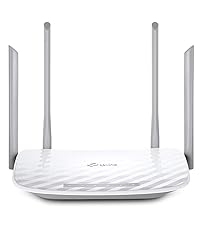
Desertcart purchases this item on your behalf and handles shipping, customs, and support to Japan.
🚀 Elevate your home network to pro-level speed & security
The TP-Link Archer AX23 is a Wi-Fi 6 dual-band router delivering ultra-fast 1.8 Gbps speeds with OFDMA technology for reduced latency and jitter. Equipped with a powerful dual-core CPU, beamforming antennas, and OneMesh™ support, it ensures seamless whole-home coverage ideal for gaming and 4K streaming. Advanced WPA3 security and intuitive TP-Link Tether app setup make it a future-proof, reliable choice for modern connected homes.


| Antenna Location | Business, Home |
| Antenna Type | Internal |
| Asin | B09VPRWGR7 |
| Best Sellers Rank | 756 in Computers & Accessories (See Top 100 in Computers & Accessories) 2 in Routers |
| Box Contents | Archer AX23 |
| Brand Name | TP-Link |
| Colour | Stealth Black |
| Compatible Devices | Gaming Console, Laptop, Personal Computer, Smartphone, Tablet |
| Connectivity Protocol | Wi-Fi |
| Connectivity Technology | Ethernet, Wi-Fi |
| Control Method | App |
| Coverage | Better Coverage |
| Customer Reviews | 4.5 4.5 out of 5 stars (15,906) 4.5 out of 5 stars |
| Data Transfer Rate | 1.8 Gigabits Per Second |
| Frequency | 5 GHz |
| Frequency Band Class | Dual-Band |
| Has Security Updates | Yes |
| Is Modem Compatible | No |
| Item Dimensions L X W X H | 26L x 13.5W x 4.2H centimetres |
| Item Weight | 0.76 Kilograms |
| Lan Port Bandwidth | 1000 Mbps |
| Manufacturer | TP-Link |
| Manufacturer Part Number | Archer AX23 |
| Maximum Upstream Data Transfer Rate | 900 Megabits Per Second |
| Model Name | Archer AX23 |
| Model Number | Archer AX23 |
| Number Of Antennas | 1 |
| Number Of Ports | 5 |
| Operating System | OpenWRT |
| Other Special Features Of The Product | Beamforming,Access Point Mode,Parental Control,External Antanna |
| Product Warranty | 3 Years |
| Router Firewall Security Level | High |
| Router Network Type | ROUTER |
| Security Protocol | WPA3 |
| Wi Fi Generation | Wi-Fi 6 |
| Wireless Compability | 802.11ax |
User
Finally a router that just behaves itself
I’m not going to overcomplicate it — this thing is fast. Proper fast. Everything loads instantly now, even with loads of devices connected at once. Gaming feels smoother, streaming doesn’t buffer, and downloads actually use my full internet speed.Setup was pretty simple. The app basically holds your hand through it, which I appreciated because I don’t like fiddling around in settings menus trying to guess what does what.What I really like is that I don’t have to think about it anymore. No random drops, no restarting it, no “why is the Wi-Fi slow again?” moments. It just sits there and does its job quietly.I’ve got a bit of a “everything needs to feel organised and stable” thing, and this fits that perfectly. The wired ports are also a big win for my PC setup — everything feels more consistent when it’s plugged in.Only downside is the price, and it’s definitely more router than some people will need. But if you want something solid, future-proof, and stress-free, it’s worth it.
User
Great boost to wifi.
I was having problems with my Virgin broadband router and the WiFi signal so I did some research and this router was highly rated.Firstly, the router looks great, it looks like it means business and is made to serve a purpose. I placed the virgin broadband into router mode and connect this device.After connecting via the app the whole setup was so simple and easy that even a not so tech savvy person like myself found it a breeze. I positioned the antennas in different positions and connected to the router using the original ID and password from the virgin router. This can be set during set up and is completly customisable.There are many different settings to choose from including 2.4 and 5 ghz and also guest networks. The speed of my WiFi increased drastically once having this plugged in and went from around 190Mbps to 270Mbps and the coverage also greatly improved across the house.I have had no complaints in regards to the router itself, my firesticks found it difficult to connect at first but once I connected using the WPS button they have worked as normal.I would highly recommend this item if your wanting to replace your ISP router. It is so easy to set up and use it is actually a doddle. I have since purchased additional booster for the garage which easily connects through the mesh network and again is so simple to install its virtually fool proof.If you want a new router, this is the one. Ive found it great for daily streaming in a house of 5.
User
📡 TP-Link Deco BE9300 – Wi-Fi 7 Performance That Blows Away Expectations
Having tested the TP-Link Deco XE75 Pro recently, I was disappointed by poor IoT connectivity and misleading port upgrades. I needed a better-performing mesh router—and the Deco BE9300 turned out to be exactly that.This Wi-Fi 7 powerhouse brings outstanding speeds, seamless device connections, and full 2.5Gb Ethernet support—all at a lower price than the XE75 Pro while delivering superior real-world performance.🛠 Setup & First ImpressionsJust like previous Deco models, setup was effortless—plug it in, connect via the app, and you’re online in minutes.✔️ Straightforward installation—fast and simple via the TP-Link Deco app.✔️ All devices connected instantly—no frustrating dropouts like the XE75 Pro.✔️ Solid build with a clean design—compact enough to blend into any space.I set it up as an Access Point, and everything worked flawlessly—no hidden config issues, no tweaking needed.⚡ Performance – Faster Than Netgear Orbi, Stable Across All DevicesThe Wi-Fi signal strength and speed were outstanding. In every corner of my house, I had strong coverage, and all devices connected seamlessly—a huge contrast to the XE75 Pro’s frustrating IoT issues.✔️ All four Ethernet ports are 2.5Gb—no misleading upgrades, unlike the XE75 Pro’s single high-speed port.✔️ True Tri-Band Wi-Fi 7 speeds—streaming, gaming, and smart home devices all ran effortlessly.✔️ Smart cameras now load instantly—no buffering delays like before.✔️ Even faster than my Netgear Orbi RBR50/RBS50, which had been my benchmark for years.Whether on wired or wireless, performance was consistently excellent.🔍 AI-Driven Mesh Stability & Real-World UsabilityUnlike the XE75 Pro’s band-switching issues, this system handled smart home devices perfectly. IoT gadgets stayed connected, avoiding the dropouts I experienced on the previous model.✔️ AI-driven optimisation enhances multi-device connectivity—everything feels faster and smoother.✔️ Multi-Link Operation (MLO) delivers low latency, especially for streaming and gaming.✔️ Works seamlessly with older devices—full backward compatibility with Wi-Fi 6, 5, and below.No frustrating network instability, just smooth and reliable performance.🏆 What Makes This Better Than TP-Link Deco XE75 Pro?✔️ Lower cost but significantly better performance.✔️ Four full 2.5Gb Ethernet ports—no misleading "Pro" branding.✔️ Wi-Fi 7 delivers speed and reliability—IoT devices stay connected.✔️ Network cameras now stream instantly, instead of buffering.The XE75 Pro’s connectivity flaws and misleading port marketing made it a disappointment—this router fixes every issue and costs less.🔧 What Could Be Improved?❌ Still limited network customisation—same software restrictions as other Deco models.❌ Single unit version lacks full mesh expansion—but a 3-pack is available. And it works harmoniously with other Deco units✅ Final Verdict – TP-Link's Best Prosumer Wi-Fi Mesh Yet✔️ Outstanding Wi-Fi 7 speeds & stability.✔️ Every device connects seamlessly—no IoT dropouts.✔️ Four full 2.5Gb Ethernet ports for future-proof networking.✔️ Cheaper than XE75 Pro but vastly better in performance.✔️ Handles streaming, gaming, and smart home automation effortlessly.❌ Still lacks advanced network controls found in competitors.👉 If you want a no-fuss Wi-Fi 7 upgrade with premium speeds and reliability, the Deco BE9300 is easily one of the best options on the market today. 🚀📡✨
User
Set up!
Easy to set up and unit is a stronger signal than BT's own router.
User
Great item and good price
Great item which works perfectly with our new Behringer Air 18 Mixing Desk.
User
Excellent
Much better than the NETGEAR Nighthawk X6 that it replaces. Connections were regularly dropping out. No drop outs at all with this router. Sensible price, easy to set up and reliable.
User
Easy to set up.
Very good. Fast and easy to set up. Highly recommend.
User
Very fast.
Work great.Very fast and very easy to set up.My faster than my previous Devo mesh.
User
Atende
Boa cobertura, atende ao proposto
User
Flawless entry-level router that hits above its weight-class.
This router (Archer C80) probably represents the last generation of Wifi-5 only devices, and as such is likely to be among the best we'll see of this kind. This device's pricing (~4.5K at the time of writing) puts it in the entry level, but make no mistake, this wireless router should work perfectly fine for most people.It's got a 3x3 MU-MIMO radio, with beam-forming, and every other wireless feature that is associated with Wave2 Wifi 5 routers. While it has excellent hardware features, note that it's quite light on advanced software features - so if you're looking for some specific feature, read the documentation before purchasing. As a basic wireless router, this device is almost perfect.I used this device to replace an aging TP-Link Archer C50 (v1), which only had a 100Mbit WAN port, and which couldn't handle more than 80Mbps over Wifi under the best of circumstances.I had two important considerations when purchasing this device:1. To remove any kind of bottleneck on the 5Ghz frequency band.2. To improve the usability of Wifi in a distant room (~10m, separated by 3 walls and furniture).## Close-to-mid range performanceAfter replacing the C50 with this device, my PC which is about 3m from the router, and seperated by 1 wall gets a flawless 150Mbps that my ISP offers (April 2021 Update: My ISP now offers 300 Mbps, and that works fine as well). External reviews indicate that this device should handle at least 600Mbps on 5Ghz. I have zero complaints about 5Ghz performance.2.4Ghz is usually a "backup" band for these days, since all recent devices support 5Ghz 802.11ac at minimum. On my Poco F1, at ~3m line of sight, I get about 120 Mbps on 2.4Ghz, which I think is perfectly fine, considering the limitations of this frequency band. I'm always using 5Ghz nowadays anyway, which is now limited only by ISP's plan speed.## Long-range performanceIn the more distant room (~10m, blocked by 3 walls and furniture), I have an old Dell laptop only has a 2.4Ghz radio. This couldn't even get a reliable Wifi signal with the older C50 router.While picking this device, I'd paid close attention to the wireless sensitivity specifications that TP-Link helpfully provides on its website, and noted that this device, while entry-level, sports some of the best numbers in its entire range, sometimes beating their highest end devices. I had high expectations from this router, and it did not let me down.After switching to the Archer C80, the old Dell laptop was able to get a solid connection with around 15 to 20 Mbps on the 2.4 Ghz band. However, since that speed wasn't good enough, I purchased a TP-Link T9UH adapter (AC1900) to see if that would improve things, and indeed it did.With the upgraded Wifi receiver, even the distant room got a reliable ~140 Mbps on the 5Ghz band. In this room, even my Poco F1 is unable to stay connected to the 5Ghz signal, so it probably also has to do with the excellent performance of the T9UH adapter, which is also a modern 3x3 MU-MIMO device that supports beamforming; the router and the adapter have matching specs.## ConclusionAt this price point, I don't think there is any alternative to this device. The closest modern TP-Link alternative is the Archer AX10, a first-generation Wifi-6 (802.11ax) device that I didn't have a use for. I don't own a single Wifi-6 device and it'll be a few years yet before Wifi-6 devices become commonplace.Also, Wifi-5 (5Ghz, 802.11ac) is clearly good enough for a couple of years; I doubt that Gigabit internet connections will become standard in the short-term and a ~500 Mbps connection from the ISP should be fine for ~99.99% of people for the next couple of years - a speed which the C80 should be able to handle perfectly fine.
User
Capable wireless AC router
Box comes with router, power adapter, network cable and an illustrated setup guide. Setup was straightforward and quick. Wifi signal is strong and stable; my MBP RSSI reading is -30 dBm, which is much higher than the previous wireless AC router (-38 dBm) that it replaces. Great buy and value.
User
Love It
Loved having a separated WiFi for the home devices, guests and home. USB port which can be used for local network storage. Among other software features.
User
Router Wi-Fi potente e affidabile
Ideale per casa o ufficio. Il TP-Link Archer C80 offre connessioni Dual Band AC1900 veloci e stabili, perfette per streaming, gaming e smart working.Le 5 porte Gigabit e la compatibilità con FTTH/FTTB/Ethernet garantiscono massima connettività cablata, mentre la tecnologia MU-MIMO Wave2 e OneMesh assicura copertura estesa e prestazioni ottimali su più dispositivi contemporaneamente.Prodotto ben costruito, facile da configurare e performante, perfetto per chi cerca un router veloce, versatile e affidabile per tutte le esigenze di rete domestica.
Trustpilot
2 months ago
2 days ago