

🚀 Elevate your everyday hustle with power, style, and all-day freedom!
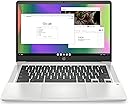
The HP Chromebook 14 (2022) combines a lightweight, ultra-portable design with a 14-inch anti-glare HD display and a quad-core Intel Celeron N4120 processor. Equipped with 4 GB RAM and 64 GB eMMC storage, it supports smooth multitasking and fast 4K streaming via Intel UHD Graphics 600. With up to 14 hours of battery life and HP Fast Charge, it’s built for all-day productivity and entertainment. Chrome OS ensures security and access to millions of apps, while Wi-Fi 6 and Bluetooth provide robust connectivity. ENERGY STAR certified and EPEAT Silver registered, it’s a sustainable choice for professionals on the move.


| ASIN | B09SVSBVP1 |
| Audio Output Type | Headphones, Speakers |
| Audio Recording | Yes |
| Automatic Backup Software Included | Cloud services: Google Assistant, Cloud services: Google One, Cloud services: Google Play Store |
| Battery Average Life Standby | 14 Hours |
| Battery Cell Type | Lithium Ion |
| Battery Life | 14 Hours |
| Best Sellers Rank | #73 in Computers & Accessories ( See Top 100 in Computers & Accessories ) #7 in Traditional Laptop Computers |
| Bluetooth support? | Yes |
| Brand | HP |
| Built-In Media | Chromebook 14a-na0226nr |
| CPU Model | Celeron |
| CPU Model Generation | 5th Gen |
| CPU Model Number | N4120 |
| CPU Model Speed Maximum | 3.8 GHz |
| Cache Memory Installed Size | 4 MB |
| Camera Description | Front |
| Color | Mineral Silver |
| Compatible Devices | External displays, mice, keyboards, storage devices, printers, and other USB/HDMI/Wi-Fi/Bluetooth enabled devices |
| Connectivity Technology | Bluetooth, USB, Wi-Fi |
| Control Method | Touch |
| Customer Reviews | 4.3 out of 5 stars 2,769 Reviews |
| Display Resolution Maximum | 1366x768 Pixels |
| Display Technology | HD |
| Display Type | micro-edge, anti-glare |
| Form Factor | Ultra-Portable |
| Graphics Card Ram | 4 GB |
| Graphics Coprocessor | Intel UHD Graphics 600 |
| Graphics Description | Integrated |
| Graphics Ram Type | DDR4 SDRAM |
| Hard Disk Description | Emmc |
| Hard Disk Interface | Solid State |
| Hard Disk Size | 64 GB |
| Hard-Drive Size | 64 GB |
| Hardware Interface | 802.11 ac/b/g/n, Bluetooth, Headphone, USB 3.0 Type A, USB 3.0 Type C |
| Has Color Screen | Yes |
| Human-Interface Input | Keyboard, Touch Pad |
| Item Dimensions L x W x Thickness | 12.82"L x 8.6"W x 0.7"Th |
| Item Type Name | Laptop |
| Item Weight | 3.24 Pounds |
| Keyboard Description | Full-size |
| Keyboard Layout | QWERTY |
| Lithium-Battery Energy Content | 47 Watt Hours |
| Manufacturer | Hewlett-Packard |
| Memory Clock Speed | 1.1 GHz |
| Memory Speed | 2933 MHz |
| Microphone Form Factor | Built-in |
| Model Name | Chromebook 14a-na0226nr |
| Model Number | 14a-na0226nr |
| Model Year | 2022 |
| Native Resolution | 1366 x 768 pixels |
| Notebook Pointing Device Description | True multi-touch touchpad |
| Number Of Cells | 2 |
| Number of Ports | 4 |
| Operating System | Chrome OS |
| Optical Storage Device | No Optical Storage Device |
| Other Special Features of the Product | Display: 14.0-inch diagonal, HD (1366 x 768), micro-edge, anti-glare, Operating system: Chrome OS, Processor: Intel Celeron N4120, nternal storage: 64 GB eMMC |
| Processor Brand | Intel |
| Processor Count | 4 |
| Processor Series | Celeron |
| Processor Speed | 1.1 GHz |
| RAM Memory Installed | 4 GB |
| RAM Memory Technology | DDR4 |
| RAM Type | DDR4 SDRAM |
| Ram Memory Maximum Size | 4 GB |
| Refresh Rate | 60 |
| Resolution | 4K |
| Screen Bezel Thickness | 14 |
| Screen Finish | anti-glare |
| Screen Size | 14 Inches |
| Speaker Description | HD Audio with stereo speakers |
| Specific Uses For Product | Business, Gaming, Personal |
| Total Number of HDMI Ports | 1 |
| Total Usb Ports | 3 |
| Touch Screen Type | Capacitive |
| Touchpad Feature | [Advanced] |
| UPC | 196548344550 |
| Video Output | hdmi |
| Video Processor | Intel |
| Voltage | 5 Volts |
| Warranty Description | 1-year limited hardware warranty, 90 days limited technical support for software and initial setup (from date of purchase) |
| Warranty Type | Limited |
| Webcam Capability | Yes |
| Wi-Fi Generation | Wi-Fi 6 |
| Wireless Compability | 802.11a/b/g/n/ac, Bluetooth |
| Wireless Technology | Bluetooth, Wi-Fi |
M**O
Lightweight, Fast, and Perfect for Everyday Use!
I’m really impressed with this Chromebook. It’s lightweight and easy to carry, but still feels sturdy and well made. The setup was quick and simple, and it runs fast with no lag for web browsing, streaming, and everyday tasks. The battery life is excellent—I can go most of the day without recharging. The screen is bright and clear, and the keyboard is comfortable to type on. For the price, it’s an amazing value and perfect for work, school, or travel. Highly recommend!
B**N
Good Laptop At A Fair Price
For the price, this laptop gets a 5 star rating. Well, more like 4.5 but I couldn't give it that. It's a good sized laptop with a clear screen. It's pretty darn fast and it looks pretty sharp. Speakers are decent but not mind-blowing and for what it's worth, it has a camera, which is, again, passable, not mind-blowing. The keyboard on the one I got is more of a darker grey (it's advertised as ash grey, which I believe is a lighter color) but I actually like the darker keyboard better. Typing on the keyboard is pretty smooth too. It could use one or two more outlets on the sides though. You only get one USB Type-A port, one USB Type-C port and a headphone jack. Fine if you're more of a minimalist, but not ideal for multi-tasking work. Also, a little tip; When powering on, all you need to do is press the power button, NOT press and hold. I didn't realize that at first and thought initially that their was a problem. Just a piece of advice. Overall, it's a good laptop, at a fair price and should work well for the "Average Joe". I just got it, so the only question I have is, how long will it last? Hopefully it lasts me quite a while. But we'll see. I also got one of the recommended carrying cases for it, but that's another review for another time. Overall Rating: 4.5/5 stars.
T**T
Good Product
the computer works really well . I really like it
A**A
Great Chromebook for Someone Who Is Rough on Laptops
I bought this Chromebook for my husband, who is absolutely brutal on laptops. He grabs them by the screen, tosses them on the couch, and generally treats them like they’re indestructible. So far, this one is holding up great. It feels surprisingly rugged, has a nice large screen, good picture quality, and solid audio. Setup was incredibly easy—if you already use Google (Gmail, Chrome, YouTube, etc.), you’re up and running immediately. Important expectations check: this is a Chromebook, not a full Windows laptop. You’re not loading traditional programs like Excel unless you’re using Google Docs, and everything runs through apps and the browser. For what he uses it for—YouTube, web browsing, email, and general everyday stuff—it’s perfect. Pros: • Feels sturdy and durable • Large screen with good picture • Easy setup if you use Google products • Great for everyday browsing and media Cons: • Not ideal if you need full desktop software • Limited to apps and browser-based tools If you need a simple, reliable laptop for browsing, videos, and basic tasks—especially for someone who isn’t exactly gentle—this is a great choice.
G**A
The quality is nice, the screen is large, the back light
I love The Chromebook is. its worth the price very lite not heavy at all I do recommend the Hp Chromebook os for children, teens and seniors
C**W
Inexpensive and Easy to Use
I have purchased other laptops costing much more. This Chromebook model is inexpensive and easy to use.
B**B
Perfect laptop for kids’ homework and parental controls
We bought two of these for our kids to use for homework, and we would absolutely buy them again. You really can’t beat the price point for what you get. What mattered most to us was the parental controls, and these have been excellent. We receive a daily email showing what our kids have searched, and we can easily lock down content, which was very important to us. They’re also super easy for kids to use and navigate, even if they’re just learning how to use a laptop. The keyboard is comfortable, the keys are easy to press, and everything feels very straightforward and intuitive. The laptop itself is lightweight, which makes it easy for kids to carry around. It uses a USB-C charger (the same type many Apple products use), which we love because it’s universal and easy to replace if one goes missing. Overall, this has been a great choice for schoolwork and basic use. Simple, reliable, and very kid-friendly.
D**.
Nice little extra device, but not for professinal work.
Ok for social media. but i was really hoping to use it for work, it wouldn't install a vpn. Very disappointed.
Trustpilot
2 weeks ago
2 weeks ago