Desertcart purchases this item on your behalf and handles shipping, customs, and support to Japan.
🚀 Elevate your productivity with panoramic power and vibrant precision!
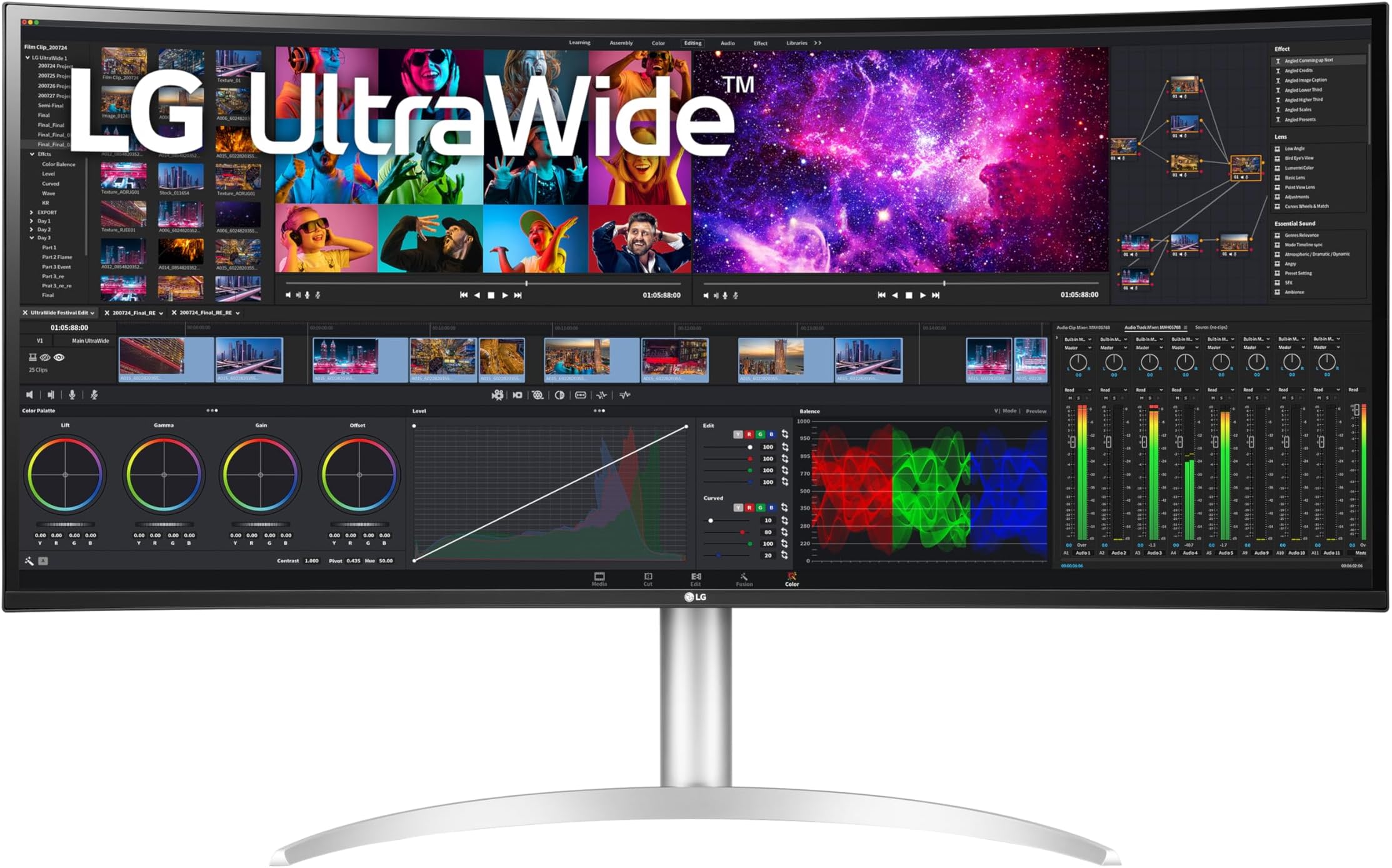
The LG 40WP95C-W is a 40-inch UltraWide curved monitor featuring a stunning 5K2K (5120x2160) Nano IPS display with 98% DCI-P3 color gamut and HDR10 support. Designed for professionals, it offers Thunderbolt 4 connectivity with 96W power delivery, a virtually borderless 3-side design, and an ergonomic adjustable stand. Perfect for creative work, video editing, and immersive entertainment, it combines high resolution, vivid colors, and versatile connectivity in a sleek, modern package.


| ASIN | B09P1VLCQ4 |
| Adaptive Sync | FreeSync |
| Additional Features | Black Stabilizer |
| Aspect Ratio | 21:9 |
| Best Sellers Rank | #92,299 in Electronics ( See Top 100 in Electronics ) #2,155 in Computer Monitors |
| Brand | LG |
| Brightness | 300 candela_per_square_meter |
| Color | Black |
| Color Gamut | 98 |
| Compatible Devices | Laptop |
| Connectivity Technology | DisplayPort, HDMI, USB Type C |
| Contrast Ratio | 1000:1 |
| Customer Reviews | 3.8 out of 5 stars 409 Reviews |
| Display Resolution Maximum | 5120 x 2160 pixels |
| Display Technology | LED |
| Display Type | LED |
| Hardware Connectivity | DisplayPort, HDMI, Headphone, Thunderbolt, USB Type C |
| Image Contrast Ratio | 1000:1 |
| Included Components | Cables: Display Port, HDMI, Thunderbolt, Monitor, Power Cord, Stand, Warranty & User Manual |
| Item Dimensions D x W x H | 11.1"D x 37.3"W x 24.2"H |
| Item Weight | 12.3 kg |
| Manufacturer | LG Electronics |
| Model Name | LG 40WP95C-W 40” UltraWide Curved WUHD |
| Model Number | 40WP95C-W |
| Mounting Type | Wall Mount |
| Native Resolution | 5120x2160 |
| Number of Component Outputs | 2 |
| Picture Quality Enhancement Technology | HDR10 |
| Pixel Pitch | 0.18 |
| Power Consumption | 80 watts |
| Processor Count | 1 |
| Refresh Rate | 72 hertz |
| Resolution | 5K WUHD 2160p Ultra Wide |
| Response Time | 5 milliseconds |
| Screen Finish | Matte |
| Screen Size | 39.7 inches |
| Screen Surface Description | Matte |
| Shape | Curved |
| Specific Uses For Product | Business, Photo Editing, Video Editing |
| Total Number of HDMI Ports | 2 |
| Total Thunderbolt Ports | 2 |
| Total USB 3.0 Ports | 4 |
| Total Usb Ports | 4 |
| UPC | 195174010747 |
| Unit Count | 1 Count |
| Viewing Angle | 178 degrees |
| Voltage | 240 volts |
| Warranty Description | Limited: 1 Year Parts & Labor |
| Warranty Type | limited warranty |
H**0
Just works with an M1 MacBook pro
First off, a lot of the reviews here are pretty old, and there is a lot of grief about not working with MacBooks. I have a 16" MBP M1, and if just worked. Take the Thunderbolt cable (not the usb-c cable, use the one with the lightning bolt on it), and plug it into the top Thunderbolt port on the back of the monitor. In the LG menu, tell it to use Thunderbot. Voila. Full resolution, crisp text. You will definitely want to crank the brightness up to 100 if you have windows nearby. My office is all windows on one side, but only gets morning sun. I set this up on a wall that does get some sun, and I can see it fine, but I don't have any other lights on in the room. This is replacing an Asus ProArt P328 monitor (4k, 32") and it is just as bright as that one. Note: if you put it in HDR mode in the LG menus, it makes the whole display so dim as to be unusable. That is so that it can meet the contrast levels of HDR while still peaking at about 300 nits. As far as real estate, if you are already using a 40" monitor, it's a little better, but not life-changing. I have two 32" monitors, one horizontal and one vertical, and it is a LOT more space than this. However, I cannot overstress how nice it is to have just one cable plugged into my mac for the equivalent of two 27" monitors, all while charing my Macbook. In the picture, you can see a Blue USB mic, which is happily plugged into the USB ports on the right side of the monitor. You can add another Thunderbolt monitor by using the other Thunderbolt port on the LG and daisy-chaining. Again, one connection to the Mac for everything. Overall, I like it. Not cheap, but if crisp text and a decent refresh rate (72Hz) is what you need, this delivers.
A**0
Love it!
New review: Received replacement monitor. Could not be happier! Love the size and aspect ratio, text crispness, smoothness and overall apparent quality. My eyes really like viewing this monitor. The 120hz @ 4K (5K) is really nice, I don't do much gaming but even normal mouse/window movement is noticeably smoother and feels more precise. Running this on a mobile 4080 via Thunderbolt. Old review: Monitor was defective on arrival. Turned on, beeped, screen was blank, smelled burning, got vertical lines on the right side of screen. Tried resetting a few times of course, tried other inputs, but given that I've bought over 30 monitors in the past couple decade and have a little experience, it's obvious this has a power/hardware issue and is DOA. I've ordered a new one and will update my review when it comes in and I've had a chance to work with it. Thanks Amazon for the easy return process.
J**S
Nice Monitor if it didn't arrive Broken
So this review is more about my frustration with my experience with the monitor not working and less about how nice the monitor is. The monitor is very nice, perfect size for me, bright enough and looks great. On the PC it scales perfectly and i love the extra real estate. With my Mac Studio the inability to increase the scaling size is annoying so at a higher res 5120x2160 the text is pretty small so you have to change to a lower resolution to see it properly. What is wrong and why I am giving this one star is because I am getting ready to send back monitor number 2, wait for a refund, then wait for the price to hit a number that I want, then order it, then wait for delivery. The first monitor worked great, but had a cracked screen. Second monitor did not have a cracked screen Yay!! but the thunderbolt port does not work. I called and trouble shooted with LG, tried a new cable, called Apple to make sure it was not the Mac Studio and it was not. I called Amazon and asked if they could send me a replacement and then I would send this one back since its all set up hooked to my Mac (Mac is working with a HDMI cable, but I paid for the thunderbolt port to work) and PC and they said they could not because it was sold by a third party. I asked if the could by pass that policy and send it to me anyways and they said they could not. So now I am deciding if I want to try for my third LG monitor and wait a month or so to get it if the price hits what I paid for this one or get something completely different. I did a lot of research and chose this one for a reason, so I will have to decide while I wait for the refund. Very frustrated and annoyed!!
K**T
Perfect ultra-wide monitor for Mac
I've had two LG 4K monitors attached to my Macs, both at home and in the studio, for years, and have always thought they were absolutely perfect in every way. That made the choice easy when I decided it was time to go "ultrawide". I chose the best LG full 5K2K monitor I could find, and now that I have worked with it for a week, I couldn't be happier. This monitor is just plain gorgeous. With a 72Hz refresh rate at a full 5120x2160, the image quality is superb and smooth and responsive. The ability to drive it with Thunderbolt 4 was an important consideration for me. I have my MacBook Pro on Thunderbolt and my Mac mini M4 Pro on DisplayPort, both connected at the same time. A quick little input selection switch, and I can bring either one of them up on the screen at full resolution. The curvature is not extreme, and feels so natural. When I work in my Digital Audio Workstation of choice (PreSonus Studio One), being able to spread the whole UI out to 5120 pixels is a great boon to productivity. Everything just looks so good. Crisp and clear. I really like this monitor, and I would recommend it to anyone looking to move to this format.
R**L
Second monitor working well after two years
Update: I've had this replacement for over two years without a hint of any issues--very satisfied! I had to return my first one because it developed a serious burn in the screen within the 30 day window. I searched high and low online for something comparable given my criteria but I couldn't find anything, so I took a chance with a second unit, and after a few months it hasn't done that again. If you read through the negative reviews you will find a few others complaining of the same, and unfortunately for some of them it happened after the return window so they had to deal with repair. I did purchase the extended warranty just in case and am hoping for the best. After all, there are in fact many positive reviews. This replaced 2 32" Samsung monitors. When you read a lot of professional reviews, people will nit pick on issues that are not really that important for most users. Like the brightness is not good enough. But I can confidently say this is more than bright enough for my needs, and if anything, I don't believe staring at a very bright monitor all day is healthy for your eyes. I have the brightness set to 70/100. So I did lose some real estate with this single monitor, but because I have been fighting neck pain issues in part from looking to the right too much over the years, I realized that a wide single monitor was better suited for me. I did try using the PBP option for my laptop but it was a bit limiting. And navigating the joystick to change options between inputs is not convenient at all, so getting around to trying the screen sharing was a solution to that problem. If you have an older Macbook, you may need to go through the settings to adjust the Screen Sharing preferences for the faster option to get better performance, which at times will affect quality. I just got a brand new M3 laptop so I'm looking forward to seeing if that performs better. I have this attached to my Mac Studio, and access my work laptop via OS X Screen Sharing. So the laptop fits into a window that is smaller than the resolution of the main display, which is 3840x1620. It does support 5120x2160 but everything is really too small to read at extended arm's length, and so is a recipe for eye strain. I don't use this for gaming. I bought a color calibrator but haven't gotten around to using it yet. Bottom line is this is a great option for a Mac. I see people complain that the back is plastic, but so what? It's not something portable that requires more durability. The wide base gives it a good deal of stability. But there are quality control issues, so I definitely suggest an extended warranty.
W**N
Super productivity monitor!
My use case: I'm a designer. Mostly software, but also hardware (mechanical design and schematic capture/PCB layout) I work in Windows 10 using a Radeon Pro WX7100 display card and professional driver. My experience has been pure plug and play, though I did need to select 5120x2160 resolution in display options. I don't game. Driver certification for my CAD software and stability are what matters to me. I'm driving the display via Displayport at 60 Hz. Haven't tried 72Hz because it has no advantage to me. I have no experience with using the monitor on Thunderbolt or HDMI. (Note that HDMI limits you to 30Hz at native resolution. Boo!) My impressions: It's really wide! However, not so wide as to be unwieldy. Build quality is really nice. Looks and feels solid. It's fairly heavy at about 25 lbs. You'll need a sturdy monitor arm if you don't use the supplied stand. I'm using the Ergotron HX arm which works really well with it. I haven't tried the supplied stand. This monitor replaces an LG 31MU97-B which had the most resolution I could get when it came out (4096x2160) It offered a distinct advantage over standard 4K, but this monitor puts it to shame. It gives you 1/3 more screen width than a standard 4k. If you have a lot of context to display in your work as I always do, it makes a huge difference. The biggest advantage is in PCB layout. If there is a better monitor for that job I haven't seen it. Being able to view fine detail over such a large area of the design is a huge advantage! Image quality: The screen has a matte finish, but it isn't overdone. I think it's a really good compromise. It limits glare and reflections, but doesn't compromise contrast and sharpness noticably. It's an IPS panel so as you'd expect, contrast isn't all that great, but it's quite good. Brightness is so-so, but again, I find no reason to complain. Off axis color and overall image quality is really good as you'd expect from an IPS panel. My unit has no noticable light leakage around the edges which is a common complaint with IPS panels. LG seems to have really gotten this panel tech right finally. Color accuracy seems really good though I haven't done any measuring. I use it at 100% scaling and I find that the text in Windows native interfaces is very sharp and readable though quite small. (If you need larger text, use scaling. Don't run the display at lower resolutions. You'll be wasting the money you paid for the resolution this monitor provides.) This monitor runs 140 dots per inch. This is about the same as large (31") 4K monitors. Otherwise: The Displayport cable LG provides is just long enough for me at about 6 feet. The super-thin bezel on top and sides looks nice when it's off, but it's something of a scam because the actual screen area is smaller. There is about a 1/2" effective border all around. Bottom line: If you need lots of sharp, effective screen real estate, this is your monitor. I'm really pleased with it and already seeing real advantages in my work. Additional thoughts after some time living with the monitor: The screen curvature is a good compromise. It's not so great that it's distracting. I don't find the curvature to be an issue when doing mechanical CAD work which I had worried might be the case. You'll see a lot of complaints about scaling issues in other reviews. This is a Mac thing. It isn't an issue in Windows 10 or 11 which do scaling really well. I use the monitor in a well controlled environment. If I had big windows with tons of uncontrollable sunlight or super-bright office lighting not under my control I would likely find the modest brightness to be an issue. But in my environment it's not a problem. I'm running the brightness at 100 and the contrast at 73 currently. I find this gives about the best photo image reproduction and looks good across my other uses. The joystick controlled on-screen setup menus take a little getting used-to, but they are pretty comfortable once you get the hang of them. The sharpness adjustment can get you in trouble if you aren't careful. Leave it at around 50 to 60 which seems to be the neutral point. Like sharpness enhancements in photo editing software it uses 'overpeaking' to increase apparent sharpness. It creates artifacts that aren't part of the original image. Note that the other monitors of this size from Dell, Lenovo and others all use the same LG manufactured panel. There isn't much to choose between them unless one offers specific connectivity advantages to you. I can't comment on the built-in speakers. I Haven't used them. All in all, after using it for a while, I'm satified I made the right purchase. Update after nearly two years use: Still looks and works great. No issues. My best monitor purchase so far.
P**E
Had Two of These - Both Dead - UPDATED - Kept it
FOUR MONTH UPDATE: After the monitor arose from the flickering dead, I decided to hang onto it a bit longer. The issue happened two more times over the four months that I've had it. Both times I waited about 30 minutes and it went away. I really love this monitor and gave it a couple stars back, but the fact that it's now out of its 30-day return window leaves me with some anxiety over its longevity. Basically I'm crossing my fingers on a $1600 monitor. Not a great experience. ONE WEEK UPDATE: DEAD x2 The first of these monitors I bought was used in "good" condition from Amazon. After a week it started flickering and then the image retention thing happened (read other one-star reviews). Figured that's why it was returned the first time, so I sent it back, paid a few hundred dollars more for a brand new one. After about a week the same thing happened again. After doing some hefty research there's no fix. However, I left it unplugged overnight and the problems seems to have fixed itself for now. Not sure what to do with this unit. I don't trust it out of warranty, but it's the perfect format for my setup. Very disappointing.
R**X
Serious Real Estate
For decades I had been only interested in all-in-one computers. I like the limited amount of wires. After having two 27-inch iMacs, the Studio model was way too much for my needs, and I went for the down-sized iMac instead. The limited real estate looked doable, but there wasn’t enough room to park things on one-level to create new spreadsheets. After seeing a computer connected to a 32-inch monitor, I wanted an ultra-wide. I researched various monitor brands and models, and the LG 40WP95C-W had the most favorable reviews, had great features, and would fit on my limited work space. The slightly curved screen was a perfect plus for its breadth. There was plenty of vendor-supplied data to review before ordering, as well as online videos and reviews. In preparation for ordering the monitor, I upgraded my work space lighting along with other minor ancillary modifications while repurposing my existing external devices. The result would make my experience better and more productive as I no longer would have to get up to connect legacy devices. All connections would be available on a 30x21 pull-out tray with the wires out of sight. Upon receipt of the monitor, I found it was easy to assemble, and the metal stand sturdy. I connected the LG 40WP95C-W monitor to a newly-acquired Mac mini M2 Pro using the provided Thunderbolt 4 cable (1.5 m). The monitor was pre-set to DisplayPort 1.4, so it had the maximum resolution out of the box, which yields crisp text. I felt all the other settings (color, response, finish, etc.) were fine as is. The only surprise was the small size of the cursor on the “hello” screen. Once I located it, I was able to resolve the issue. The Mac mini M2 Pro, coupled with the 40WP95C-W are an awesome twosome. M2 Pro power and a desk-full of beautiful monitor space. With this configuration, I have three speakers to choose from. The one coming from the bottom of the monitor is adequate for most tasks, however I prefer my stereo set with the hockey puck controller as I often play music. The best part is the available real estate. How many related panels (mostly spreadsheets) can I fit on one level within the screen? Ans. - Many! Portrait-shaped panels across the top and landscape-shaped ones below. It makes tasks more productive and less frustrating. Instead of focusing on flipping/scrolling from one overlaying panel to another, I can focus on what the data reveals. That’s invaluable. The frosting on the cake is how my scenic wallpapers display on the monitor. They add another dimension to the experience from the details in the photos to the beauty they add to my work space experience. It is more than I had hoped it would be. As I seek new scenes to try, I look for ones with many, many pixels. Experiences/Adjustments - For those who have noted the monitor not waking up from a sleep, I had the same experience. Once after recovering, I also decided to do a Restart on the Mac, and have not had another event since. Also, after viewing updated power consumption specs at the manufacturer’s website, I additionally turned off Deep Sleep Mode. Finally, as a result of building this configuration, I have financially decoupled replacing the monitor from upgrading the computer, and its economic impact on computing going forward. PS - One adjustment to Pages Click on Pages: click on Settings; click on General; click on Default Zoom and change to 150%. M4 Upgrade I swapped my Mac mini M2 Pro for a Mac mini M4. It is compatible with this LG monitor (Thunderbolt 4 connection and DisplayPort 1.4 option). The M4 is one zippy chip, so I skipped the expense of buying an M4 Pro and saved money doing a trade-in. I feel I have the ultimate computer system. The Thunderbolt 4 connections do the heavy lifting, and the USB-C connections (with/without dongles) and the 3.5mm headphone jack are for ancillary tasks. I’m set until the next generation of monitors is available. To my knowledge, this the only monitor in this screen size that is Mac compatible. For me, the screen dimensions are perfect! Final thoughts before upgrading After helping a family member with a challenge dealing with an internet site, email notification, and storing documents related to the issue, and each of these dominated the laptop screen requiring switching panels at every turn. On this monitor, you can have all of those (and more) in its own space on the LG and see what is going on in any of those panels simultaneously. Priceless! Life becomes simple. The Thunderbolt 5 version is apparently now on the market. I'm waiting to see how it performs, and for prices to come down. For the Mac mini, and external SSDs as well. Looks promising. And considering what the cost of no longer needing this monitor and retiring it have me thinking of gifting a family member with this one when I go to replace. Then they can enjoy the benefits of this size screen to make their lives easier.
S**N
Still working great after a year of extensive use
Great monitor, still working great in my home office where it has been running for 12-14 hours every day for the last full year. Top-notch 5K picture quality, large screen size, stylish look, LG has done a good work with this monitor! The only drawback is inadequate sound quality, but it is normally expected from monitors, and it is an easy fix too.
S**L
Excellent Monitor
Excellent Monitor – Reliable and Stunning Display I've been using this monitor in my home office for 12–14 hours a day over the past year, and it's still going strong. The 5K picture quality is top-notch, the large screen size is perfect for productivity, and the sleek, stylish design is a bonus. LG really nailed it with this one. The only downside is the sound quality, which is pretty basic—but that's expected with most monitors and easy to fix with external speakers.
M**N
Best monitor I have ever had
One you go ultra wide with this level of colour accuracy you will never go back and question why you did not buy it sooner.
F**U
Un immense espace de travail sans sacrifier la qualité d’image
Je suis vraiment impressionné par cette immense surface de travail qui me permet de faire du multitasking, de la retouche photo et de l'édition vidéo de manière fluide. Ce moniteur dispose de tous les connecteurs les plus récents, ce qui en fait une station d'accueil idéale pour mon ordinateur portable. L'aspect sans encombrement de moins de câbles est un vrai plus, et le fait qu'il puisse alimenter en électricité mon laptop via Thunderbolt simplifie grandement mon espace de travail. C'est exactement ce dont j'avais besoin pour être plus productif.
S**L
Broke after 1 year
The screen suffered from flickering and then broke after 1 year when it was past warranty avoid
Trustpilot
2 weeks ago
3 days ago