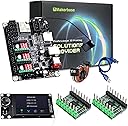
๐ Elevate Your Engraving Game!
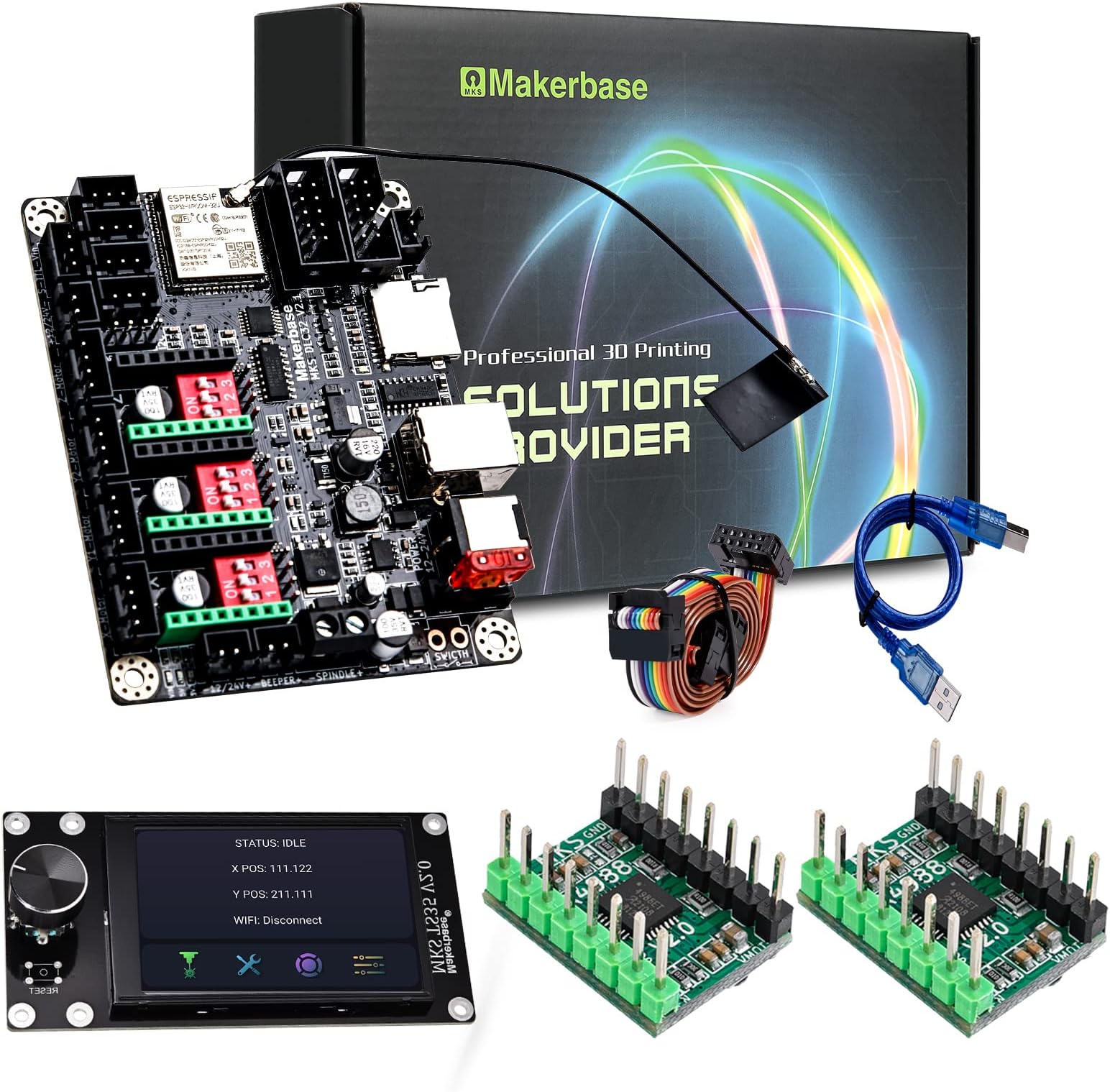
The Makerbase MKS DLC32 is a cutting-edge laser engraver mainboard upgrade designed for DIY enthusiasts. It features a powerful 32-bit ESP32 module, supports both offline and online operations, and offers seamless control via mobile app and web interface. With high-speed engraving capabilities and compatibility with popular software, this device is perfect for both beginners and seasoned makers.


| ASIN | B09M8BBGQS |
| Best Sellers Rank | #794,171 in Arts, Crafts & Sewing ( See Top 100 in Arts, Crafts & Sewing ) #2,364 in Jewelry Making Engraving Machines & Tools #11,369 in Craft Cutting Tools |
| Brand | Makerbase |
| Brand Name | Makerbase |
| Color | Black |
| Customer Reviews | 3.9 out of 5 stars 58 Reviews |
| Display Type | Touchscreen |
| Included Components | MKS TS35 |
| Manufacturer | MAKERBASE |
| Material | Plastic |
| Material Type | Plastic |
| Model | MKS DLC32-TS35 |
| Number of Items | 1 |
| Part Number | MKS DLC32-TS35 |
| UPC | 799715657066 |
| Unit Count | 1 Count |
T**N
Nice product and works really well for the money.
Not the best instructions but you can figure it out if you work through it. Works really well.
A**5
Great for GRBL engraver!
Great product for grbl engraver! I bought a cheap engraver a while back and this was a complete upgrade! I was expecting just the motherboard for the price, but a screen with it is great. I installed it in the matter of 15 minutes. The only issue is had was that my engraver was S VVL and not 12/24. A few arguing cables worked, and I was up and running. Would buy again
D**N
Doc's suck, if you can find then
Hardware: looks good, it seems to be built good and for the most part works. Benched tested with 3 steppers. Only could get 2 to work being there seems to be no way of using the Z axes in laser mode. The USB interface ( windows gives and error saying the device refuses to give ID) is not working. As of now I would give the hardware 3 stars. Documentation: What documentation I could find is for the older boards. Get Hub seems to not have any thing for the V003 board. I did find a wiring PDF that help a lot but not easy to find. As of now I would give documentation 1 stars. Online Support: Very little!! most on older hardware... As of now I would give it 0 stars. Configuration: To configure you will either need to use the Web inter face, mobile app, or file on SSD card. Can't setup by touch screen!!! What good is a off line controller if you need to be on line to set it up. What you say you can use a file and SSD card, but wait there is not example config file for this version... Should I take a chance that the V001 will work???? No Doc on what the settings are. So you have to use the Mobile app or web interface, I use the web interface and copied all the settings to make my file. As of now I would give it 2 stars. Note: Says it works with LaserGRBL, but can not get it to connect to the web port (LaserGrbl finds it, but can not connect). All the software I find for it is in chines I think. So right now the only way to use it is offline and you need a SSD card to do that so you better order one of those too... As of now I would give it 1 stars.
J**S
Well worth the price
I had a Ruida controller go bad on my k40 co2 laser and didn't want to spend the money on another one so I got this one instead. It's a little rough around the edges compared to my old Ruida but it does everything you need it too and it was easy to install so if you dont want to shell out hundreds of dollars on a controller this is the way to go.
E**2
Nice board.
I have yet to use it but I will update once I set it up
K**N
Randomly freezes
This board seems ok, but its a real pain when it randomly freezes while printing. Custom laser cnc setup: 2x nema 17 stepper motors 12mm linear rails Screw driven y axis Belt driven x axis Laser powered by 15a power supply not the maker base board Machine is controlled by Linux pc running lightburn Tried to design the machine to have as little moving weight as possible. Cannot exceed 2k mm/s without the control board freezing. Even while printing at 100 mm/s I had two freezes within an hour.
A**.
Works great
Works great. Needed it to test a new assembly and as a backup for our laser engraver.
T**I
Works, but room for improvement
I bought this, to eliminate the need for a computer near my laser. It does meet that requirement. Glitches I've encountered. 1 documentation - non-existent 2 does NOT auto-reconnect to the network (even after you figure out how to modify the config file to contain your wifi credentials) 3 when framing (to make sure the workpiece is position correctly), it frequently freezes after the framing requires reboot 4 if you start a burn on the web interface, you can NOT stop/pause it from the touch screen 5 Can't delete non-gc files via the web interface. 6 Can't delete files via the touch screen 7 Run a file from the web interface, and it repeats indefinitely (No, I did NOT hit the button the looks like a repeat ) 8 No tool tips on the web interface explaining what controls do 9 misleading labels. for example the displayed wifi status displays "disconnect," when it IS disconnected. 10 was NOT able to find an upgrade screen. 3.5 is a bit small for typing on the on-screen keyboard. (have to use a stylus to accurately hit keys)
Trustpilot
2 weeks ago
1 month ago