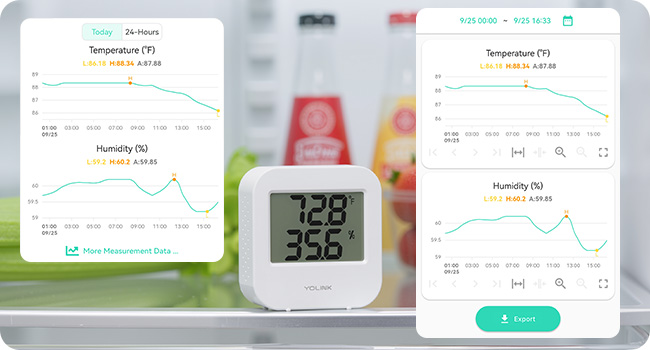
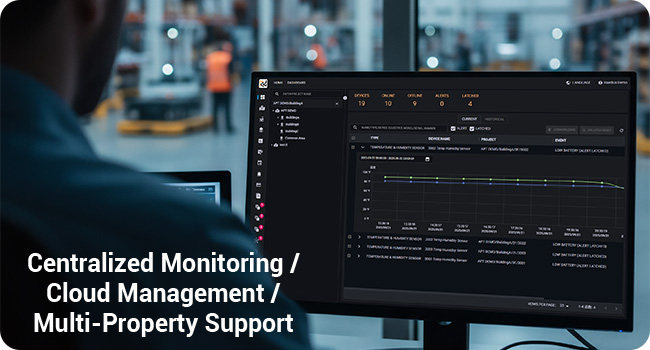
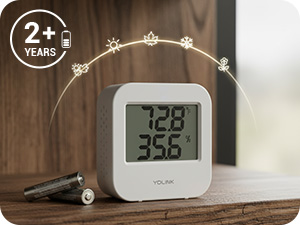
We have tested various devices for a few weeks. I have to say that we are very pleased. The first thing we noticed when unpackaging was that everything seem to be designed and made with attention to detail and care. That was a little surprising for us. Many times you get cheap packaging and apps that look like they were created in a single afternoon. Not so in this case. We had to double check to verify that this is a start up company. By all outward indications, it feels like it’s a well polished company that has been in business for quite some time. All manuals and set up information is available online. Do not expect much in the box. We had a little difficulty finding the information we needed at first but we were grateful, and still are, for the fast response from the company. Since we mentioned the company, we have to note that any kind of support request is answered promptly, even at odd hours of the night. That was surprising. But they have always been friendly and helpful, even when we should have checked product documentation first. The initial set up was a little challenging with Wi-Fi. But that is not due to product limitations. It is due to limitations on the wireless routers we used. The wireless routers we used did not allow us to separate the 2.4 GHz and 5 GHz networks. This system uses the 2.4 GHz network, which is needed in order to have the range. In the end, which simply hooked up the network hub to the router using the provided ethernet cable. Everything has been pretty much smooth sailing. Again. The system requires a 2.4 GHz Wi-Fi network. If you have trouble getting it to connect wirelessly, the issue is almost certainly your wireless router failing to separate the two networks or failing to allow the device onto the 2.4 GHz only. It’s not a product limitation or defect. Our recommendation is just to hook it up with the ethernet cable since the range is very long, anyway. Before using the system, we recommend updating the firmware on all devices manually. Depending upon how long it has been sitting in the Amazon warehouse, you may have an older version of firmware and might experience a few bugs. That was our case. We had a few problems with erroneous notifications that were rectified as soon as the firmware updated. The update, you find the firmware version in the device and tap it. The firmware does update automatically. But if it’s your first time setting up, it’s good to manually update the devices. We would love to see a way in the app to review the firmware status of all devices on one screen and manually trigger a firmware update for all devices from that same screen with a single click. But this is merely a want, not a flaw. Do not forget to edit the alarm strategy before you start using the system. It appears to default in the app to multiple strategies, which can mean getting an app notification, an email notification, and or text message notification each time something is opened or motion is detected. That might be something to look into on the app development side as far as prompting you during set up to choose your desired preferences. We have had no difficulties with the devices maintaining contact with the network hub. The network hub has reported itself going offline once or twice overnight, but this appears to be momentary and related to a firmware update automatically applying and automatically rebooting the device. Battery life so far appears to be really good. We are surprised by the quality of the 3M self adhesive tape on each one. There is no alcohol wipes provided, but we used simple rubbing alcohol and a cloth to clean the surfaces prior to sticking the devices on. You can do similar or just make sure that it’s really clean. As a test, we applied some of the devices to a surface that was not prepared/cleaned ahead of time. those devices have no problem sticking to the surface and have not fallen down. They appear to be well secured when we try to tug on them. We would love to see the adhesive strips offered as a replacement item for purchase. We can see down the road people moving devices around, say if they’ve changed their minds about location or if they move. We had also thought about having an extra mount for the motion sensor so we could move the motion sensor between different locations at different times. This was because we were only able to buy a limited quantity due to inventory at that time. But that is something that others might be interested in purchasing at a later date. The motion sensors have been updated to include sensitivity adjustment. They can be pretty sensitive, detecting slight movement even in the dark. We have no complaints. The range and spread appear to be great. The door/window sensor performs equally well. it can be mounted in virtually any orientation and still function so long as the sensor portion of each piece is within about 1/2 of an inch to the other. so you could even mount one of them at a 90° angle to the other. So long as they are within that distance to each other, they still function perfectly. We found this to be necessary with one door where we had a proper clearance on the door but did not have proper clearance on the frame. The products integrate seamlessly with IFTTT. We would love if the temperature/humidity sensor had the option to show more frequently than one hour on the history graph in the app. But the graph is clean, uncluttered and easy to read. We will soon be testing additional products. We are adding additional door sensors and motion sensors to the system, which will then have approximately 20 devices connected. We are also going to be testing for the first time the garage door motion sensor (ordered). We were originally going to test the motion sensor/ garage door opener combo, but none of the garage door openers we have available appear to be compatible. Afterwards, we will test additional devices on our “wish list.“ We have found zero indication of user data tracking, analytics tracking, or communication with ad servers on the app. It really does appear to be simply designed to do what it is supposed to do and nothing more. It’s refreshing. So to summarize, we can’t really find anything wrong. We have struggled to find anything to critique with the devices or the app. Everything works as intended and we are extremely pleased.