


🔒 Elevate your security game with smart, seamless surveillance.
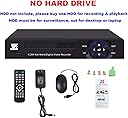
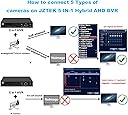
The JZTEK 16ch 1080N Hybrid 5-in-1 AHD DVR is a versatile, professional-grade security system supporting up to 16 cameras across multiple formats (Analog, AHD, IP, TVI, CVI). Featuring motion detection-triggered recording, dual HDMI/VGA outputs, and easy remote access via QR code and the XMEYE app, it delivers high-resolution 1080N video with efficient storage management. Ideal for modern homes and small businesses seeking reliable, scalable surveillance with intuitive remote monitoring.




| ASIN | B01MECMPZF |
| Brand | JZTEK |
| Color | 16 Channel Hybrid 5-in-1 AHD DVR |
| Compatible Devices | Camera, Desktop, Smartphone |
| Connectivity Technology | HDMI, USB, vga |
| Connector Type | HDMI |
| Controller Type | Remote Control |
| Customer Reviews | 3.9 out of 5 stars 527 Reviews |
| Item Weight | 2.5 Pounds |
| Manufacturer | JZTEK |
| Number of Channels | 16 |
| Other Special Features of the Product | H.264 5 IN 1 Hybrid AHD CCTV DVR |
| Resolution | 1920x1080 |
| Special Feature | H.264 5 IN 1 Hybrid AHD CCTV DVR |
L**B
Inexpensive But Fully Functional And Loaded With Useful Features
If you're looking for fancy graphics or whistles and bells, this unit isn't for you. But if you're looking for a very reasonably-priced, fully functional DVR that will run up to 8 cameras (both HD and analog), simultaneously broadcast images to multiple video out lines, and allow you to easily monitor and record using your IPhone, then this unit is perfect. English instructions have to be downloaded, but the functioning of this DVR is pretty intuitive and easy to figure out. There is no video out, but there is both a HDMI out and a VGA out. I hooked the VGA to a computer monitor in the cabinet where I keep the DVR and I used a HDMI to AV converter together with a splitter to broadcast the signal from the HDMI out to 4 other televisions in my home. A simple flip of the input switch on my TV tuner to AV brings up images from all 8 cameras. The picture quality is good and can be adjusted to provide more vibrant color and brighten the images. After installing a 1gb hard drive (easily done by unscrewing 4 screws, removing the cover, and plugging in the hard drive), I can capture up to a month of video recording before the drive rerecords over. To preserve space on the hard drive, and in lieu of continuous loop recording, you can activate a motion detection feature that records only when motion is detected. This DVR is not wireless so to connect to your home network you must use an ethernet cable. However, once connected to the Internet, the phone app is easy to set up and easy to use. Image quality on an IPhone is good, and you can both record and take still shots using your phone. All in all for the price, this is a great little unit. I highly recommend it.
J**R
Works Perfect
This is the second unit I am using, the first one I received was defective. The positive with that is that JZTEK tech support was very responsive in helping me troubleshoot the device. In the spirit of full disclosure, the first unit I purchased was a used unit (purchased through Amazon). The replacement unit was a new unit, and works great. I am using one analog, and two TVI cameras. They were plug and play. I am also using the Western Digital purple hard drive that was recommended. What I love about this unit is how you can set it to not detect motion in certain areas so you don't get things like tree limbs triggering it to record. If there is anything that I would improve on it would be to allow you to use bigger USB devices with the unit. There is a limit (don't remember what it is) on the size of USB drives you can use with the unit. Just to be clear, the only real use for an USB drive is to back up videos off of the hard drive. If you connect an USB too large, then the unit will freeze. The other thing I would improve is providing information on how to use an USB WiFi device (dongle, etc.). If you read the Q&As for this item they do say that a couple of brands of USB WiFi dongles should work with the unit. This makes me wonder if others will work as well. I have a couple of other branded USB WiFi devices that I plugged into the unit, but nothing happened. But again, no instructions are provided on how you would go about setting up an USB WiFi dongle with the unit.
M**N
This is a great dvr however there are a few things I noticed ...
This is a great dvr however there are a few things I noticed happening during use. Sometimes the dvr would make a single beep sound and reboot. The other is, either the mouse I use is a defect or the usb doesn't recognize it at all. One more thing is that I wish it had the option to turn off the light in the front. Overall it is a really good and a FAST UI dvr compared to other dvrs at a good price.
M**K
Loud alarm could not be turned off - poor documentation and tech support - I wasted my time and money
I really wanted to like this security camera DVR. The price was great and it seemed to be what I needed, since I already had an extra Hard Drive. The manual/documentation was not good, but I have owned a couple of camera system DVRs and know how to play with the menus. I was able to set it up in a reasonable amount of time (after installing the Hard Drive), but the picture was in black and white (my cameras are color) and an annoying alarm kept going off. I emailed JZTEK (it was not easy to find their information - there is no support information given in the paperwork and no phone number). 12 hours later I got an email from their tech support. Unfortunately their English was poor and it was difficult to understand some of what they were trying to tell me. I tried what they suggested to fix the color issue, but it did not work. I decided I could live with the picture being in black and white. The issue that finally caused me to disconnect the DVR was that the loud alarm continued to go off. Their suggestions for how to turn it off did not work and I searched and found another alarm setting that they had not mentioned. None of it worked. So every day a loud alarm would go off repeatedly. I tried everything but finally gave up. So now I am stuck with this DVR and cannot return it, since I waited too long, hoping to get it to work. Amazon has a great return policy - my bad! I ordered a Night Owl DVR. It was $50 more but it comes with a hard drive, it has great documentation, video tutorials and phone tech support. I would suggest you pass on JZTEK.
R**N
Good DVR but has issues with remote viewing
This is a very good DVR, BUT....I had an ongoing problem with the remote viewing software (it kept dropping out, losing the video feed). I contacted the vendor but they were unable to help me fix this problem. So, I had to return the DVR. For fixed viewing (if you are on site, using a monitor), this is a great DVR -- the video is very sharp, and all of the locally-controlled functions worked. Unfortunately, the unit did not allow me to view video remotely (smartphone or iPad). The DVR would only interface with one particular remote viewing program so there was no way to correct the problem.
T**N
Runs on a solar 12v off grid system!
I bought this to record security cameras installed in storage containers with off grid solar 12v dc and battery storage . Works well but it does have a learning curve to operate as the supplied manual is simplified. Minor issue to overcome but I took off 1 Star. It does require a security rated hard disk drive and I went with the WD purple 2TB drive also from Amazon. I’m using a combination of 12v wired security cameras I had and all work ok with this recorder. The recorder comes with a AC to 12v Power Supply I’m not using. A little tech talk about powering it and the cameras from a solar charged battery system 27/7. The concern was about the 12v batteries going to 14 v high or going to low 10v between sunset and sunup and shutting the security system down. I’m using 2ea 5A max buck boost regulators paralleled thru Schottky diodes both set for 12.8v output. This supplies the recorder and cameras a solid 12.5 vdc at up to 10A peak even if the batteries are over 14v or 10v (or lower). The recorder doesn’t have the min and max voltage listed and neather does the cameras. I plan to purchase another recorder once this and my power setup has some time on it. I haven’t tried the motion detect mode but that’s next to save wear on the hard drive. Over all I’m pleased with how it works for my application.
D**S
Excellent DVR for the price, especially if you're intending to migrate from analog to IP cameras.
Cons: 1. Explanations of features in manual written in poor English. Some features not described properly or in more detail like "Video Blind" or "Encode". I figured out what they were, but a not so technical person may not. 2. Tech support said my Foscam C1 IP cameras couldn't be setup to record with the DVR, even thought they have ONVIF support. Not a major deal breaker for me, as I already had 16 analog cameras to reconnect. 3. Noticed the DVR randomly rebooting. I solved that by setting the dvr to auto reboot weekly and I also purchased a usb fan to extract any hot air that might have been generating inside the dvr. 4. You get email notifications of motion (date/time/camera), not actual snapshots of the motion. I have a stand alone ip camera that sends a 30 sec video clip whenever there's motion. I'd really love to see that feature. Pros: 1. DVR/NVR has very small form factor. 2. Very easy setup and installation of XMEye app. 3. Can configure almost everything on the DVR from the XMEye app. 4. XMEye app supports remote retrieval of recordings. 5. Very supportive tech support if you have any questions. 6. I just swapped out the camera cables from my 5 year old Zmodo DVR to this DVR and there was a noticeable increase in the the quality of the feed from those same cameras. Not noticeable as SD to HD, but I now have more videos options in configuring the video feed from each camera that I was able to tweak them to show much better now. 7. The multiple tour options can be combined with the option to switch on motion (the feature is called "Tour" in the software). If these features could have been implemented in the XMEye app, that would super!!! 8. Easy upgrade path from analog to IP cameras as DVR is hybrid. Overall, the pros more than outweigh the cons for this DVR. It's an excellent product for the price.
M**R
UPDATE: Excellent support!
So I ordered this unit in the early summer, but didn't get it installed until the first week of August. The unit was great and did everything I needed it to. 2 weeks ago, it started freezing and rebooting every hour or so, and now it does it 2-4 times per hour. I was wondering if someone from JZTEK could contact me about a replacement unit. Otherwise I really like it, which is why I hope they can work with me. Thanks! UPDATE: So I contacted support and they pointed me at some things. Turns out I had a bad HD and didn't have the logging on for Storage errors so I couldn't see the problem. Swapped out the HD and it's perfect! Thanks JZTEK!
Trustpilot
2 weeks ago
4 days ago