


🖊️ Elevate your Surface experience—where precision meets power and style.
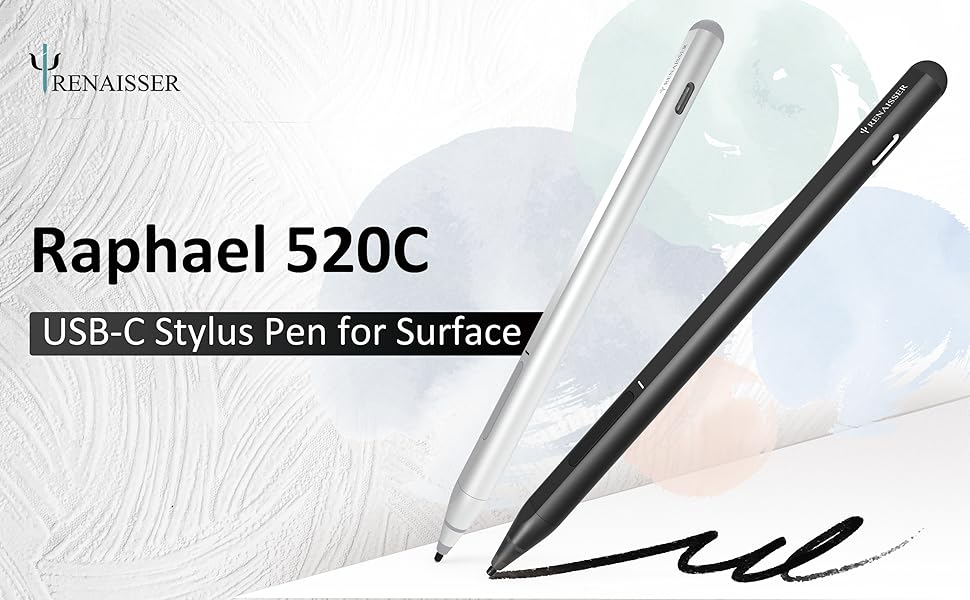
The RENAISSER Raphael 520C is a USB-C rechargeable stylus designed for Surface devices, featuring 4096 pressure sensitivity and tilt support for natural drawing and writing. It offers ultra-fast charging with up to 100 hours of battery life, smart power management, ergonomic lightweight aluminum construction, and magnetic attachment for easy portability. Compatible with a wide range of Surface Pro, Laptop, Book, and Studio models, it delivers professional-grade precision and convenience for creative and productivity-focused professionals.



| ASIN | B0987J23K1 |
| Are Batteries Included? | Yes |
| Are Batteries Required | Yes |
| Battery Average Life Standby | 99 Hours |
| Battery Description | Lithium |
| Battery average life standby | 99 Hours |
| Best Sellers Rank | 62,487 in Computers & Accessories ( See Top 100 in Computers & Accessories ) 138 in Graphic Tablet Pens |
| Brand | RENAISSER |
| Brand Name | RENAISSER |
| Charging Time | 1.2E+2 minutes |
| Colour | Black |
| Compatible Devices | Microsoft Surface Pro 9, 8, 7+, 7, 6, 5, 4, Duo, Duo 2, X, Go, Go 3, Book, Book Studio 1st Gen, 2+, Laptop 1, Studio; Not compatible with and 2. |
| Compatible Tablet Computer Models | Microsoft Surface Pro 8 |
| Customer Reviews | 4.4 out of 5 stars 2,636 Reviews |
| Enclosure Material | Aluminium |
| Item Diameter | 9.2 Millimetres |
| Item Dimensions | 14.9 x 0.9 x 0.9 centimetres |
| Item Weight | 14 Grams |
| Item weight | 14 Grams |
| Manufacturer | RENAISSER |
| Manufacturer Part Number | R99-8800-RB0-010 |
| Material | Aluminium |
| Minimum Required Operating System Version | Windows 10 |
| Model Number | Raphael 520C |
| Number of Batteries | 1 Lithium Metal batteries required. (included) |
| Number of batteries | 1 Lithium Metal batteries required. (included) |
| Product Warranty | 1-year product replacement warranty |
| Unit Count | 1.0 count |
H**E
Almost perfect for kobo elipsa
Bought this to replace the failing stock stylus for kobo elipsa. Comfortable to hold, soft nibs feel great on the kobo textured glass, no clicketyclack noises like the kobo stylus made. Note that the extra nibs are hard like the kobo ones, feels quite hard and nasty on the kobo. Get extra soft nibs if you can. Microsoft's original nibs are supposed to fit it. Only downside is that the magnets don't line up with the magnets on the kobo, which clearly isn't the Renaisser's fault as it is made to fit microsoft surface devices. With some "fighting", it sticks nicely in the stylus holder of the kobo sleep cover, so it is still easy to keep it secure with the device. And for some reason, it sticks nicely to the bottom end of the sleep cover too. Funny but kind of practical. Highly recommended!
M**A
Works, solid, no issues, cheap.
Cheap, works, ive not had to charge it in the year ive had it, but tbf ive not used it much. Its light, and it works solid. got to click the button every time it goes to sleep to turn it back on though. came with different nib attachments, ive only used the standard one as its got some sort of special tip on the front. the other ones are just straight plastic.
N**P
Great alternative to lots of very expensive pens out there
Got this for my partner's Kobo Libra Colour as I didn't want to pay £70 for the original thing. This works perfectly. It is great to hold and connected straight away. For its price, we weren't expecting great quality, but it was actually really well built and sturdy. The black was very sleek and stylish which matched the Kobo as well. Overall, a great product.
H**T
Great on Zenbook and Linux
Works great on Asus Zenbook UX363EA and Ubuntu 23.04 (plug and play, no need for additional drivers). It is better than the stock pen (which is more expensive to be replaced). You cannot buy replacement tips for the stock pen, while 520C comes with 3 spares and two different hardness types (3 of them hard plastic similar to stock pen). After 1.5 years with two stock pens which are now misplaced or broken I am happy I went with sth else. For me neither the stock pen nor 520C feel "natural" and I use them only for notes.
C**.
Compatible and works great
Works fantastic on my Surface Pro! Don't even have to connect it, just turn it on and go. The battery life is absolutely stunning too. I use it constantly and still have enough battery for quite a few days of use!
K**I
Your touchscreen is compatible! (MPP 2.0)
When I bought this item, the description listed that it wasn't compatible with the HP Envy x360, however, it does use the MPP 2.0 standard, meaning if your laptop meets this standard too, it will be compatible! The reason why that's so important is because this is an amazing product! I've been using it for months without trouble, and I have never run out of battery...I worry it might be low and have always recharged it before it dies. I've used the official HP pen and it is nowhere near as good as this! If anyone I know ever needs a touchscreen pen, I will be recommending this!
T**W
Works well with my Zenbook duo 14
I use it to draw in meetings and sign and annotations on PDFs. Works well. It feels substantial and like a real pen.
M**N
Excellent replacement for Microsoft pen.
Nicely weighted and sensitive when in use. Considerably cheaper than the Microsoft pen. The only issue is that the magnet is not very strong and its easy to knock off the side of the surfafe tablet. Possibly because of the power switch and volume keys being prominent. Otherwise I'm happy with its performance.
م**ت
القلم ممتاز يا بنات
جدا ممتاز سواء سرعته في الكتابه او شكله ما شاء الله
E**O
Bon substitut
Impossible de retrouver mon stylet d'origine alors j'ai opté pour cette alternative. Il est léger, les mines sont interchangeables, et il a 2 fonctions ; le clic droit et la gomme. Je ne trouve pas la gomme très pratique car il faut rester appuyer sur le bouton pour ce faire mais elle a le mérite d'exister. Celui ci ne fonctionne pas avec une pile comme le stylet d'origine de chez Microsoft et ce n'est pas plus mal car la batterie ne se décharge pas aussi vite. Le câble de recharge est fourni avec. Il y a un voyant lumineux qui indique l'état de marche et il s'aimante tout aussi bien à l'écran, au niveau latéral gauche. Je n'ai jamais eu de problèmes de reconnaissance ou autre. Je recommande cette alternative sans souci !
A**A
Phenomenal quality for price
For being so much cheaper than other pens, the quality is outstanding. Got this when I first purchased my Surface Pro and have had zero issues. Really like how I can just plug it in to recharge instead of replacing the battery, which is extremely nice when I'm traveling. Pen pressure is absolutely perfect, she's very lightweight and doesn't easily fall off the side when magnetically attached.
O**K
Works with Surface Pro 8
First off, the initial product I'd received must have been a 1 in 100,000 (or more) unit missed during quality control. A standard USB-C connector could not fit into the pen's connector cut-out. Also noticed that the USB-C connector in the pen was not aligned to the cut-out. If the cut-out was a standard size, the misalignment would have prevent the connection. Notified the seller and advised to return as a defective product. A second purchase was effected and was "next-day" delivered. This works flawlessly. Felt better being more substantial compared to the SF Pro 8's slim pen. Drawing is not a primary use-case for me so did not do one-for-one comparison. For office automation with note taking and scribbling much prefer this Rena Pencil. Surface Pro 8 note - if you've upgraded from previous Surface Pro models (I did not) and used to the pen magnetic attachment to the left to the Surface Pro, it does NOT with the Surface Pro 8. The Rena Pencil will "stick" to the bottom and the right side. Both are NOT ideal as it would normally be connected to the keyboard and the power connector and USB-C connectors.
M**A
Very good
I bought it for my Microsoft surface pro 8 Very good quality
Trustpilot
1 month ago
5 days ago