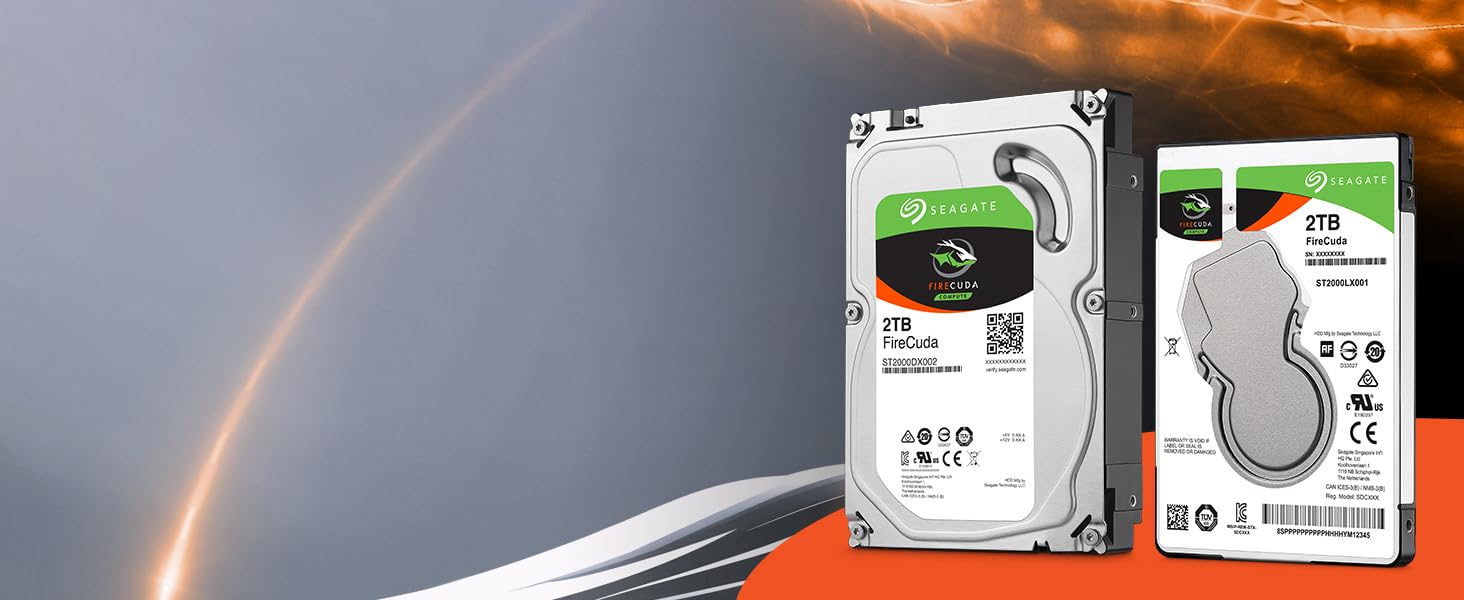
🔥 Level up your rig with FireCuda speed and space! 💾
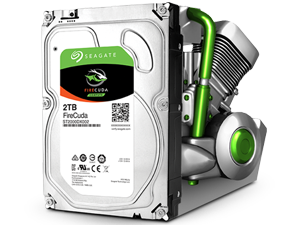
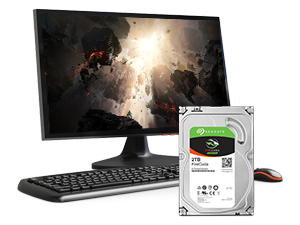
The Seagate FireCuda 2TB SSHD combines the best of SSD speed and HDD capacity in a compact 2.5-inch SATA 6Gb/s form factor. Designed for gamers, creative pros, and power users, it delivers 7200 RPM performance enhanced by flash memory for faster boot times and game loading. Its low power consumption and 5-year warranty make it a reliable, cost-effective upgrade for laptops, PCs, and consoles.


| ASIN | B01M1NHCZT |
| Additional Features | Portable |
| Best Sellers Rank | #1,003 in Internal Hard Drives #13,284 in Computer Internal Components |
| Brand | Seagate |
| Built-In Media | FireCuda™ 2TB SATA |
| Cache Memory Installed Size | 128 |
| Compatible Devices | This drive is compatible with laptops that accept 2.5" x 7mm (Thin/Case) SATA drives. |
| Connectivity Technology | SATA |
| Customer Reviews | 4.4 out of 5 stars 4,949 Reviews |
| Data Transfer Rate | 750 Gigabits Per Second |
| Digital Storage Capacity | 2 TB |
| Enclosure Material | Flash Memory |
| Form Factor | 2.5-inch |
| Global Trade Identification Number | 00763649071298 |
| Hard Disk Description | Solid State Drive |
| Hard Disk Form Factor | 2.5 Inches |
| Hard Disk Interface | SATA 6 GB/s |
| Hard Disk Rotational Speed | 5400 RPM |
| Hard-Drive Size | 2 TB |
| Hardware Connectivity | SATA 6.0 Gb/s |
| Installation Type | Internal Hard Drive |
| Item Dimensions L x W x Thickness | 3.98"L x 2.76"W x 0.39"Th |
| Item Type Name | Seagate 2TB FireCuda Gaming SSHD SATA 6Gb/s 64MB Cache 2.5-Inch Hard Drive (ST2000LX001) |
| Item Weight | 3.25 ounces |
| Manufacturer | SEAGATE |
| Media Speed | 180 megabytes_per_second |
| Model Name | FireCuda |
| Model Number | ST2000LX001 |
| Number of Items | 1 |
| Read Speed | 180 Megabytes Per Second |
| Special Feature | Portable |
| Specific Uses For Product | business, personal |
| UPC | 763649118085 763649071212 |
| Unit Count | 1.0 Count |
| Warranty Description | 5-year limited |
M**X
Perfect replacement HDD for the PS4
Purchased this hard drive after reaching the limits of the 500gb that comes standard on the original Ps4. After researching numerous web sites for suggestions, the Seagate FireCuda appeared to be a popular option. I opted for the 2TB option but a 1TB is available. Package arrived timely. Backed up the data of my original HD to an external Hard Drive (PS4 makes it pretty simple) and downloaded the full system update data from Playstation.com to a thumb drive (make sure it's the 900+ MB file located in the download link near the bottom of the web page. Don't be like me and started panicking when the ps4 said it couldn't use the software update because it wasn't the right version and spent another 30 minutes re-downloading the wrong software version over again and scouring the internet looking for answers) The install of the HD itself was straight forward. Remove the cover hiding the hard drive, remove one screw holding the hard drive in place an pull the enclosure out, remove the 4 screws holding the hard drive to the enclosure, remove old hard drive, replace with the new one, screw the hard drive back to the enclosure with the 4 screws, slide hard drive back into ps4, secure the final screw and replace the cover back on the ps4 and done. Boot the ps4 back up. When prompted, plug in the thumb drive containing the system software update. Let it run. System will boot like a fresh brand new ps4. Go to settings and locate the restore option. Plug in the external hard drive with your backed up files. And boom, you're back in business with a massive amount of storage space at your disposal.
C**C
The perfect TiVo replacement drive
Yes, I'm showing my age, but I still have a TiVo. It's got lifetime service and has been fine for almost ten years but the hard drive finally gave up the ghost. So in come this drive! It works fine, doesn't seem to give off any more heat than the original, doesn't have any excessive noise (I basically can't hear in in the case), and it fits the exact size of the original. The entire thing even weighs the same. So far it has been reliable after many months of use, and it is a bit faster than the original hard drive so the menus are nice and snappy. Other than that, barely a difference, which is exactly what I wanted.
G**N
long review, the quick version: awesome PS4 upgrade no regrets!
If you own a ps4 this is a must. Iv had the original ps4 since they were released. It has been giving me issues running slow, glitching, straight up freezing at times. I have had to delete games off the drive plenty of times in the last few months mostly because after it fills 50% it runs like garbage. Took a hour to back my original HD up to a spare 400G I had lying around. The install couldn't be easier you don't have to do anything to this SSHD just pop the old one out pop this one in straight from the box. download the ps4 update from sony on a flash stick pop it in a usb port and 20 mins later the things running better than new! the restore took a hour but when it was done ooooh boy. boot speed is noticeably better, connections to online games "fortnite" are more stable and now I'm one of the first to load in maps waiting on my friends its awesome. I don't understand how its effecting online play so much but I wish I had upgraded 2 years ago now.
M**N
Yep. Latest HP BIOS, UEFI, Win 10 Pro Creator's, it flies.
Update: April 30, 2018: After backing this drive out of my HP Elitebook, and cloning the contents onto another (non-hybrid) 2TB Seagate, I received an update notice from Microsoft, and downloaded that update onto DVD. My Elitebook, though UEFI capable, was running a non-UEFI load, but I realized that if I did a Windows 7 backup, and used a UEFI format DVD for a full Windows restore, it might convert the drive load to UEFI (just Google UEFI if you don't know what the heck I am whining about). That indeed worked, my laptop is now running from the Firecuda, smooth as a baby's bottom, fully under UEFI (which means I can upgrade to a larger drive should that become necessary), and the silicon does make much of what I do faster. An updated UEFI BIOS from HP seems to have helped. So if you want this drive for everyday operation, experience tells me you had best have a fully updated system, and fully updated version of Windows, and I think Windows 10 Pro then works well with this drive. Since it was a bit finicky, I'll add one star, getting us to four. Next step will be a 2TB SSD, which are now coming down in price, but thanks to the Firecuda, no rush... Update, March 2, 2018: Again, this is a gaming drive, and that isn't something I do. Having said that, I am not sure Windows 10 Pro with Creators' Update quite knows what to do with this combination of 8GB of fast silicon, and 2TB of slow-ish conventional hard disk, I am not impressed with the physical drive's speed, in this configuration. It all depends on the size of the files and the code that need to be swapped in and out, with Windows' virtual memory and the way multitaskers work, I am not seeing a real speed and access improvement over the HGST 1TB 7200rpm drives I used before, and I am under the impression that if only some of the files or code the OS asks for is in the silicon, the drive has to go back to the hard disk, and fetch everything all over again, and that can slow things down, or, on occasion, not happen at all. I sometimes, for instance, see the system login (customized by HP Protecttools) not complete at all, and I have, on one or two occasions, seen applications simply hang forever. 8GB, you see, isn't that much storage space, and considering the way operating systems work I would recommend that Seagate put much more SSD in this architecture, especially now that an entire 2TB SSD costs less than $400. I am seeing some failures I've never seen before (including on my other HP, which has a 2TB Samsung conventional drive), and even the occasional force-reboot-with-chkdsk, which is, these days, a rarity. With regard to use in a gaming system, if your laptop or PC is purely used for that, I can't comment, it is too specialized for my expertise, but if you use it in hybrid fashion and need something really fast, you're introducing an additional variable that may or may not give you what you need. I am leaving it at three stars, this drive is a bit iffy, but having said that, I can work with it so am not returning it. I'll likely end up getting a full SSD, eventually, and use this for spare and backup. Original, February 15, 2018: Not wanting to let the side down, I'll do a review, but please be aware I am just, what's the technical expression, futzing with this. I didn't buy it as a gaming drive, just wanted to see how a hybrid silicon/winchester disk would do. I am assuming Seagate built intelligence in this device that lets it "pre-fetch" oft used code from the drive to the silicon, and overall make it faster. I can see how this would have benefits in gaming, where you may have gobs of data, most of which isn't used all the time. So from the gaming perspective, you don't need to read this, since my observations aren't relevant to gaming. The closest I ever got to gaming was 10 years on Wall Street. While the drive is currently doing fine (I have so much data that this is the second laptop I am updating to 2TB), I have had a mishap already, and at this point I think this may be related more to my Windows 10 Pro load, than anything else. I won't know until I do more testing, and I can't do that until I run a full backup. Will let you know. In "ordinary" use, this load sometimes takes a long time to boot, sometimes is blisteringly fast. What that probably means is that the 8GB of silicon just isn't enough to keep everything loaded. I know that another laptop, with Windows 10 Pro, on an Intel SSD, is blisteringly fast, so I have to think that if this 5400rpm Firecuda doesn't have the code or data you need in the silicon, fetching it from the physical drive, putting it in the silicon, then letting you access it, actually takes more time than my previous 7200rpm HGST 1TB drive did. But as I said, the jury is still out, and this drive is designed for gaming, they said so, and I don't do that. I am not sure Seagate's Discwizard is fully acclimated to hybrid drives - after a boot fail I repopulated the drive with Windows Image Restore, and that seems to have worked better than cloning. Come back in a couple weeks (2/15 as I write this) and I'll be able to tell you more, once I have this thing booting UEFI, and using Bitlocker with TPM. Three stars for now, as it is working, but not smoothly.
L**X
Worth the $$$! Great upgrade for Xbox / PlayStation
If you’re in the market for an affordable upgrade to your PlayStation or Xbox, this is definitely the best bang for your buck. SSDs are definitely dropping in price, and fast. But 2TB SSDs are still more than 4X the cost of this SSHD. You can find load time benchmarks and comparisons with a quick google search and you will see that this drive knocks out all competition. The “smart” data access feature does actually work after a few game loads. The drive learns to cache data that it knows is accessed more frequently, slightly speeding up load times in games you frequent. Installation is super easy for both consoles, guides can be found with a quick google search. If you’re on the fence about the upgrade, do it. It pays for itself alone in storage capacity given the paltry 1TB drives standard in consoles when considering the growing size of game downloads/updates. Don’t expect incredible gains in load times, they will improve, but remember that this drive will always be limited by the console and it’s storage interface.
K**T
Great drive for PS4 and PS4 Pro IF you understand how it works and how to best utilize it for performance.
I installed this drive in my PS4 Pro, and have been very happy with the performance and storage space. However, there is some confusion out there regarding performance, and if you don't understand how the drive works, you'll be disappointed. When you install the drive and begin firing up your games, you may be upset to discover that it's not at all faster than the 500 GB or 1 TB drive that came with your PS4 to begin with. Really, it's not one bit faster. You can time them and they load games and levels with seconds of one another. After seeing this, you may ask why you bothered paying a premium for the drive. After all, there are reliable, cheaper 2.5" 2TB drives on the market? The answer lies in how the drive works and how it uses the onboard 8 GB of faster flash space. The drive has onboard intelligence the monitors your activity. As you do things like repeatedly launch your current favorite game, the drive takes note of this and begins storing that game's or games' data in flash. As a result, subsequent loads become faster and faster, usually maxing out around the 5th load. By then, you'll see times dramatically faster, usually on par with SSDs. If you're a typical PS4 user, mostly sticking with one or two favorites of the moment, this drive will be immensely beneficial in terms of performance once you give it a week or two to learn your habits (yes, you can shortcut this by opening, quitting completely, and then reopening your favorite game a few times in a row). Now, if you're not a typical user, and find you regularly jump around to lots of different game and activities, then this drive probably isn't for you. Its performance gains rely on your having data you access with frequency. If that's not your behavior, it'll never be able to pin down on flash what you're likely to reach for next, instead having to load from the slow 5400rpm platter each time. In that case, a true SSD is your only hope for a noticeable improvement in speed, but then you're likely sacrificing storage space for speed. Used as intended, this drive offer the potential for both.
N**Y
High failure rate strikes again!
Edit: Wanted to update my review, I'm changing this to a 1 star review. This is October now, I picked up the drive in March. I had kept meaning to buy a 2Tb external drive to backup my data and I forgot. I will take responsibility for that. I won't take responsibility for suffering seagates high failure rates yet again! I had stopped buying seagate in the past because their failure rate is sky high compared to other brands and my seagate drives always failed on me. Sure, warranty, yeah yeah, still a complete headache. I write this having spent 12 days downloading Black Ops 4, having played it for 2 days, starting a week long vacation tomorrow. What will I not be playing at all during this time? My PS4. I now have to go buy a new drive tomorrow (won't be a seagate) and start the suffering of downloading it again. I will have to put off downloading all my other games until a later date. We have slow internet here, a 54Gb update takes a long time. I've noticed for weeks now that games were lagging way worse than normal. When you have bad internet, it's hard to know what to blame! I guess I should have picked up the backup drive because sure enough it was this Seagate drive failing. I again blame seagate for their high failure rate and me being sucker to it yet again. No warranty for me on this one either, I threw that out the door trying to get the drive to at least boot once so I could copy at least BO4 onto another HDD. *End Edit* Stock PS4 harddrive is notorious for being garbage. Reading at SATAII speeds and overall just performing poorly. I was also starting to think mine was failing, but after 2 pass formatting and doing a HDD test it passed. Not bothering to run any further extensive tests. Giving it to a co-worker with a PS3. Anyway, this drive has solved my weird lags I get at times while playing games. Would show a perfect connection or playing offline campaign and would get these strange lags. All gone. Apart from that, I cannot say it feels any faster than the other drive. Can't say I notice game start times are faster, load times are shortened, etc. Wasn't much cheaper to go with the non SSHD version so don't feel I got ripped off, but if you are dead set concerned about the difference, I'd just get the other drive. PS4 makes backing up and restoring a breeze. Used an older 500GB USB2.0 HDD to copy my games/saves/settings and move them to the new HDD. Took about 3 hours each way to copy 380GB or so. Wasn't a big deal, but if you are in a rush, make sure you get a USB 3.0 HDD for doing the backup. Backup is under settings/system/backup PS4. Make a complete backup and let the fun begin! HDD Swap itself took 5 minutes. PS4 system install took 10 mins if that.
R**N
It was very easy (Thanks to Sony) and this drive works very well
I bought this Harddrive to replace the 500GB in my PS4 Slim. It was very easy (Thanks to Sony) and this drive works very well. I am sure there are faster loading times but I haven't measured them. Obviously, the biggest benefit is the HUGE space increase. After only owning my PS4 for a couple months I already had to start deleting things off of it when I got new games. Hindsight I should have looked into the PS4 Pro but I got the PS4 for $250 and the hard drive for around $100 so with $350 I have a 2TB slim PS4 instead of $400 for a 1TB that would need to be upgraded eventually. ( I used to be a PC gamer but cannot afford to be plus I don't have a 4k tv so meh) Since getting the new hard drive I have reinstalled everything I have had to delete and still have PLENTY of space. This is a great upgrade for anyone wanting to get more space. I also recommend getting the hard drive enclosure that Amazon recommend buying with this hard drive. You can put your old hard drive into the enclosure and format it as extended storage for backing up games and games saves. Basically, your getting a hard drive for $9
Trustpilot
5 days ago
2 months ago