


Desertcart purchases this item on your behalf and handles shipping, customs, and support to Japan.
🚀 Power, Portability & Productivity — All Wrapped in Denim White!
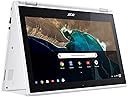
The Acer Chromebook R11 is a sleek, convertible 11.6-inch HD touchscreen laptop powered by an Intel Celeron N3150 quad-core processor and 4GB DDR3L RAM. Designed for professionals on the move, it offers up to 10 hours of battery life, fast boot times with Chrome OS, and seamless access to Google’s ecosystem including Drive and Play Store. Its lightweight, durable design and versatile form factor make it perfect for multitasking, note-taking, and entertainment, ensuring you stay productive and connected wherever you go.


| ASIN | B01J42JPJG |
| Audio Output Type | Headphones |
| Automatic Backup Software Included | Google Drive, Google Play, Microsoft Office 365, Webcam |
| Battery Average Life Standby | 10 hours |
| Battery Cell Type | Lithium Ion |
| Battery Life | 10 hours |
| Best Sellers Rank | #20,042 in Computers & Accessories ( See Top 100 in Computers & Accessories ) #2,862 in Traditional Laptop Computers |
| Bluetooth Version | 4.2 |
| Brand | Acer |
| Built-In Media | Chromebook^AC Adapter^Power Cord |
| CPU Codename | Braswell |
| CPU Model | Celeron |
| CPU Model Generation | 14nm |
| CPU Model Number | Celeron N3150 |
| CPU Model Speed Maximum | 1.6 GHz |
| Camera Description | Front |
| Chipset Type | Braswell |
| Color | Denim White |
| Compatible Devices | Chromebooks and other devices supporting Chrome OS |
| Compatible Flash Memory Type | SD |
| Connectivity Technology | USB, Wi-Fi |
| Control Method | Touch |
| Customer Reviews | 4.4 out of 5 stars 2,062 Reviews |
| Display Maximum Resolution | 1366 x 768 |
| Display Refresh Rate in Hertz | 60 |
| Display Resolution Maximum | 1366x768 pixels |
| Display Technology | LED |
| Display Type | LED |
| Form Factor | Laptop |
| Global Trade Identification Number | 00888863334391 |
| Graphics Card Ram | 4 GB |
| Graphics Coprocessor | Intel HD Graphics |
| Graphics Description | Integrated |
| Graphics Ram Type | DDR3 SDRAM |
| Hard Disk Description | SSD |
| Hard Disk Interface | Solid State |
| Hard Disk Size | 32 GB |
| Hard-Drive Size | 32 GB |
| Hardware Interface | HDMI, USB 2.0, USB 3.0 |
| Human-Interface Input | Touchscreen |
| Item Dimensions L x W x Thickness | 11.57"L x 8.03"W x 0.76"Th |
| Item Type Name | Acer Chromebook R 11 Convertible, 11.6-inch HD Touch, Intel Celeron N3150, 4GB DDR3L, 32GB, Chrome, CB5-132T-C1LK |
| Item Weight | 2.8 pounds |
| Keyboard Description | Chiclet |
| Keyboard Layout | QWERTY |
| Lithium-Battery Energy Content | 32 watt-hours |
| Manufacturer | Acer |
| Memory Clock Speed | 1.6 GHz |
| Memory Storage Capacity | 32 GB |
| Mfr Part Number | CB5-132T-C1LK |
| Microphone Form Factor | Built-In |
| Model Name | CB5-132T |
| Model Number | CB5-132T-C1LK |
| Model Year | 2019 |
| Native Resolution | 1366 x 768 pixels |
| Number Of Cells | 3 |
| Number of Items | 1 |
| Number of Packs | 1 |
| Number of Ports | 2 |
| Operating System | Chrome OS |
| Operating System Family | ChromeOS |
| Optical Storage Device | No Optical Drive |
| Other Special Features of the Product | Touchscreen |
| Power Device | AC Adapter |
| Processor Brand | Intel |
| Processor Count | 1 |
| Processor Series | Celeron |
| Processor Speed | 1.6 GHz |
| RAM Memory Installed | 4 GB |
| RAM Memory Technology | DDR3L, DDR4 |
| RAM Size | 4 GB |
| RAM Type | DDR3 SDRAM |
| Ram Memory Maximum Size | 4 GB |
| Resolution | 720p |
| Screen Size | 11.6 inches |
| Speaker Description | Built-in stereo speakers |
| Specific Uses For Product | business, personal |
| Supported Monitor Maximum Quantity | 1 |
| Total Usb Ports | 2 |
| Touch Screen Type | Touch Screen |
| Touchpad Feature | true |
| UPC | 888863334391 |
| Unit Count | 1 Count |
| Video Output | HDMI |
| Video Processor | Intel |
| Voltage | 240 volts |
| Warranty Description | One-year International Travelers Limited Warranty (ITW) |
| Warranty Type | Manufacturer Warranty |
| Wi-Fi Generation | Wi-Fi 5 |
| Wireless Compability | 802.11ac |
| Wireless Technology | Wireless |
T**3
You won’t regret this purchase!
Bought this back in 2017 as a prime day deal. This has been one of my best purchases on amazon yet! This computer met all my needs and has not diminished in quality or usability at all in the last 3 years. Touch screen still works perfect, no loss of function or stability to the convertible aspect of the screen. Battery life is still amazing after 3 years of use as well which is unlike any other electronic device I’ve owned! I swear it works like it’s still brand new and battery lasts for days! Now I haven’t been using this device constantly or even every day so maybe that’s a big part of why it’s kept it’s quality so well over the years. I’ve accidentally left it plugged in for days many many times and it still hasn’t ruined the battery life when not plugged in. The size is small and perfect but does take some adjustment when typing on it since the keyboard is obviously smaller. The inability to print from a chrome book is honestly the only thing that annoys me. But I can simply save documents etc to google drive and then print it from my smartphone. I’ve had no problem running multiple apps, games and multiple internet pages. I’ve even used it to watch Netflix and it does this flawlessly as well. Overall this is an amazing laptop and I will definitely buy another convertible chrome book after this one is no longer usable.
L**N
IN LOVE
Pros: - Size: At 11.6", the R11 is small enough and light enough to haul around everywhere without needing to "crunch" the keyboard to fit. - Keyboard: Full-size and a comfortable typing experience. I took an online typing test, and my score was just slightly beneath the score I get using my MacBook Pro (likely because I haven't used this keyboard as long and am not as used to it yet). - Screen: Crisp and clear. - Sound: Loud enough to stream movies and be able to hear them comfortably. - Touchscreen: Responsive. I bought a Dimples Excel 2 in 1 Precision Disc and Hybrid Fiber Stylus / Styli with 4 Replacement Discs and 2 Hybird Fiber Tips, 2 Pack to use with it, and it writes wonderfully. Very little lag makes it easy for me to take notes or sketch. That being said, it does not have palm recognition (you can't rest your palm on the screen while you write/draw). - Battery: Charges quickly and lasts a long time. I love that I can plug my R11 in for an hour or so and have battery life for a full work day. - Speed: Extremely fast loading! I was a little worried about this since other reviews mentioned trouble with their R11s freezing up, but I have not experienced this at all. - Feels durable: While the R11 might not look like the most durable of laptops, it feels very sturdily built and I have no concerns about it's durability. The hinges are also easy to move, but stay where you want them. Cons: - No backlight on keyboard Other: - Touchpad: When I first got my R11, I would have put the touchpad under "cons". However, I'm starting to get used to it, and I actually like it quite a bit now! Give yourself a little time to acclimate to it. It's very responsive, and I like that I can tap (as opposed to clicking down on it) to make the mouse click. A week or two more, and I might consider this a full-on pro to the R11! Overall, I can't believe how much I love this little guy. Most of what I do is web-browsing and working in Google Drive, so a Chromebook made perfect sense for my needs. I haven't been let down. Incredible product, especially for the price!
R**E
The hidden Holy Grail of the tablet/laptop market.
I rarely write reviews. I mostly do video reviews, but never of specific products. That may change here soon. This this is awesome and has quickly replaced many of my gizmos and gadgets, some that have cost me upwards of thousands of dollars. People who complain that Chromebooks are useless without internet access clearly are narrow minded and simply not thinking outside the box. Allow me to explain: Let me begin by saying I take tech seriously. Since beginning a journey into a lifelong passion of filmmaking and screenplay writing I have invested tens of thousands of dollars of my own money into PC's that can keep up with the demands of 4k video editing and post processessing. I have amassed a couple of decent PC's, one a custom desktop (still being built; $3K~) and another an ASUS 970m ROG Laptop ($1300~) that are great for exactly what I need them for. My desktop runs all my video editing software for my bigger and most demanding projects and my laptop is great for editing video and running PC games in places other than my home (like school!). Recently, I've really gotten into writing more and I've found myself coming up with ideas on the go and wanted something a bit lighter than a 10lb ASUS Laptop (that thing is a monster). So mind you I really ONLY purchased to type down ideas as I had them, Seriously. I wanted something I could work on my writing projects on the go, so I paid the $250 for this thing. I just wanted a mobile typewriter. But oh my... I had no idea how far the rabbit hole went, When I recieved the item I was amazed at the quality of it. I've had my fairshare of "eBay Special" aka Cheap Chinese iPad knockoffs (seriously, I've owned atleast 8 I think over the past 8 years) and have found each one to be a complete waste of money. Either they were so slow I couldn't get any work done or they just flat out broke after a couple months. I even broke bad and bought an $350 iPad and returned it not too long afterwards (I grew to dislike Apple products as they don't play nicely - or cheap - with just about anything else I own.) I was weary about paying this much for another iPad wanna-be tablet, which has an OS that doesnt go with anything, from a company that specializes in WalMart consumer PCs. But just at first glance, this thing is top quality. Nothing on it feels cheap at all. Not the glass, the display, the aluminum cover, the plastic. All of it feels very strudy (within reason) and has a nice, modern look and feel to it. I feel like this will look good in any decade. Very futuristic. I boot it up and notice quickly the display seems to be 720p (or something close) but for what I need this thing to do... who cares? I just want to type words on it. The touchscreen and the hotkeys along the top take some getting used to but I was quickly in the Google Play Store, downloading all the apps I have on my phone and linking them to my accounts. "This thing is neat." I thought to myself as I was scrolling through Facebook, listening to Pandora and playing my cloud save of Falloiut Shelters. I became a wizard, learning to use the touchscreen, keyboard, and touchpad all in tandem. I prop the thing up to watch a Youtube video. "This thing is really neat." But oh yah! I was supposed to use this to write! So I went to install my favorite screenwriting app, Trelby, only to find its not available. Darn. I use some other apps but nothing is quite the same for my workflow. So I got desperate and booted up Linux on it. After some headaches and code learning, I quickly abandoned the stupid idea when it became more trouble than it was worth and factory reset. I thought the gizmo was neat but I was disappointed that I couldn't really use it the way I wanted to it that regards. This is where the R11 gets interesting. I quickly realized that I could use the Google Remote Desktop app to access my desktop computer. BAM! I was writing on my scripts at home! I was using my whole $3k desktop on this little $250 laptop and it ran flawlessly! I could even watch videos and game from the laptop itself (to an extent). THIS IS AMAZING! But... If i wanted to use it on the go... I would NEED that internet connection to access the files. Man... maybe those negative reviews are right. Maybe this thing does suck without an internet connection.... Except everyone in 2017 is carrying a little WiFi router in their pockets. It's called a cell phone and even my cheap $30 ALCATEL has a tethering option. And just like that, I realized that I can use my studio desktop wherever I want, whenever I want. That is just incredible. For $250 I can control my $3000 PC anywhere. She's got a USB for a tactical mouse and external keyboard, an SD slot and an external HDMI output. This thing is the ultimate mobile workhorse. Sure, it wont completely replace my ROG Laptop is terms of what it can do on its own but the ability alone to access my own desktop and use it as a touchscreen laptop is just amazing. This is the ultimate tablet. This thing is amazing. As a matter of fact, I wrote this whole review on it. Buy it for school, buy it for home, buy on for the grandkids. Cant go wrong on this one.
S**N
... been changed to hot keys for refresh and other useful shortcuts. Though the F keys are important on ...
For the CB5-132T model PROS The F keys that are normally on the top of the key board have been changed to hot keys for refresh and other useful shortcuts. Though the F keys are important on windows systems, I like that they took them out for Chrome OS and put the shortcuts there so you don't have to hit the function key to get to volume and whatnot. Good battery life responsive touch screen good colors from the screen 1 USB 3.0 1 USB Full sized SD card slot Ability to boot in various LINUX operating systems Not too small and not too big The overall construction is durable and can handle a beating. Furthermore, since it is all solid state memory, you can really throw it around. CONS #1 con is the trackpad, the button isn't that good, and the track pad doesn't line up evenly around all edges. It is still totally functional and is quite responsive, but lacks a solid feel to it. Only comes in white. I like my computers black, because it makes me feel like a spy. It would be nice if the charging method was through micro USB like for phones or the option to use it as a charger. The silver acer sticker on the front feels sharp and unpleasant to run your finger over. Overall thoughts: I don't know if it is that Chrome OS is not smoothed out or if it is because of hardware, but sometimes, especially on sights with a lot of adds, things get buggy. The unit is great for carrying around to use google dox on and general internet use. One of the main reasons I got it was so I can completely disconnect my more expensive laptop from the internet, and just use this one to brows. For my uses this is a great computer and it does what I need it to.
G**R
Great purpose-built machine
I'm going to be attending ASU in the fall, and am currently a full time student in community college. I have a dedicated powerhouse desktop for anything requiring serious power. However, I felt I was lacking a portable machine that would allow me to do work away from my primary PC. I had an old laptop, but it was large and clunky and didn't support 5ghz channels. I was beginning to feel the hinderances caused by the laptop, so I decided to look into buying a solution. This Chromebook has been perfect. Obviously, it won't be able to play the latest games and be a great photo editing machine, but that's not what it was built for. Chrome OS is very light, so the machine is useable within 10 seconds of starting. The battery lasts forever, as advertised. The performance is wonderful as well. This Chromebook is surprisingly powerful. As of now, I have 10 Chrome tabs open while streaming Spotify with no issues. For anything browser based, this feels identical to a high end laptop like a MacBook Pro at a fraction of the price. As well, the thing is incredibly light. It's half the weight of my old laptop, and I often forget it's in my backpack. I've only had one issue, and it's not the fault of the manufacturer or Chrome OS. I've attempted to create a profile on the Chromebook with my ASU email managed by Gmail. I haven't been able to, because ASU has some funky authorization rules and won't let the Chromebook create a profile with the email. Of course, I can access the ASU email from the browser after logging into the Chromebook, but I'd really like to be able to actually create a user account with that email. Other than that little quirk, my experience has been flawless. Highly recommend this machine.
D**E
The best there is... in the budget category
First off, I have to say that after using this laptop for about two weeks I really love it. It took a little time to grow on me, it has a few quirks and design decisions that are... questionable. And I'll be up front and say that I haven't tested the microphone, so I don't know if it has any flaws. I don't usually use my laptop for video chatting. But overall, I'm very satisfied with this laptop. Form Factor: The first thing that really struck me about this Chromebook is it's kind of heavy, for a Chromebook. Most other models are designed to be sleek and light, but Acer has traditionally favored heavier designs that have plenty of ports and battery life at the cost of aesthetics and this laptop is no exception. While the hinge joint on the back cost this model the backpanel real estate that the previous 7xx series of Acer Chromebooks enjoyed, it still found space for two USB ports, an SD card slot, a 3.5mm jack, and an HDMI port which is enough for most things. If you need to connect more devices, the bluetooth connectivity works fairly well. It's still lighter than most other dedicated laptops though, and is a comfortable weight to carry in a single hand if necessary. Say, if you're using it in tablet mode. Speaking of tablet mode, one of the main draws of this particular Chromebook is the hinge joint on the back. The hinge is designed well, giving strong resistance when you start to push against it but yielding easily once it's moving so it's easy to get it into a particular orientation and keep it there. I've actually been very fond of display mode, where you fold the laptop so the screen is closer to you and it rests on the keyboard. I find it to be very convenient for browsing and gets around the traditional "gorilla arms" issue with touch screens nicely. Tablet mode (keyboard folded around the back) also works very well for using it while on the move. The tent mode (hinge on top, edges on bottom) is useful if you don't have a lot of desk space to commit to it but still want to use it for media. Overall, the flip aspects of this Chromebook are well developed and seem to have been the focus of a lot of commendable design work. It's very easy to switch to one layout for browsing, then quickly switch back to type a response without any real slowdown. My only real issues with the physical layout is the questionable decision to remove some keys (replaced with alt combos). Most of the keys they removed weren't commonly used, so people may not notice (home, end, page up, and page down were always a bit specialized), but caps lock was replaced with a dedicated search key, while alt+search is now caps lock, and delete is now alt+backspace. These are all small gripes though, on the whole the design is excellent and it only takes a few days to get used to the laptops idiosyncrasies. The replacement combinations still show a level of thoughtfulness though, as it's easy to hit those combos with both hands, so you don't have to contort your hands into weird shapes to hit them if they're an important part of your workflow. Performance: Performance is a mixed bag. Because Chromebooks tend to run lower powered hardware, websites that abuse public trust by loading dozens of tracking scripts (which load dozens of their own tracking scripts) are particularly crippling. Once I installed and configured my usual tracking and ad blocking scripts performance went back to smooth like I've come to expect from Chrome powered laptops. On the flipside, gaming is incredibly smooth right out of the box, running browser based games powered by Javascript, Flash based games, and games run through the native Android support incredibly well. Video playback is smooth and the video is surprisingly crisp given the lower resolution of the screen. While I'm not exactly a display fanatic, I've had no real issues with the display except having to occasionally wipe away smudges from pawing at the touchscreen. Of course, one of the big reasons I picked this laptop as an upgrade is because the R11 series was among the first Chromebooks to get native support for Android apps. I don't want to go too in depth on this as it's still in beta and it's hard to judge it as a final product. Unfortunately, Google has been running behind on getting these features enabled and many functions, such as apps seeing external storage devices like SD cards, are not yet implemented. This can cause many apps to not run, or to crash when certain functions are invoked. However, for the games that do run (which I'd say is probably about 80% or so) the performance is phenomenal. This solves many of the traditional issues with Chromebooks not being very useful offline as you can install Android apps to replace much of the missing functionality, as well as filling in gaps in productivity software support making this a viable lightweight enterprise option for companies worried about security but who still need first party apps that might have Android support but not web based clients. Overall, for the price point I'm extremely satisfied with this product. While obviously Chrome laptops are niche products that require some adjustments to get around their lack of traditional software usage, for those who are already adjusted to the environment and looking to upgrade an existing Chromebook or those who are looking to jump ship from heavier, more expensive Windows or Macintosh powered laptops, this is a fine offering.
B**R
Wi-NOT instead of Wi-Fi
This unit is "pretty" and stylish, so my high school daughter was attracted to it for that reason. I would have purchased a rugged military grade ASUS C202SA-YS02 but it was not as pretty as this Acer, so, in order to please her I bought this Acer. Being a girl, I figured she would be gentle with it and she was. However, with in the first few months the Wi-Fi stopped working and it was repaired under warranty which got her through the rest of the school year; when I spoke to the repair technician they confessed this unit has a history of Wi-Fi receiver problems. Then it rested some over the summer (in other words, not much use). It has been about 2 months into the school year and the Wi-Fi has stopped working again, only a few days after the warranty expired. Acer wants $170 to just look at it then add the repair cost on top of that. The unit cost $275 to start with, so it is not worth repairing. Buyer-beware! UPDATE: I repaired it myself for $12. I had nothing to lose since it was a paper weight otherwise. Upon taking off the bottom cover I spotted the wireless communications chip (pictured) and googled the model number to find resellers. compupartsolutions.com had the best price but yours maybe different. The shame of it is knowing it took me 15 minutes and $12 to fix it and Acer wanted to rob me of $170 just to look at it. UPDATE 2: Anyone remember the end of the 1960’s Batman TV show? “See you next time! Same Bat Time, Same Bat Channel!” Jan 7, 2020, It is about 15 months since the last repair, I sure am glad I bought two replacement chips last time and taped the spare inside the housing of the computer because the WiFi failed again! Of course, it was during school where I could not be of immediate assistance. Acer should have a recall and insist that Intel create a better chip to fix this problem.
K**R
Tidy Design
This device is a good value. I had reservations about the convertible package, but it is well done. The hinges are cleverly made to give good friction and geometry throughout the range except the last little bit in either direction. Then the lid sort of snaps into place as it is closed or fully folded back. The unit is off-white or beige- colored. There is a nice texture to the finish. The unit is light enough to carry between thumb and fingers. There are no fans. Warming is minimal. Battery life is somewhere well beyond 7 hours and charging is quick. The touchscreen is sensitive and smooth. The keyboard is comfortable and has a decent feel. Despite some of the criticisms by others, I find the touchpad to be smooth and responsive. One thing I learned quickly is that the pressure on the touchpad has to be very light. For example, if your finger pressure is too high, the cursor sort of sticks. The two-finger stroke for scrolling up and down when viewing document or a webpage works very well in lieu of a mouse thumbwheel. Just lightly brush the touchpad with the 2nd and 3rd fingers. Most of the chromebook multi-touch gestures seem to work. I haven't had consistent luck with the two-fingered tap for right-click, but "alt + single-tap" does the same job. "Tap to click" is sensitive, which can cause problems if you tend to drag palms on the touchpad while typing. I connected a bluetooth mouse, which I prefer to a touchpad for moving the cursor. Logitech M557 (large mouse) and Verbatim 98590 (small mouse) work fine, without evidence of the sleep problems experienced with Windows. The chromebook mouse interface doesn't seem to support adjusting thumbwheel sensitivity, which is one reason the two-fingered touchpad gesture for scrolling is valuable. The only mouse adjustment is pointer speed. The special Windows button on the M557 pops up the App Launcher. Between the touchpad and the touchscreen you really do not need a mouse with this system. The display is just "okay." I operate it at full brightness. It is a little bit sensitive as to vertical viewing angle. The resolution is adequate for most purposes. In the tablet mode, in portrait orientation, I could comfortably read a full magazine page of the Economist, for example. This involves very small print rendered as an image rather than as font. The lower resolution causes a gentle blurring of the print in this situation, when compared to the crisp display on my Nexus 9. (Zooming the magazine display in laptop mode seems to be a better alternative.) Speaker volume is excellent. Half volume is about right for watching a Netflix movie. Dialog clarity is fine. Many of the android apps I care about work fine, and this will probably improve with time. This fact makes the chromebook a nearly complete replacement for a laptop. Nook**, Kindle, 3M's Cloud Reader and Overdrive android reader apps work fine, and the device makes an excellent ereader, offline or on. The Microsoft Outlook android app works fairly well, with some quirkiness. About every 3rd time I send something it encounters an error and, fortunately, saves the message as a draft. Excel, Word and OneNote android apps aren't compatible with this device. The online equivalent apps work fine, although starting up the OneNote application seems slightly clumsy. My unit came loaded with File Commander by Mobi Systems. I installed android OfficeSuite Pro, made by the same people, in order to provide an off-line office system other than Google's. OfficeSuite Pro integrates with File Commander and can access GDrive and OneDrive and can open password-protected files. File Commander offers a scheme for transferring files to a PC via wifi. ( ESS File Explorer offers an FTP interface I think is better.) File Commander insists on having access to contacts, maybe for "sending" files to others. I could not get HP's eprint scheme to work but was able to install HP's "All-In-One Remote" android app. This software enables printing to and scanning from my HP C8610 printer while connected to my home network. Printing is only for pdf files, but the Chrome browser, OfficeSuite Pro and other apps support printing to pdf as an intermediate step. It looks like this is going to be a 95% replacement for my laptop, especially when travelling, and I am very happy that I bought it. ** Nook's reader is touchy for me. It breaks if one tries to read a book in two-column mode in a maximized window. Minimized, it works fine either in two-column or one-column mode. I haven't found that magazines are affected.
B**K
Great purchase
Loving this computer. So easy to set up, enjoying the stripped back laptop as I only use for gmail and Google suite and web browsing watching Netflix etc. I am finding the battery seems to not be lasting as long already though after only a few months.
A**O
Muy buena opción
Apenas llevo una semana, pero es fácil aclimatarte al sistema operativo, y el equipo funciona perfecto. Ideal para viajar y poder trabajar o ver películas descargadas de netflix o amazon prime durante vuelos.
S**T
Delivered on time and it perfect condition. Charger plug not suitable for my location
Was good but had a differer charger than expected, the plug to the wall was not a Uk/uae plug so that needed changing
B**O
Muy buena
Es más pequeña de lo que pensé, pero es práctica, de fácil movilidad
K**E
Good Value
Value for money - great for teenage students
Trustpilot
2 weeks ago
1 day ago