Buy anything from 5,000+ international stores. One checkout price. No surprise fees. Join 2M+ shoppers on Desertcart.
Desertcart purchases this item on your behalf and handles shipping, customs, and support to Japan.
⚡ Fix, create, and innovate with conductive confidence!
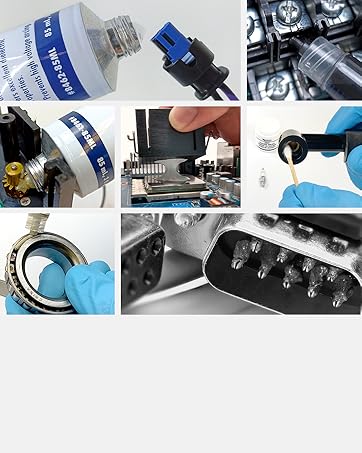
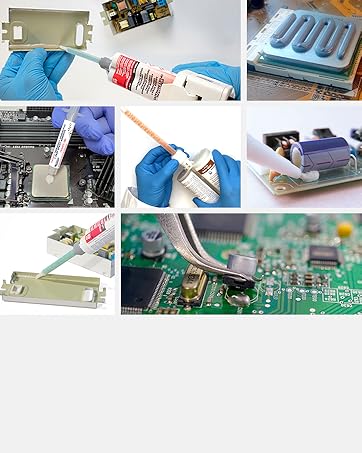
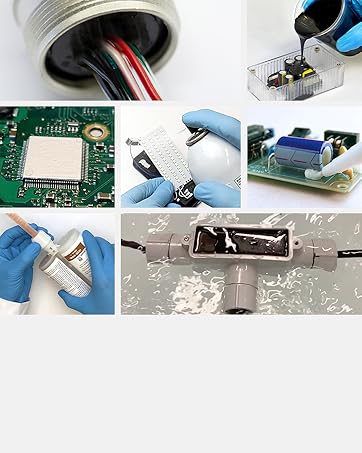
The MG Chemicals 838AR-P Total Ground Carbon Conductive Pen delivers fast-drying, corrosion-resistant conductive traces with a low volume resistivity of 0.46 ohms·cm. Its valve tip and soft tube design allow precise flow control, making it ideal for repairing or prototyping on a wide range of substrates including plastics, metals, ceramics, and 3D printing materials. Perfect for professionals and makers seeking a reliable, cost-effective solution to restore or create electrical connections.


| Customer Reviews | 4.2 out of 5 stars 379 Reviews |
P**9
Worked Perfectly for My Needs - Repaired Carbon Traces in Game System
I was working on a Turbo Express system with non-functional buttons. The capacitor on the controller board had leaked and dissolved the carbon traces for the buttons, so I purchased this carbon ink to see if I could use it for a more 'authentic' repair rather than jumping the traces or replacing the board in its entirety. After practicing drawing a bit on some regular paper, I cleaned the traces thoroughly, took a bit extra off the damaged sections and contact points and carefully applied the carbon ink. Most went on pretty easily (follow the instructions, they are helpful) however there were a couple spots where I flowed a bit too much and had to clean / reapply. Overall, it took maybe 15~20 minutes to read the instructions, practice a bit and perform the repair / get it how I wanted it (this being my first time using conductive ink, so next time it shouldn't take as long). My repair is barely noticeable! Most importantly... I let it dry for 10 minutes and tested everything out, and all buttons worked perfectly! This stuff is a God send. Follow the instructions and it really isn't difficult to properly apply... Make sure you thoroughly clean any surfaces you plan to write on, and remove a bit extra from damaged sections and contact points of existing traces, squeeze the pen firmly but not excessively while applying pressure to the ball point and use deliberate motion... Great product!
G**N
It does work for keyboard membrane repair!
I purchased the carbon pen to fix some connectors on my Commodore SX-64 membrane keyboard. Mine was in pretty good condition and just needed to fix the contacts between the membrane to the board. Here are a few tips: 1: Shake the pen! Like a lot! The conductive material settles so it helps to mix things up. 2: You need to both press down on the tip and squeeze the body for the liquid to come out. 3: It helps to practice on some paper or another item to get a feel for the squeeze and flow pressure required. 4: Have some toothpicks near by to clean up any messy lines. My method was more "blotting" the liquid in the correct spot versus "writing". I would apply slight squeezing pressure and then dot the tip where it needed to go. Then I would follow up with a toothpick to clean up the lines. It does work but you need to have some patience and it helps to practice on something else first!
R**E
It's like it never happened.
Used it to fix my favourite classic keyboard following a very unfortunate bourbon spill. Also reconstructed a /boot volume from scratch following a similarly unfortunate accident with MS-DOS installer the same night, but I digress. First off, let me say that less toxic fumes would be really nice, so I knocked off one star. Will make it two, if I end up with lung cancer---mark my words. Now as for /dev/keyboard, some of the corroded traces were longer than a few cm. Checking the restored traces with a multimeter, I was a little worried, because the resistance was thousands of times higher compared to the originally printed material. Nonetheless, all keys are registering functional, so it seems to be fine for this application. This pen is NOT a precision tool. It comes out fast and messy, so if you're working on tight rows of keyboard traces, you'll want to mask your work. Alternatively you could coat the entire repair area and then work in the negative with a pick, as it scrapes off pretty easily shortly after application. It goes on pretty thick - you want that, because it will not conduct if you do not get a good thick line.
L**Z
👍👍👍
Looks great
G**H
Worthless
Worthless. Regarding carbon conductive ink gets puked on and produces this 2mm thick trace that is far too messy for delicate traces. But that almost doesn’t matter because it doesn’t conduct. There is not in fact any current coming through and most of the time, the multimeter shows infinite resistance. Even after shaking the pen like a maniac, i get at best 190 ohms at 10mm long and 2mm thick trace. The Mylar keyboard membrane I was trying to repair is now ruined.
C**6
Blew UP!
Pen worked great for its intended purpose, but when I pulled top off it exploded, the tip had some think glue-like substance and when the top cap came off it pulled the tip out of pen, which leaves a 1.4-inch hole. SO it sprayed the insides all over me. HOW, well the top does take some effort to pull off, which makes a slight jerk when it does come off. I have ruined a shirt and jeans and lost almost all the contents, let alone left spots on my carpet. But what was left worked well. Not sure what the glue-like substance was, very much like rubber cement. The product works, but watch out taking top off.
T**N
Excellent product.
This works exactly as advertised. I had carbon traces that I needed to repair. I tried several things including making my own "carbon paste/paint" which was a waste of time. I bought this and put several coats on top of each other specifically to bridge two spots that were metal to the carbon traces. I wasn't sure if it would span the gap, even though it was very small, without cracking but it did. This is an excellent product and is at a reasonable price especially for me since I was basically out of options. I wouldn't hesitate to try their other two types of pens.
J**F
Fixes remote control button connection problems.
If your remote buttons are not making a connection and working properly this will solve the issue. Take remote apart to access the buttons, clean the contacts on the buttons and the circuit board with alcohol on a cotton swab. Shake the pen well, press the pen down on the button contact area while squeezing the pen sides. The pressing of the pen tip down on the button is necessary to allow the paint to flow. A small dot of paint will flow out around the tip. If needed use the pen tip to spread the paint where the tip was pressed down. The paint will self level and dries quickly. Allow the paint to completely dry before reassembly. It took about 30 to 45 minutes for mine to dry in July. Reassemble the remote and enjoy the ease of using the remote buttons again. The buttons make contact like new again. Great product I would recommend. I have 10 remote control Hunter fans and I used this product to fix all at one time assembly line style. Of course all of my controls have a printed label on back that contains the room name they work with. When I bought the fans 15 years ago I used a lazer printer and adhesive label paper to mark each fan controls location.
W**N
Keypad repaired
Used this to repair the contacts on a garage door keypad. Works like new. Recommend
S**K
Naaaaja...
Kann das produkt nicht guten herzens weiterempfehlen. Ist zwar conductive, aber das ist ein gaphit bleistift auch. Auf 1cm strichlänge hat man schon 120k ohm widerstand, bissl weiter gehts in den mega ohm bereich. Der widerstand is so gross, das man nichtmal bei 2mm linie einen ton aus dem multimeter bekommt wenn man auf durchgang testet..kann nur widerstand messen. Mag vielleicht bei nem kratzer auf ner pcb leiterbahn helfen um zu überbrücken..mehr aber auch nicht. Bei dem preis gibt es bessere möglichkeiten ein pcb zu fixen.
B**D
Excellent to fix broken remote controls
I had a few remote controls where most of the keys stopped working due to the carbon wearing off the membrane pads and not making sufficient contact with the PCB. Putting a blob of this carbon compound on the carbon pads of the membrane fixed the problem entirely. A few tips; - wear gloves, this stuff is messy and carcinogenic - shake the pen for 30s - use a sheet of paper to clean the nib - make sure the surface is clean, IPA+cotton bud - leave for 24 hours for conductivity and strength
A**R
Works as advertised. Very happy with it.
Works as advertised. Used it for the buttons on my electronic deadbolt. Instead of spending $100 for a new electronic deadbolt I fixed it with this carbon "paint". Buttons work like new. Very happy with it.
J**T
Amiga all better now. :)
I had no idea this sort of product existed but I'm so glad it does. I recently decided to dig out my old Commodore Amiga A500 and noticed a line of keys wasn't working (F2, 3, E, D, C). A bit of online searching and 'YouTubing' suggested corrosion on the keyboard membrane and, more importantly, how to fix it with a product like this. Thankfully, I discovered I only had a tiny bit of corrosion along one of the lines shared by these keys, and it was literally a simple matter of scratching out the corrosion and 'dabbing' over with this pen to reconnect the line. I am a complete novice at hardware repairs so I was thrilled that it worked and my Amiga is as good as new. I will just say that the pen behaves like an ink gel pen and the carbon can be a bit 'blobby' when it comes out, so be aware if using on small crowded circuits. But it's a great, simple-to-use product that has already paid for itself. Oh, and much Kudos to the seller for getting it to me so quickly...you made my day.
Trustpilot
2 weeks ago
1 month ago