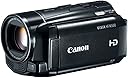
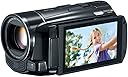
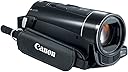
๐ฌ Elevate your storytelling with pro-level HD clarity and cinematic flair!
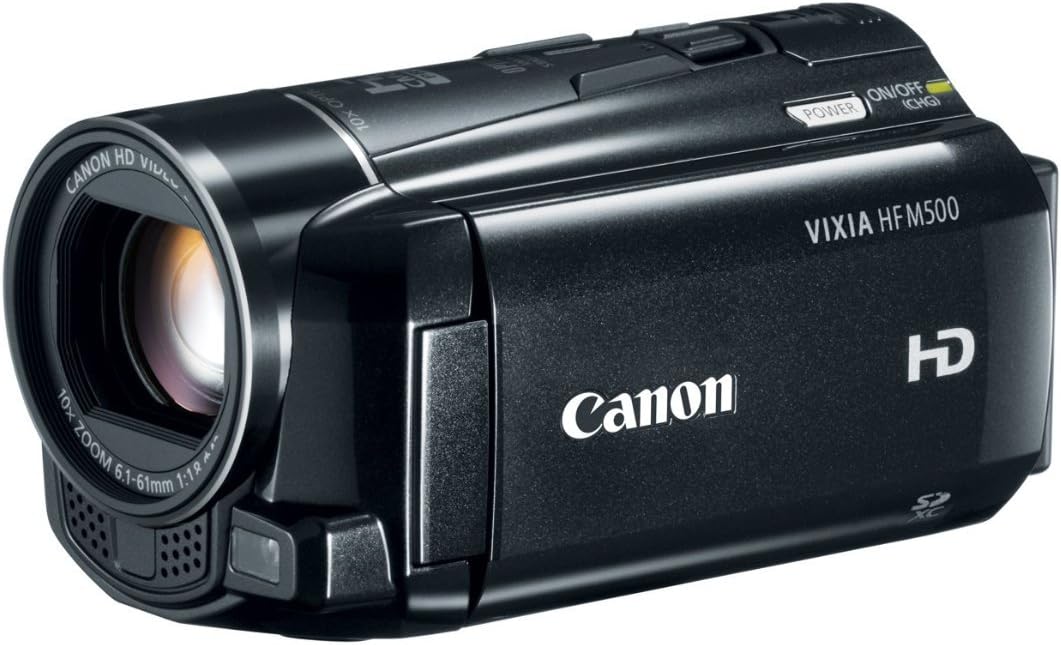
The Canon VIXIA HF M500 is a Full HD camcorder featuring a genuine Canon HD lens with 51x advanced zoom and SuperRange Optical Image Stabilization for ultra-smooth video. It boasts a 3.28 MP Full HD CMOS sensor paired with DIGIC DV III processor, delivering 1920x1080 resolution footage. The 3.0-inch touch LCD offers easy control, while Smart AUTO and cinema modes provide versatile shooting options. Designed for prosumers seeking near-professional quality without the pro price, it excels in low light and supports AVCHD and MP4 recording formats.
| ASIN | B006UMMPGE |
| Antenna Location | Camcorder |
| Best Sellers Rank | #417,414 in Electronics ( See Top 100 in Electronics ) #1,374 in Camcorders |
| Brand | Canon |
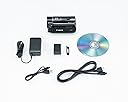
| Built-In Media | Battery, USB Cable, User Manual |
| Camcorder Type | Video Camera |
| Color | Black |
| Compatible Devices | TV, Computer, Smartphone, Tablet |
| Connectivity Technology | HDMI, USB |
| Customer Reviews | 4.2 out of 5 stars 149 Reviews |
| Digital Zoom | 200 |
| Display Resolution Maximum | FHD |
| Effective Still Resolution | 2.37 mp |
| Effective Video Resolution | 1080 pixels |
| File Format | MP4 |
| Flash Memory Speed Class | C10 |
| Flash Memory Type | SDXC |
| Focus Type | Auto Focus |
| Form Factor | Compact |
| Image Aspect Ratio | 16:9 |
| Image stabilization | Optical |
| Item Weight | 9.9 ounces |
| Lens Type | Macro |
| Manufacturer | Canon Video |
| Maximum Aperture | 3 f_stop |
| Maximum Focal Length | 6.1 centimeters |
| Minimum Aperture | 1.8 f_stop |
| Minimum Focal Length | 6.1 millimeters |
| Model Name | m500 |
| Model Number | 6096B001 |
| Number of Batteries | 1 Lithium Ion batteries required. (included) |
| Optical Zoom | 10 |
| Photo Sensor Technology | CMOS |
| Screen Size | 3 inches |
| Sensor Type | CMOS |
| Shooting Modes | Macro |
| Special Feature | Anti-Shake |
| Style Name | VIXIA HF M500 |
| Supported Audio Format | AAC |
| Supported Image Format | JPEG |
| UPC | 013803145786 |
| Unit Count | 1 Count |
| Video Capture Format | AVCHD |
| Video Capture Resolution | 1080p |
| Video Resolution | 1080p |
| Water Resistance Level | Not Water Resistant |
| Zoom | Optical, Digital |
R**N
Great Camera for Price and Features
I own a Canon T3i DSLR camera and had been doing some shooting with that over the last year prior to wanting to buy a camcorder. The reason for buying a camcorder is that I wanted a simple easy to operate point and shoot kind of camera when I have less time to plan exposure and play around with proper focusing. I debated between the Panasonic model that was in the same price range as this one but had 60p recording capabilities. I went back and forth several times and ended up deciding to purchase this one. The reason for the decision was the features this camera had which included a headphone jack, 24pf and 30pf recording modes, MP4 in addition to AVCHD recording, and better low light performance then the Panasonic. I am sure the Panasonic is a great camera as well but if you do not want to record in 60p there are not a lot of other options to shoot with and it does interlaced video at a lower bit rate then this camera. I have not been disappointed with this camera or my decision. The resolution and video quality that comes off of the camera in 24mbps AVCHD recording mode is awesome. It is better then broadcast quality but that is because of the down conversion of the source material on TV programs versus this camera being better then a professional camcorder. The quality of video however is very close to what you will get with Canon's higher end HG-G10 and XA10. The sensor on this camera is actually identical to Canon's professional models. The difference will be that the higher end models have better lenses, XLR Mic outputs, built-in ND filters, and features like 4-2-2 color sampling, focus rings, and multiple C-MOS sensors. At this price point you cannot get everything but you can come awfully close for a lot less money. This camera is not a professional camcorder but it does have the capability to shoot some high quality material straight out of the box. This includes decent audio along with a very good image. It is meant to be a point and shoot type of camera but has a lot of manual options as well. The manual options are accessed through the touch screen which means they are not as easy to work with as say a XF100 with more buttons. It is nice that Canon gives a lot of manual options since I know a lot of people will buy this camera and never take it out of Auto mode. You can stretch your creativity a bit if you wish or keep things simple point and shoot in auto mode. The good news is the camera takes great images in whatever mode you are in. MP4 recording is a nice feature as well if you are the type that uploads a lot of your videos to share on the net. The bit rate is quite a bit lower then AVCHD but it is recorded in true progressive 720P at either 24 or 30 frames per second and still looks very good. I like having that recording option available even if I shoot most of the time in AVCHD at the highest bit rate. The advantage to MP4 direct is reduction in uploading times to sites like YouTube that will convert your files to MP4 format anyway. The last thing to mention may be the most important and that is this camera's low light performance. Canon designed the sensor to use the minimal amount of pixel's needed for full HD. This means that the pixels that are used are larger which allows more light to pass through. It also means this camera outperforms all camcorders in this price range and above for low light performance. It was the biggest thing that pushed me toward this camera above all others. If you are looking for a great camcorder with near pro performance without the pro price this is one of the best out there.
A**N
This camera is a steal for the money
I purchased this camera to replace an older Canon Vixia HF S100 camera. I use this camera to produce a number of video podcasts online (have been podcasting since 2004), and as a result, tend to be a bit more of a pro-sumer. PROS The image quality is excellent for AVCHD. I generally shoot with a 3 point lighting set-up and manually set the white balance, and exposure using an exposure card and a whi-bal card, and always shoot in AVCHD PF30 (1080p 30fps) MXP (24Mbps). The HFS100 that was replaced could shoot with the same settings and the video quality was pretty good, however the HFM500 is visually a step up in image quality. Very nice. The audio quality is OK. Not bad, but not awesome. Compared to the audio quality of the HFS100, it is a HUGE step up, but I was hoping for more. My setup is actually a little unique, I capture all my audio via studio microphones and a Mackie mixer, with channel inserts to do live audio processing to get that nice presence with little background noise, then send that resulting sound to the camera via the mixer's aux send using a custom adapter cable that converts the 1/4" mono aux out to 3.5mm stereo the camera is expecting (sleeves tied together, tip goes to the tip and ring, basically dual mono into the camera, which sees and records it as stereo). The old HFS100's audio subsystem was terrible, getting the levels right was a bear and there was still a lot of noise that had to be cleaned up in post. The new HFM500 handles the line level audio into the mic jack quite nicely (this is the reason why I listed this as a pro), however, I wish I had more control of the audio sub-system. If you set it to auto (the default), the noise floor is way too high at -48db (per the audio meters in Premiere Pro) which results in fuzzy sounding audio when listening via headphones and you can hear the auto-attenuate function kick in every time you say something. It's OK if you listen on speakers, but way too much noise with headphones. The same aux out level into a nice digital audio recorder results in a noise floor of -72db (with all the mics plugged into the mixer and mic-levels set on the mixer to peak at -6 to -3 db), so the auto setting leaves a lot to be desired. Setting it to manual and 50 out of 100 (halfway) results in a comparable noise floor to the auto level. It's ever so slightly lower, but still way too high. I dialed the level down 5 steps at a time and didn't hit the same -72db noise floor until I was down to an audio level of 20 out of 100. At that setting, the noise floor is about -72db and in my studio setting the audio peaks around -6db to -3db, right where you want it. In my situation, any higher setting than that results in a higher noise floor and the audio auto attenuate function kicks in (I wish I could turn if off so I can see if I'm feeding it too hot of a signal). The great thing about the HFM500 is when setting the audio, you get a visual indicator as well as the actual numerical range, which makes precise and repeatable settings a lot easier. The HFS100 only showed the visual range and no numbers so in many ways you kind of had to eyeball it if you ever had to change the setting for something else and was trying to get back to your old setting. Once the levels are set, the actual audio quality is not what I would call pro-quality (this is coming from a guy who's done lots of pro-audio and knows good sound when he hears it), but is more than passable for something that is not pro-gear and will serve the average consumer very well. It's good enough that if I get the levels set right (much easier with this camera), I don't have to do any cleanup in post, which is a time saver for me and a plus. The simple fact that it can handle a mixers +4dBu line level out without distorting should say a lot. The AVCHD is a joy to edit in Adobe Premiere Pro CS6. It just works. Make sure you pull in the full contents of the card before importing it into either Prelude or Premiere, and use a card reader and at least a class 10 card. A nice 4:2:2 HDMI out. You can use an external capture device and really get wonderful footage. The strap is removable. A plus for those of us who primarily shoot on a tripod/monopod and/or tethered. CONS No included remote. Really?!?!?! My biggest single gripe. I use the remote on the HFS100 constantly. I'm not a fan of the touch screen, and I'm not really a fan of some of the consumer features that Canon includes, however, going into full manual mode does disable most of them. This isn't a pro-camcorder, but still, for those of us that are at least pro-sumer, a bit of a gripe. I wish setting the audio level, exposure, and white balance were easier to get to through the menu system, but they can be gotten to in manual mode. I wish clearing off the SD card was faster to get to. Re-initializing the SD card is something you're going to do a lot of and you can't do it with the computer. I produce 3+ new episodes a week with this camcorder and it would be great if there was a way faster way to get to this functionality. I wish the audio system was 24 bits and not 16 bits. If I set the audio level to 0 out of 100 there is no sound, if I set it to 1 out of 100 the noise floor sits right at -90db. Clearly not converting it from analog to digital with 24 bits. At least the analog part is clean enough and has enough headroom to handle +4dBu (pro line-level) levels without distorting. I wish I could turn off the audio auto attenuate function, but I suspect that it is the way it is because the ADC conversion isn't 24 bits. I think Canon wanted to make sure that no matter the signal level, the dynamic range fit inside of the kind of restrictive 16 bits that it uses to convert from analog to digital. For a home user this is OK, for a pro-sumer who may want more control, this is a gripe. It can be made to work, and is a lot easier than the HFS100 it replaced, but can be much better by a long shot. I wish the audio level display on the camcorder was greater than 48db. 90 to 120 db would be great that way at least you can see where the noise floor is on the camera itself instead of really only knowing where you are peaking. Per other reviewers, the camcorder does occasionally not recognize the SD card, but if you power down, take the card out, then put it back in, that usually does the trick, however, in reality, it should never happen unless the card is bad. Another gripe is the power connector on the camcorder, on the HFS100 it was a barrel connector, and so made providing power via an external battery pack super easy. On the HFM500 it is some proprietary square connector, which makes tethered shooting on-location a lot more difficult from a power supply perspective. Also, the power supply is now a wall-wart as opposed to a power cord with an in-line transformer, again making power supply more difficult compared to the HFS100. I wish Canon would let us shoot in 2K. The difference between HD and 2K is minimal (1920x1080 vs 2048x1152) and there is no reason why it at least can't be an option on the camcorder for us pro-sumers that might want to make a movie with this thing. And last but not least, I wish canon would allow recording to MPEG-2 at 50Mbps and 4:2:2, or even better, DNxHD or ProRes with 4:2:2 color. AVCHD is really just h.264 under the covers, which is a sucky codec to use for an acquisition format because it is bit rate limited and only 4:2:0 color (unless you get into blu-ray profile levels and bit rates, which the camera doesn't do). I'd love to have a camcorder that doesn't cost an arm and a leg that captures HD (or 2K) at higher quality than blu-ray (which is also h.264, but up to 40Mbps). They have the sensor and the control of pro-sumer stuff in this camcorder, I just wish they would back it up with acquisition that was pro-sumer to pro for less than $1000. At least you get an uncompressed 4:2:2 source via the HDMI out and can record that to something like the Blackmagic Design's Hyperdeck shuttle or Hyperdeck Studio. That is all. It's still a very good camera and I'm glad I made the upgrade and it is still a steal for the money, I just wish it had more (as is usually the case with me).
M**O
Great Camera
I've been wanting this camera for months. When the previous model was discontinued I had hoped it would drop in price to a point where I could justify buying it. Alas, the 400 series only went up in price. I checked in on this camera every few weeks to see if the price would drop and it never did; until November 2012. I waited to see if Black Friday would see a further reduction, but it stayed at $349 (which was fine) so I snagged one. I did see the following week a price of $299 when they had 2 left so I still felt good about what I paid. The one negative going into buying this was that it didn't come with a remote like the previous model, and the actual Canon remote has been unavailable in the states almost the entire year (2012). I had found several places that stocked it in September so I knew this camera was going to be the one. I placed my order for the remote about a week before Black Friday in order to get the timing close. The camera arrived quickly being a Prime member. It was smaller than I expected, but I wasn't disappointed in that. I waited to actually use the camera for about a week as I didn't have a wine review to do just yet. In the meantime I had to find another supplier for the remote (bought the Rainbowimaging Infrared Remote Control for Canon Legria/Vixia Camcorders here on Amazon), and my white balance and exposure cards arrived from Wilson Art (these are free BTW, including free shipping). The remote showed up just before I took a winery tour here in Texas and it worked perfectly fine. I've used the camera about 10 times since buying it. I'm still learning how to properly use it but have been impressed with the quality of the videos so far. In both natural light, and the NEEWERยฎ 160 LED CN-160 Dimmable Ultra High Power Panel Digital Camera / Camcorder Video Light, LED Light for Canon, Nikon, Pentax, Panasonic,SONY, Samsung and Olympus Digital SLR Cameras lights I've used the camera has performed superb. Almost any issue has been me not understanding a setting properly or just user error, but that has been rare. The camera is easy to use, and if you know what you are doing (did I mention I was still learning), the manual modes give you plenty to tweak. I've shot in bright light and very dim. As long as I didn't screw up my settings, the video is excellent. I did have one sunlight shot of a vineyard where I went partially auto and didn't use my balance and exposure cards that came out super washed out, but that was really the only bad footage I had. I had a hard time seeing the LCD screen but from what I did see I should have known the settings were off. Battery life is basically what everyone else says. I've gotten almost an hour from the battery. I did buy 2 higher capacity batteries Replacement BP-727 Battery Packs for Canon Vixia HF M50/ HF M500/ HF M52 Camcorders on Amazon that performed perfectly. The caveat is that these aren't official Canon batteries, so you get an error when turning on the camera and there isn't an indicator as to how long of a charge you have. The camera is super light and barely adds to the weight in my backpack. Audio. I don't use on camera mics anymore, so all I can tell you is that it's about the same as any other camera. I only use it to sync my audio from the Zoom H1n Zoom H1 Handy Portable Digital Recorder . It's fine for home movies or the equivalent, but if you are doing a web show like mine, you need to use off camera mics. For those that need to know, videos import just fine into Final Cut Pro X in AVCHD format. I use that format as mp4 has time limitations (per "scene") that I can easily run up against. I shoot in SP mode to keep the file size manageable, have plenty of time available on my 16GB SD card (the higher the bitrate the less time you can record), and still have excellent quality. BTW it's 7Mbps for the bit rate which is plenty for what I do. I shot test video on SP, XP+ (12Mbps), FXP (17Mbps), and MXP (24Mbps) and played it back directly from the camera on an 70" LED TV. While I could tell there was a difference in quality it wasn't enough for me to change from SP. This is because I do web video that ends up being 720p. My bitrate for these videos ends up being between 2500-4000 so the compression is going to really kill the slightly better quality anyway. If I was going to change it, I MIGHT use XP+ but I doubt there would be enough of a difference. If I was going to do some serious shooting that was going to end up being 1080p in the final product, then I'd go all the way to MXP. I can't say enough good things about the camera. Again, any issues are user error in using the camera or even in lighting the set. If you are trying to figure out which camera to get, you can't go wrong with this one. I'd pick it over the two higher models since I don't care about the wi-fi or having internal memory. I'd rather determine how much memory I'm using by changing the card anyway.
J**N
Perfect for my needs!
I received the Vixia HF M500 camcorder yesterday and am so far very happy with my purchase. I'll try to keep this review relatively short. Overall the camera is very simple to use. The menu navigation is rather intuitive. You can hit the home button on the inside panel to bring up selections for a number of important settings. General camera settings and functions are all accessed from here. On the touchscreen, depending on how the camera is set up, you will see other options available. For instance, choosing the "cinema mode" brings up filter selections on the main screen which you simply scroll through to select. Very easy to use! The included software isn't much, Pixela Transfer Utility. I can't complain, it gets the job of transferring files from the camera to the PC done. For reference I'm using Windows 7 and had no problems with installing the software or getting files to load. Pros: Video Quality - Excellent for a camera in the sub $600 price range. The colors overall were all very accurate with very good hue and saturation. I filmed a Sandhill Crane in automatic mode and then manually set the white balance using a photo grey card and the compared results were very similar. Many people probably wouldn't even notice the subtle changes. The sharpness and detail of the video is outstanding. Not once under proper lighting conditions did the video appear grainy or lacking in any way. I did notice a bit of degredation in very poor lighting, which is found below as the one con for this model. Very small and incredibly light weight. The camcorder fits very comfortably in my hand. The controls are easily available for one handed operation. Battery life is pretty good and better than I expected at a full 120 minutes. I'll end up getting a spare just to have but to start it's nice to know you'll have 2 hours worth of recording time. 10x optical zoom. There's no degredation of the video at full zoom, unlike digital. Optical Image Stabilization. Like the optical zoom, this is the best option available. It doesn't degrade the picture and produces a very steady shot. Cinema filters...Ok, so I really didn't think I would like them but it turns out that I do. To my surprise I actually can see myself using a couple of them from time to time. If nothing else, they provide some artistic options without having to edit them in to the video in your software program of choice. Audio quality. You're essentially getting cd quality audio from the internal microphone. Available hot shoe. In the event you'd like to add a light or external microphone (5.1 surround mics are available) you simply attach the accessory to the hot shoe and you're ready to go. I know in the future I will be adding these capabilities. This is one of the features that made me choose this model. Cons - A little lacking in the low light area but nothing that is a deal breaker. I've seen far worse and was generally impressed. It isn't pro quality but if that's what you're looking for, $550 isn't the price range you should be looking in. Conclusion: From my couple hours of experimenting and using this camera I can without hesitation say that the quality is exactly what I want and need for my own personal use. There are plenty of options for video quality and general aesthetics right in the camera that make it everything I need. If you're looking for a "step up" model with some bells and whistles and excellent overall video quality then take a serious look at the HF M500. I am extremely happy with the purchase. EDIT: 03/31 - I detailed the video quality and battery life as I have yet to be able to load a short sample clip. EDIT: 04/01 - I finally got some test footage up and available in 1080p on YouTube. I hope you'll find yourself as happy as I am with the quality of the video this little beauty produces. I am completely satisfied in every way with every aspect of this HD camcorder. Search YouTube for the model number and it should pop up (mine is the "jaysdroid" video), if not here's the address: [...]
P**P
So far, so good
Received the cameral last night. First thing I did was plug in the battery and try to fire it up. Usually, there is at least a little bit of juice in new batteries to at least fire things up and see that they work. Not in this case. Plugged in the charger and it started to charge. The manual insists that you can EITHER charge, OR you can power the camera, not both. Hmmm. Checked how long to charge ... 5+ hours!!! for a battery with a runtime of about 1hr 20 min. Now I think this is deliberate, its to persuade you that you need another battery and an external charger, they are ~$100 each. I wish Japanese manufacturers wouldn't do this stuff. Its like printers. You buy one for $100 then find its going to cost you $120 for the next set of ink cartridges. As with Epson ink cartridges, the Canon batteries have a built in chip... You can get a third party charger and two batteries for less than $40, or you can pay $200 for a Canon charger and ONE battery. The difference? The chip is used to display how much charge you have left, so with the third party battery you don't get that indication. But for $15 vs $100, I might live with that. Anyway ... once you get past the obligatory rip-off, the camera itself seems to perform very well. Out of the box, it has an obnoxious set of noises when you use it, but at least you can turn them off. Went to load the software onto my Mac running Mountain Lion, went to the websit to get the latest (included CD/DVD ALWAYS seems to have outdated versions, so I generally skip them). So, on the website, you can select Mountain Lion, but there is no software (yet). There is a suggestion to "try" the Lion version ... I did, it doesn't work. Fortunately, other software, which is probably superior to whatever Canon are going to provide does work, so I can suck the video directly into First Cut Pro X (for example). Pity there is no sort of cover at all provided -- Canon will sell you a bag, for a bit less than $100 for the basic one... Due to the obligatory rip-offs associated, I can't give five stars. Note to Canon: if the basic charger allowed charging in ~ the same as the battery runtime (quite feasible), and if you had supplied just a cheap cover, you probably would have received five stars, because the camera itself is actually very good. More comments later when I have had the chance to actually use it in anger. ----- Update: I have now had time to play around with the camera, not taking much video, so comments on that will come later. Everything you do has to be via the menu system on the screen. This is fine for setup, but if you want to make any adjustment while videoing, its going to be a) a pain and b) disrupt what you are videoing. The screen is quite insensitive. You really have to poke it to get your selections to register. Best of luck holding it on the subject while poking the screen. Unfortunately, this seems to be common for most sub-$1,000 video cameras these days. The menu arrangement is a bit odd. Its certainly not how I would have arranged things. I can see a sort of logic there, but I think its the logic of a software designer, not a video camera user. Again, typical of cheap(ish) Japanese video cameras. The default settings are (sort of) ok, with the exception of the default 60i format and SP quality. I am convinced this was chosen only so that they could get "60" into the marketing material -- this is basically a 30fps camera, which is perfectly ok for 99.9% of all uses. As a default, 60i is really not the best. If you want to edit the video, or even just post it on the Internet, interlaced is not the best choice. "SP" quality is actually pretty poor (compared to what the camera is capable of). Anyone using the camera out of the box and then looking at the result on a decent monitor/HDTV is likely to be quite disappointed. Especially if the recording was of something important. One thing I did find to be missing, and was a little surprised that it isn't there, there is no ability to take frames at specified intervals to record slow activities. That would be so easy to do. Update 2: Used it on the beach today. Not good. This isn't a criticism of this particular camera, but of this style of camera: The fold-out screen is absolutely useless in a bright setting. Can't see ANYTHING of what you are trying to record. I do find the record button poorly placed. It is impossible to hold the camera comfortably and stable AND be able to easily reach the record button without moving the camera. Most of the video was good, that that wasn't was mainly due to the close to impossible scenes that I was trying to record -- subject (dog) moving from brightly lit beach into dark shadow, the camera tried to keep the subject well exposed, but ended up with everything looking washed out. I could *probably* have done better manually (not as fast), but I can't really complain at the auto exposure results.
W**Y
Excellent Camcorder
The Canon Vixia HF M500 is outstanding. I had a Canon XH-A1 3-CCD camera. It had a very good video quality image. Yet in comparing the two cameras on a LED flatscreen TV, The M500 blows it away. The image quality is very close to broadcast quality. I've been shooting video and film for years, and this little M500 offers stunningly good visuals. The colors are very accurate, the sharpness reveals a lot of detail, and it works very well in low light. I have been shooting on MiniDV tape stock for years. I was hesitant in shooting on an SD card. My main concern was the ability to archive my videos. After shooting with the M500's AVCHD format on the SD card, I was sold. It's so much more convenient than tape and takes up far less room for storage. I simply copy the footage to an external hard drive and back that up. I bought a 64GB SD card and I can shoot for over 5 hours. The SD card does have a 2GB file limit. The card will continue to write for almost 12 minutes before starting another 2GB file. There is a *slight* delay in the sound and picture between the files. Just be aware of this if you're continuously recording. The M500 is very easy to use. The menus are very clear and easy to read. The camera boots up quickly. The lens focuses very quickly. It's actually faster and more accurate than my previous camcorders, including the semi-professional ones. I love that I can touch the screen to get focus on a subject and the camera automatically follows. The picture quality is stunning. I shot footage at the beach and it rendered accurate exposure automatically. I shot some footage indoors and it picked up a lot of detail in low daylight. Even nighttime footage with normal indoor lighting was impressive. The 24p feature is fun and actually looks very good, depending on the filter you choose. Sound through the camera's microphone is very good. I was able to record my voice and it was clear and precise. I haven't tried the external mic input yet, but I'm sure it'll sound fine. I wish was that the M500 had a better optical zoom range. Shooting at 10x doesn't offer real leeway on far away subjects. The LCD is wonderful indoors, but a challenge outdoors. I'm used to cameras with viewfinders. The solution to this is to purchase an LCD hood. I have owned Sony, Panasonic, and Canon camcorders over the years. I always preferred Sony, but ended up returning one of the camcorders because it produced a poor picture. The Panasonic HD camcorders were overpriced for what you got. I wasn't always crazy about Canon camcorders in the past. Their quality has varied widely over the years. But the M500 is nearly perfect for me.
R**N
Canon "M" Series---Solid Low-Light Performance
This little Canon Vixia HF M500 is a solid low-light performer. The camera can shoot indoor concerts and sports WITHOUT grainy image quality. Indoor shots are clear and have good color accuracy, even with the full *optical* zoom. I bought it primarily for its low light performance. The M500 works great outdoors. It was recently used after a heavy snow using the "snow" image setting. Motion recording was great, images were accurate and bright, and there was no problem seeing the images in the LCD screen during recording. The M500 does not have Wi-Fi or onboard memory. It does have: Beautiful, professional HD video quality. One SD card slot. The M500 has a great "Auto" setting; I find that I often use Auto instead of switching to manual controls. If you like to take more control of your recording the M500 has the capability of giving you manual control of things like White Balance, Shutter, and Aperture. In-between the "full auto" and "full manual" settings, the Vixia HF M500 also has a range of built-in light settings (Outdoor Snow, Indoor Flourescent Lighting, Indoor Tungsten Light, and several more) that you can access via the menu system on the LCD viewer. Did I mention the beautiful, professional (to me, at least) HD video quality? I can't fully describe the beauty of video recorded by this camera. I recently transferred some home video of a band concert to an AVCHD disc via my editing program (I do not use the Canon-provided software; tried it, but prefer two other third-party editors). When displaying the AVCHD video on a 46 inch LCD TV the reaction from viewers was "wow! It looks like you're right there!" I get better video using a tripod or a monopod. The M500 has the capability to record either AVCHD or MP4 video. Frame Rate: The M500 records AVCHD at 1080 60i, or 30P or 24P. It can also record MP4 at 24P or 30P. I have only used MP4 24P 9kps one time, but it looked very nice. If you plan to shoot a lot of indoor video, this camera is a great choice. Of course it does a great job recording outdoor video in bright sunlight too. In really bright sunlight the LCD viewfinder is sometimes a little hard to see.
W**V
Camcorder
My dropped my old Canon camcorder which I loved and bought this one to replace it since I couldn't find the same model. It was easy to use, easy to copy onto DVD. This one, however, isn't the same. It takes good quality video, but I can't save my videos to DVD. I had a friend to try to get the videos off of the camera for me and she said it was the hardest thing she had ever done and the quality was not that great. I put it away and haven't used it since. I am still shopping for something better. I bought this to capture sports videos of my granddaughter's basketball and softball games but was unable to video her last year of playing high school sports. Very disappointing.
Trustpilot
5 days ago
3 weeks ago