Desertcart purchases this item on your behalf and handles shipping, customs, and support to Japan.
🚀 Elevate Your Home Network — Never Miss a Beat or a Byte!
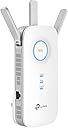
The TP-Link AC1900 WiFi Extender (RE550) supercharges your home network by expanding WiFi coverage up to 2800 sq.ft and supporting 35 devices simultaneously. With blazing dual-band speeds up to 1900Mbps, three adjustable antennas, and a gigabit Ethernet port, it eliminates dead zones and boosts streaming, gaming, and work-from-home reliability. Intelligent signal indicators and the TP-Link Tether app make setup and management effortless, ensuring you stay connected with the fastest, most stable WiFi wherever you roam in your home.


| ASIN | B08TLT65WM |
| Best Sellers Rank | #10,998 in Computers ( See Top 100 in Computers ) #66 in Network Repeaters |
| Brand | TP-Link |
| Built-In Media | Power adapter, Ethernet cable |
| Color | White |
| Colour | White |
| Compatible Devices | Extend the range of any Wi-Fi router or wireless access point |
| Connector Type | Wireless |
| Customer Reviews | 4.3 out of 5 stars 17,787 Reviews |
| Data Transfer Rate | 1900 Megabits Per Second |
| Data transfer rate | 1900 Megabits Per Second |
| Frequency | 5 GHz |
| Frequency Band Class | Dual-Band |
| Frequency Bands Supported | 2.4 GHz |
| Frequency band class | Dual-Band |
| Item Dimensions D x W x H | 12.4D x 20.1W x 8.6H centimeters |
| Item Type Name | WiFi Extender |
| Item Weight | 231 g |
| Manufacturer | TP-Link |
| Mfr Part Number | RE550 |
| Model Number | RE550 |
| Range | 259 meters |
| Special Features | Extended coverage and multi-device compatibility |
| Special features | Extended coverage and multi-device compatibility |
| UPC | 840030701504 |
| Unit Count | 1 Count |
| Wireless Compability | 802.11a, 802.11ac, 802.11b, 802.11g, 802.11n |
| Wireless communication standard | 802.11a, 802.11ac, 802.11b, 802.11g, 802.11n |
F**H
Sinal de qualidade
Aumentou bem a cobertura e a qualidade do sinal.
K**R
Best purchase in awhile! It saved my marriage!
I live in a fairly small 3 floor (duplex) house, with a small front and back yard. My wifi router from my provider is in the basement. This left me with great reception in the basement, which I rarely spent time in. Medicore reception on the main floor and basically abysmal reception upstairs, where the bedrooms are. That means anytime I would try to use the wifi for anything upstairs I would get kicked to data. Which is immensely annoying and costly as compared to using my wifi, which I already pay for. Then when I got security cameras just outside my front and back door, the wifi is so trash that I would lose connection and be unable to view live feeds. I asked my provider how to improve this, and they sent me two eero wifi boosters, which I would rent from them at an additional $12/month. These boosters can be bought on Amazon for $100 each, but with a rental from a provider I would have paid infinite amounts for them in my lifetime. Anyway, those expensive boosters did not do one thing at all, and I had the provider take them back. When I got this booster, my whole life changed. With one unit, I paid $61 with tax to own. No forever rental fee... I immediately had amazing wifi connection. I had full bars wifi downstairs, main floor, upstairs, outside and I still had access to my wifi from 4 houses away! It was so simple to set up, I am totally unskilled in this tech but I did it in about 10 minutes. It walks you through it so easily and clearly anyone could set one up. It also seems the download speeds are much faster, although I cannot entirely confirm, this is just what I have noticed from Xbox downloads and personal opinion. The app shows you how many devices are connected to the booster, how the quality of the connection is, it has the ability to block devices from the booster and scans for safety and anti-virus. I was thinking you had to have it connected by that special cord but you don't. You can have everything connected and working properly just by plugging the machine into any outlet so long as it is close enough to pull a connection to your wifi. I put mine on the main floor when my router is in the basement and it connects everything dang near to Nantucket. Best sixty bucks spent recently, really thrilled with it. I would recommend this to anyone, especially people tricked into renting a booster from their providers. Do not spent a million dollars over your life, just spend sixty bucks and have something you own and that works. Before I couldn't get wifi upstairs or even if I stepped one foot outside. Now I can get wifi from places so far I won't even be. Buy it!
J**4
This extender worked wonders for our lagging devices!
We have struggled with a weak wifi signal at the rear of our home for several years. I have tried the XPods and another extender type device with no luck. Lagging streaming television and weak wifi on cell phones at the further most point from our router were a constant issue until I purchased this device. My intention was to try the TP-Link AC 1900 as a wireless extender first to see if I could get the signal to improve. Setup was fairly easy after I downloaded the app and followed the guidance. This device feels well constructed and booted up quickly. Once I got it up and running, I checked the download speeds in the dead spots of my home and it did boost them... not significantly but a noticeable boost. Basically, from 1-2 Mbps to 12-15Mbps. I then decided to use the AC1900 as an access point due to the fact that it has an ethernet port. Once I figured out how to change the settings to access point, I plugged it in to a hard line that I had run prior at the rear of the house and then checked the speeds again. To my delight, the speeds were now in the 300-400 Mbps range repeatedly. This was a huge win for us as we have struggled with low internet speeds in portions of our home for years. Setup was a little confusing as I had to figure out how to name the network and set passwords so that we could access it. After reading some additional info and watching a few youtube videos, I was able to get it all up and running. The nice part was that I was able to name the new network the same as our existing network with the suffix ext to identify that it is the extended network. Same password and for the most part, our phones would recognize the stronger signal and switch almost automatically. Our streaming TV's and my son's headset gaming system are now booming with wifi thanks to the TP-Link Extender. I believe this is a real upgrade and solution to low wifi signals in the home. Well worth the modest investment for the increased speed and reliability of you home network.
R**S
Excelente producto!!!!
Hay que seguir con cuidado las instrucciones para configurar el extensor. Lo acabo de usar en zonas de acceso limitado y funciona perfectamente. Señal fuerte y rápida.
A**C
facil de instalar
recomendado. fácil de instalación, tiene mucho rango de metros
Trustpilot
1 month ago
2 weeks ago