Buy anything from 5,000+ international stores. One checkout price. No surprise fees. Join 2M+ shoppers on Desertcart.
Desertcart purchases this item on your behalf and handles shipping, customs, and support to Japan.
✍️ Upgrade your Apple Pencil to whisper-quiet, buttery-smooth precision!
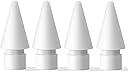
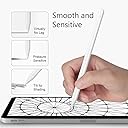
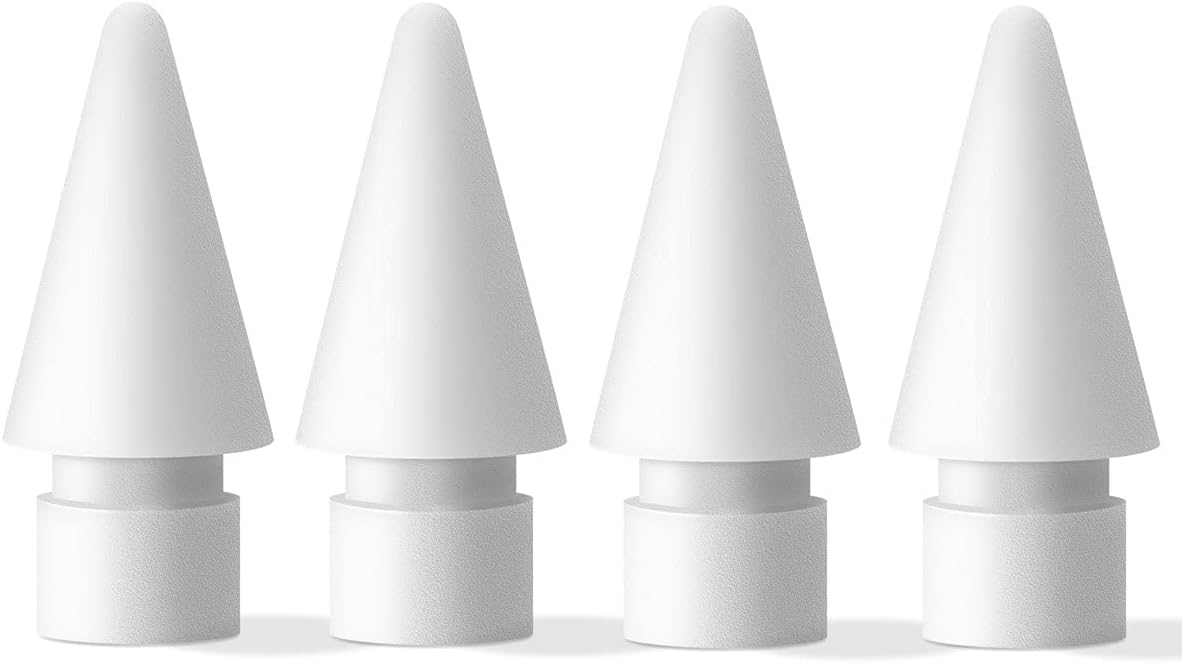
MJKOR Soft Noise Reducing Tip Replacement offers a 4-pack of silicone nibs compatible with Apple Pencil 1st and 2nd Gen. Designed to reduce writing noise and provide a paperlike tactile feel, these durable tips ensure smooth, lag-free drawing and note-taking on your iPad without scratching the screen. Perfect for professionals seeking a quieter, more natural digital writing experience.


| ASIN | B093KQLYDX |
| Are Batteries Included | No |
| Are Batteries Required | No |
| Batteries Required? | No |
| Best Sellers Rank | #9,487 in Cell Phones & Accessories ( See Top 100 in Cell Phones & Accessories ) #220 in Styluses |
| Brand | MJKOR |
| Compatible Devices | Tablet |
| Customer Reviews | 4.2 out of 5 stars 988 Reviews |
| Enclosure Material | Silicone |
| Manufacturer | MJKOR |
| Material | Silicone |
| Mfr Part Number | B093KQLYDX_CA NARF |
| Number of Packs | 4 |
| Unit Count | 4.0 Count |
N**E
Very nice upgrade for note-takers and artists
Purchased these MJKOR tips to see what the difference would be since I have only used the ABS plastic tips included with my Targus pencil. Wow this is impressive, Interesting as well: these feel so buttery smooth. As if my tempered glass screen protector were a thin layer of Mrs.Butterworths. I wouldn't compare it to paper exactly, it's hard to explain until you feel it. A real pencil and paper, or chalk and blackboards, has a little "grit" feel when writing. These tips however, provide resistance while yet being smooth as glass. It slows down your motions using a little bit of smooth friction, which helps when drawing long lines or curves slowly. It has also helped reduce jittery lines and helps my notes and sketches look smoother. The tips are being used on a Targus pencil for 9th Gen iPad (gen 1 pencil) with tempered glass screen protector. I have also since purchased a different brand which claim to be a true Shore 60 Hardness 2B, and they are not as resistant as these MJKOR tips. I can write faster with the other tips. I would guess these MJKOR feel like a Shore 50? Just a bit softer than the claimed "true 2B". So I actually like going back and forth between both to see what works best for quick note-taking, and sketching/drawing. But overall, very pleased with these MJKOR tips.
S**R
Absolutely PERFECT for Coloring!
After spending over $1k on a new iPad I didn’t want to use a matte screen protector because they noticeably dull the beautiful definition that I’m paying extra money for. So after ditching the Paper Like Feel matte protectors I decided to use a glass protector and these replacement tips on the Apple Pencil 2. I tried out ALL the available replacements tips and tip covers I could find and this is the PERFECT combo! None felt right until I got these Soft Noise Reducing Tips by MJKOR. And WOW! I’m so glad I did. They are a bit more expensive but I’m not going to cheap out on tips after shelling out the money for an iPad! The amount of resistance is just perfect. No noisy tapping, lagging or sliding across the screen. They are absolutely perfect for coloring and drawing. I’m a pen aficionado and I love gel pens and how the just smoothly roll across paper. Well these have the same effect. So buttery smooth across the screen. And I’m not sacrificing the beautiful colors and definition that the newer iPads are known for. I bought extra because I never want to be unable to find them. As far as for note taking and precision drawings I haven’t used them for that yet the majority of my time is coloring. So I can’t say how well they are for that function. The key to keeping them rolling is a clean screen. I use a microfiber cloth several times a day and the tips keep on rolling!
D**G
Great product!
Love, love, love these! I bought a couple years ago and I just recently switched out the tips. It gives any ipad the paperfeel so your not constantly clicking on the screen. It also makes taking notes much more likeable. It was very compatible and easy to install with the apple pencil. Ive found that the responsiveness is on point and it does not scratch the screen. I gave 4 stars because they do begin to wear down after a looooong while, thats then I had switched mine out. Overall highly functional and great value for money spent!
B**0
These Work great!
No more "clack clak clak" sound when taking notes! They are much quieter. Get em.
B**W
Love how the tips make the pencil feel like you’re drawing on paper but don’t last long at all.
Loved them but they didn’t last long at all. Unsure if I got a defected item or not but for me, 1 tip lasted 1 month. Used them for drawing, not a professional artist, draw in my free time. Once the tip is worn down, the metal is exposed.
T**M
Drawing feels so nice, soft and plush
I bought this having read other people’s reviews. I used this on an iPad Pro with glass screen protector and would describe the writing and drawing experience as a soft plush feeling combined with a smooth glide. It still has enough friction that you’re not slipping everywhere. It’s amazing. Since I’m using this on a glass screen protector, the feeling is most likely going to be different if you use a paperlike protector, and my guess is that it may not feel as nice due to the extra friction of a matte surface. I wanted something that works best on the original iPad screen or a glass protector because I didn’t want to sacrifice screen quality with a matte layer, and this is perfect. It doesn’t add the grittiness of a matte paperlike, but it dampens enough to feel like you’re in control of the Apple Pencil. Add to that the slight soft tip and you have this really subtle but luxurious experience. Never thought I wold use those words to describe a pencil tip, but yeah, try it for yourself!
M**K
Very nice
Background: I have severe neuropathy and shaky hands, so I need to steady the pen while drawing. Screen protectors are not an appealing option. For some types of line work the app's brush stabilizer option is great. For sketching and painting it's awful. I'm using these on an Apple Pencil Pro. I've been trying out a small variety of pen tips and silicone caps. I'd definitely recommend these over the other options. 2B is good. Maybe some brands have softer, like 4B or 6B—I've heard of that but haven't seen any. These 2B worked well. I get the smoothest line—when drawing a long, slow one—with a silicone cap over the original Apple pen tip. But with those there's the trade off that they wear out quickly (maybe after an hour) and work loose, like an old stretched out sock. These 2B tips didn't give me the smoothest slow line but were a good compromise for both vigorous work and precise work. (Also, in some drawing apps I've found I have to press a lot harder to make a mark with the silicone caps. And by comparison the silicone caps have a lot of drag, if that bothers you.) I suspect these will get the most use out of the options I've tried. Very nice.
L**Z
nothing like paper
these tips are supposed to feel like paper, then I must have been using the wrong kind of paper my entire life. Seriously, I was expecting a nice, textured writing experience—something that mimicked the feel of a real pen on paper. Instead, I got a smooth, slippery mess that felt nothing like the real deal. Yes, they fit the Apple Pencil, but that’s about all they do. The writing experience is subpar at best, lacking any of the resistance or tactile feedback you’d expect from something marketed as “paper-like.” If anything, they make the Apple Pencil feel worse to write with. I’ve used plenty of e-ink devices and accessories that actually do a great job at replicating the feel of paper, and let me tell you—this one ranks dead last. For the price, I expected at least a noticeable improvement over the standard Apple Pencil tip, but instead, I got a disappointment wrapped in false advertising. Save your money. If you’re looking for a true paper-like experience, keep searching—because this ain’t it!
J**.
Tit tat tit tat sound?
These are exceptional. Looking for tips that don’t make that tit tat tit tat sound when you write? These are them. I was sceptical but found a review buried in here saying these stop the noise. It genuinely does (not silent - but 80% quieter). I don’t know why Apple doesn’t supply them as standard as these are SO MUCH better.
M**K
Not soft or noiseless as claimed. Ok as an original tip replacement, not as a soft writing tip.
I'm returning these - they are exactly the same type of hard plastic as the original pencil 2 tip. That would be fine if I was looking for an original tip replacement, but I wanted what was advertised by this product: a softer tip that made the writing experience more realistic. In the attached image, can you guess which is the "soft" tip? Apple Original on the left, these on the right. They are both hard plastic.
D**.
Not Noiseless or pencil like
These are not noiseless, soft or pencil like. Pretty much feel like the original tip. Still work well as replacement tip but just not as advertised.
S**E
Not as described
The tips are just as hard as the original apple tip, made no difference at all.
L**E
Not noiseless - the same as regular apple pencil tips
These are not noiseless and do not feel any different to regular tips. These would be good if you are looking to replace apple pencil tips, like for like, but if you are looking for noiseless, softer tips they are not as decribed.
Trustpilot
1 week ago
1 month ago