๐ Elevate your workspace with ultra-long HDMI reach and multi-display power!
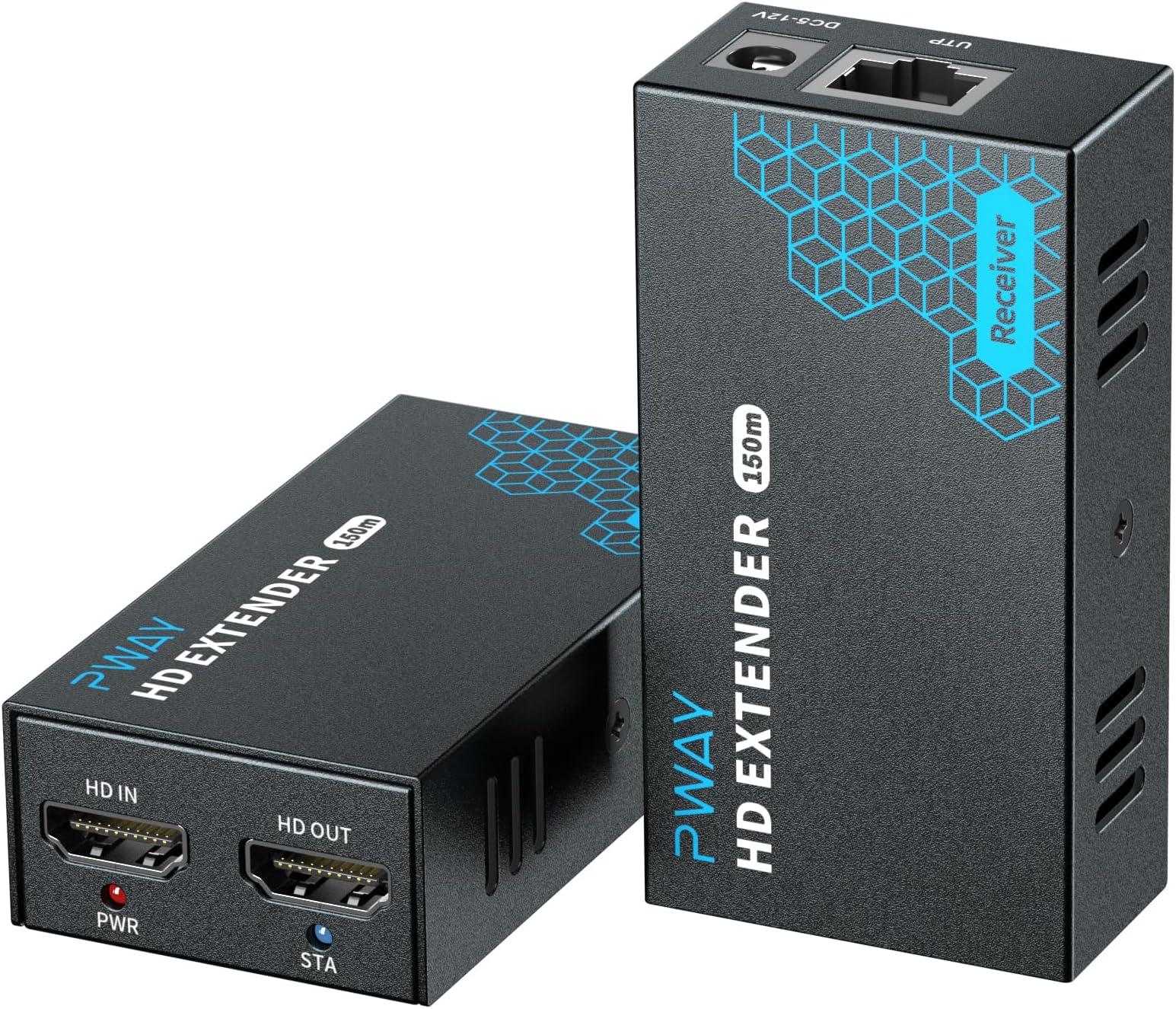
The PWAY HDMI Extender delivers crystal-clear Full HD 1080p@60Hz video up to 500ft over a single Cat5e/6/7 cable. It supports multiple monitors via a Gigabit Ethernet switch, features a local HDMI loopout for added flexibility, and offers easy plug-and-play setup with a rugged metal casingโideal for professional environments demanding extended, high-quality video distribution.
| ASIN | B08RDPHZYG |
| Best Sellers Rank | #1,478 in HDMI Cables |
| Brand | PWAY |
| Color | black |
| Compatible Devices | Monitor |
| Connector Type | HDMI |
| Current Rating | 2 Amps |
| Customer Reviews | 4.2 out of 5 stars 130 Reviews |
| Finish | Hdmi |
| Finish Type | Hdmi |
| Input Voltage | 5 Volts |
| Item Weight | 0.55 Pounds |
| Manufacturer | BDFFLY |
| Number of Items | 1 |
| Number of Ports | 2 |
| Package Quantity | 1 |
| Power Plug Type | No Plug |
| Specific Uses For Product | Monitor,Tv |
| UPC | 770346851207 |
| Unit Count | 1.0 Count |
| Warranty Description | 1 Year Manufacturer |
| Warranty Type | Extended |
L**S
Saved my superbowl weekend
I have an 72 inch tv in my main living room and a projector screen in my other living room. I needed a way to watch the Super Bowl on the projector but only one cable box. I could stream the game but there would be a delay and probably ruin the experience for everyone. Got this in ran an Ethernet cable from one living room to the other through the attic and book everything worked FLAWLESSLY. Slight delay but probably cause by the projector itโs self literally milliseconds apart. Super Bowl party was saved. Next year I plan on buying another one for the TV I plan on putting in the backyard Iโll update with a review seeing if it all works when plugged into a switch
T**T
Works Well
Initially, I had trouble getting the setup to work in my multi-switch network. After troubleshooting I determined that the receiver didn't connect to the same switch as the transmitter. The transmitter is connected to a switch in another room and then connected to the router from my ISP. In the same room as the location of the router, the receiver was connected to a different switch that connected to my router. Now, I have the transmitter switch going through the same switch as the receiver, and then that switch connects to the ISP router. Once I moved the traffic from the Transmitter switch to also connect to the same switch as the receiver, then the setup worked. The support team was very responsive and helpful. Their customer service was excellent.
J**3
Bought 2, one dies weekly
One unit now issues. 2nd unit dies every few days to a week, power down and back up and good. Supposed to be a 1 year warranty, but no way to return after 30 amazon return window. No info on mfg provided and nothing on web toncontact them. Sent a message to them via Amazon, no response yet. When it works, they are great.
M**S
Changed rating from 1 to 5
It didn't come with both power adapters. No idea if it works, but if they can't even figure out how to put both power adapters in the box, then I assume their quality control is not very good. It's pretty frustrating to have to deal with this as a customer. EDIT: The company reached out to me when I received a bad unit, and promptly replaced the item. The previous unit did turn out to be defective but they sent a new one and everything seems to be working well. It's incredibly rare when a business on amazon goes out of their way to right a wrong, and is the mark of a good company. This was a good buy, and am updating this review to reflect that.
T**G
Does not work through switch/router as intended
The PWAY HD Extenders do not work through a switch as intended. On the sending end, I connected the HDMI cable coming from my PC to the HD Extender (HD IN port) on the "Transmitter" unit. I connected an ethernet (CAT 5E) cable (about 25ft) from the PWAY HD Extender ethernet port to a Gigabit switch. On the receiving end, I connected the HDMI cable to the monitor and the PWAY HD Extender (HD OUT port) on the "Receiver" unit. I connected an ethernet (CAT 5E) cable (about 3ft) from the PWAY HD Extender ethernet port to a Gigabit switch. Both units were connected to power. The image did display on the monitor, however other devices I have on the network stopped functioning/lost connectivity. The internet was not accessible via Wi-Fi on my phone. All my security cameras lost connectivity to my Blue Iris server. 2 PCs that are hardwired to the network lost Internet connectivity. The security cameras were also no longer accessible over cellular connection. Those were the apparent things I noticed, but I suspect all ethernet connectivity between all devices got lost. Once I turned off power from the PWAY units the network connections restored themselves. I tried this a few times and the results were the same. As soon as the Transmitter is connected to the network with an HDMI IN signal, network connectivity is lost for other devices on the network. The whole intent of purchasing these units was to use the existing network and ethernet runs I have (plus any future ones) to transmit the video. This would allow me to use additional Receiver units (if needed in the future) to transmit the video to other locations in the house. If these are the only two devices connected to your network, I suppose it would work, but that is not how networks are. I tried connecting the ethernet cable directly from the Transmitter to the Receiver device and it does work that way, but I was not intending to run a direct ethernet cable from one unit to the other. There are other options (that are much cheaper) that allow you to do the same thing. I didn't run a Wireshark trace to see what was going on on the network, but I don't think it's worth spending the time for that. I would expect these to work out of the box as they were advertised for the purpose I tried to use them for. I don't know if I just got defective unit(s), but that was my experience with them. Going to return these. p.s. I studied IT and work in the IT industry and have set-up networks, routers, switches, etc. so this stuff is not new to me.
S**.
Works perfectly!
This device works great! Allows you to convert HDMI to TCP/IP so now it can be shipped over your network. We use it at a large outdoor pool, where the far side ethernet ports are connected via fiber optics back to the main switch, over 500 feet and it works great!! I like that this device has an HDMI output port on the transmitter so you don't need a splitter on the source side if you want to transmit as well as see it on a local monitor.
R**N
Works well to distribute a single picture to multiple screens
We originally uses these in a 61,000 ft. facility to push a camera feed to 4 different TVs in other parts of the building. Works very well, no issues encountered. I have only occasionally had to restart one when our DHCP server doesn't hand out the IP (not this unit's fault). I would definitely buy again. We keep adding RX units as we grow, up to 7 TVs in the facility now.
A**R
It works!
It's good enough for the price and it's doing what it needs to do for my church project.
M**E
Exact product
Works flawlessly!
S**R
ู ู ุชุงุฒ
ู ู ุชุงุฒ
U**1
Not working over 100m
Not working over 100m i try it above 100m it is not working
Trustpilot
1 day ago
1 month ago