Desertcart purchases this item on your behalf and handles shipping, customs, and support to Japan.
⌨️ Elevate your iPad game—type, track, and charge like a boss.
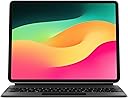
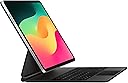
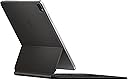
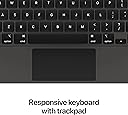
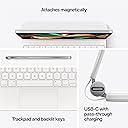
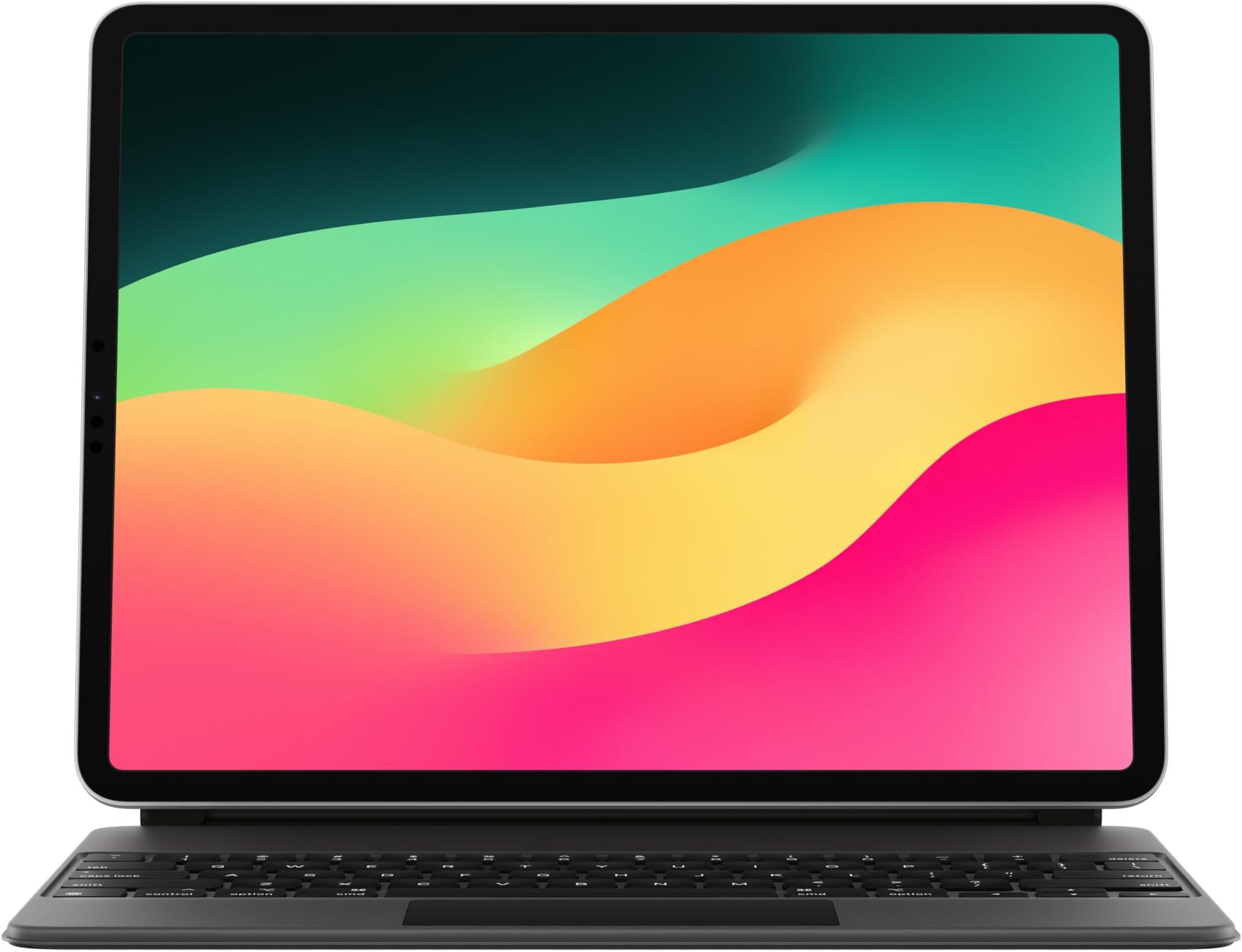
The Magic Keyboard for iPad Pro 12.9-inch and iPad Air (M2) combines a premium typing experience with a built-in Multi-Touch trackpad and USB-C pass-through charging. Its floating cantilever design magnetically attaches to your device, offering adjustable viewing angles and front/back protection. Compatible across multiple iPad generations, it’s the ultimate productivity accessory for professionals on the move.
| Brand | Apple |
| Compatible Devices | iPad Air 13-inch (M2), iPad Pro 12.9-inch (3rd generation), iPad Pro 12.9-inch (4th generation), iPad Pro 12.9-inch (5th generation), iPad Pro 12.9-inch (6th generation) Compatible Devices iPad Air 13-inch (M2), iPad Pro 12.9-inch (3rd generation), iPad Pro 12.9-inch (4th generation), iPad Pro 12.9-inch (5th generation), iPad Pro 12.9-inch (6th generation) See more |
| Connectivity Technology | Bluetooth, Smart Connector, USB-C |
| Keyboard Description | Flexible, Integrated, Gaming, Mechanical, Multi Functinoal, Multimedia, Wireless |
| Recommended Uses For Product | Compatible with ipad Pro 12.9 |
L**B
If you THINK you need this, then buy it
I contemplated on whether or not I wanted to throw more money at Apple after buying the new iPad Pro 12.9”. I was on the boat of, “It would be really useful to have a keyboard attached to this, but would I frequently use it enough to warrant such purchase”. Before I bought this, I was using separate Logitech Bluetooth keyboard with a folio case. This was useful because I didn’t have a keyboard attached to get in the way when I used my iPad for media consumption, but if I needed to type some stuff, I could just go grab the keyboard. Of course, the main downside to this is that I have to go grab the keyboard. My main dilemma (other than price) in buying this was whether or not it justified replacing my MBP at my work desk (while I’m working). When I do any personal browsing or responding to personal emails, I use my MBP (I don’t do any personal tasks on my work laptop). Pros of replacing my MBP: > smaller footprint > battery lasts longer with same amount of screen time Cons: > less screen estate (I have MBP 16”) > no real multi-app (not referring to opening apps side by side, like on my MBP desktop I have several apps open that is spaced out to be a click away) After using the iPad Pro with this magic keyboard, I can confidently say the cons aren’t as big as I expected. I’m working with less screen space, but it’s not like you can actively work on more than one app at a time. While you can’t have actively open (in view) apps on the iPad (or any mobile OS), it’s not like taking the extra second to 3-finger swipe up to see all open apps and switching is that big of a deal. As a matter of fact, it becomes second nature just after a couple days of use. With all that said, let’s get to the product itself. Overall: The look and feel of this magic keyboard is amazing. It’s sturdy, feels nice in the hand, and stuff doesn’t like flap around like other keyboard cases do (even considering the surface lineups). I hate how when you grab the tablet to move somewhere, you either have to close the keyboard or it just hands down flapping. This magic keyboard essentially holds like a laptop. The mechanic that supports the back magnet (where iPad attaches) is stupid solid. You can grab and go to the next room like you would with any laptop. No need to close the keyboard or have it dangle as you move. Keyboard: Yes… this keyboard is super nice. Very comparable to the latest generation keyboard on MacBooks that replace those horrid scissor switch keys. My best feel keyboards rank as such: MacBooks, PixelBook Go, Magic Keyboard, and Samsung Galaxy Book Pro. The fact that it even ranks with other LAPTOPS is a feat itself. It’s clicky, but not too loud. Backlit keys are subtle and clean. The texture of the keys aren’t soft, fabric like, or mushy like other keyboard cases. This is the closest feeling to a laptop keyboard that you can get on a tablet keyboard case. It far surpasses the feeling of the keyboard on my MS Surface back when I had like the 2nd gen one. How about the cons? There are few notable ones that every other reviewers have said… > No function keys > No ESC key Look… it’s not like it was a mystery whether or not you’d get this on the keyboard. You know before you buy that it doesn’t have those. If I were to compare this to another keyboard, then yes it’s a con relative to what I compared it to. However, when rating the magic keyboard by itself, it’s not a con because it wasn’t there. Hopefully that makes sense. Like, I would LOVE for there to be function keys and I don’t see a reason why they didn’t add on (on the surface) based on the available space. The only key I absolutely miss is the ESC key. ESC key I definitely frequently use, whereas I hardly ever use function keys on any of my keyboard devices (laptop or desktop). That’s just personal usage, so mileage will vary. Even though I miss it, again.. I don’t consider this a con because I knew before buying. One thing you can do is actually re-map one of the keys on the bottom left (world symbol, control, option, cod, shift, caps lock) to be an ESC key. This is easily changed in settings. I use the world key as my escape key. I think this key by default is for language switching if you use more than one language keyboard set up. I don’t type in any other language, so that functionality is useless and therefore now it’s my ESC key. It takes a bit getting used to, using my pinky to go down left corner vs top left corner. This doesn’t make the iPad a replacement for my MBP. I’m not going to go sell my MBP because it’s been replaced on my work desk. However, everything I was doing on my MBP while working is easily doable on my iPad with this keyboard. It first started out having my iPad sit on top of my MBP (that way I can just move my iPad and flip open the MBP if there was something I couldn’t do on it) to my MBP now staying in my other room for my “music studio” set up. I air quote that because I’m an armature and I do it for fun. Before I would have to carry back and forth the MBP (including the charger), but that’s no more. I have had SOO much doubt about the usability of this keyboard. Never would I have thought it would replace my MBP (not as a laptop replacement, just in my office) in just couple days. It’s crazy how much I love this now and have ZERO regrets. There are some shortcuts you have to learn to do things that you wouldn’t need to on a laptop, so there are some learning curve. A couple of shortcuts that I found valuable (these are default, I haven’t look any further to see if they could be re-mapped): > “World icon” + C -> this opens up the control center that you’d normally get from swiping down on the right side of the iPad or if you hover your mouse pointer there. This is super useful for screen brightness and volume. Especially volume, because I got annoyed having to raise my hand off the keyboard to lower the volume by using the button or using the mouse to open it. Just use this shortcut, hover the mouse on the volume slider and you can use TWO-FINGER swipe UP/DOWN to change it, no need to click and slide. > CTRL + CMD + Q -> this puts the screen to sleep. I use this frequently when I turn play/change music and want to turn display off so it doesn’t waste battery. The last few things I want to mention that is important, if you’ve read this far down. While I gave this magic keyboard some high praises, I still don’t think it’s worth the price tag they are charging. The value is there, but I would argue most of the price comes from Apple still trying to get a return in investment from their R&D vs what it costs to make this. I played a bit risky by purchasing this from Amazon Warehouse. The condition was “Acceptable” and it dropped the price down $100 from MSRP. I took my chances and man I got lucky. This keyboard had a few scuffs, but it was nothing like I expected based on the description of “Acceptable”. I was able to wipe it all down completely, so now this magic keyboard looks brand new. Not only that, I had a good bit of gift card balance from over time that I used. At the end of the day, I paid just over $100 for this keyboard. I don’t count the gift card balance as part of the balance I paid because they were just accumulated over time from promotions or gifts. I would 100% value this keyboard at the price I would’ve paid at “Acceptable”. $250 is a solid price for it to be MSRP. Then, if it went on sale, it would be possible to get it at $200 or so. I would not have bought this keyboard at MSRP, that’s a fact regardless how much I love this thing. Something to keep in mind of charging the iPad through the keyboard. If you have the Apple 29W fast charger that Apple discontinued couple years ago, you will not get the best charging. I can’t recall 100%, but the 29W doesn’t have a certain piece of hardware that makes it compatible with the magic keyboard to get normal charge output. Basically, the 29W charger will only output 9W to the keyboard, whereas you get the full fast charging if you connect it directly to the iPad. Apple did release a 30W fast charger (after discontinuing the 29W) that does NOT suffer from the same issue. You still won’t get the max output as you would connecting it directly to the iPad, but the keyboard will recognize it as a higher watt charger and will charge iPad via keyboard at (I THINK) 27W. Google search “iPad Magic Keyboard 29W charger”, and it should be one of the first articles.
P**O
⭐️⭐️⭐️⭐️⭐️Premium Quality item as expected from apple⭐️⭐️⭐️⭐️⭐️
This is just what the pictures show, a keyboard that is perfectly compatible with the new 12.9 inch iPad Pro. While the price point is quite steep in comparison to the other tablet keyboards found on amazon, the authenticity, quality, and feel of an original apple product is unparalleled. As you have come to expect from apple the unboxing experience alone is second to none. This keyboard boasts a very rigid/durable build that resists scratches even in a use case like mine where I carry it in my backpack most of the day. It has a very tactile and pleasant feel similar to the one you get while using a MacBook. The touchpad as well is in a league of it's own its quite cool how apple can fit such a trackpad into such a small form factor, even though its area is quite small you feel in no way limited by it, it feels nice to the touch and is very responsive. This thing essentially transforms your iPad into a mini laptop I can honestly say it brings you as close to a full-fledged MacBook experience as possible, despite a few inevitable limitations that come with it being a tablet. If you are looking for a top of the line keyboard for your iPad go for this one. Don't be put off by its price point it is well worth it.
M**L
My Replacement Keyboard Came
I am so very excited. I had a Magic Keyboard that the N key snapped off and fell off . Thankfully, I had purchased the extended warranty through Assyrian. Best thing I did . I described what had happened and it popped up that they were giving me the full purchase price on it. Then Assyrian sent me a label to return the keyboard and I will get my credit. I love my Magic Keyboard. Without it one of two things happen. You get a neck and shoulder muscle aches and pains, at least I do, from looking down at the screen . with the Magic Keyboard you are at the perfect level for looking at the screen, typing etc. The keyboard has such a great feel, and i love typing on it. I was so grateful that Amazon delivered it to me the same day I ordered it. After car accident a year ago, my neck has been awful . Just a half day of not having my keyboard I was a mess. If you have any neck, hand, finger issues you want the Magic Keyboard. It will make your life so much more pleasant. The fact that my ipad instantly recognized it was fantastic. I didn’t have to pair anything my IPad Pro did all the work. I have the IPad Pro 12.9” and it is a dream. I highly recommend this ipad and then you must get the Magic Keyboard. I know it is expensive, however it is worth every single penny. You will never regret it. My iPad Pro is a beast and having the Magic Keyboard really does make it like a laptop replacement. It is a purchase you will never regret, ever.
B**Y
I’m Happy!
Okay, so the first question that every one has when it comes to this case/keyboard, “is it worth the full price?” In short, I can’t say that it is, BUT, I can say that I have no regrets about purchasing it. Apple has superior quality, that’s why I stick with them so hard, but unfortunately that does come with a high sticker price. I also have a MacBook Air, so I didn’t NEED this keyboard, but it has brought even more enjoyment to my iPad Pro, so for me it is money well spent. Something I have noticed a lot of people saying is that they hate that the keyboard brightness cannot be adjusted, but it can, so I am not sure where they’re getting that information. Although there is currently not a shortcut to adjust the brightness, it can be dimmed and brightened through the keyboard settings. It is also very easy to clean, but I would advise not to use anything harsher than a damp cloth to do so. In the future, a top row of shortcut keys would be a great upgrade, but I also understand why they opted not to have them on this version, as they would be directly under the floating iPad and would be hard to reach. The alternative would be making the keyboard bigger, which would go against the portability and slim design. I’m interested to see where they improve it in the future though. Also, the keys are super easy to navigate, just like a regular laptop keyboard. The keys are very responsive and the trackpad, although smaller than normal, is still great and easy to use. The keyboard out of the box requires a full click on the trackpad to select, but if you go into trackpad settings, you can change the click to simply a tap, which is my preferred option. If you’re on the fence about this purchase, or trying to justify it to yourself, just go ahead and hop on board, you won’t be disappointed!
J**S
Perfect for Working
I absolutely love this keyboard case for my iPad. The keyboard feels smooth and comfortable, and it makes working, typing emails, and using my iPad so much easier. It also gives the iPad a very elegant look while protecting it at the same time. Definitely worth it!
F**L
Not quite fully worth the price but not bad!
My previous iPad having been declared dead by the Genius Bar Doctor I had to replace it. For a number of valid reasons I chose to bypass any of the intermediate models and purchased the Pro 12.9” 6th Gen 256gb.This keyboard review was based solely on the device itself and not not Amazon . Amazon’s rating both as to price and shipping is a solid 5+! That iPad purchase, of course required that I purchase a case/folio in order to protect my purchase. After looking at all available including third party I narrowed it down to the top two offered by Apple those, of course being the Smart and Magic keyboards. Doing a side by side comparison I opted initially for the Smart Keyboard Folio, price being the determinant factor. I know, I know this a review of the Magic Keyboard Folio. I am getting there! I subsequently was browsing Amazon and they had the Magic Keyboard Folio on sale. Less you think I’m crazy wait until I tell you there’s a third party keyboard I’m seriously considering purchasing. Yes, I’ll have eventually three folios for my iPad. I’ll have three folios/cases for the same reason I have more than one wristwatch, more than one fountain pen, more than one set of earbuds/headsets, more than one cigar cutter and more than one cigar lighter. I like having situational flexibility. Having the Smart Keyboard Folio, though were the differences worth the increased cost in acquiring the Magic Keyboard Folio? I cannot give either a solid yes or no! It is, however, a very strong, maybe. I do like the cantilever design on the Magic which allows for better viewing angle adjustment than the Smart Keyboard Folio which has but the two fixed positions. I find having a multitude of different viewing angles for different uses to be very convenient especially as my eyesight and eye comfort now as I’m in my mid-70s ain’t what it used to be. If one is good, two has to be better, right? Maybe, maybe not. The Magic Keybard has a “pass through “ USB-C Charging port. From what I can discover it is for power only no data. As the keyboard has no battery is it supplying power to both the iPad and the Magic Keyboard (power only )? The logical assumption is, maybe. It follows that I can have charging power for the iPad using the pass through port and one of a number of accessories through the iPads USB-C port as that port has both charging and data capabilities. With no cable in either USB-C port the keyboard has no pwer whatsoever.. Convenient but it is not directly addressed. Oddly enough there is cautionary remark not to utilize a cable to interconnect the two ports. Well, duh! To track or not to track is the question and quandary. As I’ve Apple products going back so far I think some were shipped from their garage. I’ve had an iPod Classic, iPod Touch, an Apple Watch, an iPhone and many models of the iPad. Concurrently, I’ve owned and still ownvarious Android tablets and three Amazon Fire tablets. For my Android Tablets I’ve had their version of the Magic Keyboard Folio. The cost, of course was markedly less expensive than my purchases from the Apple orchard. Having a trackpad can be a convenience for those times when you want to maneuver about in page rapidly. Being able to turn the trackpad off when it works to your detriment is just as convenient and at times even more so. When it is on and you inadvertently, generally by your thumbs or the back of your palm it can be downright aggravating. My Android keyboard utilizes the simultaneous Fn + spacebar to toggle the trackpad on/off. This Magic Keyboard has no means to turn the trackpad off. None, not all, not anticipated for. Back in the day once people discovered it was possible for your camera to be spying on you it was a common life hack to tape a piece of a post-it note over the camera., A cut to measure piece of card stock will, I think effectively “turn off the trackpad. It’s indeed a sad state of affairs that has to be the workaround. It’s effective, but ever so ugly, While writing the review, I received a call from Apple technical support,. That was the source of the trackpad on/off information along with some information on the simultaneous use of both the keyboard’s pass through and the iPad’s USB-C ports. Those two questions alone necessitated me me being placed on hold for twenty minutes while he queried his colleagues plus the Senior Tech representative on duty, While the trackpad was a definite no, the simultaneous usage of the USB-C ports was a consensus opinion that you can. The pass through port on the keyboard for charging the iPad and the iPad’s USB-C port for an accessory device such as a mouse or data hub. There is not anything written down but all agreed it’s the only logical usage. Off topic in a way, I brought up to the tech rep an issue on using the Apple Pen to take a screenshot/open a quick note. The guidance as written is ambiguous to the point of being wrong, As written, it says to go diagonally up from the left or right (or depending on how you designate in settings) corner OF THE SCREEN. This will result in your scrolling. You must place the pen in the extreme corner of the iPad virtually offscreen entirely and touching the aluminum bezel. For me, taken altogether the pros outweigh the cons and the Magic Keyboard is worth the expenditure. It’s definitely a weighty personal decision based on a knife’s edge of pro/con thought. On the probable third case purchase. For the iPad that just died I had a Zugu case. The Zugu ain’t near as purty as either the Smart ot Magic cases. It is, however as rugged as a tank with a mind boggling number of viewing angle adjustments. When I was notified that my wife had passed away the cased iPad hit the floor and bounced from a rather high distance. Not that I was at all concerned about it at all. While the iPad for which I had the Zugu is no longer functional I’m keeping the case itself as a memento mori, it being festooned with many, many hospital visitor badges including the last one I ever received the morning of the day that she passed away. I had just reentered the hospital when I received the call from her nurse informing me of her death. I had stepped out for a brief. moment. A moment forever burned into my soul. Please forgive my going so far astray and off topic.
W**S
Hard to find but worth it
This case was hard to find, but it ended up being perfect for my iPad. It has the premium fit and feel you would expect from Apple, and everything works exactly like it should. Great build quality, solid keyboard, and overall a really good match for the iPad Pro.
S**H
Excellent!
I don’t do reviews often. I also don’t usually pay this kind of money for a keyboard. I have to tell you though, I literally received this thing 30 minutes ago and I am in love. I laid the iPad on it and started typing immediately, didn’t have to look for a Bluetooth connection, it just magically worked. I have had an iPad since the first one came out and I have had many keyboards over the years. Most crap out after a year or so, no matter what I pay. The last one I felt like I was splurging a bit and the reviews were good, but boom, one year and it’s dead and won’t hold a charge. Apple products, at least for me, seem to last forever. Hopefully this keyboard will live up to my expectations. Keys are nice size, easy to type and the track pad is a bonus since I have never had one. It seems to function well and helps me keep my fingers off of the screen.
X**D
Excelente teclado
En general es un teclado que vuelve el ipad pro 12.9 de sexta generación en una laptop, tiene toda la funcionalidad de una MAC, da cierta protección, pero evidentemente NO es para evitar golpes o caidas. es mas para tenerla en un lugar fijo
R**Y
⭕️
Very good
G**K
Great keyboard case !
Great keyboard, awesome feel when typing as well as very useful as a “cover” / “stand” “case” , with the pass though charging in the keyboard port - opens up the usbc / thunderbolt port for other connections. I would conclude it’s worth it as it integrates with the apple iPad Pro, also it’s easy to remove the iPad from the keyboard as needed. Also having tried older keyboard folios on my previous iPads - this version feel like a premium keyboard and seems a solid build.
S**S
重い。
USキーボードの白を購入。白が美しいです。バックライトもあり。 以前はサードパーティ製のキーボードを使用していましたが、さすが純正、使いやすさが全然違います。 iPadとの接続はマグネットなので簡単に取り外せてKindleアプリで読書したりお絵かきアプリでお絵かきをする際には取り外して使用できます。 ポイントが付与される分、アップルストアで購入するよりはお得に購入できますが、4万円の価値があると判断できるかは人それぞれでしょう。 個人的には満足しています。 キーボード単体でもずっしりとそれなりの重さがあります。 私は家だけで使っていますが、バッグに入れて持ち運ぶなどして軽さを重要視する場合、iPadOSが必要でないならMacBook Airの方がよさそうです。 とはいえスタンドとしても機能するのである程度の重さは必要と思われます。
T**N
Would buy again
Great product!
Trustpilot
3 weeks ago
2 days ago