Buy anything from 5,000+ international stores. One checkout price. No surprise fees. Join 2M+ shoppers on Desertcart.
Desertcart purchases this item on your behalf and handles shipping, customs, and support to Japan.
🚀 Stay connected, stay ahead — the future of fast WiFi is here!
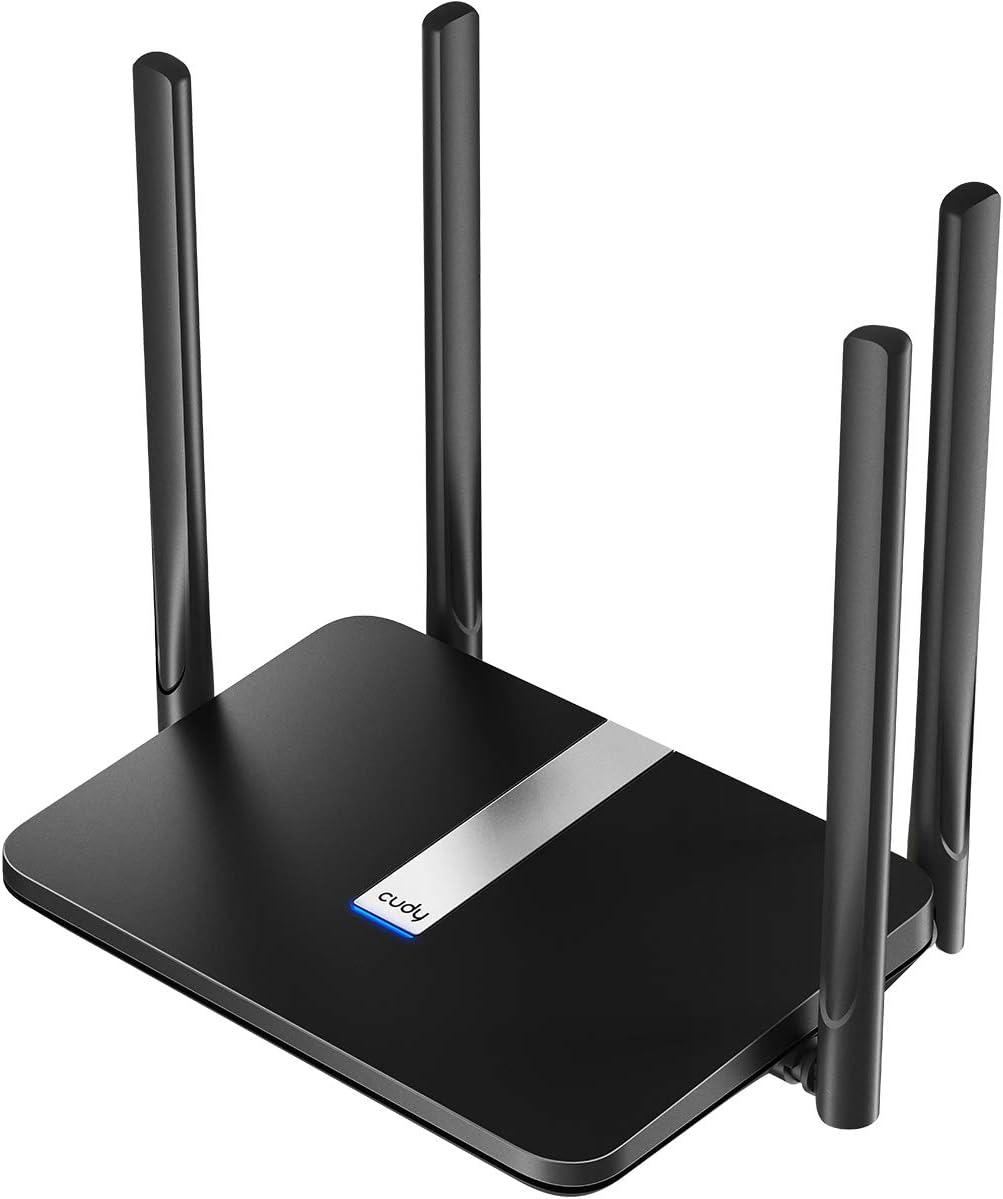
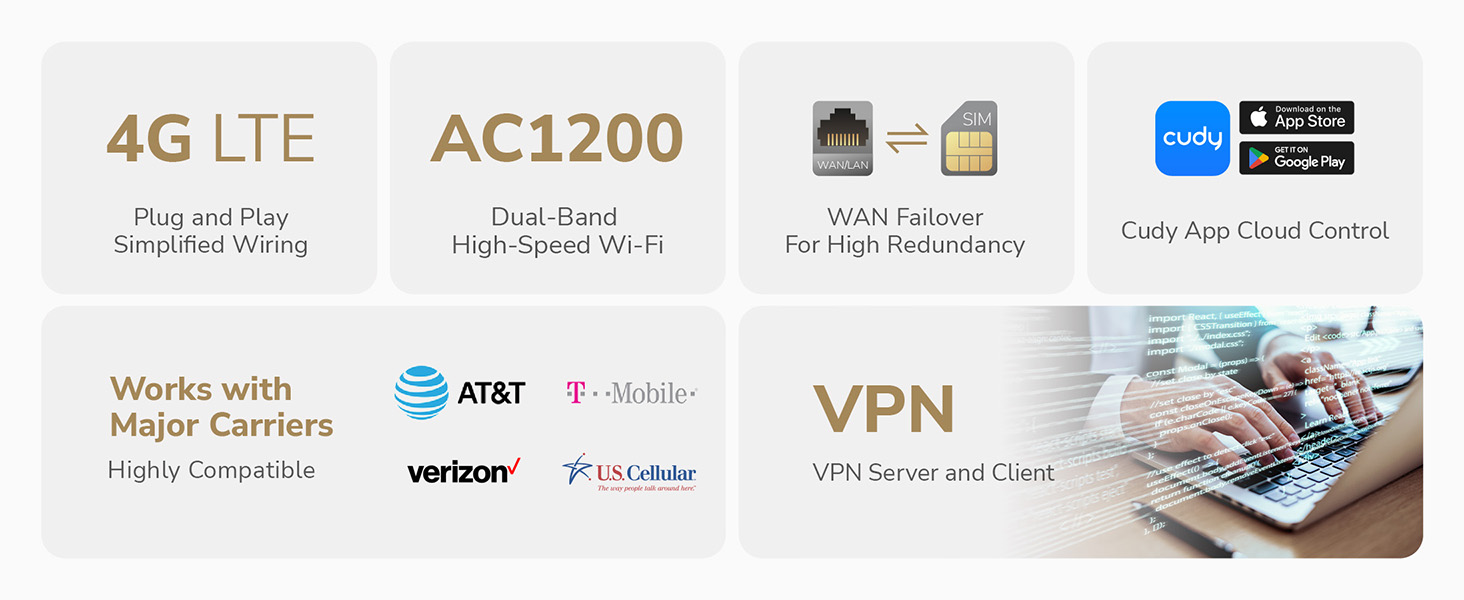
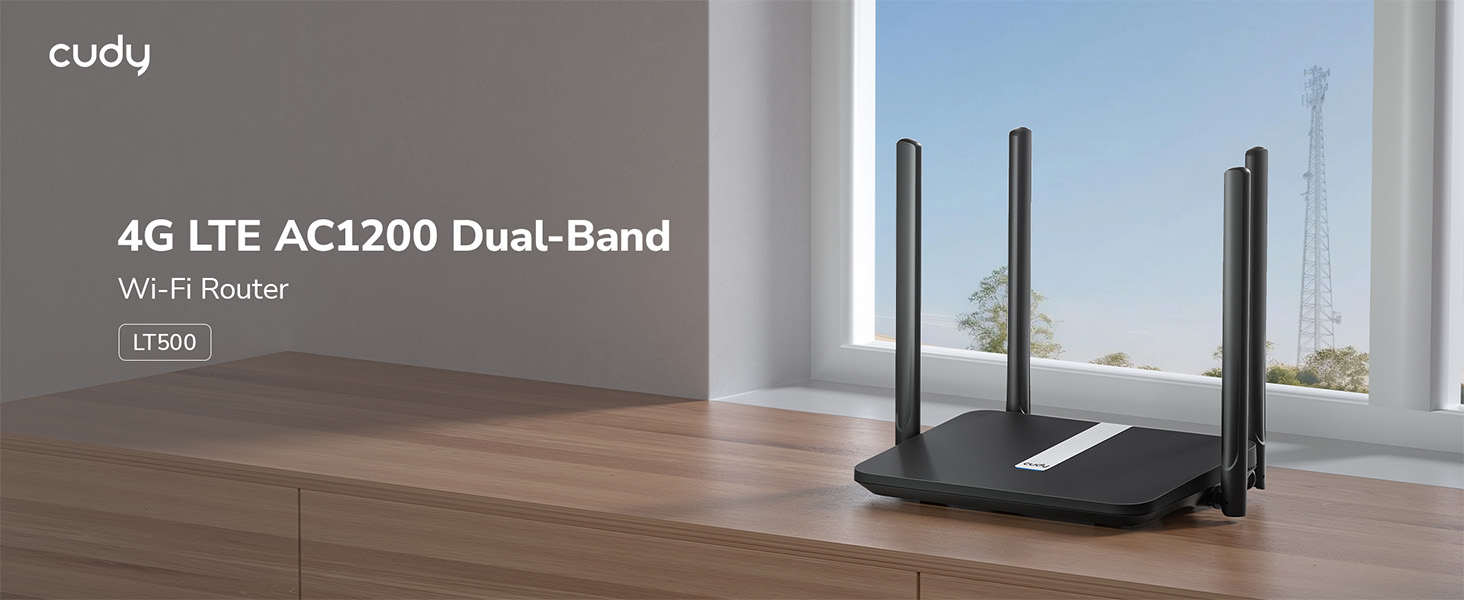
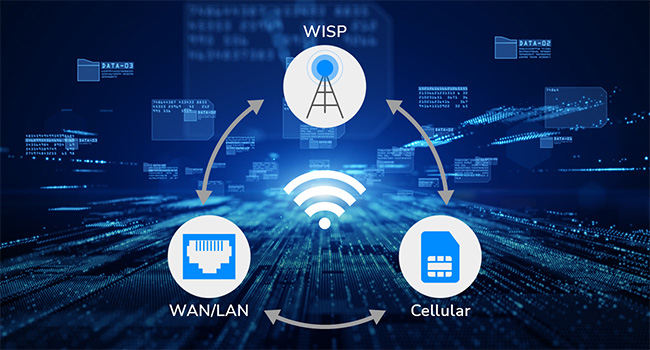
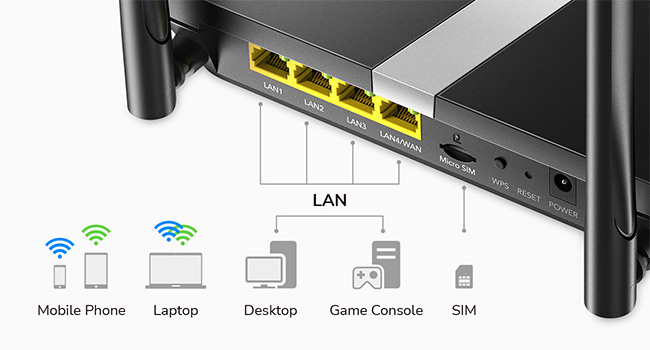
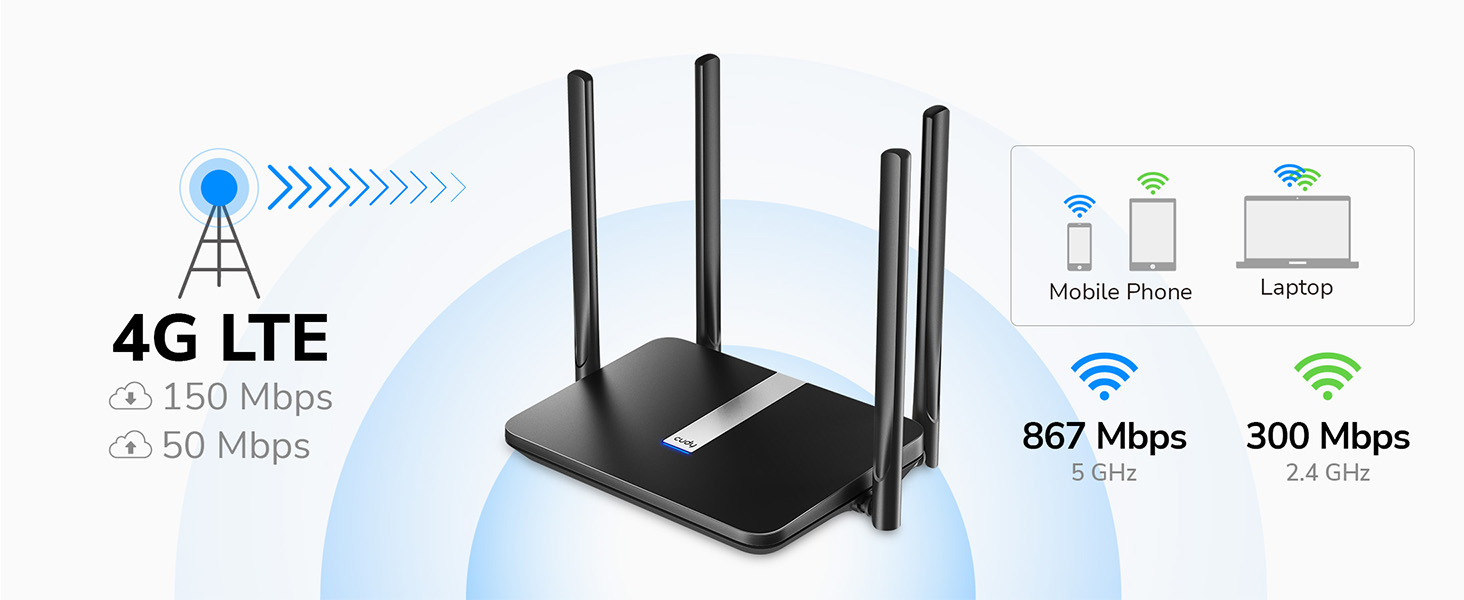
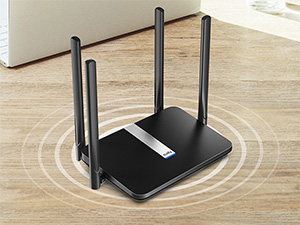
The Cudy AC1200 LT500 is a dual-band 4G LTE modem router designed for professionals who demand reliable, high-speed internet on the go. Featuring 150Mbps 4G download speeds, 1200Mbps mesh WiFi with 4 high-gain antennas, and advanced VPN support, it delivers seamless connectivity and robust security. Easy SIM card setup and smart network controls make it ideal for managing multiple devices in home or office environments.





| ASIN | B089JW8H4N |
| Antenna Location | Business, Gaming, Home |
| Antenna Type | Fixed |
| Best Sellers Rank | #1,132 in Computers & Accessories ( See Top 100 in Computers & Accessories ) #59 in Computer Routers |
| Brand | Cudy |
| Built-In Media | Ethernet Cable, Installation Guide, LT500, Power Adapter |
| Color | Black |
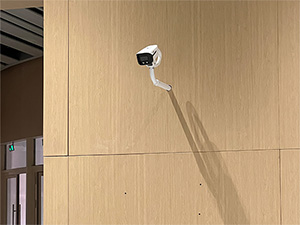
| Compatible Devices | Personal Computer, Security Camera, Smart Television, Smartphone, Tablet |
| Connectivity Protocol | Ethernet, Wi-Fi |
| Connectivity Technology | 4G, 3G, Wi-Fi, Ethernet |
| Control Method | Remote |
| Controller Type | App Control, Web Interface |
| Coverage | wide |
| Customer Reviews | 4.2 out of 5 stars 3,058 Reviews |
| Data Transfer Rate | 150 Megabits Per Second |
| Frequency | 5 GHz |
| Frequency Band Class | Dual-Band |
| Global Trade Identification Number | 06971690791209 |
| Has Internet Connectivity | Yes |
| Has Security Updates | No |
| Is Electric | Yes |
| Is Modem Compatible | Yes |
| Item Dimensions L x W x H | 8.06"L x 5.24"W x 1.51"H |
| Item Weight | 308 Grams |
| LAN Port Bandwidth | 10/100 Mbps |
| Manufacturer | Shenzhen Cudy Technology Co., Ltd. |
| Maximum Upstream Data Transfer Rate | 50 Megabits Per Second |
| Mfr Part Number | LT500 |
| Model Name | LT500 |
| Model Number | LT500 |
| Number of Antennas | 4 |
| Number of Ports | 4 |
| Operating System | RouterOS |
| Other Special Features of the Product | WPS |
| RAM Memory Installed | 128 MB |
| Router Firewall Security Level | basic |
| Router Network Type | cellular_wifi |
| Security Protocol | WPA/WPA2/WPA3 |
| Smart Home Compatibility | Smart Home Compatible |
| Special Feature | WPS |
| Unit Count | 1 Count |
| Voltage | 12 Volts (DC) |
| Warranty Description | 2-Year Warranty |
| Wi-Fi Generation | 802.11ac |
| Wireless Communication Standard | 802.11a/b/g/n/ac |
| Wireless Compability | 802.11a/b/g/n/ac |
B**Y
Perfect upgrade
This device was acquired as an upgrade from a 4G MiFi device. The previous MiFi unit struggled to manage the increased network load and frequent recharging requirements during peak usage periods, such as holidays, when more users and devices were connected. The Cudy router has performed exceptionally well in this regard. As I operate strictly within a data plan, meticulous monitoring is essential. The accompanying application proved to be highly beneficial and user-friendly, offering robust control over network connections. Features such as parental controls, data limits, and various other options have significantly aided in managing usage. I have also implemented data-saving modes for applications like YouTube and disabled background data to optimize consumption. During the initial setup, I encountered some challenges. However, after consulting a YouTube resource, a user suggested pressing the WPS button on the device's rear, which resolved the issue. I successfully replicated this solution, and it effectively established the connection. Therefore, if you experience connectivity problems, I recommend attempting this method. Overall, I am highly satisfied with this purchase and endorse its capabilities.
R**L
Works great
Outstanding, very easy to set up and use - insert sim card, plug in, done.
G**N
Value and works well.
Seems to be working very well. So far a great buy at a decent price!
F**S
well, that was easy - router for boondocking
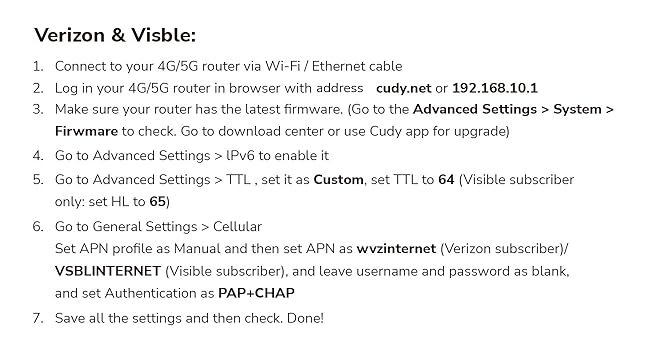
I was expecting a struggle getting my TMO sim up and running in the device. I made a couple false starts (lack of attention on my part) which I will share so you don't do the same. 1. the SIM has to be inserted quite far; it sits in quite far rather than flush. When mine was not in far enough it reported "SIM detached". Power off, seat properly, power on and wait 2mins. 2. the admin password is "admin". The pass on the back is for the default WIFI AP. Change both when you get in. 3. do update the firmware upon receipt, according to the instructions above I didn't have to do any tweaking at all to get my TMO sim running. I am not chasing big speedtest numbers. Rather, I was using my phone as a hotspot and wanted better reception, a cooler-running phone, and not destroying batteries from having them plugged in all the time. I went from iffy 0-2 bars in my phone to a very solid 3 bars in the router with much better responsiveness in SSH sessions. Early days, but seems like a winner to me. BTW, picked up mine open box for ~$77 and it looks great. The power adapter twist tie was unwrapped but otherwise looked new. The router config was in factory reset condition, no evidence it'd ever been set up.
C**N
Pretty much anyone can set this router up and use it
This is hands down, one of the most easy to use routers, that I have ever seen. You simply pop in your sim card, connect to the network, it pops up the web page, and you select the options you want, done. I love that it has preconfigured APN's to choose from, without having to hunt down that option in menus, and fight against programming one in, like my CPE-0001 cellular router. The menu layout, options, telemetrics, are all extremely well laid out, easy to understand, easy to edit, change. I went from a CPE-0001 LTE router to an AT&T Unite Explore/Netgear AC hotspot, to this router, and immediately I was getting much better speeds, more consistent connections and traffic, and had zero issues connecting range extenders, devices. I ended up not even needing the range extenders, as this one has roughly double to triple the output range as my previous routers. If you are stuck in a rural area with no real options for broadband Internet, this is the router you need. Buy an unlimited cellular data plan SIM, pop it in this router, and voila, you have Internet, that beats the snot out of Hughes net and viasat, for way cheaper and way more useable data. If you can get the 5g version, and have towers remotely near you, you'll get near broadband speeds, but face the usual data caps with throttling after around 500-800gb. If you do go that route these Cudy routers just can't be beat IMO for the price and ease of use.
C**E
DOES NOT WORK IN CHILE
I bought the product because it is advertised to work in the Americas, WRONG. I spent nearly a month trouble shooting, till I concluded that I needed to return the product. The instructions of the device did not match what I was seeing on my computer, they were totally inadequate in Chile. It takes more than having the ability for the modem/router to work in Latin America to sell the product as working in all the Americas. You need to be able to configure it. I am an end user, not an internet specialist who can get into the weeds to set the correct parameters to the device, and in Latin America it is very difficult finding someone who knows how to do it. The product may be plug-and-play in the US, but definitely not in Chile, and probably not anywhere in Latin America. I changed my internet provider, because they did not help me configuring the product, but that did not solve the issues. If one looses a signal, which happens a lot in remote or rural areas, I was told by the second internet provider that I need to reset the device and the configurations went out the window. Since it took about twenty (not an exageration) to get to speak to someone who knew how to do it, I gave up. I wasn't going to go through that every time that I lost a signal, and the provider who set the right configurations did that from their office without telling me what they did. Someone told me that if they tell you how to configure the product, they might be fearful that you will know how to get the service without having to pay. I have no idea if this is correct, but it might be the reason why tech support of the internet provider do not know how to do it. Tech support at Cudy works only by email, no phone, and Monday through Friday on a different time zone, probably Asia, so at best my queries were answered the next day. That is very tough when you are without an internet connection and you are in a remote area where you need the internet to conduct all your personal business. One needs a product that is plug-and-play. When I researched the device I was told that the signal extender, which I did not need, came with it. I took it since "it comes with it" implies that it is free of charge; it was not. I had to pay not only the product that I did not need, but import fees for it too. I supposed to get free shipping, I paid US$23.44. If you are thinking of buying this product for use in Latin America from Latin America you will need to pay for Import fees; in Chile they were US$38.01. To return the product it cost me US$65.70. Amazon gets discounts which you as the end user will not get when you return the product. MercadoLibre which is the Latin American version of Amazon sends you labels with the shipping charge included. That is definitely something that Amazon needs to emulate, because they are going to have to return the shipping costs to me. That's also where you as a buyer probably need to go to buy a modem/router if you are going to use it in Latin America. The product itself is probably very good, but all these other issues are very significant factors which don't appear to have been addressed at Cudy, so that I do not recommend that you purchase the product unless you know exactly how to configure the modem/router yourself. If you are travelling through Latin America and you will be going through various countries, at least you got a warning from me which is more than I got.
L**T
Would definitely recommend!
Works great!
R**G
Ensure you use a data enabled chip!!!!
I wanted a way to get WiFi into my travel trailer when I was on the road, whether stopped on the side of the road, a rest area, or a camp site. Too many campgrounds I have been in have terrible WiFi service. So, when this became available, I decided to give it a try. Here is what I found: 1. In order to use this you need a data enabled card that is not restricted. This means you can use most phone SIM cards without any problems and you will have the same data rate available on your WiFi that you have on your phone. What you need to be careful of is if you have a service from a provider that restricts you from having a hot spot, then this will NOT work in the unit. So, if you can enable a hot spot on your phone, then this card can be moved from your phone to the router to provide WiFi to wherever you are at. 2. Once a valid data card is inserted, the unit comes up quickly and is easily configured. It is small enough to be easily placed in a trailer and the signal is good through my 30 foot trailer and around the campsite too. I am very pleased with this unit and I would recommend it if you need WiFi and you can get a good phone signal where you are at. As with your phone, if you do not have a good radio signal, it will not work. Easy way to check before buying this, do a data rate check with your phone. if you get a good data rate with your phone, you will do the same with this unit but the data will be available to any Wireless device you give the password to.
Y**N
Perfecto
Muy contento , lo compré para poner el duplicado de mi sim y va como un avion
K**N
Just Works.
Inserted my Rogers SIm, and less than a minute later I was connected to the Internet. Getting about 10 kB per second down and 15 up, which I think is consistent with 4G. Range is excellent, although I did also plug in a TP link mesh range extender to cover the rest of the basement. Solid product great price. No issues recommending it.
A**A
Ottimo modem 4g
Modem acquistato per lancasa in campagna, dove la rete si prende con molta difficoltà e la saponetta classica non offre né stabilità di connessione né autonomia sufficiente per non essere sempre collegata alla rete. Devo dire che funziona molto bene, la connessione è stabile ed anche la ricezione del 4g grazie alle antenne è buona. Inserita una sim ho. mobile senza necessità fi configurazione, una volta attaccata la spina in circa 30 secondi era già perfettamente funzionante senza modificare od impostare apn. Considerate sempre che se non c'è campo non può fare miracoli e connettersi ad una rete che non c'è. Per quanto riguarda l'utilizzo come modem o router per linea fissa non posso dire nulla perché l'ho acquistato solo ed esclusivamente per la linea 4g. Avesse avuto anche il 5g sarebbe stato da 6 stelle. Ottima anche la gestione web molto semplice e ben suddivisa in varie sezioni facilmente accessibili e visivamente ordinate.
D**Y
Top für den Preis
Tolles Gerät für einen Top Preis. Anleitung auf YouTube um einen VPN Client für den Router und damit für alle Geräte am Router im Netz. Leichtes Setup, funktioniert TOP! 👍🏼👏🏼
J**9
My 4 year old phone gets better reception than this device.
Be wary. Unless you get a really good reception inside your home, it might be worth looking at other options. edit: This routes has been absolutely useless for me and has basically been usable.
Trustpilot
2 weeks ago
4 days ago