🚀 Elevate your home WiFi game—fast, secure, and unstoppable!
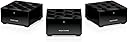
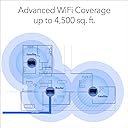
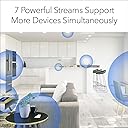
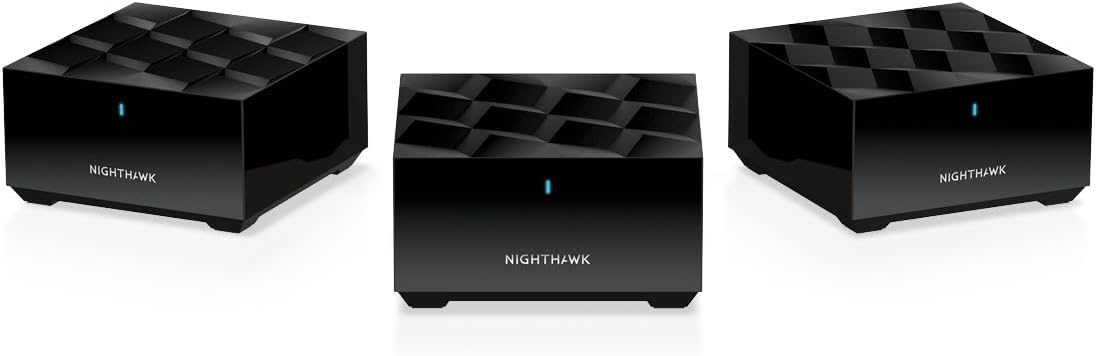
The NETGEAR Nighthawk MK63S Mesh WiFi 6 System delivers expansive 4,500 sq. ft. coverage with dual-band AX1800 speeds, supporting 25+ devices simultaneously. Featuring MU-MIMO and explicit beamforming, it ensures seamless streaming and gaming. Easy setup via the Nighthawk app and built-in NETGEAR Armor security provide robust protection and control, making it ideal for modern connected homes.


| ASIN | B08V3PMGBR |
| Antenna Location | Gaming, Home |
| Antenna Type | Internal |
| Best Sellers Rank | #22,564 in Computers & Accessories ( See Top 100 in Computers & Accessories ) #327 in Whole Home & Mesh Wi-Fi Systems |
| Brand | NETGEAR |
| Built-In Media | One (1) Mesh WiFi 6 Router (MR60), Two (2) Mesh WiFi 6 Satellites (MS60), One (1) 2m Ethernet cable, Three (3) 12V/1.5A power adapters, Quick start guide |
| Color | black |
| Compatible Devices | Gaming Console, Smart Television, iPhone |
| Connectivity Protocol | ethernet, wi-fi |
| Connectivity Range | 4500 square_feet |
| Connectivity Technology | Ethernet, Wi-Fi |
| Control Method | App |
| Controller Type | ios, vera |
| Coverage | Up to 4,500 sq. ft. |
| Customer Reviews | 4.2 out of 5 stars 1,823 Reviews |
| Data Transfer Rate | 1 gigabits_per_second |
| Frequency | 5 GHz |
| Frequency Band Class | Dual-Band |
| Item Dimensions L x W x H | 4.8"L x 4.8"W x 2.5"H |
| Item Type Name | Wireless Router |
| Item Weight | 4.1 pounds |
| LAN Port Bandwidth | Gigabit Ethernet |
| Manufacturer | NETGEAR |
| Maximum Upstream Data Transfer Rate | 900 megabits_per_second |
| Mfr Part Number | MK63S-100NAS |
| Model Name | MK63S-100NAS |
| Model Number | MK63S-100NAS |
| Number of Antennas | 4 |
| Number of Items | 1 |
| Number of Packs | 1 |
| Number of Ports | 2 |
| Operating System | ZyNOS |
| Other Special Features of the Product | Internet Security, Parental Control, Remote Access |
| RAM Memory Installed | 512 MB |
| Router Firewall Security Level | High |
| Router Network Type | Dual-band |
| Security Protocol | WPA2, WPA3 |
| Special Feature | Internet Security, Parental Control, Remote Access |
| UPC | 606449154955 |
| Unit Count | 3 Count |
| Voltage | 240 volts |
| Warranty Description | 1-year warranty |
| Wi-Fi Generation | WiFi 6 |
| Wireless Communication Standard | 802.11ax |
| Wireless Compability | 802.11ax |
G**R
Resolved My Network Problems
I wanted to wait a month before writing this review to ensure my home network was stable after installing this mesh network. I can say with total certainty that it is. I was trying to resolve problems I was having with a Tivo-mini connecting to my main Tivo-Edge unit. I had the Tivo's connected in my old wifi network which consisted of Netgear R7000, R6300 and R6200 routers. I was using the R6300 and R6200 routers as bridges to the main R7000 router. No matter how I tried, switching to the 2.4 Ghz or 5k Ghz channels, the Tivo-mini would have major dropouts. Doing what network troubleshooting I could (I am not the most skilled in this subject) I did come to understand that the location of the Tivo-mini was in a major dead zone (wifi wise) in my house. I got an advertisement that this set of mesh routers (I had never heard the term before the add) were on sale and I decided to give them a try. After watching some YouTube videos and doing some research, I set them up. And honestly, it could not have been any easier. I liked that each unit had one ethernet port as the Tivo-mini requires this for network connection. I have my desktop computer, Tivo-Edge and Tivo-mini each hardwired to their respective mesh routers. And I am happy to say, that the dropouts and performance issues I had with the Tivo-mini have vanished. But that's not all. Network speed in my house is good and stable. My iPhone Xs running OS 14.4.2 will connect to my wifi network at speeds up to 450 Mbs now (if it connects up to the main router, speeds at the satellites are a consistent 130 Mbs and frankly that is plenty fast for me - I am blessed with a Gigabit network from Xfinity). I also work from home and am able to connect my two Windows 10 machines up via an RDP connection without issue (I read that some Linux users did have network connection issues...I don't run any Linux devices in my home) Finally, I know it is quite simple, but I really like the iPhone Nighthawk app. I like being able to check and track what device is connecting to what router box. Overall, I think this is a wonderful product.
B**Y
Very Satisfied!
Purchased this system to replace an old AC router as we recently had fiber internet installed and wanted to get the most out of it. I will say this: the reviews from others stating that they “have been in networking for x years” and are only getting 60% of their ISP speeds due to a “firmware” issue is false. Our advertised speeds are 1GB download and 1GB upload. As of this writing I have CONSISTENTLY hit speeds of 900 both download and upload. To expect 100% of advertised speeds is not only foolish, it’s nigh impossible. Reason being is that advertised speeds are obtained under ideal conditions. Meaning that the testing device was connected directly to the source with no network traffic. Everyday users should never expect to hit advertised speeds unless they live at their ISP and no one else is using the network 🤣 Now, with that out of the way, I have had ZERO issues with this system since installing it. It was insanely easy to set up and my speeds across the entire house have remained consistent. The only minor gripe I would have about this system is that it can sometimes take devices a little while to switch between nodes. This is such a minor issue though that I won’t take anything away from the overall stellar performance I have seen. I suspect that the majority of these negative reviews are due to faulty units or operator error. This mesh system has been the definition of “set it and forget it” since I installed it. Give it a try, if you don’t like it, return it.
G**O
Incredibly easy set up and great performance!
My ancient Netgear extender was giving up the ghost, and my Netgear router was around the same vintage. Saw this mesh system for 50% off with solid reviews. For set up, you download the app and it walks you right through it... basically does all the work for you with no mumbo-jumbo Honestly, up and running in about 10 minutes. I have a big L-shaped house and my router is unfortunately on the long end of the L. The two satellites that come with his mesh system have excellent connection and no signal loss. Great not to have slower internet in the family room and office anymore. VERY happy with his purchase!
M**L
One of the satellites was NFG out of the box; wifi glitches in and out for no apparent reason
Well, I've just found out the hard way why this was on a Black Friday special. One of the two MS60 satellites was DOA - it continued to flash white indefinitely. Tried all the obvious troubleshooting steps, and looking around online revealed that I am by no means the first to experience this. There is apparently no fix - I will have to return the MS60 (I have a support ticket open with Netgear). The web UI is OK, once you get to it. Netgear try every trick in the book to force you to download yet another flippin' app onto your phone. It is possible to configure the MR60 via the web UI without the app, but you have connect via Ethernet directly to it, configured both to take a DHCP address and DNS from the unit. If you simply enter the address (192.168.1.1) having configured the NIC statically, it will try to redirect to a named page, which needs DNS. The next curveball was that the MR60's WAN side would not take a DHCP address from my ISP. Tried rebooting the fiber modem, rebooting the hardware firewall that sits between the MR60 and the modem, making an end run around the firewall (i.e. making an Ethernet connection directly from the router's WAN port to the modem) - no luck. Backtracked and reinstalled the old modem - connected perfectly. In desperation, I then tried entering the IP settings that the old router had obtained via DHCP as a static WAN address into the MR60, and that gave me an Internet connection. Setting up everything I need to - MAC address filtering for allowed devices, port forwarding for my FTP server, etc., was all relatively straightforward, though the web UI is very sluggish and pages take forever to load, even over a wired connection. And in the 24 hours since I've installed this system, the wifi has suddenly got very slow for several minutes (as in, pinging the MR60 from a laptop on wifi gives a response time in multiple seconds, even with a near 100% signal strength), and then returns to normal. Maybe this is because it is expecting two satellites to be present rather than just one? Anyways, I am not impressed. I will give Netgear a chance to replace the bad satellite and see if that makes the overall system more reliable, but if they won't or it doesn't, I'm returning the whole set.
A**X
Works with a caveat of installation
Bought this to cover our entire house. Needed a separate 2.4 GHz channel for all the electronic switches. You need to login through a computer - I used PC, and not to the website they give but rather to the well known 192.168.1.1 home router address. Same username and password initially installed via app. Notifications need to be addressed on next app update: it is NOT reasonable to be notified every time a switch is interrogated for security and passes. Can’t find ways to select only select notifications, may turn off entirely. Overall great coverage, yes you can split bands but requires access through PC, excessive notifications. Fits my needs, would buy again
B**G
Mesh system is the bomb and Netgear is killin it!
I have never had a system so easy to set up! I am very glad I ignored some of the other reviews complaining about the difficulty… This is probably my 6th router since going with high speed internet 5 years ago and it was an absolute breeze to install. I have a large and long ranch style home, and decided to go with a mesh system to cover the entire length and backyard. I have used Netgear in the past and besides signal coverage, I have had very little issues. If I have one complaint, it is the lack of WAN Ethernet ports on the main unit. I have read you can install a switch to add more, so I have ordered one for $13 bucks. It is really nice having one Ethernet port on each satellite however, so now devices that have always been hooked up wireless in my network are now flying while connected direct. I also ordered an extra satellite a day later, to cover the far end of our home and outdoors where I have a golf simulator that needs internet connection. Had that hooked up and running in 15 minutes! Speeds are fantastic across the entire house, great signal everywhere. We use Spectrum and it’s delivering speeds faster than we are suppose to be getting 230 down and 12 up. Even picking up a wireless camera outside with full bars that always had signal issues. I always figure at least %50 of negative reviews are because the reviewer is probably going to have problems installing a toaster. and this product proved my point.
J**U
good product.
good product.
F**2
5x speed upgrade - why pay for Fiber if your old wifi can't give you the benefits?
I was starting to see some delays in video conference calls while working from home and decided to upgrade my old Eero mesh system. I couldn't justify the expense of a Wifi7 system so I decided on the Netgear Nighthawk Wifi6 Mesh. Setup was easy and I had all my devices running and reconnected in less than an hour. Little trick - I used the same SSID and password for the new network as I used for my old one so everything reconnected without issue. I would recommend this mesh solution. I've used Netgear products in the past, pre-mesh technology and they were always high performing and reliable. I was happy to see the quality has continued.
J**Z
Excelente cobertura, desempeño promedio
El producto llegó en la fecha comentada sin problemas con la caja, la configuración es muy sencilla y no tardas más de 5 minutos en levantar la base y los satélites. En una conexión de fibra de 300 megas por algún motivo el sistema solo muestra menos de 100, por lo que si deseas el máximo desempeño inalámbrico tendrás que buscar otro equipo. Pero eso sí, en una casa de 3 pisos la cobertura no tiene problemas.
D**P
Excelente calidad y funcionalidad.
Es justamente lo que estaba buscando, ofrecen una gran cobertura y permiten un control total de los dispositivos que se encuentran en la red.
J**E
Excelente compra
Muy facil de instalar, gran alcance de señal y muy estable, 100% recomendable
A**X
Se desconecta y reinicia muchas veces al dia, no hay soport tecnico en mexico
Es inestable la conexion y no hay servicio tecnico en mexico o en español
Trustpilot
1 month ago
1 month ago