Buy anything from 5,000+ international stores. One checkout price. No surprise fees. Join 2M+ shoppers on Desertcart.
Desertcart purchases this item on your behalf and handles shipping, customs, and support to Japan.
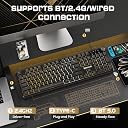
K526 gaming keyboard


| Additional Features | Backlit |
| Antenna Location | gaming |
| Asin | B0GCM7XBYJ |
| Best Sellers Rank | #112,008 in Computer Accessories |
| Brand | Redragon |
| Color | black |
| Compatible Devices | Mac, PC |
| Compatible Operating System Family | Windows |
| Connectivity Technology | USB-C |
| Customer Reviews | 4.4 4.4 out of 5 stars (2,285) 4.4 out of 5 stars |
| Hand Orientation | Ambidextrous |
| Keyboard Backlighting Color Support | RGB |
| Keyboard Description | Gaming |
| Keyboard Layout | QWERTY |
| Manufacturer | Redragon |
| Model Number | RM104 |
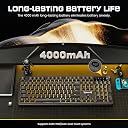
| Power Source | Battery Powered |
| Theme | Rainbow |
| Unit Count | 1.0 Count |
User
Redragon Dyaus K509 Wired Semi-Mechanical Gaming Keyboard. The best membrane keyboard
The Redragon Dyaus K509 is an excellent choice for gamers seeking the perfect balance between affordability and performance. Despite being a membrane keyboard, it offers a **semi-mechanical feel**, providing tactile feedback and a satisfying keystroke that closely mimics mechanical switches. This makes it ideal for both gaming and typing, delivering a responsive and comfortable experience.One of its standout features is the **vibrant RGB lighting**, with numerous color modes and dynamic effects that add flair to any setup. The low-profile, ergonomic keys ensure minimal fatigue during extended sessions, while the build quality is impressive for the price. If you're looking for a budget-friendly keyboard with a **mechanical-like typing experience**, customizable RGB, and reliable performance, the K509 is one of the best options available.
User
Really good, solid, simple inexpensive backlight keyboard
There are 7 solid colors to choose from for the back lighting.(plus 3 red / green / blue offset patterns)It has a good layout, easy to read letters without any fancy "Gamer" style to the font.It looks clean and simple.I do occasional typing and occasional gaming.The USB cord has a decent long length.At first I couldn't get it to stop "breathing" of the light level up and down and that was annoying. I looked for software for this keyboard on the manufacturers website, they have tons of keyboards similar to this model that have software, but there is no software for this model. How do I get it to stop breathing or flashing crazy like a Christmas tree?! Ahh! Then I figured out how to get it at just One color - always on without breathing or flashing. After power on of the computer, hit the right Fn key and the Page Up (LM3 - "light mode three I assume"), this first step will lock it to not breathing or flashing, then hit right Fn key and Home (LM2) until you get the desired color you want, tada! You can then use Fn key and arrow up or down to set how bright.It is sort of annoying having to do this every time I power on the computer, but I actually prefer to not have to run extra software on the computer just for the backlight of the keyboard, so for me its fine.
User
No illuminated edge
So my keyboard doesn't seem to fit the features described on Amazon, or more importantly, on the Red Dragon website.My keyboard product sticker on the bottom clearly states model RDK509 DYAUS-K509-1.Im looking at photos and my keyboard certainly does not have any edge lit features.Its a good keyboard, very quiet, with Color LED features as described (other than edgelit)When the PC is switched off or rebooted,(USB powered off) it reverts back to colour changing mode and does not remember my preferred setting.
User
Muy cรณmodo
Perfecto mejor de lo que esperaba gracias
User
ู ู ุชุงุฒ ููู ู ุง ููู ุนุฑุจู
Trustpilot
2 weeks ago
2 days ago