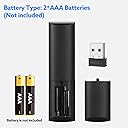
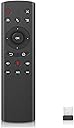
🎯 Command your screen like a pro—remote control redefined!
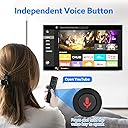
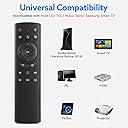
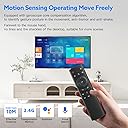
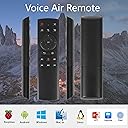
The WeChip G20 is a sleek 2.4GHz wireless air remote featuring voice control, a 6-axis gyroscope for intuitive air motion navigation, and plug-and-play USB connectivity. Compatible with a wide range of devices including Smart TVs, Android TV boxes, and PCs, it offers up to 10 meters of wireless freedom and 18 easy-access keys for seamless media control.


| ASIN | B07P322VRP |
| Best Sellers Rank | #105,512 in Electronics ( See Top 100 in Electronics ) #4,283 in Remote Controls |
| Item model number | WeChip G20 |
| Manufacturer | WeChip |
| Product Dimensions | 13 x 3.99 x 1.98 cm; 59.82 g |
G**A
Does not work
I wanted to use it in my Kodi Device but it does not work. The okay button is not working at all which is a bummer.
C**E
If you're an Nvidia Shield user, you know how awful its remote is. This low-priced device is what Nvidia should have included with its brilliant set-top box instead of that minimalist abomination the company has foisted upon its users. This unit has everything you need to control the Shield. Its surprise coolness is its mouse control, where you push a button and a cursor appears on the screen. Whoa, I didn't expect to like this feature so much! It's like magic to move the cursor around the screen by simply pointing the remote where you want it to go. The remote itself is cheap plastic and too light to seem substantial enough. Besides that it works well. Its radio-controlled (not the flaky infrared) signal doesn't require you to point the device at the receiver at all. Its mute control (the most important button on the remote if you're watching commercial TV) is conveniently situated at the top right, just where I like it. I was a bit worried when I received this unit -- there was something loose rattling around in the box and it sounded like a piece of it had broken off. But not to worry -- that was the USB receiver, which was carelessly placed into the box with no wrapping. But that didn't end up mattering at all, because to make the remote work, all I had to do was plug this USB receiver into my device, and it just worked. Bravo! Worth every penny.
B**Y
I bought this to replace the original IR remote for my WeChip Android TV box. The original was clunky and difficult to use. The G20 is a breeze by comparison. The Android box is now far easier to navigate and use. The air mouse function is particularly good. Plus it's a great price. I'm glad I bought this remote.
C**S
The G20 is definitely a cheaper product but you get exactly what you pay for. The buttons are quite tactile, though the frame itself is quite light and cheap feeling, but I honestly prefer this to the original Nvidia Shield remote (2017). It has no delays waking up or anything like that as with the shield remote (likely due to the USB 2.4ghz transmitter). I did have initial issues with my unit (home button didn't work, period). But WeChip support sorted that out within a couple of business days and I have a replacement unit already working well. Neat little remote that doesn't break the bank. Time will tell how long it holds up but it says it does the one thing, and it does it well! Also standard batteries are a plus!
R**L
I bought this to replace the crappy remote that comes with the NVIDIA shield. It seems to go to sleep and requires too much fiddling to get it to wake up. Will not wake on using the volume feature. The WeChip doesn't have that problem and I can instantly change volume at will. I like that part. What I don't like is the cheap feel, high force needed for the left side of the ring switch and the fact that it always sends a "double click" to the Shield resulting in going back two steps rather than just one. Overall the WeChip feels cheap and not well designed. However, it gets the job done for the price. NVIDIA just came out with a new remote but good luck buying one since everyone who owns an older Shield wants a better remote than the substandard one included.
A**H
I'm extremely happy with this remote.Plugged in USB,tested remote mic wasn't working which needed my shield to reboot.After reboot all features worked perfectly without having to change anything manually. Only reason not giving 5 stars is because on screen keyboard doesn't work with this remote. Any one looking for solution please read this as I manage to make it work by third party app.All you need to do is download Lean pro keyboard free app from Play store on shield 2019 and set this keyboard as default on screen keyboard.This works just like original keyboard for me.I have tried button mapper and some other alternative changes to make this work which didn't have any success.So try this app it'll help
Trustpilot
1 month ago
2 months ago