


๐ง Capture nostalgia, convert legacy โ your musicโs new digital life starts here!
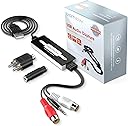
The DIGITNOW USB Audio Capture Card is a lightweight, plug-and-play device that converts analog audio from vinyl records, cassette tapes, and other sources into high-quality digital MP3 or WAV files. Compatible with Mac, Windows (XP through 11), Linux, and Android (via OTG), it supports stereo 2-channel input through 3.5mm and R/L connectors. Bundled with professional-grade Audacity software, it enables advanced audio editing and noise reduction, making it the perfect tool for preserving and revitalizing your vintage audio collection.


| ASIN | B079CBGDST |
| AV Output | mp3 audio |
| Antenna Location | Audio |
| Best Sellers Rank | 6,681 in MP3 Player Accessories |
| Box Contents | Capture Card |
| Brand | DIGITNOW |
| Brand Name | DIGITNOW |
| Compatible Devices | Personal Computer |
| Customer Reviews | 4.2 out of 5 stars 455 Reviews |
| Hardware Interface | USB 2.0 Type A |
| Hardware interface | USB 2.0 Type A |
| Item Dimensions | 5.1 x 16.5 x 14.2 centimetres |
| Item Weight | 73 g |
| Manufacturer | DIGITNOW |
| Manufacturer Part Number | BR605-US |
| Model Number | BR605 |
| Number of Items | 1 |
| Number of Packs | 1 |
| Operating System | Windows |
| Operating system | Windows |
| Other Special Features of the Product | Portable |
| Platform | Windows |
| Recommended uses for product | Audio |
| Special feature | Portable |
| Tuner Type | Analog, Digital |
| UPC | 190835705611 190835705529 |
| Unit Count | 1.0 count |
E**2
Simple Plug & Play on Windows 11
I have a box of old cassettes, mainly nursery rhymes and stories, that I would like to record to .MP3, but my mini-PC doesnโt have an input socket that would allow me to connect an analogue input. This seemed to be an ideal solution. I already had Audacity installed, and had a rudimentary knowledge of its use, so I ignored the mini-CD and instructions that came with the device, and simply connected it to an old portable cassette player at one end and to a USB port on my Windows 11 PC at the other. I changed the input in Audacity to โMicrophone (USB Microphone)โ, and started the cassette player. Everything looked OK, so I monitored the recording level via Audacity and adjusted it via the cassette playerโs volume control and started recording. It worked fine. Because of the nature of the content I wasnโt really concerned about the quality, but without listening too hard, it sounded fine. In order to pick out particular sections of a tape recording, you need to turn on audible input monitoring, so that you can hear whatโs being recorded. Audacity has this facility under Edit/Preferences/Recording , check โAudible input monitoringโ. Iโve only used it on cassette, but I would expect it to work with any device to which it can physically connect, a turntable or whatever, and it has a very good set of connectors to facilitate that. Now that Iโm satisfied that it will work, I have a winter project lined up to deal with my cassette archive. All in all, Iโm very pleased with it for what it cost.
T**Y
good device, works as described
works well, can connect it to an android 9 and android 15 phones, via an OTG adaptor. The recording quality sound good to me, when I look at the recorded file graphically it seems to have capture the full frequency range in good detail. also works with a linux desktop, didn't require any drivers to be installed. Seems to work better with headphone level audio, I noticed on one hifi i used it with the LINE OUT seemed to be too loud resulting in clipped audio, but headphone one is fine and allows more control over the recording volume.
R**E
It Will not work on Windows 11
Arrived next day, which is what I pay for, Purchased to record LPs etc. Tried on two different Laptops , both have been updated to Windows 11 from 10. Did not work , very frustrating! Before returning I checked the description again and there is no mention of Windows 11, Tried on an old Windows 10 machine that I luckly keep from updating and it seems to be working well although it needed to be put through my amp to get the volume. Will carry on with it but would be nice if Amazon mention that it will not work on 11. or maybe I just missed it.
R**H
Simple to Install and configure and eventually recorded Vinyl to MP3
The installation on Windows and Configuration was very simple - plug and play. Install Software no worries. Plugged in the Red/White Female cables to a Male ones out of the Record System all simple. Couldn't work out what to do wit the 3.5mm jack, but eventually left it dangling. Once I had worked out that the Phono Deck needs to go through the Amplifier (separate), I plugged the Red/White Male socket into the Back of the Amp. My Technics Amp (37 years old) Has Video/Aux which I tried to use to no avail, but eventually i added it to the Tape REC OUT setting, set my Amp to Phono and hey presto it works.. and it works like a dream. The quality is very good, and the MP3 file is not huge and easily imports to iTunes. Overall, very happy with this product. Cheap, Simple (ish) to configure and now I am ready for hours and hours of copying Vinyl to MP3 to ITunes.
A**I
Tough to get it to work, customer support isn't getting in touch
Seeing the reviews, I was confident of being able to plug and play with this. Not so. I run MacOS Big Sur, so the instructions in the little manual for this item don't work. It says go to Apple logo/ About this Mac/ More info / Hardware /USB, but my options do not include 'more info' or 'hardware'. I wrote customer support but there was no response, ever. My tape deck was working fine but the device was not transferring the sound into Audacity. Zero customer support. After many hours and downloading different third-party apps, I finally got this to work through audacity. It works great once you figure out how to get it operating on your system, but that can be extremely difficult to do. Maybe you will be lucky and it will โplug and playโ for you, but if your experience is like mine, it will be a very long and frustrating process to get it up and running.
A**S
Worked Perfectly
Simple but effective. Plug and play, started using it straight away. Windows recognised it as a USB microphone, I just had to adjust the volume level down for the USB Microphone in the hardware settings on the PC. Comes with audacity software which is free to download anyway. I am using it with Sound Forge Audio Cleaning Lab software and it has captured the audio from my old turntable without any issues. Much cheaper than buying a new USB turntable.
M**A
A Long Way from "Plug & Play"
Unlike many other reviewers, I found this device to be a long way from "plug & play". It simply didn't work on my pc. Not a peep. The instructions were ambiguous when it came to drivers and in any case, the mini DVD they provided was incompatible with my optical drive. Encouraged by the little card enclosed that stated "If you need any help, our friendly customer service team is always here to support you". I sent a courteous message to the support email provided with a detailed description of the issue(s) I was having. A few days later I received an email asking me for confirmation of my order number etc before they could help. Fair enough. I sent over the order confirmation. Another few days later I received another email from their "friendly and supportive" customer services team. I reproduce it below IN FULL. "Check the manual for detailed instructions on using and setting audacity software. Thanks" That's it. They needed order confirmation to tell be to go away and read the manual. Nice. Very nice. I'm glad others had a better experience, but mine... not so much.
P**D
Worked great once I solved the Windows 10 stereo input issue
Good quality product. Easy to plug and play. Am using it to digitise old cassette tapes. Instructions were easy to follow but, on my first attempt, I noticed both L and R stereo tracks were identical. It took a bit of trial and error to solve. It turned out Windows 10 "audio enhancements" were somehow causing the computer to take only the left stereo channel from the capture card and then send it into the into Audacity though both stereo input channels. I unticked "Enable audio enhancements" via the sounds control panel (Sound / Recording / Microphone / Properties / Advanced) and everything then worked fine. Very happy with the product now.
Trustpilot
2 weeks ago
1 month ago