🚀 Upgrade your workflow with speed and space that means business.
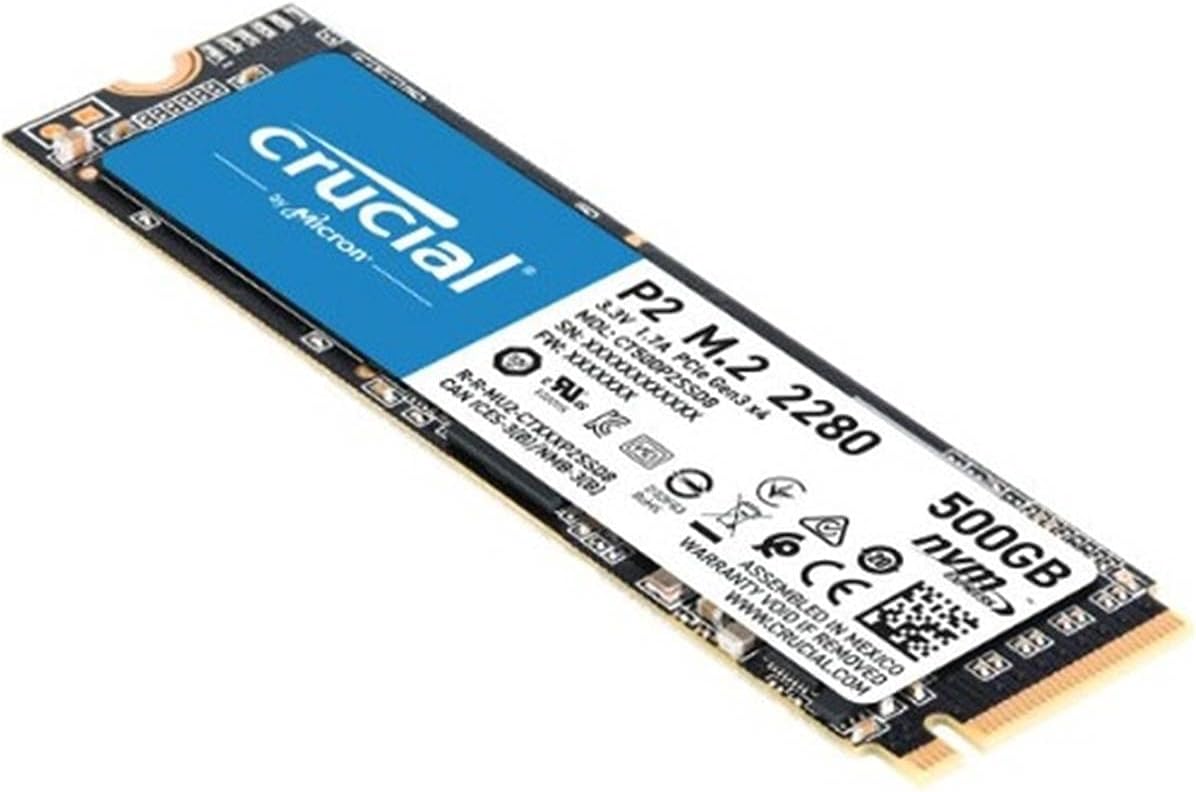
The Crucial P2 1TB NVMe PCIe M.2 SSD delivers up to 2400MB/s read speeds and 1900MB/s write speeds, combining cutting-edge 3D NAND technology with a compact M.2 form factor. Designed for professionals and power users, it includes SSD management software for performance optimization and data security, all backed by a robust 5-year warranty and a 300 TBW endurance rating. Perfect for upgrading laptops or desktops to next-level storage performance.


| ASIN | B089DNM8LR |
| Are Batteries Included | No |
| Best Sellers Rank | #28,380 in Computers ( See Top 100 in Computers ) #271 in Internal Solid State Drives |
| Brand | Crucial |
| Color | Black |
| Customer Reviews | 4.6 4.6 out of 5 stars (37,183) |
| Date First Available | 22 September 2020 |
| Form Factor | M 2 |
| Hard Disk Description | Solid State Drive |
| Hard Drive Interface | NVMe |
| Hard Drive Size | 1 TB |
| Hardware Platform | Linux, Mac, PC |
| Item Weight | 20 g |
| Item model number | CT1000P2SSD8 |
| Manufacturer | CRUCIAL |
| Processor Count | 1 |
| Product Dimensions | 7.98 x 2.18 x 0.2 cm; 20 g |
| Series | Crucial P2 SSD |
S**D
Excellent, worked very well in my HP Pavilion x360
My laptop was factory fitted with a 120 GB SATA SSD. After this upgrade, the performance of the SSD increased approx 4 times for reading and twice for writing! These are from the results provided by running CrystalDiskMark (free to download). Strangely, this item is not identified as a SATA SSD, but worked perfectly on the HP Pavilion x360. I got help from the online chat service provided by Crucial. The agents were very helpful and identified this item as being suitable. I had doubts, as this is not listed as SATA SSD and is certainly not! It did not work with the UGreen SSD SATA enclosure I had purchased alongside, assuming that it would assist in the OS migration. I noticed in the UGreen enclosure, the drive was not recognized and the enclosure was overheating within a few minutes of usage. Luckily, I did not pursue usage of the enclosure and decided to install the SSD directly on my laptop! I later found that the 120 GB SSD that came out of my laptop worked well in the UGreen enclosure, proving that the enclosure itself was good, but meant to be used with a SATA SSD only. I used Macrium Reflect (free to download) for image creation and the migration to the new Crucial SSD and the MiniTool Partition Wizard (free to download) to expand the portion to include the whole usable storage. With this method, I could even save the recovery partition to the end of the SSD storage.
Z**B
Must have for laptops with HDD, a perfect investment
Extremely fast, easy to install, quality product. Installed on my HP Pavilion Gaming 15 laptop and it works like a charm. Make sure to clone the data from old storage to this new storage to enjoy the super fast speeds of SSD This SSD along with RAM upgrade will give a new life to your laptop.
M**R
Worth it
Worth it
T**.
Good SSD, but use another software to clone your OS
Delivery was on time and cost is 100% worth it. Upgraded my Laptops SSD 128 GB (M+B) to Crucial P2 1Tb (M). The software Crucial tells you to use to Clone your OS doesn't work (Acronis). I recommend using Macrium Reflect 7 free edition with the UGreen M.2 Portable SSD case to clone your OS. You might need to Reinstall windows afterwards but at no cost, so backup your data beforehand.
M**D
Great budget NVMe drive
Bought this to upgrade a laptop that only supports 2x PCIe lanes for the NVMe SSDs, so I didn't need one that ran at the highest speeds that Gen3 could support. Works perfectly fine and a CrystalDisk test shows that it runs at the advertised speeds. Great value for money for a known brand with a good reputation. Perfect for upgrading laptops that still use HDDs as their boot drive.
M**K
It’s a great storage nvme.
After using it for a while for my windows OS it works perfectly! The seller was honest & the delivery was on time and fast. Highly recommended.
M**Z
overall its has bosted my gaming laptop performance
I loved it, As my laptop responded very fast
S**R
Good price good quality
It was ready to use, just had to clone it and install. Works perfect. Good price as well. I recommend using a good quality SSD casing, which can then hold the new SSD for cloning purspose and later use the old SSD to become a portable SSD drive.
F**M
Ürün açıklamasında ne denildiyse o şekilde çıktı. Onca zamandır kullanıyorum ve sanırım yıllaca da çalışacak gibi görünüyor. Harici depolama ünitesi olarak kullanıyorum. Veri yükleme ve yazma iyi. Beklentilerimi karşıladı.
G**.
Utilizzato per aggiornare un portatile con disco meccanico, questo SSD Crucial ha rivoluzionato la velocità del sistema. Il caricamento di Windows è passato da oltre un minuto a circa 10 secondi. L’installazione è stata semplice: il form factor M.2 si incastra perfettamente e viene subito riconosciuto dal BIOS. Le prestazioni sono eccellenti per questa fascia di prezzo: lettura sequenziale sui 2300 MB/s, scrittura intorno ai 940 MB/s, perfetti per uso quotidiano, gaming leggero o lavoro. Crucial è sinonimo di affidabilità e nel tempo questi SSD dimostrano grande stabilità termica e durata. Perfetto come disco principale per notebook o come disco secondario per salvataggio giochi o progetti. Consigliatissimo, anche per chi fa upgrade a basso costo ma non vuole compromessi sulla qualità.
N**O
Idéal pour installer Windows. Les vitesses atteignent environ 2400 Mo/s, ce qui suffit largement pour un système fluide, des démarrages rapides et une utilisation quotidienne confortable. Pour un PC bureautique ou gaming léger, pas besoin de plus rapide : il fait parfaitement le job, et la fiabilité Crucial est au rendez-vous. Je recommande !
S**Y
I read the reviews before purchasing the SSD and noticed that many reviewers encountered some issues, but figured that they might have gone through the installation process incorrectly so I went a head and bought it anyway. I installed it to my ASUS TUF GAMING FX505G which come comes with a HDD only and I encountered the same issues, but with some patience I was able to resolve them without making the quick decision to return it. When I first placed the SSD into the designated slot and then started the laptop, Windows 10 didn't recognize the SSD nor did the BIOS. Here's the steps I took to fix it. - Go to the computer manufacturer website and look for your motherboard BIOS firmware latest updates and update it. -Restart the computer and then go to disk management. You'll see that one of the Disk partitions is Unallocated with a black line. Right click and choose the 1st choice which is New simple volume. You can lookup tutorials on how to activate an unallocated M.2 SSD to make things easier. -Go to Crucial.com/support for installation guide videos and follow the instructions on how to clone your SSD with Acronis. If you don't want to remove your HDD and you wanna keep it for extra storage then follow the next step. -Restart your computer and keep holding F2 on ASUS to go to BIOS (it could be a different key depending on your computer manufacturer) once there, go to Advanced mode and then go to Boot , scroll down to Boot option priorities. You'll see boot option 1 which has the original drive and boot option 2 which has the newly installed SSD. You'll need to switch Boot option 1 to the new SSD instead. Finally save and exit the changes and it will work like a charm. Hope this helps!
A**D
ممتاز
Trustpilot
2 weeks ago
4 days ago