

Desertcart purchases this item on your behalf and handles shipping, customs, and support to Japan.
🖱️ Elevate your workspace with precision, comfort, and wireless freedom — don’t get left behind!
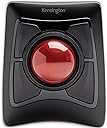
The Expert Wireless Trackball Mouse (K72359WW) combines a large 55mm optical trackball with patented scroll ring technology for precise, effortless navigation. Designed for ambidextrous use, it features a detachable ergonomic wrist rest and customizable buttons via KensingtonWorks software. Connect seamlessly through Bluetooth LE or a 2.4GHz USB dongle, with smart power-saving modes extending battery life. Compatible across Windows, macOS, and Chrome OS, it’s backed by 3 years of coverage and lifetime support, making it a top-tier choice for professionals seeking comfort and productivity.


| ASIN | B01936N73I |
| Additional Features | Ergonomic design with removable wrist support, programmable buttons, customizable mouse speed, wireless connection and award-winning scroll ring |
| Antenna Location | Office |
| Are Batteries Included | Yes |
| Are Batteries Required | Yes |
| Best Sellers Rank | #15,970 in Computers ( See Top 100 in Computers ) #2 in Computer Trackballs |
| Brand | Kensington |
| Button Quantity | 4 |
| Color | Black |
| Colour | Black |
| Compatible Devices | Laptop, Other, Tablet |
| Connectivity Technology | USB |
| Connectivity technology | USB |
| Customer Reviews | 4.3 out of 5 stars 14,483 Reviews |
| EU Spare Part Availability Duration | 3 Years |
| Embellishment Feature | Crystal |
| Enclosure Material | Plastic |
| Finish | Smooth Plastic |
| Global Trade Identification Number | 00085896723592, 07802880611214 |
| Hand Orientation | Ambidextrous |
| Hardware Platform | PC,MAC |
| Included Components | Trackball^Wrist Rest^Dongle^Batteries (2)^Quick Installation Guide^Warranty Insert |
| Item Dimensions L x W | 20.3L x 15.5W centimeters |
| Item Type Name | Trackball |
| Item Weight | 1.35 Pounds |
| Manufacturer | Kensington |
| Mfr Part Number | K72359WW |
| Minimum Required Operating System Version | Windows 7 |
| Model Name | Expert Mouse |
| Model Number | K72359WW |
| Mouse Maximum Sensitivity | 400 Dots per Inch |
| Movement Detection | Optical |
| Movement detection technology | Optical |
| Number of Batteries | 1 A batteries required. (included) |
| Number of buttons | 4 |
| Operating System | Chrome, Mac, Windows |
| Pattern | Mouse |
| Power Source | Battery Powered |
| Range | 33 feet feet |
| Special features | Ergonomic design with removable wrist support, programmable buttons, customizable mouse speed, wireless connection and award-winning scroll ring Special features Ergonomic design with removable wrist support, programmable buttons, customizable mouse speed, wireless connection and award-winning scroll ring See more |
| Style Name | Modern |
| Theme | Computer |
| UPC | 085896723592 |
| Unit Count | 1 Count |
T**M
Comfortable and productive
Took me a while to decide to opt for such a different style of mouse but it’s made a big difference not only to my personal comfort when working for long hours, but also to my work flow, and was surprisingly easy to get used to.
R**S
My choice
Recommend for people who know how to use this track ball
A**R
Go for Kensington Orbit
The Kensington Orbit is far better than the Kensington Expert. Over the last two years, I have encountered many performance issues with the Kensington Expert, mainly with the ring.
A**E
"Cheap" for the price
After many positive reviews, I decided to try the SlimBlade, despite a few of the negative comments regarding the buttons. Please note, the comments on how mediocre this trackball is ARE the accurate reviews. While the device is nice enough, especially the ball itself, I don't think it's worth the high price being charged. The unit itself is rather lightweight and doesn't sit as solidly on the desk as one would expect from a premium piece of equipment. The mouse buttons are cheap plastic, weak, flimsy, tabs and switches that vary between, "did it actually press?" or "am I gonna break it if I press a little harder?" I really like the weight of the trackball, and the scrolling feature (rotating the ball itself) seems to be a love/hate thing...I'm one who loves it. There is so much about the mouse that I want to like and the trackball, scrolling and unit height are those things. That being said, the premium price you pay for the unit, versus the actually quality of the unit that you get are too divergent IMO. Considering replacing this unit for the expert, but that seems to have its issues as well. The quest for a good trackball continues...
F**T
Its BIG and huge
Although I returned it.. But it's very good if someone has no issue with size...
U**Y
Came for the ergonomics, stayed for the productivity
Why, why did I wait to buy one of these it's beyond brilliant. First up let me explain, about 3 months before buying this I had a fall and broke my wrist, broke 2 bones and did some ligament damage - ouch, yes it's as painful as it sounds and if you take nothing else away from this review be careful with icy pavements. The healing from a broken wrist can take up to a year in some cases and a lot of pain ensues while thats happening, when I had a cast on for 6 weeks towards the end there was no discomfort hardly at all so in my head it's yay, cast off, back to normal, rock on. Er no, as the cast came off my reaction was mm ow ow OW OW! MOTHERFU.... that hurts, and so began a quest to find someting I could use comfortably and get my extremely bored arse back to work. So finally, the trackball itself, what can I say, silky smooth operation from the actual ball, being 55mm across it means you can control it with three fingers if needs be, the four buttons around the ball are totally customisable if you download a small application from Kensingtons website and you aren't limited to four functions either, you can add keys to each button so you get a different function if you press shift, or control, or alt or the win key so four individual functions on each of four buttons - that's a lot of shortcuts. In addition to this you can specify a set of shortcuts for each application, the combinations and permutations are mind boggling. There is also a scroll wheel right next to the ball and again it's customisable in terms of speed and direction and inertia which I tried but didn't like but it's worth looking at it to see if it works for you. There is of course the usual pointer speed control which using a super ultra wide high resolution monitor I have set quite high to quickly move around the huge screen area, that is fine but it's not the most precise method - however Kensington have thought of that too, you can set one of three keys to instantly and temporarily lower the pointer speed making precision a doddle, there is even a setting to lock the movement to just vertical or horizontal movement in a single axis and while this might not sound like the pinnacle of technology if say you have a bunch of tabs open in a browser or are going through a bunch of drop down menus in a professional application such as Photoshop or illustrator - which I do all day every day while doing actual work it just makes it even easier - hence quicker to use. It's just one more reason to like this trackball and why I will NEVER go back to using a mouse again - ever. Looking at one of the other reviews there was a criticism that you had to float your arm to use the trackball and it placed strain on your arm/wrist - well as this was the entire reason I'd been looking at things like this trackball to reduce just that and allow me to get back to work take a look at this... https://www.amazon.co.uk/gp/product/B0752MCX82/ref=ppx_yo_dt_b_asin_title_o04_s00?ie=UTF8&psc=1 It's basically a device that clamps to your desk and cradles your arm taking the weight and strain away from your arm - and crucially for me the wrist, a combination of that cradle and this trackball means I have a perfectly straight arm position from the elbow to fingertips and the sometimes unbearable pain of using a mouse - and i've tried 6, everything from gaming mice to really thin bluetooth mice to smaller sized mice, even a vertical mouse has gone, I can use this for hours with nothing more than the odd twinge - using a mouse all day I'd have to mainline so many painkillers it'd turn me into a zombie. Very seldom do I buy anything that makes a real improvement to my daily life but this is definitely one of those times and I don't like this trackball I love it.
A**M
Ergonomic and ambidextrous
Fits the hand well. Easy to set up. I have been using a well known marble mouse for years, but it appears to be obsolete now. Any on the secondary market are horrendously overpriced, so finding this as a replacement is great.
M**T
Trackball erfüllt Erwartungen bei Menschen mit Körperbehinderung
Den Trackball habe ich nicht für mich bestellt, obwohl ich selbst auch Trackball - Fan bin. Ich bevorzugeaber einen kabellosen Trackball für den Couchbetrieb. Diesen preisgünstigen Trackball hatte ich gewählt, um einem Menschen mit spastischer Behinderung zu helfen. Die Person hatte das Problem, dass sich beim Linksklick die Maus immer verschob, so dass die Maus mit der anderen Hand gegen das Verschieben blockiert werden musste. Dies löste dann manchmal wiederum einen unerwünschten Rechtsklick aus. Das Positionieren des Zeigers und das Klicken wurde so zu einem Geduldsspiel. Mit dem Trackball klappt dies nun einwandfrei. Das Nichtvorhandsein von zusätzlichen Scroll- oder Browsertasten und die grossflächigen, seitlich angebrachten Tastenfelder ermöglichen einen problemlosen Links -, Rechtsklick. Die Person war von dem Trackball so begeistert, dass sie noch einen weiteren Trackball für einen Freund bestellt hat, der auch eine Körperbehinderung mit Spastik hat. Der Trackball ist einfach, aber formschön und scheint gut verarbeitet zu sein. Das Preisleistungsverhältnis stimmt bei diesem Produkt.
S**N
Absolute Quality!
I've been using Kensington mice ever since their early entrance into the market. They never failed me then and they are still #1. This track ball is "wireless". I had a wired Kensington mouse, but got fed up with the wire getting in my way at a very busy work station. It is battery driven and you will know when it's drained by the fact that the mouse pointer becomes lazy and won't go as fast as it should or you have trouble putting the pointer on any specific place on your screen. As far as I'm concerned, you'd be tragically missing out on possibly the best mouse ever made. And I stand behind it!
E**A
Once you go trackball, you dont go back
This is my first ever trackball mouse since those old mouses from the 90s that had a ball instead of a laser. It was hard to decide between Slimblade and Expert version but went with Slimblade because of the scrolling feature. And I think it was the best decision ever. I absolutely love the scroll feature, I was afraid that it would be tiring to scroll but in the opposite it make me want to scroll more. The tracking is pretty precise and it is easy to select the text or drag things. The buttons placed in such a way that you can click it while still manipulating the ball. The mouse itself is pretty comfortable to use for the entire day especially if you place your elbow on the same level as the mouse. Overall, would highly recommend if you looking for something that would reduce the hand fatigue and minimizes hand movement to almost non existing.
Trustpilot
4 days ago
1 week ago